
 Web Development
 Data Science
 Python
 SQL
SQL JavaScript
 Artificial Intelligence
 IT & Software
 IT Certifications
 Hacking
 AWS
AWS Arduino
 DevOps
 3D Modeling
 Graphic Design
 Photoshop
 Drawing
 Digital Painting
 UX Design
 Business
 Data Analysis
 Communication Skills
 Project Management
 Leadership & Management
 Human Resources
 Digital Marketing
 Social Media Marketing
 Marketing
 SEO
SEO Google Analytics
 Branding
 Excel
Excel Office Productivity
 SAP
SAP PowerPoint
 Microsoft Access
 SharePoint
 Finance & Accounting
 Trading & Investing
 Accounting
 Bitcoin
 Personal Finance
 Video Editing & Animation
 Photography
 Adobe Premier Pro
 Adobe Lightroom
 Personal Development
 Productivity
 Career Development
 Life Coaching
 Health & Fitness
 Meditation & Mindfulness
 Yoga
Yoga Music
Music Music Production
 Guitar
 Piano
Piano Singing
 Language Learning
 Teaching & Academics
 Engineering
 Math
Math Lifestyle
MTA: Windows Server 2016 Administration Fundamentals: 98-365 (Udemy.com)
Windows Server 2016 Edition. Master all core exam topics: AD, DNS, DHCP, DFS, IIS, RDS...
Created by: Marious Kuriata
Last updated October 2024
 What you will learn
- Install Windows Server 2016
- Install and configure web services (IIS)
- Understand Active Directory
- Deploy DNS and DHCP
- Add roles and features
- Remote access and RDS
- Groups and permissions
- PowerShell in action
How it compares
Against the other 112 rated Udemy courses in Windows Server on CourseDuck:
- Rating4.5 out of 5higher than 50% of them
- Reviews1,835#31 of 113 by number of reviews
- Length4.5 hoursshorter than 68% of them
- Last updatedOctober 2024more recently than 60% of them
 Course Description
MTA Windows Server 2016 Administration Fundamentals covers all important exam topics and helps you get ready for the exam. The course has been recorded using Windows Server 2016 to match the updated MTA curriculum from Microsoft.
Microsoft Technology Associate (MTA) is a recommended entry point into IT certification. Pass just one exam and you'll earn a certification!
The main benefit to earning a Microsoft Certification is that it shows potential employers/hiring managers that you have the necessary requirements and skills to be the perfect candidate for the job.
What will I learn?
Overview of Microsoft Server solutions
Active Directory, DNS, DHCP, IIS, RDS
E-books and presentations with step-by-step instructions
Detailed lectures on Active Directory
Users, Groups, Permisions and Policies
Virtualization, Remote Access, Security, Storage...
PowerShell in action
You will find almost all support roles in IT require some Microsoft skills. It is especially important to have a good grasp of Windows Servers, every day thousands of new servers go live and require a certified engineer to deploy, support and maintain the infrastructure. The course is perfect for anyone who seeks to learn the fundamental Microsoft Server concepts.
Contents and Overview
In over 3 hours of content including more than 30 lectures, this course covers the basics of Windows Server 2016. You will find a couple of quizzes to make sure you can practice exam questions and test your knowledge before moving to the next section.
We start from scratch discussing an installation process, basic configuration and we move to roles and features like Hyper-V, Remote Access, Active Directory, Storage, and Printers.
There are lectures dedicated to maintenance and troubleshooting - skills you need to have if you want to apply for a job and work with Microsoft Servers.
Students completing the course will have the knowledge to install and manage a Windows Server 2016 including basic troubleshooting. You'll also receive bonus materials that reinforces the concepts you've learned. A lot of real world examples help you apply your skills and make difficult topics much easier to understand.
* Please note that Microsoft allows you to pass this MTA exam however you can find all important aspects of Windows Server 2016 here so worth joining and learning all the basics! *
Enjoy!
Join now!

 Udemy Discount
The discount is applied through our link. Open the course from here and Udemy's current promotional price is applied at checkout on most courses, no code to type.
Some courses are excluded from Udemy's promotions. If the price does not drop, clear your browser cookies and use the button again.
Instructor Details

- 4.5 Rating
 1,835 Reviews
Marious Kuriata
Hi, my name is Marious. I have been working in IT for 20 years (web design, networking, security, tutoring, management).
My courses/certifications: MCSE, MCSA, MCTS, MCP, Cisco CCNA, CCNP, CCNA Security, CCSP, Zyxel Security Professional,
Postgraduate studies in networking & security. A Master's Degree in Human Resources.
20 years of experience in IT. This has included designing, troubleshooting and installing networks, Cisco routers, switches, access points and firewalls (ASA Firewalls, Aironet, VLANs, routing protocols RIP, OSPF, EIGRP, BGP, spanning tree, VPNs, Cyberoam, IPS/IDS, Riverbed), Previous experience includes Microsoft systems, IT Manager, Technical Trainer (Cisco, Comptia, Microsoft) and Private Tutor.
CCNA Cisco Certified Network Associate (2009)
CCNP Cisco Certified Network Professional (2010)
CCNA_SEC Cisco Certified Network Associate Security (2012)
CCNA_ASA Cisco ASA Firewalls Specialist: Security and VPNs (2013)
CCSP (CCNP Sec) – Cisco Certified Security Specialist (2013)
ZCNP ZyXEL Certified Network Professional (2012)
MCSE Microsoft Certified Systems Engineer (2011)
MCP Microsoft Certified Professional (Windows Server) (2009)
 More courses by Marious Kuriata

Introduction to networking for complete beginners (2026)
4.3 (18,800 Reviews)
 Provider: Udemy
 Time: 1.9h
Free

IT Support and Service Desk jobs -Crash Course for Beginners (2025)
4.5 (2,244 Reviews)
- Provider: Udemy
- Time: 3.8h
$64.99

Virtual Private Networks for beginners - VPN, Cisco training (2025)
4.3 (2,140 Reviews)
- Provider: Udemy
- Time: 5.1h
$11.99
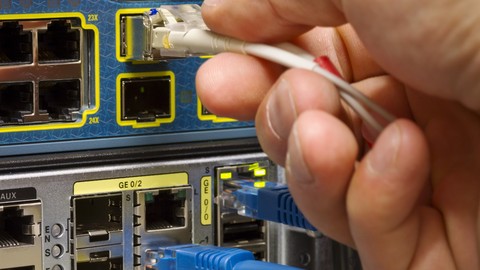
CCNA po polsku - kurs sieci komputerowych - egzamin 200-301 (2025)
4.7 (2,116 Reviews)
- Provider: Udemy
- Time: 17.6h
$64.99
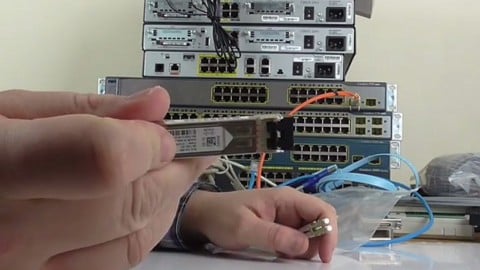
CCNA 2020 - CCNA 200-301 exam - a complete guide - Cisco
4.6 (1,848 Reviews)
- Provider: Udemy
- Time: 25.7h
$129.99

Data Loss Prevention (DLP) - Security breaches under control (2025)
4.4 (1,703 Reviews)
- Provider: Udemy
- Time: 1.8h
$44.99
More Windows Server courses



Automate Active Directory with PowerShell (Hands-On) (2026)
4.7 (2,001 Reviews)
- Provider: Udemy
- Time: 4.1h
$10.99

Installing and Configuring Windows Server 2012 (70-410)
4.7 (804 Reviews)
- Provider: Udemy
- Time: 15.9h
$159.99

Build an Active Directory & Group Policy Production Lab (2026)
4.7 (706 Reviews)
- Provider: Udemy
- Time: 5.8h
$69.99

Microsoft Windows Server 2012 Certification - Exam 70-411
4.7 (617 Reviews)
- Provider: Udemy
- Time: 8.8h
$59.99
 Reviews

By Tamás György on 4/28/2022
Today I passed the exam on the first attempt with good score. Here is my advice: Marious really touches every part of the exam, but you need to learn from other sources too. I used the Packt book. Lab everything, if you don't understand something do some research, my recommendation is youtube. If you want to get knowledge about Windows Servers do this course, I can say the 4.5 course rating is not a coincident.
By Jordan Penrose on 6/14/2021
This course is extremely good for beginners to Windows Server. Ive been in my role as a Cloud & Hosting Engineer for just under 2 years and ive learnt a decent amount from working but this was useful to cover some gaps that i did not know and kinda of take me thru the building of labs to do testing as well as put setting up a server into perspective. Would highly recommend for people with little to no experience, it covers some good key concepts that are very useful in day to day server administrating.
By Veronica J. Kirchoff on 2/25/2021
This course was very helpful in giving a mid-depth review of the things I need to keep in mind for the MTA exam. I've already learned a lot of it in other courses I've taken in the past, but you never know what a particular exam is going to throw at you. There were a couple of things I'd forgotten or not learned before, so having it all in one place to review right before the exam is great.
By John Hendricks on 11/15/2020
Some of the content just seemed to be a little fragmented. Content probably not explained well enough to understand to pass a certification exam.
By Mickey Minchew on 11/15/2020
Instructions that go along with the actual 'play-by-play' of installing virtual machines for lab greatly enhances confidence when undertaking processes.
By Matt Wilson on 11/8/2020
A lot of good information here that helped me prepare for passing the server fundamentals exam. All the basics are covered here. Add this course with some practice exams and you'll be good to go. Thank you!
By Felix Changwe on 10/27/2020
This is what i am expecting
By Anonymized User on 10/26/2020
This course is relay good! I definitely recommend it, Simple and easy to understand for any beginners. Very good course to understand the basics and some advanced topics on how Windows Server works I strongly recommend people to go for this course.
By Jalil Qayyum Saddal on 10/19/2020
Should not use VM box. if we have hyper V. I think is useful but if we already have hyper v than no use of vm box
By Alberto Rota on 10/14/2020
Awesome teacher
By Axel Reznik on 10/4/2020
So far so good, looks a very engaging course, the Instructor seems to be in control and is very clear when explaining things, also he goes through a concise explanation about installing the VMs, which is good as not everyone is familiar with them.
By Iris Ketting on 10/1/2020
I'm glad you give a clear explanation and pictures of what you need to do. So as a beginner I can understand what you mean. And having two displays myself, I can see your lesson on one, pause when I want, and look back for some seconds as I have to make the installation of my virtual machines complete on the other display.
 Quality Score
No CourseDuck member has rated this course yet. Taken it? Give each part a thumbs up or down.
Overall Score : 90 / 100

- Video Duration:
 4.5h
4.5h - Price: $12.99
- Provider: Udemy
- Updated:
 October 2024
 - Level:
 Beginner
 - Language:
 English
 - Certificate:
 Yes
Yes
30-day money-back guarantee on most paid courses
Udemy Coupon Price Tracker
