
 Web Development
 Data Science
 Python
 SQL
SQL JavaScript
 Artificial Intelligence
 IT & Software
 IT Certifications
 Hacking
 AWS
AWS Arduino
 DevOps
 3D Modeling
 Graphic Design
 Photoshop
 Drawing
 Digital Painting
 UX Design
 Business
 Data Analysis
 Communication Skills
 Project Management
 Leadership & Management
 Human Resources
 Digital Marketing
 Social Media Marketing
 Marketing
 SEO
SEO Google Analytics
 Branding
 Excel
Excel Office Productivity
 SAP
SAP PowerPoint
 Microsoft Access
 SharePoint
 Finance & Accounting
 Trading & Investing
 Accounting
 Bitcoin
 Personal Finance
 Video Editing & Animation
 Photography
 Adobe Premier Pro
 Adobe Lightroom
 Personal Development
 Productivity
 Career Development
 Life Coaching
 Health & Fitness
 Meditation & Mindfulness
 Yoga
Yoga Music
Music Music Production
 Guitar
 Piano
Piano Singing
 Language Learning
 Teaching & Academics
 Engineering
 Math
Math Lifestyle
Photoshop: Learn Digital Painting Basics in Photoshop (Udemy.com)
Photoshop: Learn the software and use a Wacom tablet to easily start creating beautiful digital paintings in Photoshop.
Created by: Adam Zollinger
Last updated October 2021
 What you will learn
- Paint in Photoshop using built in and custom brushes
- Navigate the Photoshop UI for painting
- Understand layers, blending modes, tool palettes, masking and various other important Photoshop techniques
- Create a portrait in Photoshop from beginning to end
- Mimic watercolor, oil, acrylic, or mixed media in Photoshop
- Create your own custom brushes and tool presets
- Create beautiful imagery using Photoshop
- Feel comfortable using a pen tablet to paint and draw
How it compares
Against the other 175 rated Udemy courses in Digital Painting on CourseDuck:
- Rating4.1 out of 5higher than 6% of them
- Reviews470#53 of 176 by number of reviews
- Length2 hoursshorter than 74% of them
- Last updatedOctober 2021more recently than 56% of them
 Quality Score
Overall Score : 82 / 100
 Course Description
- The current price is an introductory rate, and will go up as more lectures are added.
- More technique videos are coming soon
- You do not need to know Photoshop to take this course. I will quickly cover the basics before moving into more advanced information.
- ***30 Day Money Back Guarantee*** No questions asked. If you hate the class, just return it. No risk.
What You Will Learn By the end of this course you will feel comfortable painting in Photoshop using various different techniques. You will also have a good understanding of PS tools and workflows in general. Specifically, I will be demonstrating how to paint a simple "watercolor" portrait from start to finish, but along the way you will pick up on many other techniques that will help you to feel comfortable coming up with your own unique creations. I also discuss techniques for different kinds of paint like oil and acrylic. The course is meant to give you a comprehensive introduction to digital painting while following along with my project. Course Structure
- In this course we will start from the beginning, for those of you who are not familiar with PS. I will go over the UI basics, show how to download PS if you need to, and go over which pen tablet is best for you. There is a link to a fantastic buyers guide if you don't already have a pen tablet input device (They are absolutely necessary to do any serious painting in PS. Cost: $30 - $500 -- cheap ones work fine for this course).
- Next I will show you the basic techniques of mimicking different kinds of paint, and continue to teach you about the various tools in PS and how to use them.
- The next section will go over how to setup our file and our layers in order to be ready for painting. By this point we will also have our custom brushes ready, and our UI optimized for painting.
- Finally, we will start laying down some paint on our digital "canvas". You will watch me paint in real time while I explain my thought process and the PS tools that I am using. I will also throw in some time lapse video of me painting, so you can see the entire process.
- To finish of the course, you will be instructed how to polish off your painting with some finishing touches. We will go over things like texture overlays, adjustment layers, blending modes, etc.
- Take this course if you want to learn Photoshop better in general
- Take this course if you specifically want to use Photoshop for digital painting
- Take this course if you want to pursue a career in any kind of digital art, i.e. concept artist, storyboard artist, character design, animation, matte painting or even automotive design. All these fields use Photoshop painting.
- Take this course if you enjoy painting, and want to learn how to do it digitally.
- Take this course if you want to become a better artist.
- Take this course if you think painting would be fun, but you don't have all the tools and the know how to paint traditionally.
- Take this course if you want a relatively easy way to get started painting stuff.
- Take this course if you want to paint with NO MESS!
- Take this course if you just bought a Wacom tablet off of ebay, and you want to learn how to use it in an awesome way.

 Udemy Discount
The discount is applied through our link. Open the course from here and Udemy's current promotional price is applied at checkout on most courses, no code to type.
Some courses are excluded from Udemy's promotions. If the price does not drop, clear your browser cookies and use the button again.
Instructor Details

- 4.1 Rating
 470 Reviews
Adam Zollinger
Digital Artist - 3ds Max & Photoshop
Adam has been working as a professional (and award winning) 3d artist for over 10 years, but his expertise does not stop there. He has also authored / illustrated a children's book, and created graphics for numerous mobile games. He has expert knowledge in the following programs:
3ds Max
Mudbox
Photoshop
V-Ray
After Effects
Unreal Engine 4
Various other software programs and plugins
Most importantly, he has dedicated himself to lifelong learning, and he loves to teach others as well.
From the artist:
"I mostly work in the Architectural Visualization industry. This a career which I almost entirely taught myself, and have perfected over several years. In order to save you the trouble of learning the hard way, like I did, I wan't to offer my expertise to you."
Join one of Adam's courses today to benefit from his years of experience creating high-end, professional graphics.
*Follow the social links to connect with Adam on the internet. Keep up to date with the latest course discounts, and free resources available from Adam.
 More courses by Adam Zollinger

3ds Max + V-Ray: Master the PRO Archviz Workflow In 6 Hrs (2025)
4.4 (4,757 Reviews)
 Provider: Udemy
 Time: 24.8h
$22.99
Photoshop CC: The Essentials of Photoshop In Just 2 hrs (2025)
4.2 (2,357 Reviews)
- Provider: Udemy
- Time: 2.5h
Free
Master 3ds Max: Learn PRO 3D Modeling and Rendering Fast! (2025)
4.3 (2,080 Reviews)
- Provider: Udemy
- Time: 12.6h
$16.99

3ds Max & Vray: Master Interior Archviz Projects Quickly (2025)
4.4 (1,026 Reviews)
- Provider: Udemy
- Time: 9.8h
$12.99

Unreal Engine 4: Project Based VR Course for Arch Viz in UE4 (2025)
4.4 (898 Reviews)
- Provider: Udemy
- Time: 8.2h
$14.99
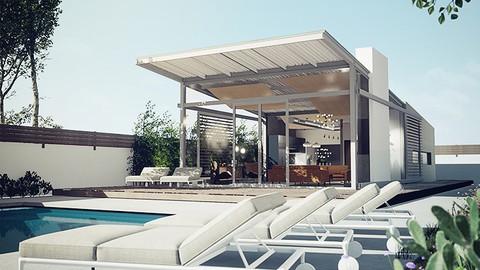
Unreal Engine for ArchViz | Unreal Engine PRO in 6 Hrs (2025)
4.2 (779 Reviews)
- Provider: Udemy
- Time: 13.2h
$84.99
More Digital Painting courses

Character Art School: Complete Coloring & Painting (2026)
4.8 (6,042 Reviews)
- Provider: Udemy
- Time: 19.5h
$34.99



Procreate Masterclass: Digital Drawing on the iPad (2023)
4.8 (1,744 Reviews)
- Provider: Udemy
- Time: 18.2h
$94.99


Digital painting with Krita 5.0 intermediate level (2022)
4.8 (271 Reviews)
- Provider: Udemy
- Time: 6.8h
$79.99
 Reviews

By Fiza Tanveer on 11/23/2020
Yes.. I want to learn digital painting from scratch......
By Yael Zur on 11/22/2020
I would advise to move the brushes bonus from the end to the top - it could help for the practice. Thank you
By adhityan ravichandran on 11/7/2020
the software used is pretty old and it's hard to follow along
By Don Finch on 10/11/2020
Could be about the right pace. He is starting out very basic, which is good for me. I am not an artist, i don't know Ps that well, and only recently got the pen tablet. Only concern so far is the older version of Ps and I have CC 2020. there could be some layout differences to fumble with.
By MD. Noman Ridoy on 9/22/2020
it's for beginner level.
By Hector Allier on 9/21/2020
Easy and beautiful way to put Photoshop skills on its way! Amazing possibilites! Thanks Adam!
By Rich Collinson on 8/25/2020
This course provided a good description of how to do a watercolor digital painting.
By Sam Pascua on 8/19/2020
The course helped me get a head start in familiarizing myself with Photoshop and its array of tools and some simple techniques for starters. Very basic but it's all you need to begin with if you're just starting out. I just wish I could've had a dual screen so I can follow along the course while also using Photoshop. I had to keep clicking the windows in and out.
By Nertan Cruz on 7/27/2020
Primary and superficial.
By Janice Rosner on 7/16/2020
No practice files. Little info about brushes. I took another painting course that was very specific and went into the techniques and procedures in detail.
By Kris Zhuang on 6/5/2020
People who registered for this course are someone who already have PS and wacom pad, the tutor DOESN'T need to elaborate too much details about how to download ps and what pad they need to get!!! Literaaly wasted my 15 mins listening to this basic info.
By JayEm Online on 10/1/2016
This was a fun class! The lessons mainly focus on the creation of a watercolor painting and the exact brushes that Adam uses are included in the course. He is good at what he does and I found myself simply watching the painting emerge (it captures your attention). Several methods are covered for nondestructive painting techniques - which is a must for any digital file creation. Everything you see Adam do in the course can be replicated in your own project. If photoshop is entirely new for you, I would advise you to go through the first three parts of the course once to simply watch and takes notes and then a second time to work alongside Adam. If you get stuck, Adam encourages students to ask questions if they need help. Overall, if you put what you learn to use, the only limit will simply be, as Adam states, your imagination.
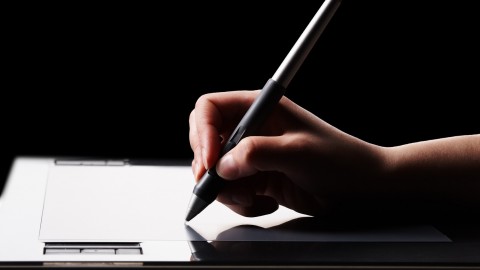
- Video Duration:
 2h
2h - Price: Free
- Provider: Udemy
- Updated:
 October 2021
 - Level:
 Beginner
 - Language:
 English
 - Certificate:
 No
No
Udemy Coupon Price Tracker
