
 Web Development
 Data Science
 Python
 SQL
 JavaScript
 Artificial Intelligence
 IT & Software
 IT Certifications
 Hacking
 Microsoft Azure
 AWS
 Arduino
 3D Modeling
 Graphic Design
 Photoshop
 Drawing
 Digital Painting
 UX Design
 Business
 Data Analysis
 Communication Skills
 Project Management
 Leadership & Management
 Human Resources
 Digital Marketing
 Social Media Marketing
 Marketing
 SEO
 Google Analytics
 Branding
 Excel
 Office Productivity
 SAP
 PowerPoint
 Microsoft Copilot
 Microsoft Access
 Finance & Accounting
 Trading & Investing
 Accounting
 Bitcoin
 Personal Finance
 Video Editing & Animation
 Photography
 Adobe Premier Pro
 Adobe Lightroom
 Personal Development
 Productivity
 Career Development
 Life Coaching
 Health & Fitness
 Yoga
 Meditation & Mindfulness
 Music
 Music Production
 Guitar
 Piano
 Singing
 Teaching & Academics
 Engineering
 Language Learning
 English Language
 Math
 Lifestyle
PowerShell 6: From Basics to Mastering System Administration (Udemy.com)
Explore various features & automation tasks with PowerShell 6 by administrating Windows OS components & Server features
Created by: Packt Publishing
Last updated February 2019
Our take
Based on the ratings of 87 students, a sample of their written reviews and the syllabus, as the course stood in February 2019. No course pays to be reviewed.
This is a Packt Publishing bundle of three separate courses: an introduction to PowerShell 6, a section on building automation tools, and one on administering Windows with it. It runs 7.9 hours over 88 lectures, with the time split almost evenly between the three. It carries a beginner label, but the requirements ask for basic scripting knowledge and good administration experience. That makes it a better fit for a working sysadmin than for someone opening a terminal for the first time.
Happy reviewers like the brief explanations and a simple run through the basics. One with scripting experience called the learning curve gentle. The complaints are specific, though. One student says both instructors in the first two modules move far too quickly, others struggled to keep up with the commands, and one wanted more demos. Module 2 takes the most heat: a big jump from module 1, unclear in places, and poor recording quality according to a review in German. That same review disliked the scrolling through the ISE in section 3. Another student couldn't log in to follow the Azure lessons because a setup step was missing, and says they teach the deprecated AzureRM module.
The last update was February 2019, and that matters for a course tied to a specific PowerShell version. The rating is 4.4, but from only 87 ratings, and 14 of those are three stars. Treat the first section as the safest part, since even a one-star reviewer found it helpful. We'd recommend it only to an admin who wants a fast tour and can work around old Azure steps. Anyone starting from zero, or learning mainly for Azure, should pick something newer.
Pros
- Simple coverage of the basics that one reviewer called quick and efficient
- Covers Windows features such as Active Directory and IIS, beyond plain scripting syntax
- A full 39-lecture section on toolmaking, for admins who want to build their own automation
- The first section gets credit even from a reviewer who gave the whole bundle one star
Cons
- Not updated since February 2019, and a reviewer says it teaches the deprecated AzureRM module
- Commands go by too fast for two reviewers, one of whom couldn't follow without pausing the video
- Section 2 is a steep jump from section 1, and reviewers call it unclear or poorly recorded
There was more talking and explanation and not enough demo of the powershell commands.
Labeled beginner, but it expects basic scripting and good admin experience. Prior PowerShell helps but isn't required.
 What you will learn
- Design and Implement scalable automation solutions.
- Eliminate duplicate code and consolidate script files.
- Get a grip of Visual Studio Code with add-ons for PowerShell automation.
- Delegate tasks to end users with Azure serverless computing - functions.
- Reduce the time spent on doing routine tasks when they can be automated.
- See how to configure the Windows Operating System (OS) with PowerShell Core 6.
- Manage Windows features, including Active Directory, IIS, and more with PowerShell Core 6.
- Master the most important aspects of PowerShell Core 6.
Course content
3 sections · 88 lectures · 7.9 hours of video 2 quizzes
- 1Learning PowerShell 6 2 free previews31 lectures · 1 quiz · 2.7 hours
- 2PowerShell Toolmaking 1 free preview39 lectures · 1 quiz · 2.7 hours
- 3Mastering System Administration with PowerShell 6.x 1 free preview18 lectures · 2.6 hours
Who it is for
The instructor says it suits
- System Administrators, Developers, Solution Architects who want to master Windows PowerShell 6.0 as a scripting language, automate repeated daily tasks, and perform complex administration in a timely manner and with less effort.
- PowerShell scripters who want to build applications.
What you need before you start
- You need to have some basic scripting knowledge and good administration experience.
- Passing familiarity with PowerShell will be useful (Not mandatory).
How it compares
Against the other 127 rated Udemy courses in Windows Server on CourseDuck:
- Rating4.4 out of 5higher than 33% of them
- Reviews87#122 of 128 by number of reviews
- Length7.9 hourslonger than 56% of them
- Last updatedFebruary 2019earlier than 73% of them
 Course Description
Built on the .NET Framework, Windows PowerShell helps IT professionals and power users control and automate the administration of the Windows operating system and applications that run on Windows. PowerShell combines command-line speed, the flexibility of scripting, and the power of a GUI-based admin tool. From an administrative standpoint, this means that if you become proficient in PowerShell, you’ll have the skill set needed to manage most of Microsoft's newer products. If you’re looking to explore the advanced functions and features of PowerShell 6 then is the perfect Course for you!
This comprehensive 2-in-1 course is a practical step-by-step guide uses real commands to solve real problems, building immediate experience with PowerShell 6. To begin with, you’ll set up a lab environment to learn and test PowerShell processes. You’ll discover scripts to automate administrative tasks and solve problems to perform tasks using PowerShell 6. Moving further, you’ll get a grip of Visual Studio Code with add-ons for PowerShell automation. Administer remote systems with PowerShell Core 6. Finally, you’ll master the most important aspects of PowerShell Core 6 to manage Windows features, including Active Directory, IIS, and more!
Towards the end of this course, you'll explore various features and automation tasks in the awesome PowerShell 6 by configuring and administrating the Windows Operating System components and server features.
Contents and Overview
This training program includes 3 complete courses, carefully chosen to give you the most comprehensive training possible.
The first course, Learning PowerShell 6, covers system management with PowerShell 6. This video is designed to help you get up and running with PowerShell, taking you from the basics of installation to writing scripts and web server automation. It also includes topics such as installation and setup, creating scripts, automating tasks, and using PowerShell to access data stores, registry, and file systems. You will explore the PowerShell environment and discover how to use cmdlets, functions, and scripts to automate Windows systems. The potential topics could be will be Commands, Scripts, Providers, Files and folders, Objects, Variables, Classes and Enumerations, Expressions, DSC and so on. By the end of this course, you’ll be able to leverage your skills to effectively manage and administrate the system using PowerShell 6.
The second course, PowerShell Toolmaking, covers building PowerShell automation tools. This course will show you how to build tools that will allow you to automate various aspects of your daily routines. It takes actions that you could easily delegate to the end user that will take up hours of your time daily. By the end of the course, gain strong knowledge on how automation and tool building works, so that you can create your own solutions. Automation is the future of IT, you can’t manage large-scale environments these days without substantial automated.
The third course, Mastering System Administration with PowerShell 6.x, covers exploring the advanced functions and features of PowerShell Core 6. We’ll start with Windows System Administration and explore different features, services, shares, and permissions. Then you’ll move forward with Windows Management Instrumentation (WMI), which is an essential aspect of PowerShell 6. After that, you’ll work on managing remote systems, learn to create and connect reusable remote sessions to multiple systems, invoke commands on remote machines, and close connections and delete remote sessions. Finally, you’ll see how PowerShell has expanded its influence across the data center, as you use PowerShell to manage Active Directory, Azure, IIS, and more. By the end of this course, you’ll be able to perform complex automation tasks using PowerShell 6 and will have mastered the new features and changes that it brings.
Final para, wrap up with the key outcome. As always, keep it simple and powerful.
By the end of this course, you'll explore various features and automation tasks in the awesome PowerShell 6 by configuring and administrating the Windows Operating System components and server features.
About the Authors
Joshua B. Jones is an IT Administrator with Superior Industries International and leads the global company in PowerShell administration, scripts, and tool creation. In the past two years, he has eliminated over 1,000 labor hours by automating previously manual tasks using PowerShell. Not only is he an expert, but demonstrates his passion for PowerShell by teaching others the tool at every opportunity presented.
Edgar Dockus is a technology consultant specializing in virtualization and cloud deployments with 12+ years of experience and He has been a PowerShell enthusiast since its early days. Most of his career he has spent working on various cloud solutions that require extensive automation and various deployments and general tasks with PowerShell, Chef, and ARM.
Michael Simmons is an author, trainer, and IT Professional with over 20 years of experience managing and administering technology and helping the people that use it. He has developed multiple popular and successful video courses on the topic of Windows System Administration and PowerShell. He started using PowerShell and became involved in the community in 2007 and started iLovePowerShell in 2010 as a blog and resource for the community, where he discusses PowerShell and how to use it to improve your career. As a PowerShell expert and evangelist, he continues to spread knowledge from an admin/tech support perspective. He’s driven to teach IT, professionals, to write great code, empowering them to take control of their job and lead an inspiring career. His technical and industry coverage has been featured on leading technology industry news and how-to sites, including TomsItPro and Petri.

 Udemy Discount
The discount is applied through our link. Open the course from here and Udemy's current promotional price is applied at checkout on most courses, no code to type.
Some courses are excluded from Udemy's promotions. If the price does not drop, clear your browser cookies and use the button again.
Instructor Details
- 4.4 Rating
 87 Reviews
Packt Publishing
Packt are an established, trusted, and innovative global technical learning publisher, founded in Birmingham, UK with over eighteen years experience delivering rich premium content from ground-breaking authors and lecturers on a wide range of emerging and established technologies for professional development.
Packt’s purpose is to help technology professionals advance their knowledge and support the growth of new technologies by publishing vital user focused knowledge-based content faster than any other tech publisher, with a growing library of over 9,000 titles, in book, e-book, audio and video learning formats, our multimedia content is valued as a vital learning tool and offers exceptional support for the development of technology knowledge.
We publish on topics that are at the very cutting edge of technology, helping IT professionals learn about the newest tools and frameworks in a way that suits them.
 More courses by Packt Publishing

Mastering Palo Alto Networks (2019)
4.5 (2,015 Reviews)
 Provider: Udemy
 Time: 8.8h
$11.99
Original price
.NET Core Microservices (2019)
3.7 (1,194 Reviews)
- Provider: Udemy
- Time: 4h
$11.99
Original price
Bluebeam in 3 Hours (2019)
4.4 (928 Reviews)
- Provider: Udemy
- Time: 2.7h
$11.99
Original price
Mastering SharePoint 2019
4.2 (753 Reviews)
- Provider: Udemy
- Time: 4h
$12.99
Original price
Building Interactive Dashboards with Tableau (2021)
4.4 (692 Reviews)
- Provider: Udemy
- Time: 4.5h
$13.99
Original price
Mastering Go Programming (2017)
4.2 (678 Reviews)
- Provider: Udemy
- Time: 20.2h
$15.99
Original price More Windows Server courses

Active Directory & Group Policy Lab (2024)
4.7 (15,089 Reviews)
- Provider: Udemy
- Time: 7.2h
$17.99
Original price
Windows Server 2019 Administration
4.7 (12,627 Reviews)
- Provider: Udemy
- Time: 21.3h
$16.99
Original price
Automate Active Directory with PowerShell (Hands-On) (2026)
4.7 (2,001 Reviews)
- Provider: Udemy
- Time: 4.1h
$10.99
Original price
Installing and Configuring Windows Server 2012 (70-410)
4.7 (804 Reviews)
- Provider: Udemy
- Time: 15.9h
$159.99
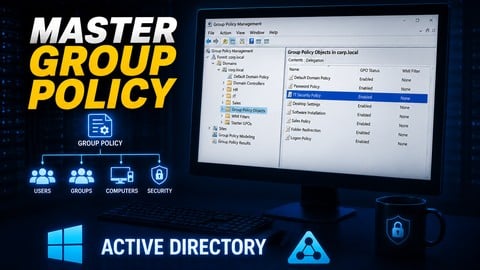
Build an Active Directory & Group Policy Production Lab (2026)
4.7 (706 Reviews)
- Provider: Udemy
- Time: 5.8h
$11.99
Original price
Microsoft Windows Server 2012 Certification - Exam 70-411
4.7 (617 Reviews)
- Provider: Udemy
- Time: 8.8h
$59.99
 Reviews

By Rogers Sombe on 8/18/2021
So far so good! Love the brief explanations and where al the links for the needed material are
By H Langereis on 12/9/2020
Helder duidelijk.
By Callum.Reilly on 12/5/2020
Great course, this is really going to help me at work!
By Kian Kianmehr on 11/16/2020
It is quick and efficient and covers the important basics of PowerShell in a simple way. I am enjoying it. Thank you!
By John Kolacz on 11/9/2020
I'm happy so far. The learning curve on this course is pretty gentle. I have some experience with scripting so there is a lot that is very familiar to me, but there is also a significant amount of new material for me, so I feel like I'm in the right class.
By Jack LoBianco on 2/27/2020
I would like to have seen more practical application of the commands. There was more talking and explanation and not enough demo of the powershell commands.
By David White on 2/19/2020
very good, he's explaining/covering the advanced scripting I was after. I work on a secure network, so the basics here can at least be expanded from ;)
By Seyed Farshid Miri on 10/3/2019
This course is just great! I appreciate it very much!
By Nathaniel Schram on 10/2/2019
There is not a long enough pause between typing and running a command to follow without pausing the video.
By Vishal on 7/23/2019
yes but need few more examples too
 Quality Score
No CourseDuck member has rated this course yet. Taken it? Give each part a thumbs up or down.
Overall Score : 88 / 100

- Video Duration:
 7.9h
- Price: $19.99
- Provider: Udemy
- Updated:
 February 2019
- Level:
 Beginner
- Language:
 English
- Certificate:
 Yes
- Lectures:88 in 3 sections
- Practice:2 quizzes
- Students:911
- Subtitles:1 language
30-day money-back guarantee on most paid courses
Udemy Coupon Price Tracker
