
 Web Development
 Data Science
 Python
 SQL
 JavaScript
 Artificial Intelligence
 IT & Software
 IT Certifications
 Hacking
 Microsoft Azure
 AWS
 Arduino
 3D Modeling
 Graphic Design
 Photoshop
 Drawing
 Digital Painting
 UX Design
 Business
 Data Analysis
 Communication Skills
 Project Management
 Leadership & Management
 Human Resources
 Digital Marketing
 Social Media Marketing
 Marketing
 SEO
 Google Analytics
 Branding
 Excel
 Office Productivity
 SAP
 PowerPoint
 Microsoft Copilot
 Microsoft Access
 Finance & Accounting
 Trading & Investing
 Accounting
 Bitcoin
 Personal Finance
 Video Editing & Animation
 Photography
 Adobe Premier Pro
 Adobe Lightroom
 Personal Development
 Productivity
 Career Development
 Life Coaching
 Health & Fitness
 Yoga
 Meditation & Mindfulness
 Music
 Music Production
 Guitar
 Piano
 Singing
 Teaching & Academics
 Engineering
 Language Learning
 English Language
 Math
 Lifestyle
Primavera & Power BI Integration | Interactive Dashboards (Udemy.com)
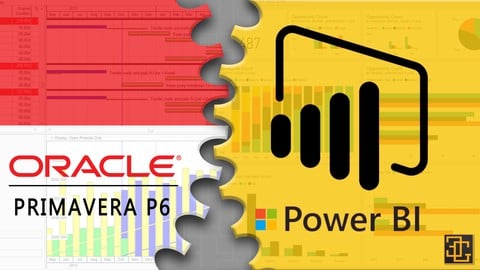
This course explains how to link Power BI to Primavera P6, and how to prepare interactive reports and project dashboards
Created by: Eslam Gharib
Last updated July 2021
Our take
Based on the ratings of 727 students, a sample of their written reviews and the syllabus, as the course stood in July 2021. No course pays to be reviewed.
This is a short, focused course on getting Primavera P6 schedule data into Power BI and turning it into project dashboards. It runs about 3.5 hours over 21 lectures, and the biggest chunk is a 75-minute case study built around a five-star hotel project. Eslam Gharib, a project controls manager with 17 years in construction, teaches it. The requirements list basic Excel and basic P6, and one reviewer warns it isn't for people without some working knowledge of both. Planners and schedulers are the real audience.
Reviewers like that it gets straight to the point and covers a rare pairing of construction scheduling and Power BI. One calls it a good starting point to adapt to his own project. The criticism is consistent, though. The data moves from P6 through Excel by hand, so refreshing a dashboard means repeating that work, and a couple of reviewers felt the title promised a more automatic link. One says Gharib demonstrates rather than guides students through building it, and others mention fast delivery, quiet audio and small on-screen icons.
The course was last updated in July 2021, so expect older Power BI screens. A few low-star reviews also call the explanations unclear and the example data hard to follow. With a 4.5 rating from 727 reviews and a short runtime, it's a reasonable pick for a planner who needs construction-flavored dashboard ideas quickly. Anyone hoping for a live P6 connection that updates itself should look elsewhere.
Pros
- A full hotel project case study shows a realistic construction dashboard from start to finish
- Short at about 3.5 hours, and reviewers say it gets straight to the point
- Covers baseline versus update progress comparisons that planners actually report on
- Taught by a certified project controls manager with 17 years in construction
Cons
- Data goes from P6 to Excel by hand, so dashboard updates mean repeating manual work
- Some low-star reviews call the explanations unclear, and one says it is a demo rather than a guided build
- Last updated in 2021, and some mention quiet audio, fast pace and small on-screen icons
Great course! But be aware, this isn't for those who don't have any basic/intermediate knowledge about the softwares.
Listed as All Levels, but it assumes basic P6 and Excel skills. It suits working planners, not people new to either tool.
 What you will learn
- Install and signup the free version of Power BI
- Adjust Primavera P6 projects' schedules
- Integrate between Primavera P6 and Power BI
- Prepare project database in a very organized way
- Creates powerful interactive project reports & dashboards
- Compare progress between baseline and updates
- Publish Power BI reports and dashboards online
- Complete a case study for a real hotel project
Course content
6 sections · 21 lectures · 3.6 hours of video
- 1Introduction to Power BI desktop 1 free preview3 lectures · 12 min
- 2Section 2: Preparing and adjusting the database 1 free preview4 lectures · 31 min
- 3Section 3: Creating and adjusting data model and relationships 1 free preview2 lectures · 18 min
- 4Section 4: Visualizing data with Power BI visuals 1 free preview6 lectures · 1.1 hours
- 5Section 5: Case study - Building interactive dashboards with MS Power BI4 lectures · 1.3 hours
- 6Section 6: Publish online, Mobile App and Primavera and Power BI autolink2 lectures · 13 min
Who it is for
The instructor says it suits
- Project Directors / Project Managers / Functional Managers
- Schedulers / Planning Engineers
- Project Engineers / Project Coordinators
- Whoever wants to enhance her/his reporting skills
What you need before you start
- Basic Knowledge of working with Excel
- Basic Knowledge of working with Primavera P6
How it compares
Against the other 74 rated Udemy courses in Power BI on CourseDuck:
- Rating4.5 out of 5higher than 28% of them
- Reviews727#54 of 75 by number of reviews
- Length3.5 hoursshorter than 87% of them
- Last updatedJuly 2021earlier than 97% of them
 Course Description
Microsoft Power BI is the easiest reporting tool available today, used for data analysis and interactive visualization. Microsoft Power BI is available for free, you just need to sign up. It is super easy to use to create interactive reports and dashboards.
I will teach you how to easily transfer your Primavera programs to a powerful dashboard to get a deep insight into your projects and to drive your business decisions. Also, I will show you how to publish your dashboards and access them through your smartphone, tablet, or laptop.
In this course, I will take you step by step, topic by topic, with the easiest way possible, using the most effective ways to adjust your schedules, prepare the database and create your Power BI interactive reports. In addition, I will explain all the tricks and hicks that you may face during the integration through a full example for a real five-star hotel example.
The course has the following topics:
A. Power BI Overview
B. Install Power BI desktop
C. Adjust Primavera Programme
D. Adjust the database, using Excel
E. Check the values in Power BI
F. Explore visuals
G. Filters & Slicers
H. Measure and new columns calculations
I. Link Power BI to the project layouts
J. Case Study: complete 5-star hotel example
K. Publish /Share the report, using the mobile application

 Udemy Discount
The discount is applied through our link. Open the course from here and Udemy's current promotional price is applied at checkout on most courses, no code to type.
Some courses are excluded from Udemy's promotions. If the price does not drop, clear your browser cookies and use the button again.
Instructor Details

- 4.5 Rating
 727 Reviews
Eslam Gharib
A Six Sigma, PMP, PMI-SP, CCP, PMI-RMP, PSP & EVP certified, highly skilled project controls manager with extensive 17-year experience in construction project management within large-scale projects across international organizations in the Middle East and Australia.
My project exposure comprises complex construction projects (airport, hotels, roads-bridges, high rise buildings, and campus).
I am eager for project management knowledge and share my expertise. I provided project management training courses and consultancy to a wide range of students.
 More Power BI courses

15 days of Power BI - Complete Microsoft Power BI Bootcamp (2026)
4.7 (23,152 Reviews)
 Provider: Udemy
 Time: 15.8h
$17.99
Original price
Microsoft Power BI Desktop: Advanced DAX for Data Analysis (2026)
4.7 (15,792 Reviews)
- Provider: Udemy
- Time: 11.5h
$19.99
Original price
Microsoft Power BI - Up & Running With Power BI Service (2026)
4.7 (9,669 Reviews)
- Provider: Udemy
- Time: 5.9h
$24.99
Original price
Microsoft Power BI - The Complete Masterclass (2026)
4.7 (4,748 Reviews)
- Provider: Udemy
- Time: 17.2h
$22.99
Original price
[NEW] PL-300: Microsoft Power BI Data Analyst Associate 2026
4.7 (1,265 Reviews)
- Provider: Udemy
- Time: 26.9h
$10.99
Original price
Microsoft Power BI Desktop: DAX, AI and Data Modelling (2026)
4.7 (1,018 Reviews)
- Provider: Udemy
- Time: 12.8h
$10.99
Original price  Reviews

By Gabriel Almeida Guimarães on 5/2/2025
Great course! But be aware, this isn't for those who don't have any basic/intermediate knowledge about the softwares. The course provides good insights about project control as well as how to link Power BI to P6.
By Viet Tran Duc on 10/17/2024
Âm thanh khá nhỏ, tác giả trình bày cũng khá nhanh và có những nội dung có vẻ tác giả chỉ đưa ra kết quả tính toán mà không rõ cách tính như thế nào. Tuy nhiên, khách quan thì khóa học cũng cung cấp khá nhiều nội dung thú vị về tạo báo cáo từ Power BI, bạn nắm được cơ bản, còn lại phải từ khám phá thêm thôi.
By Prashanth Kumar Bogi on 5/13/2024
My top priority of this course was the automatic integration of Primavera with Power BI. This course has not much related to my topic. If you know Power BI and looking to impress your superiors with the colorful dashboards then this course is a good option. But working on Power BI and for regular update on the dash boards will be a difficult option as you need to update the status from Primavera to Excel manually. Apart from that this is a good course for the integration of Construction / Industrial projects with Power BI, which is a rare combination.
By Sayed Isahaq Hossain on 8/4/2023
The course was well put out with the way the project unfolded. Having the example done as we watched at the end helps to connect all of the courses. The provided resources and copies of the Excel spreadsheets will be useful as I work on this in the near future. This course is highly suggested for people who want to work in project controal or a related field.
By Anonymized User on 4/3/2023
Course was laid out well with the way the project was unfolded. Having the example completed as we watched at the end help to tie all the lectures together. Supplied resource and copies of the Excel spreadsheets will help as I attempt to wok with this in the near future.
By Jose Cristhian Hinostroza Capani on 2/7/2023
Curso detallado para quienes quiera aprender a manejar la información del Primavera al PowerBI. Sin embargo, tuve la expectativa que la integración se realizaría de manera directa y no mediante el Excel.
By Mohamed Azab on 1/6/2023
Many thanks for the fantastic course on Power BI. Your expertise and enthusiasm for the subject really helped me to understand the material and get the most out of the course. Your examples really brought the concepts to life and made them easy to understand and apply. I feel much more confident in my ability to use Power BI now, and I know that the skills I learned will be invaluable in my future endeavors. Thank you again for all of your hard work and dedication
By Lorena Ware on 11/4/2022
Power BI enables any user to view schedule progress and plan drawings easily. Students will learn about an awesome illustration tool that transposes a plan drawings into a Power BI "filter" so the plan drawings can reflected/filtered on your Power BI visualization. This course teaches how to use Power BI to enable ANY user to become a P6 schedule analyst!!
By Kayvan Deldadeh on 4/11/2022
Great course with excellent knowledge to learn. However, if you are new to Power Bi, Power Query, and Primavera P6, it is better to learn those courses first and then start this course. I believe some negative reviews come from the students without the mentioned knowledge.
By Murray Williamson on 6/4/2021
I really enjoyed this course. I appreciated the quick and easy ways to extract the data needed from Primavera, and how to format it best before building visual dashboards in PowerBI. Exactly the course I needed. Well done.
 Quality Score
No CourseDuck member has rated this course yet. Taken it? Give each part a thumbs up or down.
Overall Score : 90 / 100
- Video Duration:
 3.5h
- Price: $9.99
- Provider: Udemy
- Updated:
 July 2021
- Level:
 All Levels
- Language:
 English
- Certificate:
 Yes
- Lectures:21 in 6 sections
- Students:3,783
- Subtitles:1 language
30-day money-back guarantee on most paid courses
Udemy Coupon Price Tracker
