
 Web Development
 Python
 SQL
SQL Data Science
 JavaScript
 Artificial Intelligence
 IT & Software
 IT Certifications
 Hacking
 Arduino
 AWS
AWS DevOps
 3D Modeling
 Graphic Design
 Photoshop
 Drawing
 Digital Painting
 UX Design
 Business
 Data Analysis
 Communication Skills
 Leadership & Management
 Project Management
 Human Resources
 Digital Marketing
 Social Media Marketing
 Marketing
 SEO
SEO Google Analytics
 Branding
 Excel
Excel Office Productivity
 SAP
SAP PowerPoint
 Microsoft Access
 SharePoint
 Finance & Accounting
 Trading & Investing
 Accounting
 Bitcoin
 Personal Finance
 Video Editing & Animation
 Photography
 Adobe Premier Pro
 Adobe Lightroom
 Personal Development
 Productivity
 Career Development
 Life Coaching
 Health & Fitness
 Meditation & Mindfulness
 Yoga
Yoga Music
Music Music Production
 Guitar
 Piano
Piano Singing
 Language Learning
 Teaching & Academics
 Engineering
 Math
Math Lifestyle
58 Best Power BI Courses & Certificates [2026]
Ranked by Michael Kuhlman, CourseDuck's founder, from student reviews across every provider. How we rank
Our guide: The 10 Best Data Analysis Courses on Udemy in 2026
Our top picks
- Microsoft Power BI Desktop for Business Intelligence [Udemy]
- Microsoft Power BI - The Practical Guide [Udemy]
- Complete Introduction to Microsoft Power BI [Udemy]
- PL-300 certification prep: Microsoft Power BI Data Analyst [Udemy]
- Power BI Masterclass from Scratch in 90 minutes [2026] [Udemy]
- Power BI A-Z: Hands-On Power BI Training For Data Science! [Udemy]
- 15 days of Power BI - Complete Microsoft Power BI Bootcamp [Udemy]
- Power BI - Business Intelligence for Beginners to Advance [Udemy]
- Microsoft Power BI Desktop: Advanced DAX for Data Analysis [Udemy]
- Power BI TOTAL en 14 Días - Analista de Datos Avanzado [Udemy]
About the best Power BI courses
Frequently asked questions
The most-reviewed course in this category is Microsoft Power BI Desktop for Business Intelligence by Maven Analytics, with about 196,700 reviews at 4.6 as of October 2026. Next is Microsoft Power BI - The Practical Guide by Manuel Lorenz, with about 76,300 reviews at 4.6. For the PL-300 exam, PL-300 certification prep: Microsoft Power BI Data Analyst by Phillip Burton has about 38,800 reviews at 4.6.
Power BI Desktop from the first report, Power Query for cleaning and shaping data, data modeling and DAX, dashboards and sharing through the Power BI Service, financial reporting in Power BI, and prep for the PL-300 Power BI Data Analyst exam.
Paid Udemy video courses include a certificate of completion when you finish; free courses and practice-test-only courses do not. It shows you did the work, but it is not an accredited qualification. For the Microsoft Certified: Power BI Data Analyst Associate you pass the PL-300 exam; the course certificate is not the certification.


1
Microsoft Power BI Desktop for Business Intelligence (2026)
A project-based Power BI Desktop course from Maven Analytics that walks Excel users through Power Query, data modeling, DAX and dashboard design, refreshed in September 2026.
Best for: Excel users and aspiring analysts who want to build one full BI project from raw data to finished dashboard.


-
- One continuous AdventureWorks project runs through prep, modeling, DAX and reports, plus a bonus Maven Market project
- Updated September 2026 with a dedicated section on new Power BI features and a short AI tools section
- Reviewers say explanations are clear and the pro tips transfer straight into daily work
- Assignments help the logic stick, according to one four-star review
-
- The DAX section runs nearly four hours and two reviewers say it is hard to follow, one calling the jargon mind numbing
- No face cam or on-screen pointer, and one reviewer reports audio glitches throughout
- Windows only; one reviewer calls it outdated and another could not reproduce exercises on a newer Power BI build



2
Microsoft Power BI - The Practical Guide (2026)
A 17-hour, click-by-click tour of Power BI Desktop and Power BI Pro from Academind, with a separate two-hour crash course path for people in a hurry.
Best for: Business users who have never opened Power BI and want every menu shown, from Power Query cleanup to publishing in Pro.
-
- Short lectures on one topic each, which reviewers call detailed and easy to follow step by step
- Covers Power BI Pro sharing, workspaces and mobile, not just Desktop
- Optional two-hour crash course section for a fast start or a quick refresher
- Refreshed in January 2026, with 4.6 stars from more than 76,000 reviews
-
- Spends a lot of time on self-explanatory clicks, which a two-star reviewer found tedious
- One reviewer found the Power BI Pro section behind the current interface and hard to follow
- Needs Windows for most of it and a work or school email address for several modules

3
Complete Introduction to Microsoft Power BI (2026)
A six-hour, Windows-focused Power BI starter for Excel users, covering Power Query, DAX basics, interactive dashboards and publishing, with an activity after most lessons.
Best for: Excel users who want a short, practical first pass at Power BI, including as warm-up for PL-300.
-
- Starts at installation, so no Power BI experience is needed
- Activities after lessons help apply what was just taught
- Covers Power Query, DAX, dashboards and publishing in about 6 hours
- Refreshed in September 2026 and rated 4.6 from over 51,000 reviews
-
- Feels repetitive to people who already have strong Excel skills
- Some reviewers say the pace is fast and the examples are not hard enough
- Instructor's Desktop version can differ from the current Microsoft Store build

4
PL-300 certification prep: Microsoft Power BI Data Analyst (2026)
A slow, detailed Power BI walk-through built around the PL-300 exam outline, covering visuals, Power Query, DAX and the Power BI Service in four parts.
Best for: Beginners on Windows aiming to pass PL-300 who want every menu and DAX function walked through.
-
- Follows the PL-300 study guide, and several reviewers report passing, one with 850
- Instructor answers Q&A questions, often within 24 hours according to one reviewer
- Clear accent and step-by-step demos suit beginners and non-native English speakers
- Updated September 2026, with 42 quizzes and two practice tests included
-
- Long at 30.3 hours, and reviewers call parts slow, repetitive or over-explained
- Datasets and examples (some real estate based) are called weak and hard to relate to
- Heavy on visual formatting and UI tours, light on real-world dashboard projects
![Power BI Masterclass from Scratch in 90 minutes [2026]](../../programming/power-bi/images/2356870_5bb2_6.jpg?v=1791193097)

5
Power BI Masterclass from Scratch in 90 minutes [2026]
A 93-minute Power BI crash course covering Desktop, the online service and mobile, for people who want the basics fast and have no prior experience.
Best for: People who want a fast first pass at Power BI Desktop and the online service, with no prior data tools.
-
- Covers Desktop, the online service and mobile in about 93 minutes
- Reviewers call it short and crisp, with each feature shown by example
- No prerequisites, and a resources tab plus five articles back up the videos
- Updated December 2025, with captions in 28 languages for hard-to-follow audio
-
- Narration is fast and volume shifts between slides, per some reviewers
- Accent and translations were hard to follow for some students
- Thin on depth: no quizzes, and reviewers wanted more examples of complex functions


6
Power BI A-Z: Hands-On Power BI Training For Data Science! (2025)
 What You'll Learn
- Connect Microsoft Power BI to data sources
- Create Barcharts
- Create Treemaps
- Create Donut Charts
- Create Waterfall Diagrams
- Create Piecharts

7
15 days of Power BI - Complete Microsoft Power BI Bootcamp (2026)
A fifteen-day, one-section-per-day Power BI plan that runs from first import to DAX, the Power BI Service, row-level security, Python and M in about 16 hours.
Best for: Beginners on a Windows PC who want a daily schedule that covers DAX, publishing and security.
-
- Fifteen daily sections of about an hour each give a clear schedule from basics to Power BI Service
- Reviewers like how each lesson builds on the last, plus the exercises placed between lectures
- Goes past visuals into DAX, row-level security, scheduling, Python, SQL and the M language
- Refreshed in September 2026, with 126,000 students and a 4.7 average rating
-
- The pace is fast, and some reviewers lost the reasoning behind the filters and DAX choices
- Practice data and Power BI defaults sometimes don't match the screen, per several reviewers
- Windows only, and one reviewer found the recorded volume too low on speakers
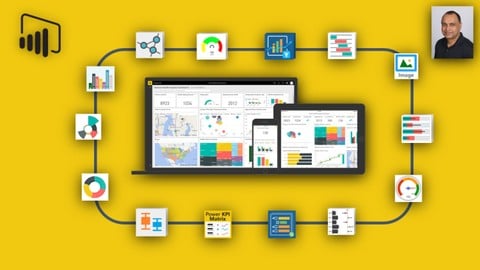
8
Power BI - Business Intelligence for Beginners to Advance (2025)
What You'll Learn
- Learn to use the easiest Business Intelligence tool to create stunning reports and dashboards.
- learn how you can visualize that data in a meaningful way to revile insights into your business like never before.
- learn how, with Power BI, to connect to multiple sources of data like SQL Server, Excel, CSV, JSON, XML, Web and SQL Analysis Services etc....
- learn how to, with the power of basic DAX, create powerful calculations and comparisons across multiples tables of data.
- Learn how to create advanced DAX measures and calculated columns for complex calculations.
- Learn Dataflows (new CDM base, Azure Lake gen2), what it is and how to use and configure databases in it.
- Learn how to use charts using visuals like column, line, pie, combo, Scatter, Treemap, Funnel, Gauges and KPIs to name a few.
- Easily clean the messy data, model your data as per your requirement and format your report to make it look beautiful and professional.

9
Microsoft Power BI Desktop: Advanced DAX for Data Analysis (2026)
What You'll Learn
- Master Data Analysis Expressions (DAX) for Power BI Desktop
- Analyze real-world projects & business intelligence use cases
- Learn the same tools used by top data analytics & business intelligence professionals
- Test your skills with hands-on demos & assignments (with step-by-step solutions)

10
Power BI TOTAL en 14 Das - Analista de Datos Avanzado (2026)
What You'll Learn
- Visualizaciones Impactantes: Aplicars diseo avanzado para crear grficos y tablas que cuenten una historia clara.
- Dashboards Interactivos: Implementars un dashboard interactivo en un escenario empresarial real.
- Decisiones Basadas en Datos: Presentars un caso de negocio respaldado por anlisis de datos slidos.
- Integrar Datos: Usars Power Query para importar y limpiar datos de diversas fuentes en un proyecto real.
- Publicar Informes: Configurars y compartirs informes en lnea accesibles para mltiples usuarios.
- Automatizar con Power Query: Reducirs el tiempo de procesamiento de datos mediante flujos de trabajo automatizados.
- Dominar DAX: Resolvers casos prcticos usando frmulas DAX para anlisis y clculos complejos.
- Gestionar Proyectos de Anlisis: Ejecutars proyectos de anlisis de datos de principio a fin.

11
Microsoft Power BI - Beginner to Pro (2026)
What You'll Learn
- Mastering Power BI Fundamentals: Develop a solid understanding of Power BI's components, functionalities, and how to install Power BI Desktop.
- Data Transformation Proficiency: Learn to efficiently connect, cleanse, and transform diverse data sources using Power Query Editor.
- Advanced Data Modeling Techniques: Grasp the essentials of data modeling and become adept at utilizing Data Analysis Expressions (DAX) for complex calculations.
- Creating Dynamic Visualizations: Develop the skills to craft captivating data visualizations, using DAX to create interactive, informative reports.
- In-depth Dashboard Design: Gain expertise in designing, sharing, and collaborating on interactive dashboards to effectively communicate insights.
- Real-world Application: Apply your skills to real-life datasets, creating practical solutions that identify patterns, trends, and business opportunities.
- Capstone Project: Bring all your acquired skills toge