
 Web Development
 Data Science
 Python
 SQL
SQL JavaScript
 Artificial Intelligence
 IT & Software
 IT Certifications
 Hacking
 AWS
AWS Arduino
 DevOps
 3D Modeling
 Graphic Design
 Photoshop
 Drawing
 Digital Painting
 UX Design
 Business
 Data Analysis
 Communication Skills
 Project Management
 Leadership & Management
 Human Resources
 Digital Marketing
 Social Media Marketing
 Marketing
 SEO
SEO Google Analytics
 Branding
 Excel
Excel Office Productivity
 SAP
SAP PowerPoint
 Microsoft Access
 SharePoint
 Finance & Accounting
 Trading & Investing
 Accounting
 Bitcoin
 Personal Finance
 Video Editing & Animation
 Photography
 Adobe Premier Pro
 Adobe Lightroom
 Personal Development
 Productivity
 Career Development
 Life Coaching
 Health & Fitness
 Meditation & Mindfulness
 Yoga
Yoga Music
Music Music Production
 Guitar
 Piano
Piano Singing
 Language Learning
 Teaching & Academics
 Engineering
 Math
Math Lifestyle
Microsoft Power BI Desktop: Advanced DAX for Data Analysis (Udemy.com)
Master advanced DAX in Power BI for data modeling, analytics & business intelligence, with a top Power BI instructor!
Created by: Maven Analytics
Last updated June 2026
 What you will learn
- Master Data Analysis Expressions (DAX) for Power BI Desktop
- Analyze real-world projects & business intelligence use cases
- Learn the same tools used by top data analytics & business intelligence professionals
- Test your skills with hands-on demos & assignments (with step-by-step solutions)
How it compares
Against the other 68 rated Udemy courses in Power BI on CourseDuck:
- Rating4.7 out of 5higher than 82% of them
- Reviews15,632#8 of 69 by number of reviews
- Length11.5 hourslonger than 68% of them
- Last updatedJune 2026more recently than 63% of them
 Course Description
For users looking to take their Power BI skills to the next level, mastering Data Analysis Expressions (DAX) is a MUST. In this hands-on, project-based course, you'll put your DAX skills to the test and apply what you learn to some of the toughest real-world data analysis and business intelligence use cases.
You'll be playing the role of Business Intelligence Analyst for Maven Roasters, a small-batch coffee chain based in New York City. Your goal? Use Power BI and DAX to answer key questions and deliver data-driven insights for the business, by analyzing product inventory, repeat customers, store-level performance, and everything in between.
We'll start by quickly reviewing prerequisite topics (evaluation context, filter flow, basic measures, etc.), then dive behind the scenes to explore how the DAX formula and storage engines actually work, including query evaluation, columnar structures, and VertiPaq compression and encoding.
From there we'll cover helpful tips and analytics best practices for DAX power users, including variables, comments, query formatting and error handling, then dive deep into scalar functions, iterators, advanced time intelligence, calculated table joins, relationship functions, and much, much more. Last but not least, we'll share a sneak peek into performance tuning and DAX query optimization using DAX Studio and Power BI's Performance Analyzer tool.
If you're looking to build expert-level data analysis skills using DAX and Power BI, this is the course for you!
__________
FULL COURSE OUTLINE:
Prerequisite Skills Review
Review the core DAX concepts you should already know, including evaluation context, filter flow, measures, etc.
Course Project Intro
Introduce the Maven Roasters course project, and build the data model that we’ll analyze in Power BI Desktop
The DAX Engines
Understand the DAX formula and storage engines, data types, VertiPaq encoding & compression methods, etc.
DAX Tips & Best Practices
Review helpful tips for formatting DAX queries, adding comments, handling errors, and using DAX variables
Scalar Functions
Explore common DAX scalar functions, including rounding, information, conversion, and logical functions
Advanced CALCULATE
Review CALCULATE modifiers, context transition, interactions with tables, etc.
Table & Filter Functions
Create calculated tables, review common DAX filter functions, generate new data, etc.
Calculated Table Joins
Create calculated joins between physical and virtual tables in Power BI (UNION, EXCEPT, INTERSECT, etc.)
Relationship Functions
Explore expanded tables, physical & virtual relationships, common relationship functions, etc.
Iterator ("X") Functions
Explore iterator cardinality, nested iterators, context transition, RANKX, DAX calculation granularity, etc.
Advanced Time Intelligence
Build date tables with DAX, compare custom time periods, manage fiscal calendars, etc.
SNEAK PEEK: Performance Tuning
Introduce DAX Studio, the Power BI performance analyzer, and common DAX optimization techniques
__________
Join today and get immediate, lifetime access to the following:
150+ page Power BI & DAX ebook
Downloadable datasets and Power BI project files
Homework assignments & quizzes
1-on-1 expert support
Course Q&A forum
30-day money-back guarantee
See you in there!
-Aaron (Power BI & DAX Instructor, Maven Analytics)
__________
Looking for our full course library? Search "Maven Analytics" to browse our full collection of Excel, Power BI, SQL, Tableau, Python, Alteryx & Machine Learning courses!
Hear why our Power BI courses are the TOP-RATED on Udemy:
"I totally loved this Power BI course! Everything was very easy to understand, but it moved at a fast enough pace that I never got bored. I learned SO much and had fun doing it. In fact, at the end of the day, I didn't want to stop learning -- I wanted to keep charging on to the next lesson!"
-Ann S.
"Amazing! 5+ stars if you ask me! Concise, superbly organized and prepared. I have learned a ton about Power BI and DAX and enjoyed the course from start to finish."
-Nikola H.
"Hands-down the best Power BI courses on Udemy. Courses are well prepared and very hands-on, and the instructor makes the whole experience easy and fun. I recommend it 100%!"
-Jorge M.
"Where can I leave a 6 star rating?"
-Carlos B.

 Udemy Discount
The discount is applied through our link. Open the course from here and Udemy's current promotional price is applied at checkout on most courses, no code to type.
Some courses are excluded from Udemy's promotions. If the price does not drop, clear your browser cookies and use the button again.
Instructor Details

- 4.7 Rating
 15,632 Reviews
Maven Analytics
Maven Analytics is an award-winning platform where individuals and teams build new skills, showcase work, and connect with experts around the world.
We've helped more than 2,000,000 learners around the world build job-ready data & AI skills, master tools like Excel, SQL, Power BI, Tableau and Python, and build the foundation for successful careers.
Start learning for free!
 More courses by Maven Analytics

Microsoft Power BI Desktop for Business Intelligence (2026)
4.6 (196,667 Reviews)
 Provider: Udemy
 Time: 17h
$139.99
Microsoft Excel: Advanced Excel Formulas & Functions (2026)
4.6 (120,271 Reviews)
- Provider: Udemy
- Time: 9.4h
$199.99
Microsoft Excel: Data Analysis with Excel Pivot Tables (2026)
4.7 (78,818 Reviews)
- Provider: Udemy
- Time: 6.8h
$199.99
Microsoft Excel: Data Visualization w/ Excel Charts & Graphs (2026)
4.6 (61,560 Reviews)
- Provider: Udemy
- Time: 4.6h
$199.99
Microsoft Excel: Business Intelligence w/ Power Query & DAX (2026)
4.7 (29,351 Reviews)
- Provider: Udemy
- Time: 7.3h
$17.99
Microsoft Power BI: PL-300 Certification Prep (Data Analyst) (2026)
4.6 (13,023 Reviews)
- Provider: Udemy
- Time: 8.6h
$129.99
More Power BI courses

15 days of Power BI - Complete Microsoft Power BI Bootcamp (2026)
4.7 (23,152 Reviews)
- Provider: Udemy
- Time: 15.8h
$124.99

Microsoft Power BI - Up & Running With Power BI Service (2026)
4.7 (9,669 Reviews)
- Provider: Udemy
- Time: 5.9h
$24.99

Microsoft Power BI - The Complete Masterclass (2026)
4.7 (4,748 Reviews)
- Provider: Udemy
- Time: 17.2h
$139.99
![[NEW] PL-300: Microsoft Power BI Data Analyst Associate 2026](/programming/power-bi/images/6603795_bc57_2.jpg?v=1791193099)
[NEW] PL-300: Microsoft Power BI Data Analyst Associate 2026
4.7 (1,265 Reviews)
- Provider: Udemy
- Time: 26.9h
$10.99

Microsoft Power BI Desktop: DAX, AI and Data Modelling (2026)
4.7 (1,018 Reviews)
- Provider: Udemy
- Time: 12.8h
$10.99
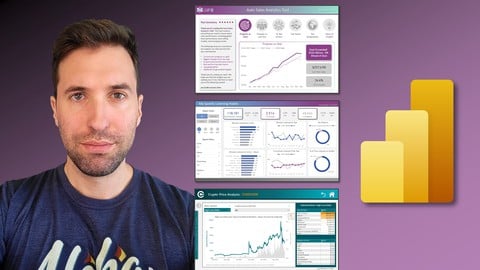
Microsoft Power BI: The Art of Designing Incredible Tools (2022)
4.7 (959 Reviews)
- Provider: Udemy
- Time: 14.8h
$10.99
 Reviews

By Akhila Stanly on 7/23/2026
Great course for learning advanced DAX in Power BI. The explanations are clear, and the practical examples helped me understand concepts like CALCULATE, filter context, time intelligence, and advanced DAX functions. A very useful course for anyone who wants to improve their Power BI and DAX skills
By Zena P on 7/11/2026
Good course- just have sections 11 and 12 to technically go- I already work in a role that requires sound conceptual knowledge, and this certification did show me some good tricks and tips, however I wish the instructor stopped saying "Alright" in almost ever video, it got to a point that I had to manually skip it whenever possible.
By Aryan Pokhriyal on 6/23/2026
Awesome & engaging with great examples and industry-level usage. Maven & Aaron have never failed to satisfy my hunger for knowledge on Power BI! Thanks Maven & Aaron!
By Ioannis Terpos on 6/21/2026
Great seminar overall! It covered a variety of different types of functions through multiple hands-on projects and it has already helped me in my job. I would definitely recommend it for anyone looking to improve their knowledge on DAX.
By Kathleen Collins on 5/23/2026
It required more knowledge of DAX and storage to start than was covered in the Power BI course. However, the lecture is very thorough and easy to understand.
By Deborah Malsagov on 4/25/2026
I found this course to be truly informative. The instructor explains well and provides excellent resources that make it easy to review and practice what is covered in the course. I will definitely seek out this instructor for other topics. I highly recommend this course.
By Jean-Francois Gelinas on 3/19/2026
Great in dept course. My only issue is with some of the assignment. The wording of the key objective of the assignment make it sound like something should be done a certain way and I scratched my head for a long time trying to figure it out. To finally watch the solution walkthrough and realize the confusing element was actually something that was done in a different manner. For instance filtering using the page filter or slicer and not directly in the measure / DAX It's still unclear to me if the same result could have been achieve directly in the measure / DAX or otherwise.
By Bao Anh on 2/10/2026
very useful for my current job. I keep coming back to this course to review the syntax . I think if anyone needs a good start to learn DAX this should be the right course. We can't expect to master everything just by watching videos but at least it gives people the structure of DAX and how to apply it with data. I think it is still important that we have an environment to apply what we learn; however, it is not an overstatement to say that this online course is so much better than my Master's module.
By Zhanbolat Magzumov on 1/30/2026
I wish there were a project like in desktop course. Also I like when they mention most used calculate functions, i wish there were more like this. And maybe udf would be good. i didnt get most parts, but good as a refernce. to know there are others
By Anna Szlang on 1/22/2026
Très bon cours et mise en pratique. NB : Plusieurs vidéos n'ont pas de transcription en anglais ou en français. Je traduis depuis une autre langue en passant par Google translate
 Quality Score
No CourseDuck member has rated this course yet. Taken it? Give each part a thumbs up or down.
Overall Score : 94 / 100

- Video Duration:
 11.5h
11.5h - Price: $139.99
- Provider: Udemy
- Updated:
 June 2026
 - Level:
 All Levels
 - Language:
 English
 - Certificate:
 Yes
Yes
30-day money-back guarantee on most paid courses
Udemy Coupon Price Tracker
