
 Web Development
 Data Science
 Python
 SQL
SQL JavaScript
 Artificial Intelligence
 IT & Software
 IT Certifications
 Hacking
 AWS
AWS Arduino
 DevOps
 3D Modeling
 Graphic Design
 Photoshop
 Drawing
 Digital Painting
 UX Design
 Business
 Data Analysis
 Communication Skills
 Project Management
 Leadership & Management
 Human Resources
 Digital Marketing
 Social Media Marketing
 Marketing
 SEO
SEO Google Analytics
 Branding
 Excel
Excel Office Productivity
 SAP
SAP PowerPoint
 Microsoft Access
 SharePoint
 Finance & Accounting
 Trading & Investing
 Accounting
 Bitcoin
 Personal Finance
 Video Editing & Animation
 Photography
 Adobe Premier Pro
 Adobe Lightroom
 Personal Development
 Productivity
 Career Development
 Life Coaching
 Health & Fitness
 Meditation & Mindfulness
 Yoga
Yoga Music
Music Music Production
 Guitar
 Piano
Piano Singing
 Language Learning
 Teaching & Academics
 Engineering
 Math
Math Lifestyle
Microsoft Excel: Data Visualization w/ Excel Charts & Graphs (Udemy.com)
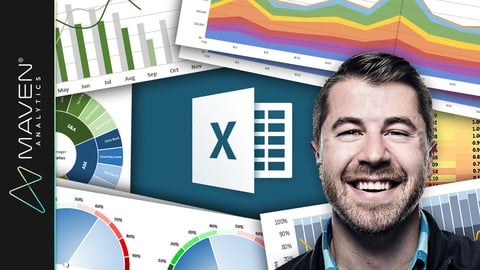
Master 20+ Excel charts & graphs, build custom dashboards, and create advanced spreadsheet visuals w/ a top instructor!
Created by: Maven Analytics
Last updated June 2026
Our take
Based on the ratings of 61,560 students, a sample of their written reviews and the syllabus, as the course stood in June 2026. No course pays to be reviewed.
Maven Analytics built this as a focused Excel charting course. It runs 59 lectures and about 4.6 hours across six sections. The first half covers best practices, formatting and more than 20 chart types, including histograms, waterfalls, treemaps and maps. The second half is a block of 13 demos, roughly two hours, on dashboards, scrolling charts, animated charts and gauges. It suits people who already know their way around Excel and want to chart better, not people opening it for the first time.
Reviewers mostly describe it as clear, well organized and practical. Several say they could use the techniques at work right away, and one calls the exercise and assignment worksheets treasures. Another finds the instructor knowledgeable and engaging. The rating spread backs this up: about 34,400 of roughly 61,600 ratings are five stars, and only around 750 are one or two stars. The one complaint in the sample is that the last few sections are more advanced than expected. Some charts also need Excel 2016 or newer, and Mac users will see a different interface.
Over 216,000 students have enrolled, and the course was last updated in June 2026, so it has been refreshed recently despite launching in 2016. At 4.6 hours it is short, so it will not replace a Power BI course or a deeper analytics class. One reviewer rates it highly for experienced Excel learners who want in-depth visualization techniques. For anyone who wants better charts in workplace reports, it looks like a safe pick.
Pros
- Covers 20+ chart types, including waterfall, treemap, box plot and maps
- Teaches when and why to use each chart, not just how to click through it
- Exercise worksheets and project files let students practice along
- Next-Level Demos build dashboards with scrolling, animation and gauge charts
Cons
- Last few sections jump in difficulty, and one reviewer found them harder than expected
- Some charts need Excel 2016 or newer, and the Mac experience differs a lot
- Only 4.6 hours, so it stays on charting and skips wider analysis and BI tools
Great for experienced excel learners in need of in depth visualization techniques
Listed for all levels, but it assumes basic Excel skills and one reviewer found the last sections more advanced than expected.
 What you will learn
- Understand WHEN, WHY, and HOW to use 20+ chart types in Microsoft Excel
- Learn advanced Excel tools like automated dashboards, scrolling charts, dynamic formats, and more
- Master unique tips, tools and case studies that you won't find in ANY other Excel course, guaranteed
- Explore fun, interactive, and highly effective lessons from a best-selling Excel instructor
- Get LIFETIME access to project files, quizzes, homework exercises, and 1-on-1 expert support
- Build 10+ Excel projects designed to take your data visualization skills to the next level
Course content
6 sections · 59 lectures · 4.6 hours of video 3 quizzes, 19 articles
- 1Getting Started 2 free previews4 lectures · 6 min
- 2Data Visualization Best Practices 1 free preview3 lectures · 8 min
- 3Excel Chart Formatting & Customization 1 free preview4 lectures · 1 quiz · 19 min
- 4Mastering Basic Excel Charts & Graphs 2 free previews34 lectures · 1 quiz · 2 hours
- 5Next-Level Demos 3 free previews13 lectures · 1 quiz · 2.1 hours
- 6Wrapping Up 1 free preview1 lecture · 2 min
Who it is for
The instructor says it suits
- Anyone looking to create beautiful and effective data visualizations in Excel
- MS Excel users who have basic skills but want to master advanced charts, graphs & dashboards
- Students looking for an engaging, hands-on, and highly interactive approach to training
- Anyone looking to pursue a career in data analysis, analytics or business intelligence
What you need before you start
- Microsoft Excel, ideally 2016+ or Office 365 for PC (some charts are not available in other versions of Excel)
- Mac users are welcome, but note that the user experience will be significantly different across platforms
How it compares
Against the other 355 rated Udemy courses in Excel on CourseDuck:
- Rating4.6 out of 5higher than 63% of them
- Reviews61,560#8 of 356 by number of reviews
- Length4.6 hoursshorter than 57% of them
- Last updatedJune 2026more recently than 87% of them
 Course Description
Microsoft Excel is an incredibly powerful and dynamic data visualization platform for those willing to think beyond rows, columns, and spreadsheets, and I'm here to prove it.
This course gives you a deep, 100% comprehensive understanding of MS Excel's latest data visualization tools and techniques. I'll show you WHEN, WHY, and HOW to use each Excel chart type, introduce key data visualization best practices, and guide you through interactive, hands-on demos and Excel exercises every step of the way.
We'll kick things off by exploring each of the 20+ charts & graphs in Excel, including:
Bar & Column charts
Histograms & Pareto charts (Office 365, Excel 2016 or Excel 2019)
Line charts, Area charts & trend lines
Pies & Donuts
Scatter plots & Bubble charts
Box & Whisker charts (Office 365, Excel 2016 or Excel 2019)
Tree Maps & Sunbursts (Office 365, Excel 2016 or Excel 2019)
Waterfall & Funnel charts (Office 365, Excel 2016 or Excel 2019)
Radar & Stock charts
Heat maps, 3-D Surface & Contour charts
Choropleths & Geospatial maps
Custom Combo Charts
Sparklines
From there we'll dive into a series of advanced Excel demos guaranteed to turn you into an absolute data visualization and analytics rockstar. These aren't "textbook" demos that you can find on Excel YouTube channels; these are projects and dashboards adapted from actual, award-winning work featured by Microsoft, MIT, and the New York Times.
We'll cover advanced Excel data visualization topics that you won't find anywhere else, including:
Custom image overlay charts
Automation with named ranges and OFFSET/COUNTA functions
Scroll & Zoom functionality with Excel form controls
Animated charts to visualize changes over time
Dynamic, custom Excel dashboards
Value-based chart formatting
Custom gauge charts & pacing charts
Grid visuals using Excel array formulas
Whether you're looking for a quick primer, trying to diversify your Excel skill set, or hoping to step up your Excel data visualization or business intelligence game in a major way, this course is for you.
See you there!
-Chris (Founder, Maven Analytics)
__________
Looking for our full course library? Search "Maven Analytics" to browse our full collection of Excel, Power BI, SQL, Tableau, Python, Alteryx & Machine Learning courses!
Hear why this is one of the TOP-RATED Excel courses on Udemy, and the #1 Excel Data Visualization course:
"Absolutely great stuff. I really enjoyed it! Chris is truly a Excel guru. I strongly recommend this course to all users looking to improve their skills with Excel charts & graphs."
Nirav M.
"Excellent from start to finish! I picked up a bunch of Excel data visualization tips that will be useful in the workplace, including some very cool advanced Excel visuals and custom charts & graphs. Loved all of it, and hope I can learn more from this wonderful individual!"
Robert C.
"At the first part I just said to myself, "Wow, Excel is capable of that? It's amazing!" Then at the second part I told myself "This guy is doing magic!", and now I feel like I'm capable of doing the same. I'm definitely buying his other Excel and data visualization courses!"
Judit B.
NOTE: Full course includes downloadable resources and Excel project files, homework and course quizzes, lifetime access and a 30-day money-back guarantee. Most lectures compatible with Excel 2016, Excel 2019 or Office 365.

 Udemy Discount
The discount is applied through our link. Open the course from here and Udemy's current promotional price is applied at checkout on most courses, no code to type.
Some courses are excluded from Udemy's promotions. If the price does not drop, clear your browser cookies and use the button again.
Instructor Details

- 4.6 Rating
 61,560 Reviews
Maven Analytics
Maven Analytics is an award-winning platform where individuals and teams build new skills, showcase work, and connect with experts around the world.
We've helped more than 2,000,000 learners around the world build job-ready data & AI skills, master tools like Excel, SQL, Power BI, Tableau and Python, and build the foundation for successful careers.
Start learning for free!
 Related courses


Microsoft Excel Data Analysis - Learn How The Experts Use It (2026)
5.0 (5,696 Reviews)
 Provider: Udemy
 Time: 3h
$39.99

More courses by Maven Analytics

Microsoft Power BI Desktop for Business Intelligence (2026)
4.6 (196,667 Reviews)
- Provider: Udemy
- Time: 17h
$139.99
Microsoft Excel: Advanced Excel Formulas & Functions (2026)
4.6 (120,271 Reviews)
- Provider: Udemy
- Time: 9.4h
$199.99
Microsoft Excel: Data Analysis with Excel Pivot Tables (2026)
4.7 (78,818 Reviews)
- Provider: Udemy
- Time: 6.8h
$199.99
Microsoft Excel: Business Intelligence w/ Power Query & DAX (2026)
4.7 (29,351 Reviews)
- Provider: Udemy
- Time: 7.3h
$17.99

Microsoft Power BI Desktop: Advanced DAX for Data Analysis (2026)
4.7 (15,632 Reviews)
- Provider: Udemy
- Time: 11.5h
$139.99
Microsoft Power BI: PL-300 Certification Prep (Data Analyst) (2026)
4.6 (13,023 Reviews)
- Provider: Udemy
- Time: 8.6h
$129.99
 Reviews

By Andzela Veselinovik on 8/17/2026
Excellent course! I learned so many new techniques for creating professional charts, custom dashboards, and advanced Excel visuals. The lessons were well-structured, easy to follow, and packed with practical tips. The instructor is knowledgeable and keeps the content engaging throughout. I feel much more confident presenting data visually after completing this course.
By Ana Magana Galdamez on 8/6/2026
I am still working through the course, but so far the content has been clear and helpful. The hands-on exercises make it easier to learn the material.
By Parameswaran K on 6/21/2026
Very good demonstration, intuitive and readable. This is the course that tells the basics and all the components of charts and Visualization in Microsoft Excel.
By Priyadharshini S on 5/31/2026
Great course with clear explanations and practical examples. It matched my needs well and helped me learn useful excel skills that I can apply immediately.
By Emmamgari Hemangini on 5/18/2026
The course was well-structured and easy to understand. The explanations were clear, and the examples helped me apply the concepts practically. Overall, it was a very useful learning experience
By Balarabe Musa Abdullahi on 5/2/2026
This is the best course I have ever seen in data visualization.The well organized exercise and assignment worksheets are treasures. I will 100% recommend this course to anyone who wants to learn data visualization
By Anonymized User on 3/26/2026
This is my course is exactly what I needed. Great pace and great explanation video. I love the fact that there's homework after each graph, as this helps to apply what I've learnt. Looking forward to taking more Excel courses from this educator!
By Jesse Horton on 3/17/2026
The level of depth that the course goes into does make it almost impossible to not have a firm grip on the implementation of graphs in excel projects.
By Boma Wilcox on 2/18/2026
took me a long time to complete this course as i had to refer to previous lessons on the formulas, but all good and fun way of creating dynamic charts
By Ha Phan on 1/23/2026
Great material. I love the teaching style. Very thorough, very attentive, easy to understand. Great pace. I have learned a lot and I am confident and ready to make some charts. I would recommend this course.
 Quality Score
No CourseDuck member has rated this course yet. Taken it? Give each part a thumbs up or down.
Overall Score : 92 / 100
- Video Duration:
 4.6h
4.6h - Price: $199.99
- Provider: Udemy
- Updated:
 June 2026
 - Level:
 All Levels
 - Language:
 English
 - Certificate:
 Yes
Yes - Lectures:59 in 6 sections
- Practice:3 quizzes
- Students:216,500
- Subtitles:14 languages
- Udemy badge:Bestseller
30-day money-back guarantee on most paid courses
Udemy Coupon Price Tracker
