
 Web Development
 Data Science
 Python
 SQL
SQL JavaScript
 Artificial Intelligence
 IT & Software
 IT Certifications
 Hacking
 AWS
AWS Arduino
 DevOps
 3D Modeling
 Graphic Design
 Photoshop
 Drawing
 Digital Painting
 UX Design
 Business
 Data Analysis
 Communication Skills
 Project Management
 Leadership & Management
 Human Resources
 Digital Marketing
 Social Media Marketing
 Marketing
 SEO
SEO Google Analytics
 Branding
 Excel
Excel Office Productivity
 SAP
SAP PowerPoint
 Microsoft Access
 SharePoint
 Finance & Accounting
 Trading & Investing
 Accounting
 Bitcoin
 Personal Finance
 Video Editing & Animation
 Photography
 Adobe Premier Pro
 Adobe Lightroom
 Personal Development
 Productivity
 Career Development
 Life Coaching
 Health & Fitness
 Meditation & Mindfulness
 Yoga
Yoga Music
Music Music Production
 Guitar
 Piano
Piano Singing
 Language Learning
 Teaching & Academics
 Engineering
 Math
Math Lifestyle
Microsoft Power BI - Up & Running With Power BI Service (Udemy.com)
Learn Power BI Service for data prep, data analysis, visualization & business intelligence w/ a top Power BI instructor!
Created by: Maven Analytics
Last updated June 2026
Our take
Based on the ratings of 9,669 students, a sample of their written reviews and the syllabus, as the course stood in June 2026. No course pays to be reviewed.
This is the second half of the Maven Analytics Power BI series. It picks up where the Desktop course stops and moves into the cloud: the Fabric ecosystem, gateways and dataflows, reports and dashboards, sharing, row-level security and admin settings. It runs about 5.9 hours over 91 lectures and 8 sections. The course was rebuilt in May 2024 and last updated in June 2026. The requirements list strongly encourages finishing the Desktop course first.
Students like Aaron Parry's slow, clear delivery and the hands-on practice. Reviewers call the explanations simple and easy to follow, and one says it helped them see how the pieces of Power BI fit together. The complaints are real, though. One person found the 15 minute intro too long, another felt the narration repeated itself, and a third said menu items get mentioned but not explained. A few say their screens looked different, or that they could not get into Fabric features and could only watch.
The ratings are strong. Of 9,669 reviews, 5,552 gave five stars and 3,256 gave four, with only 146 at one or two stars. Access is the main risk. Some features need a Pro plan, and sign-up needs a work or school email, so check that first. If access works, it is a short, practical way to learn the Service side. Newcomers should take the Desktop course before this one.
Pros
- Slow, clear walkthroughs that reviewers call easy to follow
- Covers gateways, dataflows, scheduled refresh and row-level security in one short course
- Rebuilt in May 2024 and last updated June 2026, so the material is current
- Comes with a 100+ page ebook, project files, six quizzes and a restaurant inspection case
Cons
- Needs a work or school email and a Pro plan for several features
- Some reviewers say their screens differ from the videos, so following along is hard
- Narration can feel repetitive, with a long intro and menus named but not explained
Very useful course with clear explanations and practical examples. It helped me better understand the broader context of Power BI and how individual concepts fit together.
Marked All Levels, but it assumes Power BI Desktop skills; one reviewer found the jump from Desktop confusing.
 What you will learn
- Publish professional-quality business intelligence reports to the cloud
- Automate reports and dashboards with gateways, dataflows, and scheduled refresh
- Explore and analyze data with natural language Q&A, quick insights, bookmarks and data-driven alerts
- Collaborate and share with other users and teams online and in real time
- Configure user roles and row-level security to maintain data quality and control
- Master the latest tools and features availlable in Power BI Service (2024)
- Connect data from flat files, Excel workbooks, Sharepoint folders, SQL databases, and more
- Build job-ready skills for a career in Data Analysis or Business Intelligence
Course content
8 sections · 91 lectures · 5.9 hours of video 6 quizzes, 4 articles
- 1Getting Started 5 free previews7 lectures · 14 min
- 2Microsoft Fabric & Power BI Ecosystem 2 free previews14 lectures · 1 quiz · 58 min
- 3Connecting to Data 1 free preview23 lectures · 1 quiz · 1.6 hours
- 4Reports & Dashboards22 lectures · 1 quiz · 1.4 hours
- 5Sharing & Collaboration10 lectures · 1 quiz · 45 min
- 6Row-Level Security8 lectures · 1 quiz · 29 min
- 7Power BI Service Administration6 lectures · 1 quiz · 24 min
- 8Wrapping Up 1 free preview1 lecture · 2 min
Who it is for
The instructor says it suits
- Anyone looking for complete, comprehesive deep dive into Microsoft Power BI Service (2024)
- Users who are familiar with Power BI Desktop and want to learn how to publish, share & collaborate in the cloud
- Aspiring data professionals and teams looking to master the #1 business intelligence tool on the market
- Students who want a comprehensive, engaging, and project-based approach to training
- Anyone looking to pursue a career in Data Analysis or Business Intelligence
What you need before you start
- Students are STRONGLY ENCOURAGED to complete our Up & Running with Power BI Desktop course first
- Several features covered in this course require a PRO plan (60 day free trial, then $9.99/month)
- A work or school email address is required to sign up for a Power BI Service account (no gmail, aol, hotmail, etc.)
How it compares
Against the other 68 rated Udemy courses in Power BI on CourseDuck:
- Rating4.7 out of 5higher than 82% of them
- Reviews9,669#14 of 69 by number of reviews
- Length5.9 hoursshorter than 68% of them
- Last updatedJune 2026more recently than 63% of them
 Course Description
IMPORTANT NOTE:
In order to cover the latest features and provide the best learning experience for our students, this course was completely rebuilt in May 2024, with brand new lessons, topics, and assignments.
As a reminder, this is PART 2 of our Microsoft Power BI series, which covers Power BI Desktop and Power BI Service. We strongly recommend completing our Power BI Desktop course before starting this one!
This top-rated course offers a practical and project-based guide to mastering Microsoft Power BI in the cloud, including powerful tools for connecting to data, building reports & dashboards, automating workflows, collaborating with other users, and more. We'll cover the entire data analysis and business intelligence workflow, from data prep and analysis to visualization and dashboard design.
You’ll play the role of a data analyst for Maven Inspectional Services, a restaurant health inspection agency based in Los Angeles. Your objective? Use Power BI Service – and the skills you develop throughout the course – to build scalable reports and dashboards to deliver insights across the entire organization.
Here are just a few of the topics we’ll cover:
Microsoft Fabric & Power BI Ecosystem
Fabric components, interface, task flows, workspaces, etc.
Connecting to Data
Connection types, gateways, dataflows, scheduled refresh, etc.
Reports & Dashboards
Data lineage, bookmarks, data-driven alerts, Q&A, mobile app, etc.
Sharing & Collaboration
User roles, apps, publish to web, usage reports, etc.
Row-Level Security
Static vs. dynamic RLS, testing roles, etc.
Power BI Administration Tools
Admin roles, tenant settings, custom branding, etc.
By the end of the course, you’ll have a deep, practical understanding of Microsoft Power BI Service, along with the skills and confidence you need to apply these tools to your own real-world projects and analyses.
Whether you're a casual Power BI user, aspiring analyst, or business intelligence professional, this course will give you the tools you need to become an absolute Power BI ROCKSTAR – guaranteed.
__________
Join today and get immediate, lifetime access to the following:
6 hours of high quality videos
100+ page Power BI Service ebook (PDF)
Power BI project files & sample data
Course quizzes & homework (with solutions)
Expert support & Q&A forum
30-day money-back guarantee
We can't wait to see you in the course!
-Aaron (Power BI Instructor, Maven Analytics)
__________
Looking for more data science & analytics courses? Search for "Maven Analytics" to browse our full course library, including Excel, Power BI, MySQL, Tableau, Python, Alteryx and more!
Hear why our Power BI Desktop and Power BI Service courses are the TOP-RATED on Udemy:
"I totally loved this Power BI course! Everything was very easy to understand, but it moved at a fast enough pace that I never got bored. I learned SO much and had fun doing it. In fact, at the end of the day, I didn't want to stop learning -- I wanted to keep charging on to the next lesson!"
-Ann S.
"Amazing! 5+ stars if you ask me! Concise, superbly organized and prepared. I have learned a ton about Power BI Service and in addition I have learned how to create a great course as well. Enjoyed the course from start to finish."
-Nikola H.
"Hands-down the best Power BI courses on Udemy. Courses are well prepared and very hands-on, and the instructor makes the whole experience easy and fun. I recommend it 100%!"
-Jorge M.
"Where can I leave a 6 star rating?"
-Carlos B.

 Udemy Discount
The discount is applied through our link. Open the course from here and Udemy's current promotional price is applied at checkout on most courses, no code to type.
Some courses are excluded from Udemy's promotions. If the price does not drop, clear your browser cookies and use the button again.
Instructor Details

- 4.7 Rating
 9,669 Reviews
Maven Analytics
Maven Analytics is an award-winning platform where individuals and teams build new skills, showcase work, and connect with experts around the world.
We've helped more than 2,000,000 learners around the world build job-ready data & AI skills, master tools like Excel, SQL, Power BI, Tableau and Python, and build the foundation for successful careers.
Start learning for free!
 More courses by Maven Analytics

Microsoft Power BI Desktop for Business Intelligence (2026)
4.6 (196,667 Reviews)
 Provider: Udemy
 Time: 17h
$139.99
Microsoft Excel: Advanced Excel Formulas & Functions (2026)
4.6 (120,271 Reviews)
- Provider: Udemy
- Time: 9.4h
$199.99
Microsoft Excel: Data Analysis with Excel Pivot Tables (2026)
4.7 (78,818 Reviews)
- Provider: Udemy
- Time: 6.8h
$199.99
Microsoft Excel: Data Visualization w/ Excel Charts & Graphs (2026)
4.6 (61,560 Reviews)
- Provider: Udemy
- Time: 4.6h
$199.99
Microsoft Excel: Business Intelligence w/ Power Query & DAX (2026)
4.7 (29,351 Reviews)
- Provider: Udemy
- Time: 7.3h
$17.99

Microsoft Power BI Desktop: Advanced DAX for Data Analysis (2026)
4.7 (15,632 Reviews)
- Provider: Udemy
- Time: 11.5h
$139.99
More Power BI courses

15 days of Power BI - Complete Microsoft Power BI Bootcamp (2026)
4.7 (23,152 Reviews)
- Provider: Udemy
- Time: 15.8h
$124.99
Microsoft Power BI Desktop: Advanced DAX for Data Analysis (2026)
4.7 (15,632 Reviews)
- Provider: Udemy
- Time: 11.5h
$139.99

Microsoft Power BI - The Complete Masterclass (2026)
4.7 (4,748 Reviews)
- Provider: Udemy
- Time: 17.2h
$139.99
![[NEW] PL-300: Microsoft Power BI Data Analyst Associate 2026](/programming/power-bi/images/6603795_bc57_2.jpg?v=1791193099)
[NEW] PL-300: Microsoft Power BI Data Analyst Associate 2026
4.7 (1,265 Reviews)
- Provider: Udemy
- Time: 26.9h
$10.99

Microsoft Power BI Desktop: DAX, AI and Data Modelling (2026)
4.7 (1,018 Reviews)
- Provider: Udemy
- Time: 12.8h
$10.99
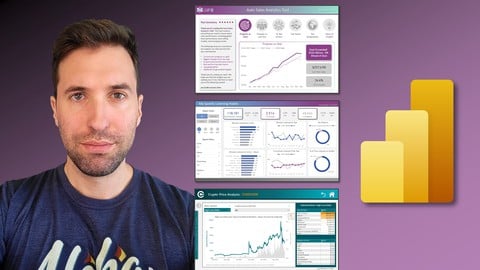
Microsoft Power BI: The Art of Designing Incredible Tools (2022)
4.7 (959 Reviews)
- Provider: Udemy
- Time: 14.8h
$10.99
 Reviews

By Ben Sadler on 7/4/2026
I have taken three of the Maven Analytics Power BI courses and can highly recommend them. This course is a simple, clear and easy to follow explanation of Power BI Service. As with the other Power BI courses, I accept that Microsoft publish regular updates and so it might not be exactly the same as from the course to what I see but I enjoy working around this and working it out. Thanks for another great course.
By Imelda Djatmiko on 6/11/2026
I appreciate the effort you put into explaining concepts clearly and at a slower pace. Repeating key points can be helpful, especially when trying to accommodate a wide range of learners. However, since this is a video-based training course, learners already have the option to pause, rewind, and revisit sections as needed. From my perspective (and I understand this is subjective), parts of the narration felt overly repetitive, and there were moments where the content was simply being read directly from the screen or charts, which reduced engagement. Additionally, I found the early sections heavily focused on Microsoft Fabric somewhat confusing. Now that I’m regularly using Power BI Service in my work environment, I see that Fabric is not always available or relevant to all users. The strong emphasis on it early in the course felt unnecessary for many practical use cases, and at times came across more like promotion than instruction. For most users, Power BI Service is sufficient for their needs. Fabric tends to be more relevant for organizations with access to complex data sources (e.g., Manhattan, SAP), so introducing it with less emphasis—or later in the course—might improve the learning experience.
By Martin Belak on 5/21/2026
Very useful course with clear explanations and practical examples. It helped me better understand the broader context of Power BI and how individual concepts fit together.
By Golden Makusha on 3/28/2026
Practical application of knowledge gained. I can use this as my data Dictionary and reference source as I continue to build my data analytics muscle knowledge. How do I get this recorded on my Mavin Analytics profile when I finish the course?
By John Paul Onyango on 3/28/2026
Perfect match! The delivery was state-of-the-art. A few challenges with organization setting limitations but these limitations were explained, making it easy to navigate the entire course the limitations notwithstanding. I'll keep revising the content until it becomes second nature.
By Vishal Prakash Kadam on 2/19/2026
This is great course for Power BI service. It actually enables you to get into the enviroment of PBI service which is hidden behind the orgnisation valts.
By Priyanka Sanga on 2/15/2026
I cannot give 5 stars as I was unable to practice along with the sessions because I did not receive my Power BI login details. Due to this, I found it difficult to manage my learnings with the proceeding sessions
By Manuel Plata on 1/20/2026
Great tutorial, every section is hands-on, learn doing. The assignments at the end of each chapter help to understand and practice the key concepts. It really helped me to be confident working with power bi service.
By Carlos Padilla on 12/15/2025
A lot of good tips in here. My favorite was the dynamic RLS as it helped me solve a big roadblock security issue for departments that I support at my job.
By colin wojtowycz on 12/5/2025
I really enjoyed the course. It builds upon the learning from the Maven Power BI Desktop course. It gave me a wider understanding of MS Fabric eco-system. As well as data objects such as Semantic Layers and Dataflows. I learnt about the difference of Reports and Dashboards. How to share content and create external facing Apps. Row Level Security enables me to configure security settings. Finally some useful Admin functions. Thanks.
By VR Partnership s.r.o. IC 062 13 740 on 11/7/2020
exciting features :-)
By Luvo Toyi on 11/7/2020
Synonymous with convenience!
 Quality Score
No CourseDuck member has rated this course yet. Taken it? Give each part a thumbs up or down.
Overall Score : 94 / 100

- Video Duration:
 5.9h
5.9h - Price: $24.99
- Provider: Udemy
- Updated:
 June 2026
 - Level:
 All Levels
 - Language:
 English
 - Certificate:
 Yes
Yes - Lectures:91 in 8 sections
- Practice:6 quizzes
- Students:63,600
- Subtitles:13 languages
30-day money-back guarantee on most paid courses
Udemy Coupon Price Tracker
