
 Web Development
 Data Science
 Python
 SQL
SQL JavaScript
 Artificial Intelligence
 IT & Software
 IT Certifications
 Hacking
 AWS
AWS Arduino
 DevOps
 3D Modeling
 Graphic Design
 Photoshop
 Drawing
 Digital Painting
 UX Design
 Business
 Data Analysis
 Communication Skills
 Project Management
 Leadership & Management
 Human Resources
 Digital Marketing
 Social Media Marketing
 Marketing
 SEO
SEO Google Analytics
 Branding
 Excel
Excel Office Productivity
 SAP
SAP PowerPoint
 Microsoft Access
 SharePoint
 Finance & Accounting
 Trading & Investing
 Accounting
 Bitcoin
 Personal Finance
 Video Editing & Animation
 Photography
 Adobe Premier Pro
 Adobe Lightroom
 Personal Development
 Productivity
 Career Development
 Life Coaching
 Health & Fitness
 Meditation & Mindfulness
 Yoga
Yoga Music
Music Music Production
 Guitar
 Piano
Piano Singing
 Language Learning
 Teaching & Academics
 Engineering
 Math
Math Lifestyle
The Complete ProCreate Masterclass Course (Udemy.com)
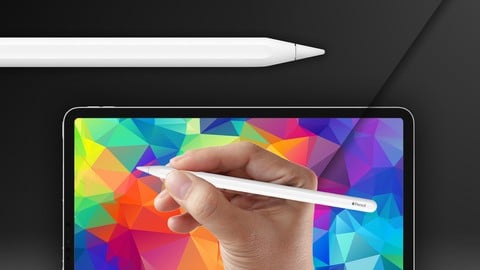
The No.1 course on how to draw and paint on iPad with Procreate and Apple Pencil. Learn to use Procreate professionally.
Created by: Scott Harris
Last updated August 2026
 What you will learn
- How to Draw on iPad with the Procreate App
- How to Paint and Blend on iPad with the Procreate App
- How to Use Procreates Brushes, Layers and Selections for your Art
- How to Adjust Artwork, Export Art and Save Videos in Procreate to post Online
- How to Create and Install Procreate Brushes
- How to use Procreate Efficiently at a Professional Level
- How to Make your iPad an Essential Art Tool
How it compares
Against the other 175 rated Udemy courses in Digital Painting on CourseDuck:
- Rating4.6 out of 5higher than 54% of them
- Reviews2,947#12 of 176 by number of reviews
- Length2.7 hoursshorter than 62% of them
- Last updatedAugust 2026more recently than 98% of them
 Course Description
With regular updates and a thriving community, this course will turn your iPad into the most powerful drawing and painting tool on earth, using Procreate and Apple Pencil! Live drawing and painting demonstrations enhance your experience and show you how far you can take your art in Procreate!
What is The Complete ProCreate Masterclass Course?
This is a learn anywhere video course, where you will be able to use all of Procreates features to draw and paint effectively on your iPad or iPad Pro. I’ve covered all the core knowledge and practical theory you need to know in order to utilize Procreate to a professional level to create great art on your iPad. This course will get you up to speed on the tools and techniques in using Procreate, and contains vital information that you can use across a multitude of digital art apps.
Structured and Clear Lessons
This course has been structured to be the clearest and fastest way to learn to draw and paint in Procreate. There's no fluff or unnecessarily long teaching - everything is straight to the point, so that you can get to what really matters - creating your characters, worlds, environments, comics, paintings and more!
Ever Expanding and Free Resources!
Software is being constantly updated - and so is this course! As Procreate grows and advances, so will this course, and I'll make sure that you have all the essential tools and resources you need to use your iPad for drawing and painting to the fullest! From new brushes for Procreate, to templates, shapes and more, I've got you covered.
Let's get started, you've got art to create.

 Udemy Discount
The discount is applied through our link. Open the course from here and Udemy's current promotional price is applied at checkout on most courses, no code to type.
Some courses are excluded from Udemy's promotions. If the price does not drop, clear your browser cookies and use the button again.
Instructor Details

- 4.6 Rating
 2,947 Reviews
Scott Harris
Scott Harris is a professional character artist, illustrator, painter and concept designer. Scott is Art Director of DAS: School of Art and Design, and Character Art School, and is the author of Draw Manga Style: A Beginner’s Step-by-Step Guide for Drawing Anime and Manga published by Quarry Books and available worldwide. Scott has worked with Sony, Epic, Oxford Press and many more. Scott has a straight-forward and no-fluff approach to teaching, ensuring that students learn quickly and efficiently. Scott is inspired by sci-fi and fantasy art, video games and cinema, Japanese culture and Manga.
Follow him on Youtube @artofscott or Instagram @artofscott_
 More courses by Scott Harris
Character Art School: Complete Character Drawing (2026)
4.6 (66,903 Reviews)
 Provider: Udemy
 Time: 28.3h
$199.99

Character Art School: Complete Coloring & Painting (2026)
4.8 (6,042 Reviews)
- Provider: Udemy
- Time: 19.5h
$34.99

Manga Art School: The Complete Anime & Manga Drawing Course (2026)
4.5 (5,595 Reviews)
- Provider: Udemy
- Time: 11.2h
$149.99
Perspective Art School: The Complete Drawing Course (2026)
4.7 (5,514 Reviews)
- Provider: Udemy
- Time: 9.8h
$24.99
The Complete Art Fundamentals Course (2026)
4.3 (1,326 Reviews)
- Provider: Udemy
- Time: 48 mins
$19.99

Anatomy Art School: Drawing the Human Form (2026)
4.8 (741 Reviews)
- Provider: Udemy
- Time: 18.4h
$129.99
More Digital Painting courses
Character Art School: Complete Coloring & Painting (2026)
4.8 (6,042 Reviews)
- Provider: Udemy
- Time: 19.5h
$34.99



Procreate Masterclass: Digital Drawing on the iPad (2023)
4.8 (1,744 Reviews)
- Provider: Udemy
- Time: 18.2h
$94.99


Digital painting with Krita 5.0 intermediate level (2022)
4.8 (271 Reviews)
- Provider: Udemy
- Time: 6.8h
$79.99
 Reviews

By Donna Cooper on 7/31/2026
Hello my name is Roc, I've never actually taken this course before and it is brand new to me, this is all new information I'm just starting out with and it's very informative and insightful. I am beginner student who is currently using a Apple Macbook Air computer with a connected monitor. But Procreate is something I've never used before and I don't have the necessary piece of equipment needed for this course yet, but I look forward to so I can practice with this course.
By dev allard on 5/21/2026
Good and complete demonstration. I heartily agree with other comments regarding need to just watch along initially, get a sense of what can be done and don't necessarily focus on the "click this button" actions. You want to understand each capability, not get lost in the weeds. Then go back for a second pass and play along as he performs some task. Finally, pause the recording and try it on your own.
By Beth Stany on 4/13/2021
As a newcomer to digital painting I’m pleased to find the Instructions are clear and precise. Scott Harris takes it at a pace, verbally and visually, that I am able to understand and absorb and not feel overwhelmed. Some of the instruction videos I reviewed before buying this one I found discouraging. Looking forward to the remainder of the course.
By Tinh nguyen on 11/7/2020
It's good
By Nithin T P on 10/22/2020
It was nice an excellent course.
By Almog Benayoun on 10/18/2020
Im in lesson number 25 and i still dont drew nothing all the explanations on air and the student dont get involved with procreate
By Angela Manfrin on 10/18/2020
A very depth insight of ProCreate. For a newbie, like me, this course opened my horizions on how to fix or give a more realistic look to my characters.
By Juan Carrillo on 10/15/2020
No usa la versin 5 de Procreate, est obsoleto
By Michelle Mateik on 10/14/2020
The course is very thorough and well-covered. However, the instructor states that he strives to keep his instruction up-to-date with the latest version. This is not the version currently out there. Udemy should ensure that this is the standard. With technology always advancing, versions change often.
By H Nejad on 10/14/2020
The instructor had promised to keep the course up to date. There are many new features in ProCreate 5 that are not covered in this class.
By Ian McMillan on 10/13/2020
Easy to understand and explained really well. He does go a little two fast on some on the sections though. but still well worth the investment.
By Megha Honna on 10/2/2020
It has been very helpful throughout my learning and I loved it !
 Quality Score
No CourseDuck member has rated this course yet. Taken it? Give each part a thumbs up or down.
Overall Score : 92 / 100
- Video Duration:
 2.7h
2.7h - Price: $22.99
- Provider: Udemy
- Updated:
 August 2026
 - Level:
 Beginner
 - Language:
 English
 - Certificate:
 Yes
Yes
30-day money-back guarantee on most paid courses
Udemy Coupon Price Tracker
