
 Web Development
 Data Science
 Python
 SQL
SQL JavaScript
 Artificial Intelligence
 IT & Software
 IT Certifications
 Hacking
 AWS
AWS Arduino
 DevOps
 3D Modeling
 Graphic Design
 Photoshop
 Drawing
 Digital Painting
 UX Design
 Business
 Data Analysis
 Communication Skills
 Project Management
 Leadership & Management
 Human Resources
 Digital Marketing
 Social Media Marketing
 Marketing
 SEO
SEO Google Analytics
 Branding
 Excel
Excel Office Productivity
 SAP
SAP PowerPoint
 Microsoft Access
 SharePoint
 Finance & Accounting
 Trading & Investing
 Accounting
 Bitcoin
 Personal Finance
 Video Editing & Animation
 Photography
 Adobe Premier Pro
 Adobe Lightroom
 Personal Development
 Productivity
 Career Development
 Life Coaching
 Health & Fitness
 Meditation & Mindfulness
 Yoga
Yoga Music
Music Music Production
 Guitar
 Piano
Piano Singing
 Language Learning
 Teaching & Academics
 Engineering
 Math
Math Lifestyle
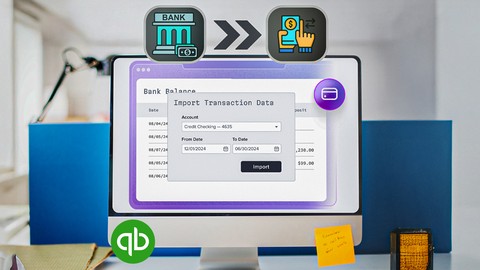
QuickBooks Online Bank Feeds And Importing Transactions (Udemy.com)
Become An Expert In Using QucikBooks Online Bank Feeds And Import Transactions In To QuickBooks Online
Created by: Mark Smolen
Last updated June 2026
 What you will learn
- An Overivew Of How Downloading Or Importting Transactions
- How To Import "Lists" Like Customers, Vendors And Accounts
- How To Import Transactions From ".QBO" And ".CSV Files
- How To Navigate The Revew List
- How To Approve Downloaded And Imported Transactions
- How To Record Transactions From The Review List
- How To Find Transactions That Have Been Downloaded
- How To Categorize Downloaded Or Imported Transactions
- How To Undo Categorized Transactions
- How To Exclude Transactions
- How To Delete The Excluded Transactions
- How To Connect Directly To Your Bank Or Credit Card Company
- How To Undo An Excluded Transaction
- How To Match Transactions To Prevent Duplacates
- How To Use Rules To Save Time
- How To Apply Deposits And Checks To Customer Invoices And Vendor's Bills
- How To Track Expenses By Customer
How it compares
Against the other 200 rated Udemy courses in Accounting on CourseDuck:
- Rating4.7 out of 5higher than 90% of them
- Reviews178#149 of 201 by number of reviews
- Length4 hoursshorter than 68% of them
- Last updatedJune 2026more recently than 85% of them
 Course Description
Would you like to save thousands of hours of data entry when using QuickBooks Online? Would you like to increase the accuracy of your data entry in the process? This Fantastic QuickBooks Online course will show you all the options available to import transactions quickly and easily into your QuickBooks Online records.
Every possible type of company can benefit from this, most important, QuickBooks tool that most people use to enter most of their transactions into QuickBooks online.The things you learn here will help you catch up on many months of past bank and credit cad transactions in seconds!
It will even speed up the setup of a new QuickBooks Online account when importing from QuickBooks desktop or importing from any other accounting system.
When you finish this course, you we be an expert in using ever feature of the review list that helps you manage all the features importing or downloading from your bank or credit card companies. You will be comfortable with every import option there is.
Topics include……………
Overview Of How Bank Feeds And Importing Works
How To Import Or Download Bank Transactions
An Overivew Of How Downloading Or Importing Transactions
How To Import "Lists" Like Customers, Vendors And Accounts
How To Import Transactions From ".QBO" And ".CSV Files
How To Navigate The Revew List
How To Approve Downloaded And Imported Transactions
How To Record Transactions From The Review List
How To Find Transactions That Have Been Downloaded
How To Categorize Downloaded Or Imported Transactions
How To Undo Categorized Transactions
How To Exclude Transactions
How To Delete The Excluded Transactions
How To Connect Directly To Your Bank Or Credit Card Company
How To Undo An Excluded Transaction
How To Match Transactions To Prevent Duplacates
How To Use Rules To Save Time
How To Apply Deposits And Checks To Customer Invoices And Vendor's Bills
How To Track Expenses By Customer
How To Make Downloaded And Imported Expenses Billable To Customers
How To Separate And Record Sales Tax Charges And Payments
How To Use Advanced, Compound And Complex Rules To Save Even More Time!!
How To do A Whole Month Of Bookkeeping In Just A Few Minutes
There’s even a self-check test for you to see how well you learned.
Saving time in QuickBooks Online, while increasing accuracy, is like having a super-power that makes you super-valuable to any employer or company. The best part is that you can contact me immediately if you have any issue. I love hearing from my students, and I would like to hear from you as you take the course.
I wish you good luck and I hope to see you in the course
-Mark

 Udemy Discount
The discount is applied through our link. Open the course from here and Udemy's current promotional price is applied at checkout on most courses, no code to type.
Some courses are excluded from Udemy's promotions. If the price does not drop, clear your browser cookies and use the button again.
Instructor Details

- 4.7 Rating
 178 Reviews
Mark Smolen
I have 3 decades of experience teaching Computerized Accounting. I have taught QuickBooks at A.S.A college in Manhattan New York. I have made my lessons available to certified job training schools for adult education and have helped place hundreds of students in good paying jobs using QuickBooks and other software that they learned in my class. Now, I've helped thousands of students from Udemy get great jobs or run their own business.
I am a permanently licensed teacher by the New York State Education Department. I am also a Certified QuickBooks Pro adviser for 2 decades. I have made these videos by determining what my clients needed.
I wanted to help anyone using QuickBooks be prepared for the real-life, hands-on challenges that come with mastering the bookkeeping function of any company. I will prepare you for real life QuickBooks situations that can be challenging or frustrating if nobody shows the tips and tricks that will make using QuickBooks a fun task
I enjoy helping students turn frustration in to a feeling of comfort and satisfaction with QuickBooks. I'm always available to my students when they need me.
 More courses by Mark Smolen


QuickBooks Online Complex Issues And Advanced Techniques (2026)
4.6 (911 Reviews)
 Provider: Udemy
 Time: 15.9h
$99.99
Mastering QuickBooks Desktop Beginner To Advanced (2022)
4.7 (594 Reviews)
- Provider: Udemy
- Time: 4.3h
$74.99
QuickBooks Online Freelance, Self-Employed Bookkeeper (2026)
4.7 (576 Reviews)
- Provider: Udemy
- Time: 12.4h
$89.99
Accounting And QuickBooks Online Comprehensive Course (2026)
4.5 (363 Reviews)
- Provider: Udemy
- Time: 24.6h
$19.99
More Accounting courses



Bookkeeping Basics #3: QuickBooks™ Desktop Fundamentals (2025)
4.8 (998 Reviews)
- Provider: Udemy
- Time: 4.8h
$119.99

QuickBooks Desktop Pro 2022 Made Easy for Beginners
4.8 (158 Reviews)
- Provider: Udemy
- Time: 9.1h
$84.99

Financial Accounting & Bookkeeping: From Beginner to Pro (2026)
4.7 (5,344 Reviews)
- Provider: Udemy
- Time: 32.5h
$22.99

Xero Online Accounting - Learn Xero in a Day 2026
4.7 (3,109 Reviews)
- Provider: Udemy
- Time: 4.2h
$13.99
 Reviews

By Elizabeth Kaplan on 10/31/2024
This instructor is fantastic at teaching the material. I have learned an immense amount from this instructor (in the basic, advanced, sales tax, and now bank feeds and importing transactions). I always feel much more confident in my abilities to use QBO after taking any of his classes. While there are occasionally spelling errors and such, nobody is perfect; I've learned so much from him that it is well worth the time to take his courses.
By Jamie Howard on 11/23/2022
I love how this course shows you how to do everything step by step in a video rather than just giving you a bunch of steps in reading form.
By Cindy Zromkoski on 3/3/2021
I have not worked with QBO and learning the importing features for bank fees, web connect, as well as transfers has helped me understand QBO more.
By Jenna McQuiston on 2/10/2021
I really like the examples that were given during the videos to show exactly how each topic is done.
By Don Murphy on 10/29/2020
Instructor shows good, usable techniques based on experience using both Quickbooks desktop and online. I know I won't remember everything, but I'll come back to these videos when I need them.
By James Creighton on 9/29/2020
Mark is always very precise and thorough in his explanations of what is often a very confusing subject.
By Julia Simmons-Finnie on 8/6/2020
Pace is slow. He is being very clear which is valuable while teaching. I prefer a quicker pace as I can always pause and rewind if I need to.
By Elizabeth Provencher on 9/21/2019
I was very impressed bu the way it was taught. I loved that I was able to stop and take notes and then go back a review. I also too the Quick books online class from Mark Smolen. I suggest that anyone that has never used QBO take both of the classes. You get some basic understanding as to how things work. I am not not afraid to go to work and use the program. I have been an avid QB Desktop user for 23 years but now I can say that I know how to use both programs. Thank you Mark for making these videos.
By Abdul Sualihu on 4/18/2019
Mr. Mark knows what he's talking about. He doesn't complicate things. He rather makes it step by step easy to follow rocess. This is my second course I'm taking with him , and I am enjoying it so much. I even have the opportunity to ask him questions and he responds within 24 hrs. So, if you want to revise your Quickbooks knowledge or just looking to start learning Quickbooks, I will highly recommend that you take his courses. It contains an incredibly valuable information.
By Zia Hossain on 9/30/2017
Another great course! Explanation are clear and instructions are easy to follow. Bank feeds are generally included in QB courses, but those are not sufficient and lacks in explanations. In this regard, this course is ahead. It will surely help you to know in details with some tips and tricks. Thanks to Professor Smolen!!!
 Quality Score
No CourseDuck member has rated this course yet. Taken it? Give each part a thumbs up or down.
Overall Score : 94 / 100
- Video Duration:
 4h
4h - Price: $69.99
- Provider: Udemy
- Updated:
 June 2026
 - Level:
 All Levels
 - Language:
 English
 - Certificate:
 Yes
Yes
30-day money-back guarantee on most paid courses
Udemy Coupon Price Tracker
