
 Web Development
 Data Science
 Python
 SQL
SQL JavaScript
 Artificial Intelligence
 IT & Software
 IT Certifications
 Hacking
 AWS
AWS Arduino
 DevOps
 3D Modeling
 Graphic Design
 Photoshop
 Drawing
 Digital Painting
 UX Design
 Business
 Data Analysis
 Communication Skills
 Project Management
 Leadership & Management
 Human Resources
 Digital Marketing
 Social Media Marketing
 Marketing
 SEO
SEO Google Analytics
 Branding
 Excel
Excel Office Productivity
 SAP
SAP PowerPoint
 Microsoft Access
 SharePoint
 Finance & Accounting
 Trading & Investing
 Accounting
 Bitcoin
 Personal Finance
 Video Editing & Animation
 Photography
 Adobe Premier Pro
 Adobe Lightroom
 Personal Development
 Productivity
 Career Development
 Life Coaching
 Health & Fitness
 Meditation & Mindfulness
 Yoga
Yoga Music
Music Music Production
 Guitar
 Piano
Piano Singing
 Language Learning
 Teaching & Academics
 Engineering
 Math
Math Lifestyle
QuickChat 2.0 (WhatsApp like chat) iOS10 and Swift 3 (Udemy.com)
Whatsapp, quick chat, ios chat, swift, real time chat, ios push notifications, ios call, sinch, firebase database
Created by: David Kababyan
Last updated May 2020
 What you will learn
- Latest iOS and Swift 3
- App to app calling like whatsapp
- End to end Encryption
- Photo, Video, Audio, Location messages
- Learn to use Firebase backend
- Dealing with JSON files
- Learn how to send Push notifications
- Learn Backendless backend service provider
- Login with Social media account like Facebook
- Integrate 3rd party code to your Applications
- Bug fixing
- Saving files on server and retrieving them
- Saving files on device and retrieving them
- Offline application functionality
- User Location management and MapKit
- Use the camera and photo library to take and store pictures/videos
- At the end of this course you will have a real world application ready to post it to Appstore with full functionality as you would expect from real application
How it compares
Against the other 160 rated Udemy courses in iOS Swift on CourseDuck:
- Rating4.3 out of 5higher than 17% of them
- Reviews154#121 of 161 by number of reviews
- Length25.3 hourslonger than 76% of them
- Last updatedMay 2020more recently than 50% of them
 Course Description
If you are looking to learn how to build real world application, you have come to the right place.
This course is different from other Udemy course. I dont teach you to build 10 useless apps in 2 hours, If you are after quantity and not quality, this course is not for you.
This course is 27+ hours long in debt (every single step is covered) on how to build only 1 app. and that is a copy of Whatsapp Chat. After you finish this course you will have an app that can replace your messaging app and can be uploaded to App Store.
THIS IS NOT A BEGINNER LEVEL COURSE!
If you dont know your way around in xCode, how to make simple debuging, or this is your first tutorial, I strongly suggest you to take a beginner level course first before you take this course.
The QuickChat was updated to 2.01 version to work without backendless.
New update includes:
- Firebase user authentication
- Firebase file saving for (audio and video messages) also we save them locally on the device as usual
- Loading bar for uploading audio/video messages
- User can update his Avatar now
- Push notification with OneSignal (which support emoji in notification as well)
- Call screen has now speaker and mute buttons and avatar image of the user we call.
- Redesign of the avatar image, we dont upload the image and save url now, we save the image on the User object. This makes the avatar available right away and no need to download.
- New typing indicator so you can see now when other user is typing message to you.
- Avatar icon clicking in ChatView will open Profile view of that user.
- Group message Avatar was added to the groups
- etc.
Overall the app became much faster, more responsive and easier to use. Offline functionality has improved as well. Push notifications work much better now.
This is not just update to existing QuickChat, QuickChat 2.0 its standalone course that has all the content of QuickChat and plus the extra functions, and its written in latest Swift 3 language. More than 20 hours of HD video material that will teach you have to build whatsapp clone, fully functional chat application with end to end encryption and call function.
This is not a beginner level course, you need to have programming experience in xCode and iOS programming in general.
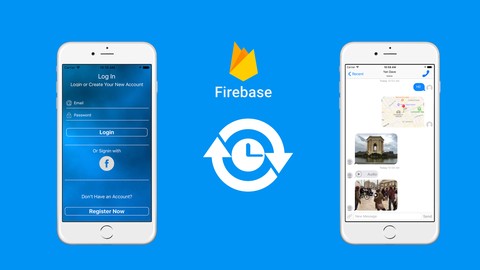
This course will teach you how to building step-by-step a WhatsApp clone using latest Swift, xCode, Firebase and Backendless backend service.
We will be using Firebase as backend for our chat and Backendless for user login management, Push Service and File Storage.
Integrate App to App calling
The cool thing about Firebase is that its a real time backend, what does this mean? We dont have to constantly query for new messages, Firebase will push each new message to us automatically with no additional code required. This is very efficient on code writing and on network usage.
The application will work online and offline, Firebase will keep local datastore and will sync with online datastore ones the device gets internet connection.
We will use Facebook Login as well as user registration on Backendless.
The course will teach you how to integrate 3rd party libraries to your project, how to combine the Objective-C and Swift libraries.
I will teach you how to send and receive Push notifications to keep your users notified when they receive messages.
The application is build in a way that its very easy to modify to integrate to other applications as well, also you can continue building the app to a stage that you can post it to appstore as ready fully functional chat application.

 Udemy Discount
The discount is applied through our link. Open the course from here and Udemy's current promotional price is applied at checkout on most courses, no code to type.
Some courses are excluded from Udemy's promotions. If the price does not drop, clear your browser cookies and use the button again.
Instructor Details

- 4.3 Rating
 154 Reviews
David Kababyan
CEO and owner of iOSDevSchool
I have graduated from university in 2012 with BA in Multimedia. Since then I have taken various other courses for programming in PHP, Objective-C, Swift. I really love programming, its my passion.
I have been developing for iOS since 2014. I have worked on various other multimedia projects like movie shooting and editing, 3D modeling and animations, flash animations and website design and development.
 More courses by David Kababyan
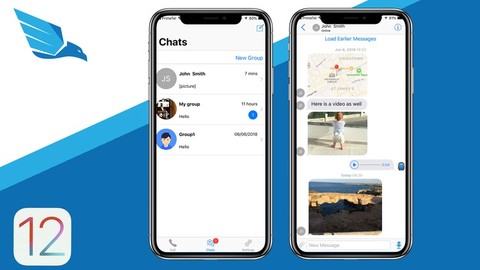
iOS 12 Chat Application like WhatsApp and Viber (2022)
4.5 (437 Reviews)
 Provider: Udemy
 Time: 32.2h
$64.99

iOS 13 Online Shop Application, Build e-Market, for sale (2019)
4.5 (226 Reviews)
- Provider: Udemy
- Time: 14.6h
$59.99
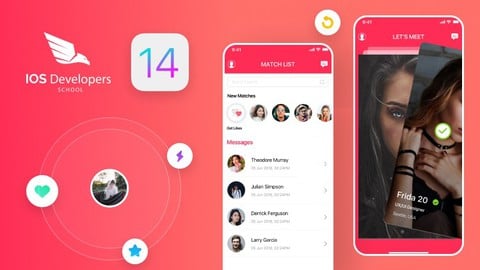
iOS14 Tinder like Dating application with Firebase & Swift (2020)
4.5 (166 Reviews)
- Provider: Udemy
- Time: 30.8h
$64.99

SwiftUI iOS13 Coffee Shop Application, Order Products Online (2020)
4.8 (158 Reviews)
- Provider: Udemy
- Time: 8.2h
$109.99

iOS12 Bootcamp from Beginner to Professional iOS Developer (2018)
4.6 (146 Reviews)
- Provider: Udemy
- Time: 35h
$54.99
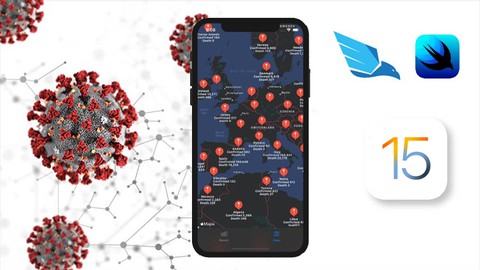
SwiftUI Covid19 Statistics tracking with REST API & Swift 5 (2022)
4.3 (140 Reviews)
- Provider: Udemy
- Time: 6.5h
$22.99
More iOS Swift courses

iOS 12 Swift 4.2 - The Complete iOS App Development Bootcamp (2021)
4.9 (562 Reviews)
- Provider: Udemy
- Time: 55.4h
$109.99

Noob to App Store - iPhone Apps with Swift, SwiftUI & iOS 15 (2021)
4.9 (342 Reviews)
- Provider: Udemy
- Time: 7.8h
$69.99

Deep Dive iOS 27 & SwiftUI 6: 90-Hour Project-Based Course (2026)
4.8 (983 Reviews)
- Provider: Udemy
- Time: 88.7h
$79.99

The Swift Arcade Data Structures and Algorithms Bootcamp (2022)
4.8 (839 Reviews)
- Provider: Udemy
- Time: 7.2h
$84.99

How To Make An App For Beginners (iOS/Swift - 2019)
4.8 (658 Reviews)
- Provider: Udemy
- Time: 4.3h
Free
SwiftUI iOS13 Coffee Shop Application, Order Products Online (2020)
4.8 (158 Reviews)
- Provider: Udemy
- Time: 8.2h
$109.99
 Reviews

By Khalid on 12/16/2018
I was expecting a chat app developed from scratch. Chat view controller is one of the major components. Instructor used a third party controller for chat UI. When I asked few basic questions about customising the view controller, the instructor could not answer except saying..."read the documentation".
By Yen loo on 4/28/2018
I really do love the approach, the structure of the course gives you the ability to move forward smoothly, and efficiently gain as much knowledge as possible, the instructor really goes in-depth, it's incredibly comprehensive, not to forget that this is a real world project, and the advanced concepts gained here make me all confident that i'll be able to build my own apps in a very effective way. the course is well taught, and it really deserves the 5 stars, the instructor as well, he explains things in a very clear, clean way. Definitely enjoying the Course. and definitely Thumbs Up.
By Loan on 12/27/2017
The source code will be available to students who are registered for 30+ days, this is a very bad experience for students,
By Maduranga Kodithuwakku on 9/7/2017
This is an amazing course. David Kababyan is a great instructor and actually walks you through the concepts rather than just writing out code. As a result you learn what and how to build out projects like this. I have viewed/taken around 50 Udemy courses at this point and this is by far the best I've done. I highly recommend this course and any of David Kababyan’s other courses.
By Chris Bonneau on 5/3/2017
Okay, so this is honestly the best course the I have found on Udemy. Everything is so in depth and David is so clear on everything. I will say, you do need to know your way around Xcode, and definitely some background in Swift. Basic debugging will be a huge help if you run into any kind of problem. I will always recommend this course to anyone who tells me they are learning to make something real and amazing. I have learned tons of new things. I even learned some neat tricks that I thought weren't possible on iOS. So this is just amazing.
By Wgarden on 5/1/2017
This course(QuickChat 2.0 iOS10 and Swift 3) is very useful to me. I spent a month to watch the course video and typed every line of the source code. I learned a lot from this course, especially how to use firebase as a backend for a chat app. This course enhance my skills of the swift programming language. The source code of the course is compliant with swift coding conventions, it is important to a newbie of swift or iOS.
By CJ Luo on 4/18/2017
I just got half of the course. Every single word I say is from the bottom of my heart. First of all, the course is the most comprehensive instant chat on the entire Internet. For me, this course is priceless because nobody is as kind as David who is willing to share his knowledge and experience to his students. Second, David(the instructor) is so supportive and knowledgeable. I am new to Swift and ios. I have got two times errors so far. Every time I asked David to help, he always replied my message in 12 hours even sooner. He helped me to keep going and learning. I have taken 7 courses before this one, he is definitely most supportive instructor I have never ever met!!!!!! I will follow his course. I am so glad to become his student. I enjoy his course. All in all, Thank David for providing us this such wonderful course and knowledge.
By Sachin Raut on 4/10/2017
The instructor (David) has done an excellent work 1. He has explained each and every line of code in great detail. For eg. While explaining saving video file to local storage he explained the arguments of "write()" function, such as "atomically" & why it needs to be "true" ("true" creates temp file before saving to local storage. And before saving to local storage it checks if there already exists a file with the same name. If there is a file with the same name then atomically doesn't overwrite) 2. He explained closures (or callbacks) in great detail (eg.if you are accessing property from within the closure then it should be accessed using "self" keyword) 3. Downloading video in background queue & once its finished, then return the downloaded video file to main queue. 4. Capturing thumbnail image from video is one of the toughest topic, but he explained every step in a very simple manner. 5.When we observe events in firebase & once we come out of view controller, then all observers for that view should be removed. 6. David, provides incredible & outstanding support. He is very active in the course Q&A section & answers questions with clarity & encouragement. 7. I give this course my unqualified recommendation.
By Anton Novoselov on 1/13/2017
Great tutorial! Production level code provided and all creation process showed step by step very thoroughly. As for me - one of the best courses I ever met. This course differs from usual courses, because there's almost ready full scale application provided, with plenty of features. I think the real price for such a source code is about thousands of dollars. And besides of code there's step by step creation video. Thanks David!
By Andreas Skaalerud on 11/30/2016
I've now been following both of the QuickChat-courses, and I can honestly say that it's one of the best programming courses on Udemy. The tutorial is well-explained, and the content is of high quality. Also, David always replies to private messages with help. Great work, I appreciate it!
 Quality Score
No CourseDuck member has rated this course yet. Taken it? Give each part a thumbs up or down.
Overall Score : 86 / 100
- Video Duration:
 25.3h
25.3h - Price: $54.99
- Provider: Udemy
- Updated:
 May 2020
 - Level:
 Intermediate
 - Language:
 English
 - Certificate:
 Yes
Yes
30-day money-back guarantee on most paid courses
Udemy Coupon Price Tracker
