
 Web Development
 Data Science
 Python
 SQL
SQL JavaScript
 Artificial Intelligence
 IT & Software
 IT Certifications
 Hacking
 AWS
AWS Arduino
 DevOps
 3D Modeling
 Graphic Design
 Photoshop
 Drawing
 Digital Painting
 UX Design
 Business
 Data Analysis
 Communication Skills
 Project Management
 Leadership & Management
 Human Resources
 Digital Marketing
 Social Media Marketing
 Marketing
 SEO
SEO Google Analytics
 Branding
 Excel
Excel Office Productivity
 SAP
SAP PowerPoint
 Microsoft Access
 SharePoint
 Finance & Accounting
 Trading & Investing
 Accounting
 Bitcoin
 Personal Finance
 Video Editing & Animation
 Photography
 Adobe Premier Pro
 Adobe Lightroom
 Personal Development
 Productivity
 Career Development
 Life Coaching
 Health & Fitness
 Meditation & Mindfulness
 Yoga
Yoga Music
Music Music Production
 Guitar
 Piano
Piano Singing
 Language Learning
 Teaching & Academics
 Engineering
 Math
Math Lifestyle
Realistic Fantasy Game Environment in Maya & Unreal Engine (Udemy.com)
Learn How to Make a Professional Game Environment using Maya, Substance Designer, Marmoset, Unreal, Speedtree, Photoshop
Created by: Victory3D LLC
Last updated March 2021
 What you will learn
- Blockout 3D environment for accurate scale and composition
- Proper way of baking and texturing
- Make believable tileable edge damages
- Create realistic rocks, grass, trees, and moss
- Create special effects like fog
- Lighting and setup in game engine
How it compares
Against the other 72 rated Udemy courses in Game Design on CourseDuck:
- Rating4.6 out of 5higher than 65% of them
- Reviews137#37 of 73 by number of reviews
- Length29.8 hourslonger than 86% of them
- Last updatedMarch 2021earlier than 66% of them
 Course Description
Instructor Info
Emiel Sleegers always had love for video games and when he was young, he started using Unity3D for programming but he found himself gravitating more towards the art of making games. Now he is currently working as a Senior 3D Artist at FlippedNormals. He contributed to creating AAA games such as Forza Horizon 3 and The Division 2. His all time favorite game is The Last of Us and that video game is what inspired him to want to work in the game industry. His advice for beginner artists is to focus on one aspect of gaming that they are passionate about, stick to it and get better at it. His hobbies include anything related to games or films, whether it be working on personal projects, freelance work or going out for movies.
Course Info
Hello everyone! And welcome to this very exciting tutorial course on how to create a game environment from start to finish.
My name is Emiel Sleegers, I am a senior 3d environment artist who have years of experience working for AAA game studios and I will be your tutor for this course.
In this course we will go over on how to create a Realtime game environment completely from scratch.
That means that we will make it 100% from start to finish and we will have 95% of this tutorial in real time.
For this course we will be using Maya, Zbrush, Substance painter and designer, a tiny little bit of photoshop, marmoset toolbag, Speedtree and unreal engine 4.
I know, I know it might sound like a lot of programs but I will make sure that everything in this tutorial is easy to understand and follow.
Now, this tutorial is targeted towards intermediate artists, these are artists who are already familiar with the tools I just mentioned but just want to learn the workflows and techniques to creating a video game environment.
As a quick little overview.
We will start this course off with going over our reference and discussing on how we are going to create this environment.
We will then start by making a nice blockout of the environment so that we have accuracy in the scaling and composition.
We will first focus on the rocks since those are one of the main components in this tutorial.
This means we will first complete all the rock sculpts in Zbrush. Setup the low poly in maya and bake the rocks in marmoset toolbag.
Then we will create a rock material inside of substance designer and a special material inside of unreal engine to make the rocks look amazing. For this we also need to quickly create a special mask in substance painter which will give us control over the dirt amount and highlights of the rocks.
After we have done all that we will move on to our moss system, since this is probably the second most important thing in this environment.
I will start by creating a moss material inside of substance designer.
Then I will show you how to use this material to create both procedural moss and hand made fuzzy moss for all your rocks.
Finally, we will start by setting up our environment, doing lighting and composition passes. We will create some foliage inside of speedtree and placing it in our scene. We will create our temple building along with special tileable edge damages. And once we are happy with the entire environment, I will show you how to create some final portfolio screenshots and flythroughs.
If you follow this course you will have a very solid foundation and skillset to tackle almost any kind of game environment, no matter if it is organic or urban.
So why don’t you come and join me at victory3d and we can get this course started!

 Udemy Discount
The discount is applied through our link. Open the course from here and Udemy's current promotional price is applied at checkout on most courses, no code to type.
Some courses are excluded from Udemy's promotions. If the price does not drop, clear your browser cookies and use the button again.
Instructor Details

- 4.6 Rating
 137 Reviews
Victory3D LLC
What is our mission? Why do we do what we do?
Our unwavering mission is to empower dreamers, transforming their aspirations into tangible careers. By harnessing their unique talents, artists can illuminate the world with entertainment, ignite joy through creation, convey powerful messages, and above all, inspire others on a global scale. Join us on this remarkable journey towards making dreams a reality.
We provide students with affordable and substantial tutorials that are easy to understand and produce results. We believe that industry experience, effective teaching, and student interaction are the key ingredients for providing a high quality learning system. With Victory3D, you will find a collection of affordable courses made by artists with experience working in Ubisoft, Blizzard, Gameloft, MPC, Double Negative and many more!
 More courses by Victory3D LLC
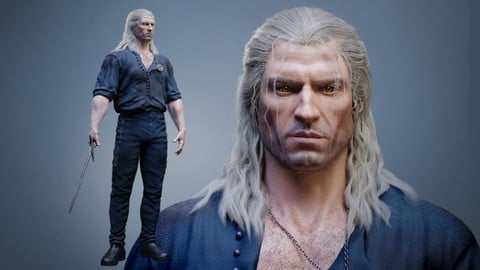
Complete Guide to Realistic Character Creation in Blender (2026)
4.3 (1,595 Reviews)
 Provider: Udemy
 Time: 53.7h
$119.99

Human Anatomy for Artists using Zbrush and Photoshop (2019)
4.7 (673 Reviews)
- Provider: Udemy
- Time: 21.1h
$74.99
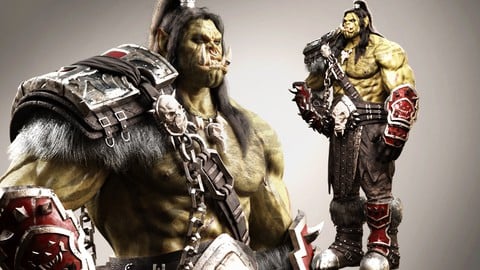
Blender Character Creation Masterclass - Orc Warrior (2026)
4.5 (662 Reviews)
- Provider: Udemy
- Time: 73.8h
$89.99
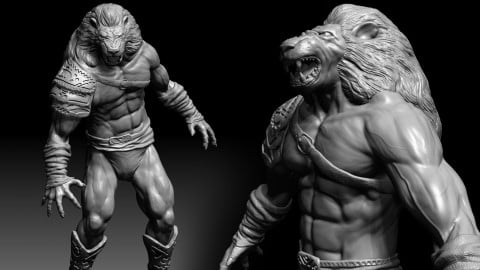
3D Character Creation: Sculpting in Zbrush (2019)
4.4 (611 Reviews)
- Provider: Udemy
- Time: 4.7h
$64.99

Zbrush Facial Anatomy and Likeness Character Sculpting (2019)
4.4 (376 Reviews)
- Provider: Udemy
- Time: 9h
$64.99
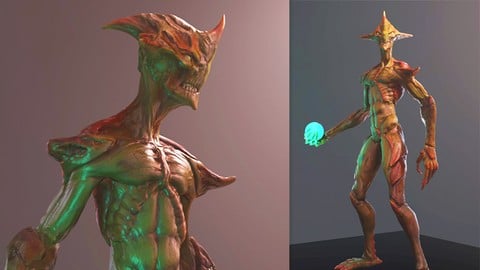
3D Game Character Creature - Full Complete Pipeline (2019)
4.8 (322 Reviews)
- Provider: Udemy
- Time: 14.3h
$64.99
More Game Design courses
Master Procedural Maze Generation - Unity 6 Compatible (2025)
4.8 (412 Reviews)
- Provider: Udemy
- Time: 21h
$79.99
Full game character in Blender course - Moth Girl (2025)
4.8 (305 Reviews)
- Provider: Udemy
- Time: 49.9h
$19.99
2D Adventure Game Creation: Art, Music, Programming and More (2019)
4.7 (338 Reviews)
- Provider: Udemy
- Time: 19.6h
$84.99

Indie Game Design: Build Your Game’s Core System (2026)
4.7 (155 Reviews)
- Provider: Udemy
- Time: 3.4h
$19.99
 Reviews

By Matt Lewis on 10/2/2025
Fantastic course. I learned a huge amount, and it feels like I got a jump start into game engine production pipeline methods!
By Oleksandr Zhyhunenko on 6/17/2024
Pretty informative, a lot of necessary information about the application used in this course, gave me a lot of new experience with Unreal Engine and ZBrush!
By Pablo Antonio Gutiérrez Montes de Oca on 4/27/2024
Cons: Its a little bit outdated, speedtree isnt free, the fog card doesnt work anymore, the vertexcolor doesnt work the same and the displacement isnt up to date which is now nanite. Pros: It has step by step instructions and the results are pretty good
By Rahul Sinha on 12/5/2023
There are many similarities between some parts which could have been removed or fast forward in editing.. rest its all good soo far :]
By Manuel Callejon on 5/18/2022
Excellent, sauf l'accent du formateur, un peu déroutant parfois...
By Emre Utku on 4/25/2022
I started my career as 3D Artist with this course and the teacher taught me so much in so many softwares that I needed to know. After the course I able to create my own models, environments and textures. I would definitely recommend this!
By John Seekins on 1/9/2022
This was an outstanding class. I'm in school for computer animation and I want to specialize in this part of the industry, so I was perfect for me
By Matthew Emmitt on 9/24/2021
Amazing course. So much information is covered and presented in a great fashion.
By Paul Elder on 5/24/2021
Only just started watching and following this course but so far it’s easily explained and the range of softwares that will be used makes me very excited to create my own variation, Thankyou!
By Michele Larini on 3/20/2021
Really fantastic course, I couldn't be more satisfied!
 Quality Score
No CourseDuck member has rated this course yet. Taken it? Give each part a thumbs up or down.
Overall Score : 92 / 100

- Video Duration:
 29.8h
29.8h - Price: $64.99
- Provider: Udemy
- Updated:
 March 2021
 - Level:
 Intermediate
 - Language:
 English
 - Certificate:
 Yes
Yes
30-day money-back guarantee on most paid courses
Udemy Coupon Price Tracker
