
 Web Development
 Data Science
 Python
 SQL
SQL JavaScript
 Artificial Intelligence
 IT & Software
 IT Certifications
 Hacking
 AWS
AWS Arduino
 DevOps
 3D Modeling
 Graphic Design
 Photoshop
 Drawing
 Digital Painting
 UX Design
 Business
 Data Analysis
 Communication Skills
 Project Management
 Leadership & Management
 Human Resources
 Digital Marketing
 Social Media Marketing
 Marketing
 SEO
SEO Google Analytics
 Branding
 Excel
Excel Office Productivity
 SAP
SAP PowerPoint
 Microsoft Access
 SharePoint
 Finance & Accounting
 Trading & Investing
 Accounting
 Bitcoin
 Personal Finance
 Video Editing & Animation
 Photography
 Adobe Premier Pro
 Adobe Lightroom
 Personal Development
 Productivity
 Career Development
 Life Coaching
 Health & Fitness
 Meditation & Mindfulness
 Yoga
Yoga Music
Music Music Production
 Guitar
 Piano
Piano Singing
 Language Learning
 Teaching & Academics
 Engineering
 Math
Math Lifestyle
Realize Your Level Design Ideas with UE5 and Blender (Udemy.com)
Use Unreal Engine 5 to get a job in Level Design or Game Design
Created by: Daniel Kim
Last updated October 2024
 What you will learn
- Understand how to brainstorm ideas and create a paper map design
- Learn 3D modeling for use in the Unreal Engine and its role in level design
- Know how to use built-in features of Unreal to kickstart level design ideas quickly
- Be able to communicate design intent directly within the Unreal editor
How it compares
Against the other 72 rated Udemy courses in Game Design on CourseDuck:
- Rating4.2 out of 5higher than 6% of them
- Reviews101#49 of 73 by number of reviews
- Length2.2 hoursshorter than 90% of them
- Last updatedOctober 2024more recently than 65% of them
 Course Description
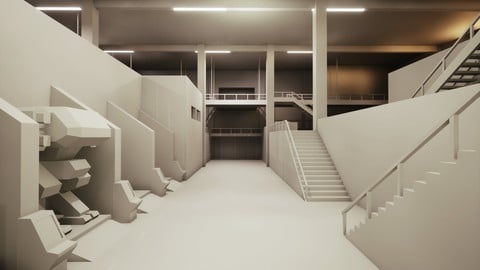
Level design is an essential component of multiplayer action games. Ever fantasize about creating your own maps? This class will cover how to approach level design from high-level design thinking to the nuts and bolts of blocking out a level that you can traverse in Unreal Engine 5.
This class involves brainstorming, drawing, 3D modeling, and some setup and lighting in Unreal.
You can follow along using Blender for the modeling portion of the class or equivalent software. While prior experience using either Blender or Unreal is not required, it's recommended that you're familiar with the basics of your 3D software of choice. For the drawing portion, feel free to use good old fashioned pen and paper, then upload a picture of it to your computer using a phone.
Design a level based on the brief provided or create your own!
Soak in the design brief and let it marinate in your head
OR write up a new brief with specific parameters and restrictions defined
Draw up a 2D map either on paper or an image editing app like Photoshop using a pen tablet
Bring the drawing into a 3D app like Blender and begin modeling your level
Be mindful of the scale by checking the level geometry inside of Unreal. Use one of the default 1st or 3rd person character controllers to run around in your map.
Refine the level geometry and set up lights in Unreal, with annotations added where needed.
Once you've finished this class, you should have an awesome graybox level that runs on Unreal Engine 5. This can be used as a basis for an area in your dream game or added to your portfolio to point to and say, "I designed this!"
Note: This class does not cover gameplay programming or network multiplayer setup. However, graybox maps are perfectly valid portfolio material as it demonstrates how you design spaces. For personal game projects, you can use these techniques to consistently tackle the blank canvas with a reliable design process.

 Udemy Discount
The discount is applied through our link. Open the course from here and Udemy's current promotional price is applied at checkout on most courses, no code to type.
Some courses are excluded from Udemy's promotions. If the price does not drop, clear your browser cookies and use the button again.
Instructor Details

- 4.2 Rating
 101 Reviews
Daniel Kim
I'm a 3D Artist and Game Designer with a background in Film and Architecture. I've worked on a variety of game projects published on PC, VR, mobile, and Playstation consoles ranging in scale from Indie to AAA. I've had both 3D Art and Level Design roles. I also make animated short films on the side.
 More Game Design courses
Master Procedural Maze Generation - Unity 6 Compatible (2025)
4.8 (412 Reviews)
 Provider: Udemy
 Time: 21h
$79.99
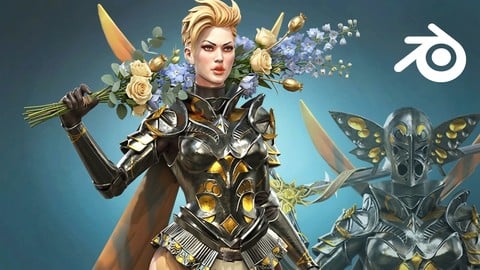
Full game character in Blender course - Moth Girl (2025)
4.8 (305 Reviews)
- Provider: Udemy
- Time: 49.9h
$19.99

2D Adventure Game Creation: Art, Music, Programming and More (2019)
4.7 (338 Reviews)
- Provider: Udemy
- Time: 19.6h
$84.99

Indie Game Design: Build Your Game’s Core System (2026)
4.7 (155 Reviews)
- Provider: Udemy
- Time: 3.4h
$19.99
 Reviews

By Jason Buttigieg-Gilligan on 4/23/2026
There were some good tool and techniques for doing the level creation. I felt some of the videos were just paused the continued in the next video so it felt a bit disjointed. Good level design course for beginners to see the process.
By Feride Melis izzet on 11/18/2025
There’s very little explanation of how to use any of the software, so don’t expect to learn the basics of Blender or Unreal here. What the course does offer is a clear walkthrough of the level design process: reading a brief, creating a layout, building a blockout, and adding simple lighting. As an introduction to level design, it’s actually solid. It helps you understand what skills you need for a portfolio piece, and if you already have basic drawing, modelling, and Unreal knowledge, it can serve as a good benchmark. Overall, it’s a decent course the description just needs to clarify that basic software knowledge is required.
By Anna K Wright on 8/6/2025
Good walk through introduction for beginners looking to learn about how to get started in Game Development Level Design. While this course is not a step by step tutorial to learning Blender and Unreal Engine it has useful tips and demonstrates how to use these tools to create your own level design.
By Sabine L on 10/17/2024
Really liked this course, wouldn't have minded to actually watch whole Blockout Detail (hence half star away ;) ) besides that the course did give what it promised and I will take what I learned to my own ideas when starting to make the levels.
By P mocte on 10/12/2024
It's good to see his process, I wish there was a video before he starts using blender, where he explained all the shortcuts he uses to model the space. I bought this course to learn more about blender but he's not delving too much into it. Also, I'm wondering if this workflow is better than using Unreal's built-in BSPs for quick blockouts.
By Andrew Nocita on 6/29/2024
just started the course so i cant say to much yet. But the info given so far has been very helpful
By Warner Black on 2/9/2024
First off, per the reviews, don't believe everything you see or read (experience it). Daniel's course is a real-life, hands-on project based level design course !! I modeled all my geo's in Maya and imported them into UE5. Also learned his simple lighting set-up. Again, wonderful course Daniel !!
By Jay Hardy on 10/7/2022
The course is very very basic and short, just blocking out a level with temporary placeholders. As a Blender user for many years, the only part I saw which was useful was the importing assets and adding collisions - though this could have been done in a two minute video. Because it's just a simple block-out level, the geometry and modelling is quite crude, but for placeholders it probably doesn't matter. I would have liked to see the next stage, fixing geometry and texturing. Not enough information for me to wish to keep the course sadly. Thanks anyway.
By Veku Rhakho on 8/2/2022
Great video! Short and simple. Hey, do you have more UE5 for Archviz?
By Esther Kim on 5/4/2022
Unreal 5 just released, so I'm glad to find this course to get started.
 Quality Score
No CourseDuck member has rated this course yet. Taken it? Give each part a thumbs up or down.
Overall Score : 84 / 100
- Video Duration:
 2.2h
2.2h - Price: $39.99
- Provider: Udemy
- Updated:
 October 2024
 - Level:
 Beginner
 - Language:
 English
 - Certificate:
 Yes
Yes
30-day money-back guarantee on most paid courses
Udemy Coupon Price Tracker
