
 Web Development
 Data Science
 Python
 SQL
SQL JavaScript
 Artificial Intelligence
 IT & Software
 IT Certifications
 Hacking
 AWS
AWS Arduino
 DevOps
 3D Modeling
 Graphic Design
 Photoshop
 Drawing
 Digital Painting
 UX Design
 Business
 Data Analysis
 Communication Skills
 Project Management
 Leadership & Management
 Human Resources
 Digital Marketing
 Social Media Marketing
 Marketing
 SEO
SEO Google Analytics
 Branding
 Excel
Excel Office Productivity
 SAP
SAP PowerPoint
 Microsoft Access
 SharePoint
 Finance & Accounting
 Trading & Investing
 Accounting
 Bitcoin
 Personal Finance
 Video Editing & Animation
 Photography
 Adobe Premier Pro
 Adobe Lightroom
 Personal Development
 Productivity
 Career Development
 Life Coaching
 Health & Fitness
 Meditation & Mindfulness
 Yoga
Yoga Music
Music Music Production
 Guitar
 Piano
Piano Singing
 Language Learning
 Teaching & Academics
 Engineering
 Math
Math Lifestyle
Roblox Coding for Kids: Game Design with AI (Ages 8-12) (Udemy.com)
Kids ages 8-12 can create exciting worlds with AI and NPCs, and publish their creations on Roblox
Created by: Cecilia Hahn
Last updated July 2025
 What you will learn
- Create an account in Roblox, download Roblox Studio, and navigate its interface, including using tools such as Select, Move, Scale, and Rotate
- Learn about player movement, including sprinting, super jump, and using AI-assisted code
- Create and implement a rewards system, such as collecting coins, adding sound effects, and storing points using leaderstats
- Learn how to use Tween Service, create NPCs using Rig Builder, and implement AI-driven behaviors like chasing and pathfinding
How it compares
Against the other 335 rated Udemy courses in Engineering on CourseDuck:
- Rating4.4 out of 5higher than 39% of them
- Reviews212#223 of 336 by number of reviews
- Length1.1 hoursshorter than 95% of them
- Last updatedJuly 2025more recently than 64% of them
 Course Description
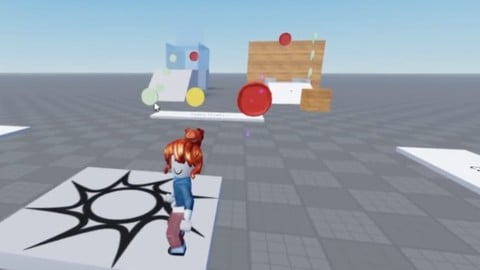
In this course, your child will learn how to create their own Roblox games using Roblox Studio, the game development tool used by the pros.
Starting from the basics, they'll explore the ins and outs of Roblox Studio, mastering essential tools like Select, Move, Scale, and Rotate. They'll also dive into the concept of parent-child relationships and write scripts in Lua, laying the foundation for their game development skills.
As they progress, they'll learn to create engaging game mechanics that will keep players hooked. From player movement techniques like sprinting and super jumps to implementing rewards systems with coins, sound effects, and leaderstats, they'll learn how to make their games come alive. They'll even harness the power of AI to assist in coding.
Building immersive game worlds is an essential part of game development, and this course has you and your kid covered. They'll learn how to design and construct captivating environments using Roblox Studio's features. From fading out blocks with Tween Service to creating lifelike NPCs using Rig Builder and AI-driven behaviors, they'll bring game worlds to life.
By the end of this course, your child will have the skills and confidence to develop, publish, and share their own games on the Roblox platform.
IMPORTANT NOTE: If you are under 18, please have a parent or guardian purchase the course and manage your enrollment and participation. Adults, by enrolling in this course, you agree that you are obtaining these materials to supervise your child's education.

 Udemy Discount
The discount is applied through our link. Open the course from here and Udemy's current promotional price is applied at checkout on most courses, no code to type.
Some courses are excluded from Udemy's promotions. If the price does not drop, clear your browser cookies and use the button again.
Instructor Details

- 4.4 Rating
 212 Reviews
Cecilia Hahn
Award-winning educator with a passion for teaching kids to code. Cecilia has taught thousands of kids to code across five states through her first company, Coder Kids, and has 5+ years experience building products across AI, Grocery and Fintech. She holds a Bachelor's in Computer Science from the George Washington University and is a proud Gates Millennium Scholar. She enjoys board games with her family, cuddling with her teenager and playing pretend with her 4-year old.
 More Engineering courses


Do it Yourself - Automotive Electrical Diagnosis - Beginner (2026)
4.8 (1,897 Reviews)
 Provider: Udemy
 Time: 2.1h
$12.99

ROS 2 for Beginners Level 2 - TF | URDF | RViz | Gazebo (2025)
4.8 (1,869 Reviews)
- Provider: Udemy
- Time: 13.8h
$10.99

Advanced Kalman Filtering and Sensor Fusion (2021)
4.8 (1,033 Reviews)
- Provider: Udemy
- Time: 8.3h
$84.99

Digital Electronics: Robotics, learn by building module II (2020)
4.8 (942 Reviews)
- Provider: Udemy
- Time: 13.1h
$14.99

 Reviews

By Armando Padilla on 4/11/2026
This is a very good course, learning how to script and build in the Roblox studio
By Aline David on 1/24/2026
oui, c'est très bien fait. J'aimerai avoir une version traduite en français=
By Udemy User on 12/23/2025
because one of the early steps, I was told to press one of the buttons then she said it will look like this ,but when I did it looked completely different maybe this is because Roblox updated it or maybe I did it wrong which is less likely but there is no problem after or before that.
By Lui on 12/1/2025
Wenn es ) Sterne geben würde würde ich 5 Sterne geben es war nicht so fantastisch aber besser als erwartet
By Zeb Blair on 11/29/2025
My child and I are happy and engaged so far. We have only done a few lessons, but the pace feels appropriate.
By Joseph Huffman on 9/8/2025
at the start it teachs u basic things. but it slowy turns into actuall helpful coding.
By Rom Koren on 8/10/2025
The curse was ok, but it was to simple for my opinion, i want to build good games, with shooting mechanics, bombs, and more... *She didn't even showed how to add the run tool, or the HD Admin(I already know how to do this but not everyone know ) so you just need to add more and harder lessons.
By Trinity Graham on 7/20/2025
yes it was a good mach for me and the coures helped me a lot in moments
By Ramy Eid Boshra on 5/28/2025
i love taking this course it really helped me be a programmer thank you
By Princess Jade Barrenechea on 7/6/2024
I learnt about the parent and the child of the model and parts
 Quality Score
No CourseDuck member has rated this course yet. Taken it? Give each part a thumbs up or down.
Overall Score : 88 / 100
- Video Duration:
 1.1h
1.1h - Price: $64.99
- Provider: Udemy
- Updated:
 July 2025
 - Level:
 All Levels
 - Language:
 English
 - Certificate:
 Yes
Yes
30-day money-back guarantee on most paid courses
Udemy Coupon Price Tracker
