
 Web Development
 Data Science
 Python
 SQL
SQL JavaScript
 Artificial Intelligence
 IT & Software
 IT Certifications
 Hacking
 AWS
AWS Arduino
 DevOps
 3D Modeling
 Graphic Design
 Photoshop
 Drawing
 Digital Painting
 UX Design
 Business
 Data Analysis
 Communication Skills
 Project Management
 Leadership & Management
 Human Resources
 Digital Marketing
 Social Media Marketing
 Marketing
 SEO
SEO Google Analytics
 Branding
 Excel
Excel Office Productivity
 SAP
SAP PowerPoint
 Microsoft Access
 SharePoint
 Finance & Accounting
 Trading & Investing
 Accounting
 Bitcoin
 Personal Finance
 Video Editing & Animation
 Photography
 Adobe Premier Pro
 Adobe Lightroom
 Personal Development
 Productivity
 Career Development
 Life Coaching
 Health & Fitness
 Meditation & Mindfulness
 Yoga
Yoga Music
Music Music Production
 Guitar
 Piano
Piano Singing
 Language Learning
 Teaching & Academics
 Engineering
 Math
Math Lifestyle
T-Shirt Design Workshop 02: Mixed Media Design (Udemy.com)
Create T-Shirt Designs using Photoshop, Illustrator, and hand-drawing techniques.
Created by: Ray Dombroski
Last updated November 2017
 What you will learn
- Design a t-shirt using various computer and traditional design tools
- Create thumbnail sketches to quickly test initial design ideas
- Layout type in Adobe Illustrator, using Adobe Typekit fonts
- Create custom Photoshop brushes to add color and texture to designs
- Incorporate hand-drawn effects into computer-based designs
- Choose Pantone colors to specify screen printing ink colors
- Size a t-shirt graphic to the correct resolution and dimensions
- Prepare designs to be printed with sublimation and direct-to-garment methods
- Refine graphic designs by moving seamlessly from hand-sketching to Adobe Illustrator and Photoshop
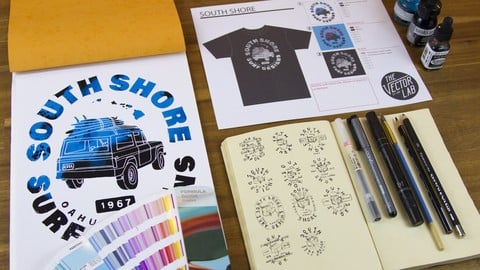
- Fill out a "spec sheet" for screen printing, so your t-shirt comes back printed with the correct colors, sizing, and placement
How it compares
Against the other 413 rated Udemy courses in Graphic Design on CourseDuck:
- Rating4.6 out of 5higher than 65% of them
- Reviews992#54 of 414 by number of reviews
- Length2.5 hoursshorter than 75% of them
- Last updatedNovember 2017earlier than 93% of them
 Course Description
Improving your t-shirt design skills is one of the most rewarding investments that you can make in your design career.
In this workshop we will go over the entire process of creating a t-shirt design, from finding ideas all the way to sending your designs out to be printed.
We will send out the design to 3 different printers. At the end, those shirts will be unboxed so you can see exactly how they came back from the printer (there will be a few unexpected surprises you can learn from!)
In this course we’ll cover:
- How to find and apply inspiration
- The various computer tools and traditional tools you will need to create t-shirt designs.
- How to move seamlessly between Photoshop, Illustrator, and pencil & paper so your designs come out as good or better than you had initially imagined
- Type layout using Adobe Typekit fonts
- How to create your own custom Photoshop brushes to quickly add color and texture to your designs
- How to incorporate hand-drawn effects into a computer-based design
- How to make sure your graphic is screen printed with the exact ink colors, sizing, and placement that you want
- Printing with sublimation and DTG (direct-to-garment) methods
- Avoiding common mistakes so your t-shirts come back printed exactly as designed
As a bonus you will also receive:
- The Photoshop watercolor brushes made in the workshop
- All 3 colorways of the finished “South Shore” design created (Photoshop format)
- 2 bonus lectures showing methods to create “index” and “halftone” screen printing color separations in Photoshop and Illustrator without the need for any extra software
- Downloadable files for the two color separation methods demonstrated in the workshop

 Udemy Discount
The discount is applied through our link. Open the course from here and Udemy's current promotional price is applied at checkout on most courses, no code to type.
Some courses are excluded from Udemy's promotions. If the price does not drop, clear your browser cookies and use the button again.
Instructor Details

- 4.6 Rating
 992 Reviews
Ray Dombroski
Ray's extensive background in the surf apparel industry started in 2002. Since then he has designed for many of the top surf apparel brands in California and Hawaii, such as O'Neill, Billabong, Ocean Pacific, BodyGlove, and Local Motion. He is the founder of TheVectorLab, a website that offers graphic design resources, tools, and tutorials. As a graduate of the Art Center College of Design in Pasadena and Florida State University his experience is backed by a mix of business and design knowledge.
 More courses by Ray Dombroski
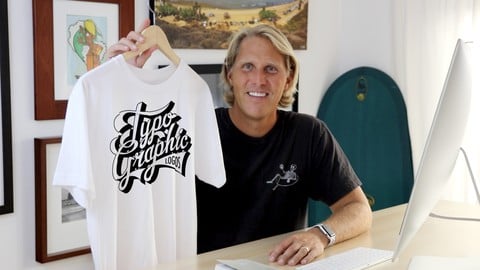
Typographic Logos: Typography and Lettering for Logo Design (2016)
4.2 (2,456 Reviews)
 Provider: Udemy
 Time: 1.5h
$79.99
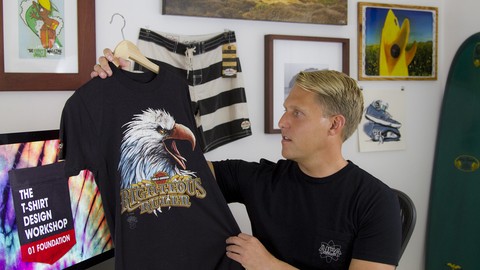
T-Shirt Design Workshop 3: Using Photos and Type (2017)
4.6 (234 Reviews)
- Provider: Udemy
- Time: 1.2h
$39.99
More Graphic Design courses

Adobe InDesign - From Basics to Professional Level Designs (2024)
4.9 (320 Reviews)
- Provider: Udemy
- Time: 11.4h
$84.99

Shop Drawing & Details-Autodesk Revit 2025- for BIM Modelers
4.9 (300 Reviews)
- Provider: Udemy
- Time: 30.9h
$10.99

The Adobe Illustrator CC Mastery Course: Basics to Pro + AI (2026)
4.9 (268 Reviews)
- Provider: Udemy
- Time: 30.8h
$19.99


Software Architecture & System Design Practical Case Studies (2026)
4.8 (2,584 Reviews)
- Provider: Udemy
- Time: 4h
$15.99

Graphic Design Masterclass: Design 40+ Projects in Photoshop (2025)
4.8 (668 Reviews)
- Provider: Udemy
- Time: 16.5h
$109.99
 Reviews

By Garrett Goldsmith on 12/2/2022
I have a bachelors in Visual Communication (graphic design) but this course was so wonderfully packed with excellent information and at a well co trolled pass. I enjoyed the background info on types of printing, inks, and shirt. We didn’t just focus on the computer aspect but other industries that are crucial in the design process. Knowing how they do their job helps us do our job and create a professional product. Thanks Vector Lab!
By James Coughlin on 11/11/2020
I really enjoyed this course! Ray takes you step-by-step on his methodology and conceptual process for designing a T-Shirt from beginning to end. I will definitely have to rewatch certain parts, but this course should give you a great blueprint on how to create your very own T-Shirt designs. Well done Ray!
By Mark Cutler on 6/14/2020
This course is old and unfortunately I do not think Ray is as committed as he was in the beginning. Great designers but poorly manages his students. Please do not bother replying to my questions I figured out on my own.
By Riad hamoudi on 6/10/2020
I am a beginner in T-shirt graphics, I thought it was only putting a simple graph on t-shirt and the trick is done. No! there are several steps and rules to follow!!! ... This course is very good for having the basic techniques, the teacher explains well and he shares his knowledge with passion. Very appreciated and I recommend it. Before starting this course, you must have the basics of phtoshop and illustrator
By McKayla Beardall on 4/3/2019
That was really cool to see the whole process from start to finish! I appreciate the detail Ray went into with all the options you can work with on your designs. I did have to pause the video a few times and do my own quick research on terms he mentioned that I wasn't too familiar with such as spot color and sublimation etc. I've had issues, like he had, with the quality, sizing, and positioning of my designs when I get them back from the printer, so I appreciated his advice on what to do to avoid those problems! I feel more educated after going through this course!
By Christopher Shibley on 6/12/2018
I absolutely loved this. Thankfully I run a dual monitor setup and was able to work in CC concurrently while watching the video. I did hit pause a lot and went back a lot as I am an idiot when it comes to shortcuts and/or the actual mechanics of CC... I am so grateful for this step-by-step and love the mixed media approach! So great. Really. Great! I am TOTALLY going to also check out and work through the Typographic Logo series from Vector Labs. Can't wait!
By Kamron Wixom on 5/17/2018
I really liked knowing the real-world experience Ray has in the surf design industry. He does a great job of showing trends and techniques, but also giving some good general advice on just making a solid design. Not trying to wow with clever creatives, or off the wall designs. I know a lot more than I did before the course! Thanks Ray!
By Nicole O'Connor on 1/28/2018
Ray is well presented; easy to hear and understand. Good explanations were given. It was a fascinating insight to see how T-shirts are designed and printed. He gave detailed technical instructions. Seeing this on video was great--I could stop, make notes, go back or continue at my pace. And, sending the T's away to different printers to display the end results was a great idea! Thank you, Ray. I look forward to doing more courses with you in the future.
By Brendan Peel on 11/18/2017
Must take course for anyone who is interested in learning about T-Shirt Design, but this course will benefit you beyond solely T-Shirt Design; as Ray Dombroski knows each and every trick of the trade. You really can't beat taking a course from a legend, such as Ray Dombroski. If you are looking to learn from the absolute best of the best in the field, an instructor with years of highly respected and reputable business design under their belt; then you cannot top Ray. Please keep these courses coming!!!
By Michael Goldman on 1/8/2017
Loved the course! Ray's teaching style is very clear and professional. He gets right to the point and provides a good amount of detailed insight without wandering off track. Any questions that I am left with will only motivate me to dive deeper into screen printing and t-shirt design am super excited for any future additions to this course. In the end, I was left with more answers than questions and am very satisfied with Ray's design style and philosophy towards a multimedia workflow.
 Quality Score
No CourseDuck member has rated this course yet. Taken it? Give each part a thumbs up or down.
Overall Score : 92 / 100
- Video Duration:
 2.5h
2.5h - Price: $74.99
- Provider: Udemy
- Updated:
 November 2017
 - Level:
 Intermediate
 - Language:
 English
 - Certificate:
 Yes
Yes
30-day money-back guarantee on most paid courses
Udemy Coupon Price Tracker
