
 Web Development
 Data Science
 Python
 SQL
SQL JavaScript
 Artificial Intelligence
 IT & Software
 IT Certifications
 Hacking
 AWS
AWS Arduino
 DevOps
 3D Modeling
 Graphic Design
 Photoshop
 Drawing
 Digital Painting
 UX Design
 Business
 Data Analysis
 Communication Skills
 Project Management
 Leadership & Management
 Human Resources
 Digital Marketing
 Social Media Marketing
 Marketing
 SEO
SEO Google Analytics
 Branding
 Excel
Excel Office Productivity
 SAP
SAP PowerPoint
 Microsoft Access
 SharePoint
 Finance & Accounting
 Trading & Investing
 Accounting
 Bitcoin
 Personal Finance
 Video Editing & Animation
 Photography
 Adobe Premier Pro
 Adobe Lightroom
 Personal Development
 Productivity
 Career Development
 Life Coaching
 Health & Fitness
 Meditation & Mindfulness
 Yoga
Yoga Music
Music Music Production
 Guitar
 Piano
Piano Singing
 Language Learning
 Teaching & Academics
 Engineering
 Math
Math Lifestyle
T-Shirt Design Workshop 3: Using Photos and Type (Udemy.com)
Designing in Procreate App, Photoshop, and Illustrator
Created by: Ray Dombroski
Last updated December 2017
Our take
Based on the ratings of 234 students, a sample of their written reviews and the syllabus, as the course stood in December 2017. No course pays to be reviewed.
Ray Dombroski's workshop is a short one: nine lectures, about 73 minutes, all in a single section. It follows one design from Pinterest inspiration to thumbnail sketches, phone photo cleanup in Photoshop, type layout in Illustrator, and hand-drawn finishing in Procreate on an iPad. The requirements list basic Photoshop and Illustrator tools and layers, so despite the Intermediate label it is not a place to open those apps for the first time.
Reviewers like the teaching most. They describe a calm, genuine style, like sitting with a private tutor, and one reviewer who has taught art classes says he clearly knows how to present the material. Others call it a good primer on both analog tools and digital ones. The complaints are small. One student wanted more on researching designs for different niches, and another asked for a printable PDF of tips and shortcuts. A one-star review calls the course old and says the instructor handles students poorly.
The course was last updated in December 2017, so expect software that has moved on since. Still, the rating holds at 4.6 across 234 reviews, with 149 of them five stars, and about 1,500 students have enrolled. A bonus download pack includes the working files and two brushes. The course suits designers with the prerequisites and an iPad and Apple Pencil. Anyone without them will get less out of it.
Pros
- Calm, tutor-like teaching that reviewers say anyone can follow
- Follows one design from Pinterest ideas to a print-ready art file
- Includes the working Photoshop and Illustrator files, a texture brush and a Procreate brush
- About 73 minutes in nine lectures, so it is easy to finish and rewatch
Cons
- Last updated December 2017, so software steps may look dated
- Assumes Photoshop and Illustrator basics plus an iPad Pro and Apple Pencil
- Screen-print color separations are not covered and niche research is thin
Love Rays calm style. Very genuine, like you're sitting down with a private tutor.
Labeled intermediate. It fits people who know basic Photoshop and Illustrator tools and layers, not true beginners.
 What you will learn
- Develop an idea into a finished t-shirt design, ready to send out to be printed
- Find ideas using Pinterest
- Turn those ideas into quick thumbnail sketches
- Optimize snapshot photographs from your phone in Photoshop
- Add some color in Photoshop
- Add custom typography to t-shirt designs in Illustrator
- Use Adobe Typekit fonts, a resource included with most Adobe CC subscriptions
- Bring everything together with hand-drawing techniques in the Procreate App for iPad Pro & Apple Pencil
- Optimize & simplify your final art file, ready to send out for printing (production color separations for screen printing are not covered)
Course content
1 section · 9 lectures · 1.2 hours of video
- 1Introduction 3 free previews9 lectures · 1.2 hours
Who it is for
The instructor says it suits
- Anyone who wants to improve their t-shirt designs
What you need before you start
- You should know basic tools in Adobe Photoshop and Illustrator and how to use layers
How it compares
Against the other 413 rated Udemy courses in Graphic Design on CourseDuck:
- Rating4.6 out of 5higher than 65% of them
- Reviews234#189 of 414 by number of reviews
- Length1.2 hoursshorter than 91% of them
- Last updatedDecember 2017earlier than 92% of them
 Course Description
Improving your t-shirt designs is the single best way to build your brand and improve your design career, as well as your sales to clients and customers.
Stand apart from the crowd. This course will show you how to build a unique photo & type-based t-shirt design to represent your brand.
In this course we’ll cover:
- How to find and apply inspiration
- The various analog and digital tools you will need to create t-shirt designs.
- How to move seamlessly between Photoshop, Illustrator, and the Procreate App for iPad so your designs come out as good or better than you had initially imagined
- Type layout using Adobe Typekit fonts in Illustrator
- How to incorporate hand-drawn effects into a computer-based design
As a bonus you will also receive:
- All working Photoshop and Illustrator files demonstrated in this class
- A Photoshop texture brush for you to use with your designs
- A custom Procreate App brush for you to use with your designs

 Udemy Discount
The discount is applied through our link. Open the course from here and Udemy's current promotional price is applied at checkout on most courses, no code to type.
Some courses are excluded from Udemy's promotions. If the price does not drop, clear your browser cookies and use the button again.
Instructor Details

- 4.6 Rating
 234 Reviews
Ray Dombroski
Ray's extensive background in the surf apparel industry started in 2002. Since then he has designed for many of the top surf apparel brands in California and Hawaii, such as O'Neill, Billabong, Ocean Pacific, BodyGlove, and Local Motion. He is the founder of TheVectorLab, a website that offers graphic design resources, tools, and tutorials. As a graduate of the Art Center College of Design in Pasadena and Florida State University his experience is backed by a mix of business and design knowledge.
 More courses by Ray Dombroski
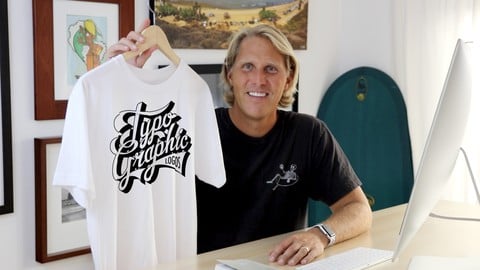
Typographic Logos: Typography and Lettering for Logo Design (2016)
4.2 (2,456 Reviews)
 Provider: Udemy
 Time: 1.5h
$79.99
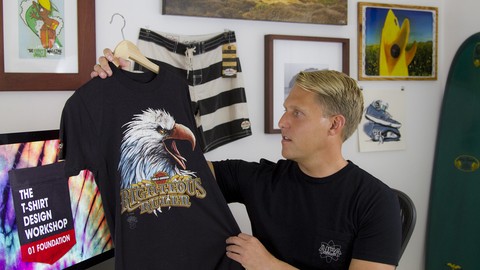
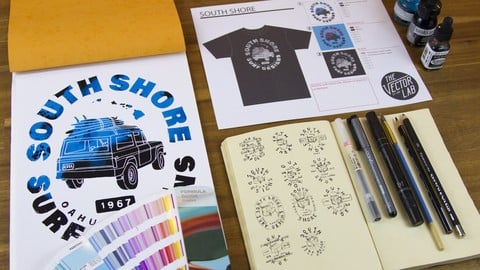
T-Shirt Design Workshop 02: Mixed Media Design (2017)
4.6 (992 Reviews)
- Provider: Udemy
- Time: 2.5h
$74.99
More Graphic Design courses

Adobe InDesign - From Basics to Professional Level Designs (2024)
4.9 (320 Reviews)
- Provider: Udemy
- Time: 11.4h
$84.99

Shop Drawing & Details-Autodesk Revit 2025- for BIM Modelers
4.9 (300 Reviews)
- Provider: Udemy
- Time: 30.9h
$10.99

The Adobe Illustrator CC Mastery Course: Basics to Pro + AI (2026)
4.9 (268 Reviews)
- Provider: Udemy
- Time: 30.8h
$19.99


Software Architecture & System Design Practical Case Studies (2026)
4.8 (2,584 Reviews)
- Provider: Udemy
- Time: 4h
$15.99

Graphic Design Masterclass: Design 40+ Projects in Photoshop (2025)
4.8 (668 Reviews)
- Provider: Udemy
- Time: 16.5h
$109.99
 Reviews

By Colette Aubry on 4/12/2019
This was a very good course. The class reminded me of my years in art school. the instructor spent time figuring out how to best present the material. I have taught beginning art classes and I can tell that he is very experienced in teaching this subject.
By Garry Allen on 4/9/2019
Good course would like to have seen more on researching designs for different niches.
By Tonya Self on 1/21/2019
Great explanations and video. Easy to follow. I would like to see a printable pdf of the tips and tricks, including shortcuts and supplies used for quick reference. Maybe that exists already and I just haven't found it. Thank you.
By Hoodie Itogawa on 1/10/2019
it definitely gets me motivated and to be able to learn what other companies are doing with they're shirts. the funny thing is i have somethings saved on my pintrest as well good stuff
By Jeff Sherry on 7/1/2018
I really like this course so far... bought both master collections and am just working my way thru.. .they are pretty much exactly what I was looking for.. excellent!
By Dustin Mclean on 6/28/2018
Great little course overall. Ray is obviously extremely talented, which is really the biggest thing. You're learning from a master. Stoked to see if there are further tutorials from him in t-shirt design.
By Mike Carroll on 6/11/2018
Ray gives a great overview of the process of developing a design using the best software for T shirt design. He goes into how he uses Photoshop in combination with Illustrator. He also uses another app called ProCreate - which I don't use but nevertheless I learned something watching him use this app.
By c h i on 5/24/2018
Good insightful course on how to go about creating t shirt designs from photo's in photoshop, illustrator and Procreate.. Which you can apply the same techniques in Affinity Photo, Affinity Designer and AutoDesk's "SketchBook "app, which the developers of sketchbook have very recently released it as a Free App on Mac/Windows/Android/IOS devices.
By Danny Adorno on 3/29/2018
Ray is a top-notch instructor and this t-shirt design class gave me so many ideas for designing new t-shirts for my business. The video and audio quality are excellent in this course, but even if they weren't Ray's laid-back approach and expertise as a designer would more than make up for it!
By Margaret on 1/26/2018
This course is not for the newbie getting into T-shirt design and trying to learning illustrator. Ray is definitely friendly and knowledgeable. He provided some helpful tips. Again, this course is for someone that is a little bit more advanced.
 Quality Score
No CourseDuck member has rated this course yet. Taken it? Give each part a thumbs up or down.
Overall Score : 92 / 100
- Video Duration:
 1.2h
1.2h - Price: $39.99
- Provider: Udemy
- Updated:
 December 2017
 - Level:
 Intermediate
 - Language:
 English
 - Certificate:
 Yes
Yes - Lectures:9 in 1 section
- Students:1,515
- Subtitles:1 language
30-day money-back guarantee on most paid courses
Udemy Coupon Price Tracker
