
 Web Development
 Data Science
 Python
 SQL
SQL JavaScript
 Artificial Intelligence
 IT & Software
 IT Certifications
 Hacking
 AWS
AWS Arduino
 DevOps
 3D Modeling
 Graphic Design
 Photoshop
 Drawing
 Digital Painting
 UX Design
 Business
 Data Analysis
 Communication Skills
 Project Management
 Leadership & Management
 Human Resources
 Digital Marketing
 Social Media Marketing
 Marketing
 SEO
SEO Google Analytics
 Branding
 Excel
Excel Office Productivity
 SAP
SAP PowerPoint
 Microsoft Access
 SharePoint
 Finance & Accounting
 Trading & Investing
 Accounting
 Bitcoin
 Personal Finance
 Video Editing & Animation
 Photography
 Adobe Premier Pro
 Adobe Lightroom
 Personal Development
 Productivity
 Career Development
 Life Coaching
 Health & Fitness
 Meditation & Mindfulness
 Yoga
Yoga Music
Music Music Production
 Guitar
 Piano
Piano Singing
 Language Learning
 Teaching & Academics
 Engineering
 Math
Math Lifestyle
Test Management Tools Package[ ALM , TestLink, JIRA ] (Udemy.com)
Including Licensed and Free Test Management tool
Created by: Testing World
Last updated August 2016
Our take
Based on the ratings of 111 students, a sample of their written reviews and the syllabus, as the course stood in August 2016. No course pays to be reviewed.
This is a quick walk through three test management tools: HP ALM, the free TestLink, and JIRA. It runs 2.9 hours across 42 lectures and 10 sections, with no quizzes or exercises. The audience list points at freshers in software testing and testers eyeing project management. Despite the Expert Level label, the syllabus reads like a beginner tour: set up an account, write requirements, build test cases, run them, log defects. About 760 students have enrolled.
Reviewers who liked it call it easy to follow, precise and handy for interview prep. One likes having every tool they need in the same course. Testing World, the instructor, comes across as methodical, though one student says the material is hard to retain without hands-on practice. The complaints are about age. The videos date from 2016, and reviewers report a dead ALM link, an unanswered question about downloading ALM, and no help installing TestLink on your own servers instead of the bundled setup. Of 111 ratings, 53 are five stars and 10 are two stars or lower.
Treat it as a fast orientation, not a deep one. An afternoon is enough to learn where things live in each tool. Expect to hunt for current install links yourself. Good for a beginner preparing for interviews. Anyone who needs team setup or up to date screens should look elsewhere.
Pros
- Covers ALM, TestLink and JIRA in one 2.9 hour course, so one purchase gets a first look at all three
- Reviewers call it easy to follow and useful for interview preparation
- Short lectures walk through requirements, test cases, execution and defects in order
- The TestLink section covers a free tool, so there is no license to chase
Cons
- Last updated in August 2016, and reviewers say the demo videos feel dated
- A reviewer found the ALM link dead and another got no reply to a download question
- No quizzes or exercises, and no guidance on installing TestLink on a company server
For Beginners, it's very easy to understand. Very useful for interview preparation.
Labeled Expert, but the audience list and content suit freshers in testing; it needs a Windows PC with 2 GB of RAM.
 What you will learn
- Ready to work on any test management tool
- Ready to handle managerial activities in your project
Course content
10 sections · 42 lectures · 2.9 hours of video
- 1Setup ALM account 1 free preview1 lecture · 3 min
- 2Requirements 1 free preview3 lectures · 8 min
- 3Create Test Case : Test Plan 1 free preview4 lectures · 10 min
- 4Execute Test Case : Test Lab, Test Run5 lectures · 10 min
- 5Defect Section 1 free preview4 lectures · 25 min
- 6Test Link : Free Test Management Tool9 lectures · 33 min
- 7Test Link : Advance Features3 lectures · 17 min
- 8Test Link : Reporting3 lectures · 9 min
- 9JIRA : Bug Tracking and Test Management tool5 lectures · 35 min
- 10Task Management in JIRA5 lectures · 22 min
Who it is for
The instructor says it suits
- Testing looking opportunity in project managemeny
- Freshers looking opportunity in software testing
What you need before you start
- Windows machine with at least 2 GB ram
How it compares
Against the other 243 rated Udemy courses in Project Management on CourseDuck:
- Rating4.1 out of 5higher than 5% of them
- Reviews111#228 of 244 by number of reviews
- Length2.9 hoursshorter than 57% of them
- Last updatedAugust 2016earlier than 99% of them
 Course Description
Test management most commonly refers to the activity of managing the computer software testing process. A test management tool is software used to manage tests (automated or manual) that have been previously specified by a test procedure. It is often associated with automation software.
This Course covers basic to advance concept of test management
- Any workflow: a great choice for any team, whether you use an agile or traditional approach.
- Any team size: teams of one to 1000s of testers love working with TestRail every day.
- Any method: manage your functional, exploratory and automated tests with ease.
We also covers
- Manage requirements, features and use-cases
- Create, edit and execute test-cases
- Track bugs, enhancements, risks and issues
- Map tests to requirements to track coverage
- Support for template test cases
- Link bugs to test steps during test execution
- Drill down from requirements to tests and incidents

 Udemy Discount
The discount is applied through our link. Open the course from here and Udemy's current promotional price is applied at checkout on most courses, no code to type.
Some courses are excluded from Udemy's promotions. If the price does not drop, clear your browser cookies and use the button again.
Instructor Details

- 4.1 Rating
 111 Reviews
Testing World
Handling Testing World Operations
Involve in Testing Course Video update and management
Handling online and Face to face classes of Testing World
Masters In Computer Science
Expertise in manual testing & Automation testing using Selenium, QTP, LoadRunner, Jmeter and Mobile Automation
Found of Testing World
Trained more than 4000 students online
Actively involved in corporate training
 More courses by Testing World
SOFTWARE TESTING MASTERCLASS-2025-JIRA | AGILE | API Testing
4.5 (1,375 Reviews)
 Provider: Udemy
 Time: 13.8h
$17.99

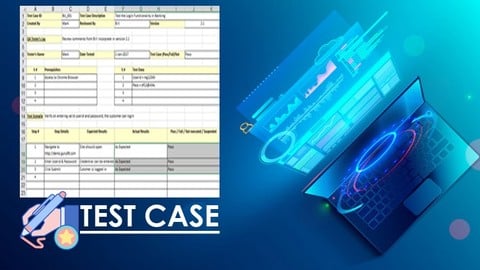
Software Testing :Effective Test Case Writing & Formatting (2025)
4.2 (832 Reviews)
- Provider: Udemy
- Time: 1.8h
$44.99

New to Unix/Linux? Be an Expert in a MONTH-Shell Script 2025
4.4 (763 Reviews)
- Provider: Udemy
- Time: 11.2h
$84.99

Expert's Practical Guide of API Testing using Postman-2026
4.3 (506 Reviews)
- Provider: Udemy
- Time: 13.8h
$69.99

Learn Advance Unix/Linux : File Processing using AWK & SED (2023)
4.3 (381 Reviews)
- Provider: Udemy
- Time: 7.5h
$69.99
More Project Management courses

AI Project Management 2026: Complete Google Gemini Edition
4.9 (182 Reviews)
- Provider: Udemy
- Time: 8.1h
$39.99

Zero to PMP: Master Project Management for PMP Certification (2026)
4.8 (15,518 Reviews)
- Provider: Udemy
- Time: 36.5h
$159.99

60 PDUs Full PMP Renewal Course. Renews PMP, CAPM, PMI-ACP (2025)
4.8 (8,810 Reviews)
- Provider: Udemy
- Time: 30.2h
$11.99

Microsoft Project Course Complete, 2016, 2019, 2021 6 PDUs
4.8 (4,331 Reviews)
- Provider: Udemy
- Time: 6.4h
$12.99

PMBOK® Guide 7: Everything You Need to Know (2025)
4.8 (359 Reviews)
- Provider: Udemy
- Time: 6.6h
$19.99

 Reviews

By Himaja Gattu on 4/26/2020
the tutor did not update the video,the video which shown to teach the students was created 3 years ago, the tutor atleast need to send the updated link to install the tools required
By Ravikishan Piratla on 4/25/2020
Paying Rs. 700 for an automated setup is worthless. You need to guide people on how to setup TestLink on servers so that the entire team can access it. Using bitnami is not a solution in companies. Data cannot be compromised by using their clouds. We need to install it on local servers and that is missing in this session.
By Suriya Venkat on 12/11/2019
For Beginners, it's very easy to understand. Very useful for interview preparation.
By Winsen Sid on 3/21/2019
it would've been better to use the same example to requirement creation as well as test creation
By Glenn Janssen on 10/3/2018
I like the training, just not as easy to retain what is learned compared with interactive or hands-on training mixed with video training.
By Hassan Salmi on 6/25/2018
Hey, I want to thank you for this course it's very helpful. Thanks
By Mohit Mohan on 4/16/2018
very useful tools and most important to use them... which is explain in this video. Thanks
By Ashu Suri on 4/14/2018
Everything is close to perfect, The instructor seems to be very well in his field and is very meticulously taken every topic. Appreciate the course.
By arnab Guhathakurta on 4/14/2018
Great videos about test management tools.....Rreally good insight and explainations on alm jira and other tools..will help alot as these tools are in great use across companies
By Joe B on 11/21/2016
It's been precise and straight to the point. Exactly what I needed.
 Quality Score
No CourseDuck member has rated this course yet. Taken it? Give each part a thumbs up or down.
Overall Score : 82 / 100
![Test Management Tools Package[ ALM , TestLink, JIRA ]](/programming/project-management/images/911584_4056_2.jpg?v=1789492531)
- Video Duration:
 2.9h
2.9h - Price: $39.99
- Provider: Udemy
- Updated:
 August 2016
 - Level:
 Expert
 - Language:
 English
 - Certificate:
 Yes
Yes - Lectures:42 in 10 sections
- Students:760
- Subtitles:1 language
30-day money-back guarantee on most paid courses
Udemy Coupon Price Tracker
