
 Web Development
 Data Science
 Python
 SQL
SQL JavaScript
 Artificial Intelligence
 IT & Software
 IT Certifications
 Hacking
 AWS
AWS Arduino
 DevOps
 3D Modeling
 Graphic Design
 Photoshop
 Drawing
 Digital Painting
 UX Design
 Business
 Data Analysis
 Communication Skills
 Project Management
 Leadership & Management
 Human Resources
 Digital Marketing
 Social Media Marketing
 Marketing
 SEO
SEO Google Analytics
 Branding
 Excel
Excel Office Productivity
 SAP
SAP PowerPoint
 Microsoft Access
 SharePoint
 Finance & Accounting
 Trading & Investing
 Accounting
 Bitcoin
 Personal Finance
 Video Editing & Animation
 Photography
 Adobe Premier Pro
 Adobe Lightroom
 Personal Development
 Productivity
 Career Development
 Life Coaching
 Health & Fitness
 Meditation & Mindfulness
 Yoga
Yoga Music
Music Music Production
 Guitar
 Piano
Piano Singing
 Language Learning
 Teaching & Academics
 Engineering
 Math
Math Lifestyle
The Beginner's Guide to Color Theory for Digital Artists (Udemy.com)
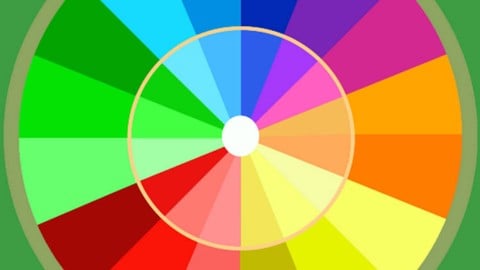
Let's go beyond the color wheel. Learn how to practically apply color theory to your art & stop being afraid of color!
Created by: Kurt Michael Russell
Last updated April 2018
 What you will learn
- Learn to add color to your art confidently!
- Learn how to apply color theory principles to your art instead of just learning terms on a color wheel.
How it compares
Against the other 175 rated Udemy courses in Digital Painting on CourseDuck:
- Rating4.6 out of 5higher than 54% of them
- Reviews2,300#16 of 176 by number of reviews
- Length2.8 hoursshorter than 62% of them
- Last updatedApril 2018earlier than 86% of them
 Course Description
Are you an artist that’s usually satisfied with your artwork UNTIL it’s time to add color? I remember that feeling!
In this course, I’ll teach you how to practically apply color theory concepts to your digital art, so you can stop being afraid of color and start using it to elevate your art to a whole new level!
Color can be a scary aspect of any visual art, since poor use of color can easily make or break a great drawing, painting, logo, or sketch. Early in my own studies, I was repeatedly disappointed by the color theory tutorials I found online. Sure, I would learn some terminology--warm, cool, primary, secondary, complementary, etc--but this is just terminology! How do I actually use these concepts in my art?!
If you’ve ever found yourself asking that question, this is the course for you!
In addition to the hours of real-time, step-by-step video lessons, you’ll also get:
Line drawings for practice, so you can focus on color.
Layered PSD files used in the lessons.
Examples from my pro work as a digital colorist at Image Comics & Top Cow.
Although Photoshop is used throughout this course, the color theory concepts taught here can be applied with most of your favorite digital art applications such as Photoshop, Clip Studio, Paintstorm, Procreate, Corel Painter, Sketchbook Pro, Krita, ArtRage, etc.
So if you're ready to learn how to make color work FOR you, instead of against you, I'll see you inside. :)

 Udemy Discount
The discount is applied through our link. Open the course from here and Udemy's current promotional price is applied at checkout on most courses, no code to type.
Some courses are excluded from Udemy's promotions. If the price does not drop, clear your browser cookies and use the button again.
Instructor Details

- 4.6 Rating
 2,300 Reviews
Kurt Michael Russell
Hi! I have been working professionally as a comic book colorist since 2011 and teaching digital coloring online on YouTube since 2013.
I learned about coloring the hard way early on, and I do my best to make sure that no one else has to take the same route I did! I'm still always learning new things and try to bring you guys along with me.
As of 2020, I've colored over a hundred books for publishers such as DC, Image, Vault, Dynamite, Chaos, Top Cow, IDW, Oni, and many others.
 More courses by Kurt Michael Russell

The Beginner's Guide to Digital Art with Procreate on iPad! (2024)
4.7 (2,617 Reviews)
 Provider: Udemy
 Time: 3.4h
$17.99

The Digital Painting w/ Procreate Guide | Grayscale method (2020)
4.6 (1,016 Reviews)
- Provider: Udemy
- Time: 2.3h
$59.99


Learn Comic Book Color Flatting! (Coloring Assistant role) (2020)
4.5 (811 Reviews)
- Provider: Udemy
- Time: 36 mins
Free

A Pro's Guide to Digital Comic Book Coloring (2020)
4.8 (721 Reviews)
- Provider: Udemy
- Time: 6.2h
$99.99

The Advanced Guide to Digital Art with Procreate on iPad! (2020)
4.5 (562 Reviews)
- Provider: Udemy
- Time: 2.2h
$49.99
More Digital Painting courses

Character Art School: Complete Coloring & Painting (2026)
4.8 (6,042 Reviews)
- Provider: Udemy
- Time: 19.5h
$34.99



Procreate Masterclass: Digital Drawing on the iPad (2023)
4.8 (1,744 Reviews)
- Provider: Udemy
- Time: 18.2h
$94.99


Digital painting with Krita 5.0 intermediate level (2022)
4.8 (271 Reviews)
- Provider: Udemy
- Time: 6.8h
$79.99
 Reviews

By Danon Hennessey on 8/22/2026
I came here to learn color theory for miniature painting, and I feel like I have a better understanding of the basics now. The last part of the course didn't matter for me as I'm not doing digital work, but I feel more confident going into my next project and picking a scheme. One thing that would have been nice is to have very clear examples of different scheme styles (triadic, split complimentary, ect.) and have the teacher break them down. He touched on it, but a little more depth there would have helped me. But I still feel like I got a good amount from the course.
By Jyotirmoy Paul on 7/17/2026
I’d tried learning color theory before, but never really got a practical understanding. My bigger goal is to understand color mixing, the emotions colors evoke, and how color can be used as a psychological weapon, haha, and this course gave me a solid foundation I can start using right away. Thanks to Kurt for this quick, short, and practical course!
By Paweł Radziszewski on 10/3/2024
Kurt Michael Russell presents useful concepts and theories about color that serve as an excellent introduction to coloring for beginners. However, I felt that the course could have been more structured, with clearer exercises focused on color application. Additionally, while the "Special Color Techniques" section is very informative, it seems more suitable for advanced learners rather than beginners.
By Chance Hess on 9/11/2023
I am so thrilled with the approach of this course! Most of my lectures in art school surrounding color theory quickly became to vague to be useful for me, but this course gives applicable, practical color theory practice and color application guidance from the first video. I feel like I already have a better eye for color because I know what to look for now. You'll walk away from this course a better artist!
By Anonymized User on 4/14/2022
I've never attended art school, so I was looking for course to fill me up with base knowledge of principles of color. First half of the course was very educational, full of theory I needed. But second half where tutor explains how to use Photoshop modes is not exactly what I had expected from Color Theory course. I wish that instead of it, there were more of hard theory content.
By Antonio Dias on 11/26/2021
Very useful: lessons are straightforward and easy to understand. My colors started to look better right after using them. I started on digital recently (graphite and ink user) and my colored paintings were looking dead or something you would see on cheap plastic. Now I understand why they looked like that and how to work my way to the land of the living. Also I'm also starting to be able to understand why some paintings catch my eye and learn from them.
By Chandramohan Kannan on 11/21/2020
We covered a whole lot more than color theory; but nothing in its entirety... it was all touch and go... for which I can't blame Kurt entirely... however, I have always thought and been taught as well that the primary colors from a digital perspective were Red, Green, and Blue and secondary colors were Cyan, Magenta, and Yellow... the course instead presented the colorwheel from a traditional pigment paint perspective where Red, Blue and Yellow are considered Primary, based on how to combine them... since this course was for Digital Artists, I was a bit confused and baffled, whether the basis for everything I had known earlier was entirely wrong, if I had understood the primary colors wrong...
On another part, Kurt keeps mentioning, that he would either include links or additional material on the resources section... I wonder what and where those resources are? Because the three zip files attached to the Introduction lesson, doesn't have them...
By Mhmoud on 11/14/2020
just what I wanted to know about colors as a beginner
By Eduardo on 11/7/2020
Kurt is a really good teacher, and the course is really hands-on.
By Paulina Miciuleviciute on 11/7/2020
Useful techniques! Finally found something that you can use practically rather than just the classic "just look at the color wheel for the color combinations".
By Tan Do on 11/7/2020
very good course for understanding the fundamentals of colour theory and practical applications
By Gaely Hendriks on 11/1/2020
Great course! Very helpful.
 Quality Score
No CourseDuck member has rated this course yet. Taken it? Give each part a thumbs up or down.
Overall Score : 92 / 100
- Video Duration:
 2.8h
2.8h - Price: $14.99
- Provider: Udemy
- Updated:
 April 2018
 - Level:
 All Levels
 - Language:
 English
 - Certificate:
 Yes
Yes
30-day money-back guarantee on most paid courses
Udemy Coupon Price Tracker
