
 Web Development
 Data Science
 Python
 SQL
SQL JavaScript
 Artificial Intelligence
 IT & Software
 IT Certifications
 Hacking
 AWS
AWS Arduino
 DevOps
 3D Modeling
 Graphic Design
 Photoshop
 Drawing
 Digital Painting
 UX Design
 Business
 Data Analysis
 Communication Skills
 Project Management
 Leadership & Management
 Human Resources
 Digital Marketing
 Social Media Marketing
 Marketing
 SEO
SEO Google Analytics
 Branding
 Excel
Excel Office Productivity
 SAP
SAP PowerPoint
 Microsoft Access
 SharePoint
 Finance & Accounting
 Trading & Investing
 Accounting
 Bitcoin
 Personal Finance
 Video Editing & Animation
 Photography
 Adobe Premier Pro
 Adobe Lightroom
 Personal Development
 Productivity
 Career Development
 Life Coaching
 Health & Fitness
 Meditation & Mindfulness
 Yoga
Yoga Music
Music Music Production
 Guitar
 Piano
Piano Singing
 Language Learning
 Teaching & Academics
 Engineering
 Math
Math Lifestyle
The Complete Sketchup & Vray Course for Architectural Design (Udemy.com)
Learn the practical skills & techniques required to create a Modern Home with Sketchup, Vray Next & Photoshop
Created by: Archgyan Academy
Last updated October 2024
 What you will learn
- Learn the core Sketchup skills required to model a Home faster & more efficiently.
- Learn how to use certain Sketchup Plugins to take your modeling skills to the next level.
- Understand Vray lighting, materials, settings, render elements & more to create amazing Photorealistic Exterior Renders
- Learn from a Real-Life Residential Project as we model & render a Contemporary Home, Site, Surroundings & more, STEP-BY-STEP.
- Understand Residential Design standards and styles required to design homes functionally and efficiently.
How it compares
Against the other 545 rated Udemy courses in 3D Modeling on CourseDuck:
- Rating4.4 out of 5higher than 26% of them
- Reviews1,058#77 of 546 by number of reviews
- Length12.8 hourslonger than 76% of them
- Last updatedOctober 2024more recently than 71% of them
 Course Description
You've just stumbled upon the most complete, in-depth Sketchup & Vray course for Architectural Design. These comprehensive Sketchup & Vray tutorials cover everything you'll ever need to become the best Architect out there.
This course is designed to jumpstart your Sketchup, Vray & Architecture Journey, wherein we take you Step by Step with a Real-Life Residential Project and get you up & running to design your favourite Residential Home efficiently, quickly and in the right way.
Why this Course?
Comprehensive coverage of the essential tools to design a Residence like walls, openings, elevations, stairs & more - Learn not only how every tool works but also how to apply it in the right way in your Sketchup workflow.
Downloadable Resources - Exercise files like Sketchup Models for every lecture & section so you can follow along step by step.
Learn from an expert - I've been using Sketchup for over 10 years and I will be sharing all my skills and secrets which has helped me model faster, efficiently and most importantly, amaze clients.
Monthly Updates - This course will be updated on a monthly basis with new high-quality tutorials and resources and you will get an in-depth understanding of how to design a modern contemporary bedroom, modular kitchen & more.
Taught by an Architect & BIM Consultant - We not only learn about modelling & rendering in Sketchup, but you will also learn useful interior design tips, standards, and secrets along the way from the instructor who has over 6+ years of experience in the Industry.
Access to Exclusive Sketchup & Vray Library - All our students will get exclusive access to our Sketchup Library for every Exterior Design space worth over 150$. These models can be imported directly into your scene and rendered since it comes preloaded with Vray materials.
Who is this Course For?
Architects
Architecture Students
Design Professionals who want to learn 3D
Construction Professionals
Anyone with an interest in 3D Modelling in Sketchup
Anyone with an interest in 3D Rendering with Vray Next for Sketchup
Real Estate Agents
Agencies and Corporations - If you want to get team members within your company up to standard, we can do that for you.
3D Artists - If you want to build a reputation as a 3D Artist this program will give you that foundation.
Beginner to Advanced Sketchup Users
(note that this course will be taught on the Windows version but the same techniques can be applied on Mac as well)
What you will Learn?
It is crucial that when you learn Sketchup, you start with the right fundamentals (which are also easy to pick up). Once you've picked up on the fundamentals of 3D Modelling, we jump into more advanced topics using specific Sketchup plugins, to take your modelling to the Next Level.
This course is divided into Four Sections
Prior to Section 01, we will have the introduction and how to install Sketchup, Vray & all the essential plugins
Section 01 - An Introduction to Sketchup
In Section 01, we will start with the fundamentals
We will learn about the Sketchup Interface & its simplicity.
Understand the most-used common tools
Importance of modelling with Groups & Components.
Assign shortcuts & learn to model faster & efficiently.
Create Sections & export views into CAD drawings
Section 02 - Sketchup (Modeling a Contemporary Residence
In Section 02, we will learn to model our entire home in Sketchup as per residential standards.
We will start this section with a brief introduction to Residential Design & the importance of vastu in residences.
We will learn to import our CAD drawing into Sketchup
How to model walls, openings, floor slabs, roof slabs, doors & windows in Sketchup
How to model Balcony doors & railings in Sketchup
Learn to create dog-legged stairs in Sketchup
Create a Parametric Glass Facade using plugins like curviloft, Bezier spline, joint push tool & more.
We then learn some Landscape Modelling Techniques Taught in this Section.
Learn to model the Site & its surroundings in Sketchup.
Learn to model Terrain using the Sandbox tools & Artisan Tools in Sketchup.
Learn to use the Laubwerk plugin to add trees & plants to the scene.
Setting up Camera Angles using Scenes in Sketchup
Section 03 - Vray 6 for Sketchup
In Section 03, we jump into the world of photorealistic rendering with Vray for Sketchup.
We will be introduced to the Vray Interface & the Vray Asset Editor
Learn to set up lights in Vray (Photographic Approach with the Archgyan Lighting System)
Create a Studio, add 3D Warehouse models, adjust lights & materials, and create a final render of our Hyundai Car in the Studio.
Create a Vray Library and Apply Materials.
Final Adjustments in Sketchup & Vray Next
Finally render of our scene with appropriate render elements for post-production in photoshop.
Section 04 - Post-Production in Photoshop
In Section 04, we enhance our render even more through post-production techniques in Photoshop
Learn to bring in render elements the right way into photoshop & apply the right blending effects.
Adding Skies & Trees in the background.
Using Brushes in photoshop & locking layers.
Adding Cutouts like humans & animals into the scene.
Adding a Concrete Texture to Walls, Roads & Footpaths.
Final Adjustments in Photoshop using adjustment layers.
By the end of this section, you will have created an amazing Modern Residence in under 2 hours. But that's not all!!

 Udemy Discount
The discount is applied through our link. Open the course from here and Udemy's current promotional price is applied at checkout on most courses, no code to type.
Some courses are excluded from Udemy's promotions. If the price does not drop, clear your browser cookies and use the button again.
Instructor Details

- 4.4 Rating
 1,058 Reviews
Archgyan Academy
Experienced Architects teaching you the right away to approach design and of course software (and we go in-depth). We will learn not only the intricacies of using an Architecture software but also learn design standards along the way (after all you're an Architect and 'Design' always comes first).
See you in one of the courses inside.
 More courses by Archgyan Academy

The Complete Sketchup & Vray Course for Interior Design (2025)
4.4 (5,978 Reviews)
 Provider: Udemy
 Time: 20.4h
$11.99
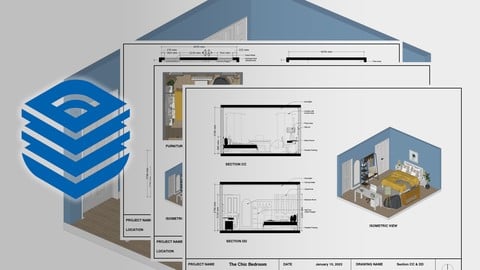
The Complete Layout for Sketchup Course for Interior Design (2023)
4.4 (217 Reviews)
- Provider: Udemy
- Time: 2.6h
$11.99

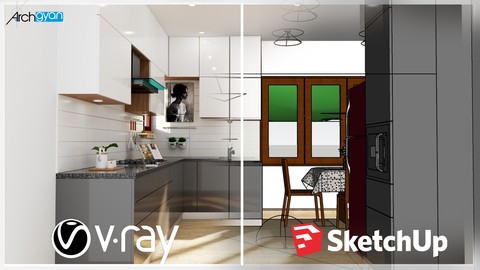
Vray Next + Sketchup 2019: Creating a Kitchen for Beginners
4.4 (120 Reviews)
- Provider: Udemy
- Time: 2h
$13.99

3D Floor Plan Masterclass with Sketchup, Vray & Flextools (2022)
4.3 (66 Reviews)
- Provider: Udemy
- Time: 1.2h
$11.99
More 3D Modeling courses

3D Printing with " Ultimaker CURA Slicer- Start to finish" (2025)
4.9 (192 Reviews)
- Provider: Udemy
- Time: 1h
$34.99

Girl and the Dog Creation in Zbrush for Intermediate Level (2020)
4.9 (173 Reviews)
- Provider: Udemy
- Time: 48.8h
$59.99



Blender Character Creator for Video Games (2026)
4.8 (9,160 Reviews)
- Provider: Udemy
- Time: 34.3h
$159.99

Master SOLIDWORKS 3D CAD using real-world examples (2022)
4.8 (2,451 Reviews)
- Provider: Udemy
- Time: 18.9h
$69.99
 Reviews

By Abdussalam Okunola on 8/5/2026
An outstanding course! I can confidently say this is one of the best investments I've made in my learning journey. Every lesson was clear, practical, and professionally explained. The instructor didn't just teach the software; they taught a workflow that can be applied to real projects. As a Civil Engineering student, this course has greatly improved my confidence and practical skills. Thank you for sharing your knowledge and experience. I highly recommend this course to anyone who wants to become proficient in this software. Five stars aren't enough! ⭐⭐⭐⭐⭐
By Agathamary Mohan Ponraj on 11/12/2025
Well so far the installation video has been helpful but the some of the plug in applications or at least the link given the directory (excel sheet) do not take us to the website, and for the latest sketchup version the installation process was a little different considering the interface changes as well hence i was struggling.
By Dalal srushti santosh on 6/18/2025
The course is absolutely knowledgeable i came to know various shortcuts and tricks too which i didn't knew before, though i had the knowledge of sketchup before then also the course made is super interesting and very knowledgeable.
By Mohammed jaffar sadiq on 9/24/2024
But some course content bit difficult to understand and also video is stopping in middle not moving further for atleast half an hour
By Ramya K M on 12/24/2023
Thank you for the great lessons. You covers each and every detail even though if its negligible and also repeats in many sessions which makes to understand even better. Looking at your lecture videos we feel its not a rocket science to learn. Thanks again!
By Aqsa Saeed on 10/2/2023
I think its a very good course designed for beginners like me.But the pace is very fast and sometimes I face diificulty in undersanding some points. I think this is the problem just for beginners or slow learners otherwise the course is amazing so far.
By Padmanabhan SK on 4/15/2021
World's best Guruji for designing. I've never seen these kind of dedication and interest someone who have to teach others. Very thanks to Ar. Manish sir for his great great teaching effort. Thankyou Guruji.
By Meghana on 2/17/2021
one of the best tutorial I have come across . please continue the additional tutorial on rendering the various materials such as wooden planks, stone cladding, painting and a request to have V-Ray render for evening look.
By Sanjaya P on 8/7/2020
This course was really informative and although I did have prior knowledge of SketchUp and VRay, Manish provided a lot of helpful tips, plugins and resources to enhance the overall experience of using these softwares. Highly recommend this course !
By Ayush Bagzai on 7/19/2020
Didn't expected so much of detail in the exterior course but it was boom learned a lot have already shared you my interior renders as i have completed your interior course in the past. thankyou cheers.
 Quality Score
No CourseDuck member has rated this course yet. Taken it? Give each part a thumbs up or down.
Overall Score : 88 / 100

- Video Duration:
 12.8h
12.8h - Price: $79.99
- Provider: Udemy
- Updated:
 October 2024
 - Level:
 All Levels
 - Language:
 English
 - Certificate:
 Yes
Yes
30-day money-back guarantee on most paid courses
Udemy Coupon Price Tracker
