
 Web Development
 Data Science
 Python
 SQL
SQL JavaScript
 Artificial Intelligence
 IT & Software
 IT Certifications
 Hacking
 AWS
AWS Arduino
 DevOps
 3D Modeling
 Graphic Design
 Photoshop
 Drawing
 Digital Painting
 UX Design
 Business
 Data Analysis
 Communication Skills
 Project Management
 Leadership & Management
 Human Resources
 Digital Marketing
 Social Media Marketing
 Marketing
 SEO
SEO Google Analytics
 Branding
 Excel
Excel Office Productivity
 SAP
SAP PowerPoint
 Microsoft Access
 SharePoint
 Finance & Accounting
 Trading & Investing
 Accounting
 Bitcoin
 Personal Finance
 Video Editing & Animation
 Photography
 Adobe Premier Pro
 Adobe Lightroom
 Personal Development
 Productivity
 Career Development
 Life Coaching
 Health & Fitness
 Meditation & Mindfulness
 Yoga
Yoga Music
Music Music Production
 Guitar
 Piano
Piano Singing
 Language Learning
 Teaching & Academics
 Engineering
 Math
Math Lifestyle
The Complete Sketchup & Vray Course for Interior Design (Udemy.com)
Become an Expert in Modelling, Rendering and Post-Production with Sketchup, Vray and Photoshop in under 7 hours
Created by: Archgyan Academy
Last updated September 2025
 What you will learn
- Learn the core Sketchup skills required to model faster & more efficiently.
- Learn how to use certain Sketchup Plugins to take your modeling skills to the next level.
- Understand Vray lighting, materials, settings, render elements & more to create amazing Photorealistic Renders
- Learn from a Real-Life Apartment Project as we model & render a Contemporary Bedroom, Furniture, Modular Kitchen & more Interior spaces, STEP-BY-STEP.
- Understand certain Interior Design standards and styles required to design a space functionally and efficiently.
- Learn to Leverage Sketchup Plugins to create blankets, pillows, curtains & more.
How it compares
Against the other 545 rated Udemy courses in 3D Modeling on CourseDuck:
- Rating4.4 out of 5higher than 26% of them
- Reviews5,978#13 of 546 by number of reviews
- Length20.4 hourslonger than 87% of them
- Last updatedSeptember 2025more recently than 81% of them
 Course Description
You've just stumbled upon the most complete, in-depth Sketchup & Vray course for Interior Design. With over 30,000+ students enrolled and hundreds of 5-star reviews to date, these comprehensive Sketchup & Vray tutorials cover everything you'll ever need.
> Updated at the start of August 2022 (Model & Render a Living Room Scene with Vray 6 for Sketchup | Learn the Photographic Approach of Rendering - MASSIVE UPDATE)
> Updated at the start of December 2021 (Model & Render a Living Room Scene with Vray 5 and Sketchup 2021)
> Updated at the end of November 2021 (Introduction to Sketchup 2021 for Absolute Beginners)
> Updated at the end of July 2021 on how to create a Photorealistic Chic Bedroom)
ALL NEW SECTIONS ARE ADDED TO THE TOP OF THE COURSE
Shruti says, "Yes, I absolutely love this course and have gained so much knowledge ever since I started these lessons. Would definitely recommend this to my friends who would like to brush up on their basics as well as learn the fine details in designing on software like Sketch up."
Aparna says, "Just Wonderful! Before this course, I only know how to click interactive render without even adding any lights or settings. Now I know, whats Interactive and Main rendering is, lights, materials, plugins, settings etc. Loved learning this course and also instant clarification of doubts."
Jhoe says, "Excellent SketchUp course! The instructor utilizes the power of SketchUp and Vray with Post-Production...and very easy to follow. Highly recommended!"
Varun says, "Wonderful experience. It helps me a lot to start my interior design firm. I was from an IT background after taking this course I mastered 3D design."
This course is designed to jumpstart your Sketchup, Vray & Interior Design Journey, wherein we take you Step by Step with a Real-Life Apartment Project and get you up & running to design your favourite Interior Design space efficiently, quickly and in the right way.
Why this Course?
Comprehensive coverage of the essential tools to design a bedroom, modular kitchen & more - Learn not only how every tool works but also how to apply it in the right way in your Sketchup workflow.
Downloadable Resources - Exercise files like Sketchup Models for every lecture & section so you can follow along step by step.
Learn from an Expert - I've been using Sketchup for over 10 years and I will be sharing all my skills and secrets which has helped me model faster, efficiently and most importantly, amaze my clients.
Monthly Updates - This course will be updated on a monthly basis with new high-quality tutorials and resources and you will get an in-depth understanding of how to design a modern contemporary bedroom, modular kitchen & more.
Taught by an Architect & Interior Designer - We not only learn about modelling & rendering in Sketchup, but you will also learn useful interior design tips, standards, and secrets along the way from the instructor who has over 6+ years of experience in the Industry.
Access to Exclusive Sketchup & Vray Library - All our students will get exclusive access to our Sketchup Library for every Interior Design space worth over 150$. These models can be imported directly into your scene and rendered since it comes preloaded with Vray materials.
Who is this Course For?
Interior Designers
Architects
Students of Architecture & Interior Design
Hobbyists
Construction Professionals
Anyone with an interest in 3D Modelling in Sketchup
Anyone with an interest in 3D Rendering with Vray Next for Sketchup
(note that this course will be taught on the windows version but the same techniques can be applied in Mac as well)
What you will Learn?
It is crucial that when you learn Sketchup, you start with the right fundamentals (which is also easy to pick up). Once you've picked up on the fundamentals of 3D Modelling, we jump into more advanced topics using specific Sketchup plugins, to take your modelling to the Next Level.
This course is divided into Seven Projects
Prior to Project 01, we will have the introduction and how to install Sketchup, Vray & all the essential plugins
Introduction to Sketchup for Absolute Beginners
Before we start with the projects, we will start with the fundamentals. This section is perfect for absolute beginners who are new to the Sketchup World.
Introduction to Sketchup Interface
Introduction to Sketchup Tools.
Introduction to Sketchup Default Tray
And everything Sketchup + Practice Projects
Project 01 - Vray 6 for Sketchup | Living Room Masterclass (Added in August 2022)
Introducing the photographic approach (the MCLR Workflow) to rendering, a MASSIVE update to the course. Let's make high-quality interior visuals FAST with Sketchup & Vray using the MCLR workflow. And yes, we will be using the latest version of Vray & Sketchup for this section.
Upon completing this section, you should have the skills & knowledge to create high-quality visuals FAST! You can even call yourself a CG artist!
Practice makes Perfect! Continue learning the course with new projects as shown below:
Project 02 - Model & Render a Photorealistic Chic Bedroom with Vray 5 and Sketchup 2021 (Added in July 2021)
In this project, we will learn to use Vray 5 and Sketchup 2021 respectively, to model, render and post-produce a Contemporary Chic Bedroom. We will also showcase some additional plugins which come in really handy while designing interiors such as profile builder, floor generator and sketchuv. Towards the end of the project, we will create an additional sectional perspective render that would definitely "wow" your clients.
Project 03 -Modeling a Contemporary Bedroom (Sketchup 2020 & Vray Next)
In this project, we will start with the fundamentals
We will learn to import images & CAD into Sketchup
How to model our walls, floors, ceilings, doors & windows.
How to model our Bedroom Placeholders

 Udemy Discount
The discount is applied through our link. Open the course from here and Udemy's current promotional price is applied at checkout on most courses, no code to type.
Some courses are excluded from Udemy's promotions. If the price does not drop, clear your browser cookies and use the button again.
Instructor Details

- 4.4 Rating
 5,978 Reviews
Archgyan Academy
Experienced Architects teaching you the right away to approach design and of course software (and we go in-depth). We will learn not only the intricacies of using an Architecture software but also learn design standards along the way (after all you're an Architect and 'Design' always comes first).
See you in one of the courses inside.
 More courses by Archgyan Academy

The Complete Sketchup & Vray Course for Architectural Design (2024)
4.4 (1,058 Reviews)
 Provider: Udemy
 Time: 12.8h
$79.99
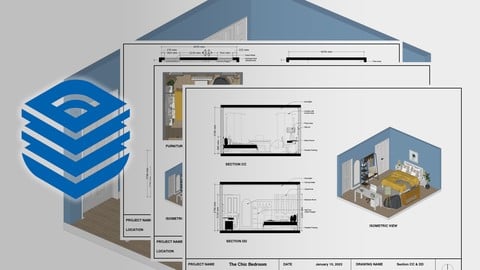
The Complete Layout for Sketchup Course for Interior Design (2023)
4.4 (217 Reviews)
- Provider: Udemy
- Time: 2.6h
$11.99

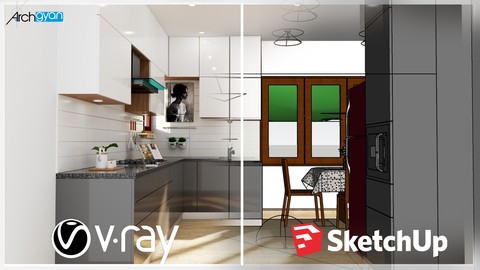
Vray Next + Sketchup 2019: Creating a Kitchen for Beginners
4.4 (120 Reviews)
- Provider: Udemy
- Time: 2h
$13.99

3D Floor Plan Masterclass with Sketchup, Vray & Flextools (2022)
4.3 (66 Reviews)
- Provider: Udemy
- Time: 1.2h
$11.99
More 3D Modeling courses

3D Printing with " Ultimaker CURA Slicer- Start to finish" (2025)
4.9 (192 Reviews)
- Provider: Udemy
- Time: 1h
$34.99

Girl and the Dog Creation in Zbrush for Intermediate Level (2020)
4.9 (173 Reviews)
- Provider: Udemy
- Time: 48.8h
$59.99



Blender Character Creator for Video Games (2026)
4.8 (9,160 Reviews)
- Provider: Udemy
- Time: 34.3h
$159.99

Master SOLIDWORKS 3D CAD using real-world examples (2022)
4.8 (2,451 Reviews)
- Provider: Udemy
- Time: 18.9h
$69.99
 Reviews

By Swati Sharma on 3/31/2026
yes its a good match for me as a beginer but please add some details cause i dont really understand when i do it practically i want to know how can i really use it in design field when i will do real projects like a i have to do thesis for women hostel interior design how can i use it efficiently i only know autocad
By Daniel Shkyndia on 11/25/2025
I think that this is the best practice and not only – course for SketchUp in all the Udemiy platform. The best for interior. So much practice, and so easy to understand. Full information, nothing hidden. And really wery good explanation! Now i will start the Exterior design course of this author. Because, for SketchUp i didn't saw nothing better in Udemy.
By Trevor Shawaga on 11/19/2025
Way too much repetition and long drawn out explanations on subjects that are to be covered later. Keep them to intros not specifics. Shortcuts are not consistant...ie used F2 or Cntl 2. Can be confusing when you flip flop the use of shortcuts. Also, 2026 is out and most lectures are outdated.
By Sanchan Valse on 3/31/2025
I was stuck after learning the basics and didn’t know where or how to start with advanced learning. When I found your course on Udemy, it was perfect! I love the way you teach, and most importantly, the way you explain details—this is exactly what I was looking for. Thank you for the Q&A solutions as well; I’ve learned a lot from them too. You are a fantastic teacher! Honestly, a big thanks from me. Love you!
By Caroline Velho on 10/10/2024
I recently completed a Sketchup course, and it was really helpful. The lessons were clear and easy to follow, even for beginners. The instructor explained every step well, making it simple to create 3D models. I liked how practical the exercises were, which helped me understand the tools better. By the end of the course, I felt more confident using Sketchup. I would recommend this course to anyone looking to learn 3D modelling quickly.
By Wisdom Onumonu on 3/19/2023
My personal experience taking this course was very positive. I found the curriculum to be engaging and the topics to be relevant to my career. It was a great match for me because the course provided me with the skills and knowledge I needed to further my career. I found the course to be very helpful and I gained a lot of valuable insights that have helped me in my professional life.
By kirithiga S on 12/30/2021
It was a great and a useful course. I have learnt of new things in this course from minute details like using basic tools, shortcuts to major techniques, cool plugins and learning in detail about v-ray settings & materials and post production taking the renders to next levels. one change that could have been done is the order of the sections, i took the course in the same order it was presented, it would have been easier if u have swapped the sections-2 and 4 ie. the chick bedroom & the contemporary bedroom sections, because i felt it slightly difficult to understand vray 5 settings and use of different plugins in the very first section after the basics compared to this the latter was much easy.
By Deepti Maithil on 6/17/2021
It has made for very fruitful learning. The course is very detailed yet user friendly as it is segregated into smaller portions which makes it easy to follow. It is commendable how Manish extends himself to clear doubts no matter how small or repetitive it might be. Wishing great success in all your endeavors. Cheers!
By James Leese on 11/21/2020
While my focus is on V-Ray, I still enjoy watching all of the tutorial as some of the plugins are new to me.
By Liviu Avram on 11/14/2020
Great skills, great explanations
By Stefan Trajkovski on 11/7/2020
So far very good course, I am learning a lot about making professional renders, and modeling in Sketchup.
By Shruti Kanoi on 10/27/2020
Yes.. its been helpful so far..
 Quality Score
No CourseDuck member has rated this course yet. Taken it? Give each part a thumbs up or down.
Overall Score : 88 / 100

- Video Duration:
 20.4h
20.4h - Price: See price on Udemy
- Provider: Udemy
- Updated:
 September 2025
 - Level:
 All Levels
 - Language:
 English
 - Certificate:
 Yes
Yes
30-day money-back guarantee on most paid courses
Udemy Coupon Price Tracker
