
 Web Development
 Python
 SQL
SQL JavaScript
 Data Science
 Artificial Intelligence
 IT & Software
 IT Certifications
 Hacking
 Arduino
 AWS
AWS 3D Modeling
 Graphic Design
 Photoshop
 Drawing
 Digital Painting
 UX Design
 Business
 Data Analysis
 Communication Skills
 Project Management
 Leadership & Management
 E-Commerce
 Digital Marketing
 Social Media Marketing
 Marketing
 SEO
SEO Google Analytics
 Branding
 Office Productivity
 Excel
Excel Finance & Accounting
 Bitcoin
 Video Editing & Animation
 Photography
 Adobe Premier Pro
 Adobe Lightroom
 Personal Development
 Health & Fitness
 Music
Music Guitar
 Teaching & Academics
 Language Learning
 Engineering
 Lifestyle
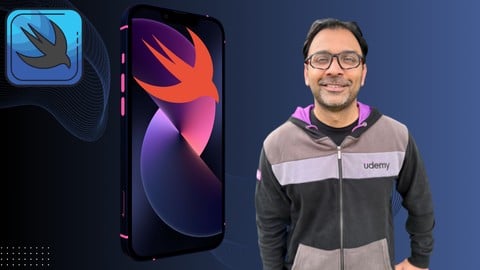
The Ultimate 70+ Hours iOS Development Bootcamp (Udemy.com)
Beginner to Senior Developer! SwiftUI, MV Pattern, Core Data, SwiftData, Vapor, MapKit, Testing, Combine and much more!
Created by: Mohammad Azam
Last updated October 2025
Our take
Based on the ratings of 672 students, a sample of their written reviews and the syllabus, as the course stood in October 2025. No course pays to be reviewed.
Mohammad Azam's bootcamp is a 74-hour, 622-lecture tour of Apple development. It starts with Swift basics, moves through SwiftUI and the MV pattern, then spends long stretches on Combine, Core Data, SwiftData and MapKit, with a machine learning section near the end. One reviewer also mentions a Vapor backend section. Much of it is built around small apps, like a coffee order app, a budget app and a nearby places finder. It is labeled all levels, but the reviews suggest it suits people who already code.
Most of the 672 ratings are positive, with 438 five-star and 175 four-star. Fans like the clear explanations, the wide topic list and the depth of the course. One reviewer calls it the best iOS course because it covers both front end and back end. The complaints are consistent, though. Low-star reviewers say the instructor pastes in code without explaining it, brings in syntax like try? and guard let with no warning, and jumps from simple ideas to advanced ones. Some beginners say Core Data shows up before the concept is explained. One reviewer says their questions went unanswered.
The last update was October 2025, and the syllabus includes SwiftData and CLMonitor, so the material looks reasonably current. With about 6,400 students enrolled, it has a real audience. Value is strong if you already know another language and want one long course on Apple's data and mapping frameworks. First-time programmers should pair it with a gentler Swift introduction, because the reviews show many of them struggling.
Pros
- Builds real apps, including a coffee order app, a budget app and a NearMe map app
- Long Core Data and SwiftData sections cover migrations, CloudKit sync and testing
- Reviewers say the way projects and frameworks are explained is clear and easy to follow
- Rated 4.6 from 672 reviews, with 613 of them four or five stars
Cons
- Code is often pasted in with little explanation, the most common complaint in low-star reviews
- New syntax like try? and guard let appears before it is taught, which trips up beginners
- One reviewer says their questions to the instructor went unanswered
I fully recommend this course to anybody who is learning Swift, SwiftUI and wants to learn more.
Needs a Mac and some coding basics. Labeled all levels, but reviewers say true beginners struggle.
 What you will learn
- Master the modern declarative UI framework provided by Apple to create beautiful and responsive user interfaces effortlessly.
- Understand and implement the Model-View design pattern to structure iOS apps for scalability, maintainability, and reusability.
- Unlock the potential of Core Data to efficiently manage complex data models and enable seamless data persistence within iOS applications.
- Utilize Swift's powerful features to manipulate data effectively, including sorting, filtering, and querying.
- Integrate MapKit into iOS apps to provide immersive and interactive mapping experiences, including annotations, overlays, and geolocation.
- Learn best practices for testing iOS applications, including unit tests, integration tests, and UI tests, to ensure reliability and quality.
- Explore Firebase services such as Firestore, Authentication, and Cloud Messaging to enable real-time data synchronization and user authentication in iOS apps.
- Dive into server-side Swift development using Vapor to build robust web APIs and backend services, including RESTful APIs, authentication, and database interact
Course content
61 sections · 622 lectures · 74 hours of video 34 articles
- 1Introduction 2 free previews3 lectures · 3 min
- 2Swift Fundamentals - Swift Basics4 lectures · 26 min
- 3Swift Fundamentals - Control Flow3 lectures · 25 min
- 4Swift Fundamentals - Functions and Closures2 lectures · 22 min
- 5Swift Fundamentals - Optionals5 lectures · 26 min
- 6Swift Fundamentals - Generics4 lectures · 17 min
- 7Swift Fundamentals - Protocols4 lectures · 19 min
- 8Swift Fundamentals - Enumeration 1 free preview6 lectures · 23 min
- 9SwiftUI Fundamentals: Getting Started 2 free previews3 lectures · 21 min
- 10SwiftUI Fundamentals: Building List and Navigation4 lectures · 29 min
- 11SwiftUI Fundamentals: Understanding State and Binding7 lectures · 57 min
- 12SwiftUI Fundamentals: Implementing Weather App Using Web API and MV Pattern7 lectures · 33 min
- 13MV Pattern: Getting Started6 lectures · 1.3 hours
- 14MV Pattern: Validation4 lectures · 36 min
- 15MV Pattern: Coffee Order App - Getting Started and Displaying Orders8 lectures · 36 min
- 16MV Pattern: Coffee Order App - End to End Testing and Adding New Coffee Orders7 lectures · 1.3 hours
- 17MV Pattern: Coffee Order App - Updating and Deleting Orders6 lectures · 1.1 hours
- 18MV Pattern: Budget App - Setting Up Core Data and Adding Budget Categories8 lectures · 58 min
- 19MV Pattern: Budget App - Adding Transactions5 lectures · 44 min
- 20MV Pattern: Budget App - Editing Budget Categories and Deleting Transactions5 lectures · 34 min
- 21Combine Framework: Introduction3 lectures · 13 min
- 22Combine Framework: Publishers and Subscribers4 lectures · 45 min
- 23Combine Framework: Operators4 lectures · 1.2 hours
- 24Combine Framework: Subjects3 lectures · 21 min
- 25Combine Framework: Networking3 lectures · 28 min
- 26Combine Framework: UIKit7 lectures · 41 min
- 27Combine: SwiftUI3 lectures · 15 min
- 28Combine: Custom operators, debugging and testing combine code6 lectures · 45 min
- 29Core Data - Getting Started3 lectures · 14 min
- 30Core Data: Data Management10 lectures · 1.1 hours
- 31Core Data: Budget App - Setting Up and Adding Budget Categories7 lectures · 47 min
- 32Core Data: Budget App - Adding Expenses Relationship8 lectures · 1 hour
- 33Core Data: Budget App - Adding Tags Relationship6 lectures · 41 min
- 34Core Data: Budget App - Filtering8 lectures · 1.4 hours
- 35Core Data: Migrations6 lectures · 51 min
- 36Core Data: Updating Expenses3 lectures · 44 min
- 37Syncing Core Data with CloudKit5 lectures · 33 min
- 38Core Data: Transformable Types5 lectures · 42 min
- 39SwiftData Getting Started6 lectures · 46 min
- 40SwiftData: One-to-Many Relationship8 lectures · 34 min
- 41SwiftData: Many-to-Many Relationship8 lectures · 49 min
- 42SwiftData: Understanding Queries9 lectures · 49 min
- 43SwiftData: Versioning/Migrations4 lectures · 37 min
- 44SwiftData: Persisting Genre and Performing Filters Based by Genre6 lectures · 36 min
- 45SwiftData: Persisting and Displaying Transformable Properties in SwiftData6 lectures · 28 min
- 46SwiftData: Testing5 lectures · 1 hour
- 47SwiftData: Syncing Data with iCloud Using CloudKit7 lectures · 1 hour
- 48SwiftData: Integrating SwiftData with UIKit Applications5 lectures · 27 min
- 49SwiftData: Storing Binary Data Using SwiftData5 lectures · 37 min
- 50MapKit: Getting Started4 lectures · 18 min
- 51MapKit: User Location9 lectures · 54 min
- 52MapKit: NearMe App - Finding User's Location and Setting Up Interface6 lectures · 39 min
- 53MapKit: NearMe App - Finding Places Nearby Using MKLocalSearch4 lectures · 34 min
- 54MapKit: NearMe App - Showing Place Details & Drawing Route on Map6 lectures · 44 min
- 55MapKit: NearMe App - Routing, ActionButtons and LookAroundPreview4 lectures · 31 min
- 56MapKit: NearMe App - Adding Action Buttons4 lectures · 16 min
- 57MapKit: Restroom Finder - Setup and Displaying Annotations on the Map13 lectures · 1.5 hours
- 58MapKit: Region Monitoring Using CLMonitor4 lectures · 23 min
- 59Machine Learning - Getting Started and Image Detection8 lectures · 52 min
- 60Machine Learning: Image Recognition Project - Cats vs Dogs7 lectures · 45 min
- 61Machine Learning: Sentiment Analysis Project - News6 lectures · 45 min
Who it is for
The instructor says it suits
- Individuals who are new to iOS development and want to learn from the ground up.
- The CMS adheres to the NQF definition that never events are (1) errors in medical care that are clearly identifiable and preventable, (2) serious in their consequences for patients, and (3) indicate a real problem in the safety and credibility of a healthcare facility (CMS, 2006). To be included, the event has to be unambiguous or clearly identifiable and measurable, and thus feasible to include i
- College students or individuals studying computer science or related fields who want to specialize in iOS app development.
- Professionals working in the tech industry who want to expand their skill set and stay updated with the latest trends and technologies in iOS development.
- Aspiring entrepreneurs who want to build their own iOS apps or understand the development process to better communicate with their development teams.
- Individuals looking to switch careers and pursue opportunities in iOS development.
- Anyone who has a passion for iOS devices and apps and wants to learn how to build their own applications for iPhone, iPad, and other Apple devices.
What you need before you start
- Familiarity with programming concepts such as variables, loops, conditionals, and functions in any programming language.
- Some prior experience or knowledge of Swift programming language basics would be beneficial, although not mandatory.
- Access to a Mac computer running macOS, as iOS development primarily requires Xcode, which is only available on macOS.
- Installation of the latest version of Xcode, Apple's integrated development environment (IDE) for iOS app development, available for free on the Mac App Store.
- A strong willingness to learn and dedication to completing the course exercises and projects to reinforce understanding and skills development.
 Course Description
Welcome to "The Ultimate iOS Development Bootcamp," where your journey into the world of iOS app development begins. This comprehensive course, spanning over 70+ hours of high-definition content, is meticulously crafted to guide you from novice to expert in the art of building powerful and intuitive iOS applications.
What You'll Learn:
1. SwiftUI Fundamentals:
Dive into the modern declarative UI framework provided by Apple, SwiftUI. Learn how to create beautiful and responsive user interfaces with ease, leveraging SwiftUI's intuitive syntax and powerful features.
2. Model-View Design Pattern:
Understand the importance of architectural design patterns in iOS development and master the Model-View pattern. Explore how to structure your apps for scalability, maintainability, and reusability.
3. Combine Framework:
Learn how to use Apple's Reactive Framework, Combine in your applications.
4. Core Data:
Unlock the potential of Core Data, Apple's framework for persistent data storage. Discover how to seamlessly integrate Core Data into your apps to manage complex data models efficiently.
5. SwiftData Manipulation:
Harness the power of Swift to manipulate data effectively within your iOS applications. Explore advanced techniques for data handling, including sorting, filtering, and querying.
6. MapKit Integration:
Learn how to integrate MapKit into your apps to provide immersive and interactive mapping experiences. Explore features such as annotations, overlays, and geolocation to create location-aware applications.
7. Testing Methodologies:
Master the art of testing in iOS development to ensure the reliability and quality of your applications. Discover best practices for writing unit tests, integration tests, and UI tests to validate your app's behavior.
8. Firebase Integration:
Explore Firebase, Google's comprehensive platform for app development, and learn how to integrate it into your iOS projects. Discover how to leverage Firebase services such as Firestore, Authentication, and Cloud Messaging for real-time data synchronization and user authentication.
9. Server-Side Swift with Vapor:
Dive into server-side Swift development with Vapor, a powerful framework for building web APIs and backend services. Learn how to create RESTful APIs, handle authentication, and interact with databases using Swift on the server side.
Course Structure:
- Structured Curriculum: Follow a carefully designed curriculum that progresses from foundational concepts to advanced topics, ensuring a seamless learning experience.
- Expert Instruction: Benefit from expert instruction from industry professionals with years of experience in iOS development, who will guide you every step of the way.
Who Is This Course For?
Whether you're a complete beginner eager to dive into iOS development or an experienced programmer looking to enhance your skill set, this bootcamp is for you. With its comprehensive coverage of iOS development topics, this course caters to learners of all levels.
Embark on this exhilarating journey into the world of iOS app development and unlock your potential to create innovative and impactful applications. Join us in "The Ultimate iOS Development Bootcamp" and take the first step towards building a successful career as an iOS developer.

 Udemy Discount
The discount is applied through our link. Open the course from here and Udemy's current promotional price is applied at checkout on most courses, no code to type.
Some courses are excluded from Udemy's promotions. If the price does not drop, clear your browser cookies and use the button again.
Instructor Details

- 4.6 Rating
 672 Reviews
Mohammad Azam
Mohammad Azam is a seasoned iOS developer, educator, and speaker with over a decade of experience building mobile applications and mentoring developers. He is the founder of AzamSharp School, a learning platform offering 150+ hours of iOS development content and live workshops that have helped thousands of students level up their skills. As an instructor at DigitalCrafts and a top-rated Udemy and LinkedIn Learning teacher, Azam has taught more than 80,000 students worldwide. He frequently speaks at developer conferences, sharing insights on SwiftUI, app architecture, and machine learning in iOS. His teaching is known for being practical, clear, and deeply rooted in real-world development.
 More courses by Mohammad Azam


SwiftUI - Declarative Interfaces for any Apple Device (2023)
4.5 (2,337 Reviews)
 Provider: Udemy
 Time: 26.5h
$13.99

Async/Await and Actors - Concurrency in Swift (2023)
4.6 (1,449 Reviews)
- Provider: Udemy
- Time: 5h
$69.99

More Mobile Development courses
Flutter Mobile App: Build Chatbot with Firebase & Gemini AI (2026)
4.9 (775 Reviews)
- Provider: Udemy
- Time: 13.8h
$19.99

Android MVVM Architecture complete course (2026)
4.7 (890 Reviews)
- Provider: Udemy
- Time: 3.4h
$74.99

Android App's Development Masterclass - Build 2 Apps - Java (2023)
4.7 (271 Reviews)
- Provider: Udemy
- Time: 7.8h
$39.99
The Best React Native Course 2026 (From Beginner To Expert)
4.6 (735 Reviews)
- Provider: Udemy
- Time: 24.3h
$19.99
Dart and Flutter 3 Bootcamp: Build Apps for Any Screen! (2023)
4.6 (428 Reviews)
- Provider: Udemy
- Time: 20.4h
$84.99
 Reviews

By Elvis Villavicencio Vigil on 6/25/2026
Excelent course, I started watching the Vapor Course that was free on Youtube and after finished those 2.5h I instantly bought this course because I need this backend knowledge for my own projects. The course also covers really important topics that any Swift - iOS, MacOS developer will take advantage, particularly I was interested on Vapor but also covers Testing, Mapkit that I will definitely check out after I Complete the Vapor Section. Currently 3h in the Vapor course and I cannot recommend it more.
By J S on 12/20/2024
The provided explanation is exceptionally clear, concise, and straightfoward to follow. Thank you for your efforts in creating this exceptional iOS course!
By Jon Rees on 10/6/2024
This course is rated as all levels but I have been learning coding for a while now, and yet some of the early parts use advanced ideas which are glossed over and not explained. This also happens a bit later on. Some of the early principles are also poorly explained. It is also not helpful for anyone, overall to simply copy and past lines of code whilst not saying what you are doing and makes it extremely hard to follow along coding (as people do) Also, telling us not to shout and dont worry 4 or 5 times in a row is just annoying!
By Edem Ekeng on 9/16/2024
Great course, quite exhaustive on the various Swift concepts, I just don't think this course is for complete Beginners like advertised. I've been working with iOS dev (SwiftUI and UIKit) for almost a decade but purchased the course for certain new concepts in iOS17 an above and decided to watch the Fundamentals section (as a refresher); I must say it is more for Intermediate (or slightly lower) to Expert. e.g. When explaining concepts like Protocols and Enums etc in the earlier videos, the user needs to have basic understanding of certain programming concepts, and in some cases understanding of Swift specific concepts to follow along. Will still recommend, just not for beginners.
By Prajith Shetty on 9/1/2024
Course is good. It covers most of the iOS topics! Explaination is great. In some parts I felt continuation is missing, since it is made up of merging many courses.
By Jasper Wang on 8/18/2024
It've done about 10 sections so far, I can confidently say I feel very fortunate to find this course, because of how much care and thoughts are put into it. The instructor makes very clear about each design pattern that are use, what could be the trade off and why he makes certain decisions on building the app. I do not think this course is gear towards complete beginner, but as a full stack developer/student who has worked in other languages, his teachings are amazing. I really appreciate his focus on best practices and software as a craft. The moment he drops Kent Beck and Martin Fowler, I knew I am in good hands with this instructor.
By David Adewale on 7/10/2024
At first I was confused because I thought he was going to take us through the fundamentals of Swift so I had to take a quick course to grasp. But afterwards, it's been great!
By AUTTHAWIGORN YORTPIBOOT on 7/6/2024
The voice is very clear and the explanation is good. All content is very up-to-date. While the movie app's UI is a bit odd for iOS (The system List inside VStack), but the overall concept and logic are great and easy to understand. By the way, you can use .localizedStandardContains instead of .contains for case-insensitive filtering.
By Đinh Bảo Châu Thi on 7/5/2024
I just have finished the first 5 sections but I could say that this course is really amazing. He had a good pace so that I could catch up with everything and don't feel bored at the same time. However, when it comes to a new concept, he just simply throw out the code and didn't explain very well. I think learners must have a basic foundation of Swift and SwiftUI as well as actively searching for other documents to understand the lessons.
By Edward Tighe on 6/6/2024
I am still going through this extensive course. I really apprietiate the conversational delivery. As an experienced developer I find the topics just the right amount of information, while still covering a large breadth of topics.
 Quality Score
No CourseDuck member has rated this course yet. Taken it? Give each part a thumbs up or down.
Overall Score : 92 / 100
- Video Duration:
 74.2h
74.2h - Price: $84.99
- Provider: Udemy
- Updated:
 October 2025
 - Level:
 All Levels
 - Language:
 English
 - Certificate:
 Yes
Yes - Lectures:622 in 61 sections
- Students:6,431
- Subtitles:6 languages
30-day money-back guarantee on most paid courses
Udemy Coupon Price Tracker
