
 Web Development
 Data Science
 Python
 SQL
SQL JavaScript
 Artificial Intelligence
 IT & Software
 IT Certifications
 Hacking
 AWS
AWS Arduino
 DevOps
 3D Modeling
 Graphic Design
 Photoshop
 Drawing
 Digital Painting
 UX Design
 Business
 Data Analysis
 Communication Skills
 Project Management
 Leadership & Management
 Human Resources
 Digital Marketing
 Social Media Marketing
 Marketing
 SEO
SEO Google Analytics
 Branding
 Excel
Excel Office Productivity
 SAP
SAP PowerPoint
 Microsoft Access
 SharePoint
 Finance & Accounting
 Trading & Investing
 Accounting
 Bitcoin
 Personal Finance
 Video Editing & Animation
 Photography
 Adobe Premier Pro
 Adobe Lightroom
 Personal Development
 Productivity
 Career Development
 Life Coaching
 Health & Fitness
 Meditation & Mindfulness
 Yoga
Yoga Music
Music Music Production
 Guitar
 Piano
Piano Singing
 Language Learning
 Teaching & Academics
 Engineering
 Math
Math Lifestyle
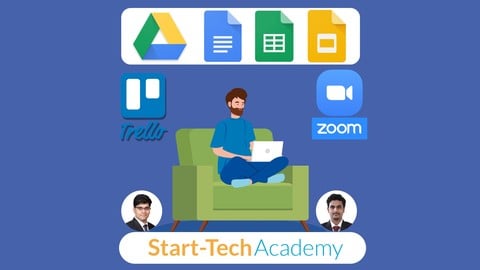
Tools for Working From Home - Google Apps, Trello & Zoom (Udemy.com)
Free tools - Google Docs, Sheets, Slides, Trello & Zoom to maximize productivity while working remotely #WorkFromHome
Created by: Start-Tech Academy
Last updated April 2026
 What you will learn
- Learn how to work remotely without losing any productivity
- Learn how to manage team while working from home
- How to use Google Drive to keep all your files in one secure and centralized location.
- Google Apps such as Google Docs, Google Slides and Google Sheets
- How to use Trello for project and task management
- How to use Zoom - the video chatting and conferencing App
How it compares
Against the other 459 rated Udemy courses in Office Productivity on CourseDuck:
- Rating4.5 out of 5higher than 45% of them
- Reviews1,094#130 of 460 by number of reviews
- Length2 hoursshorter than 75% of them
- Last updatedApril 2026more recently than 70% of them
 Course Description
You're looking for a complete course on Work from Home tools to increase your productivity while working remotely, right?
You've found the right "Tools for remote working" course. This course teaches you about different free tools available to increase your productivity, manage products and effectively communicate with your team.
What is covered in this course?
Mastering remote work is all about finding the right tools to stay productive and connected. This course will have you and your team synchronized and working in harmony, wherever you happen to be.
Let me give you a brief overview of the course
Section 1 - Google Drive
Google Drive is a cloud storage platform to keep all your files in one secure and centralized location. The remote workers can store and share documents, spreadsheets, and slide presentations. It can be used for reporting on weekly metrics. Additionally, Google Drive files can be synced across devices, so the individuals can view and update them from anywhere.
Section 2 - Google Docs
Google Docs is a word processor included as part of a free, web-based software office suite offered by Google within its Google Drive service.
Section 3 - Google Slides
Google Slides is a presentation program included as part of a free, web-based software office suite offered by Google within its Google Drive service.
Section 4 - Google Sheets
Google Sheets is a spreadsheet program included as part of a free, web-based software office suite offered by Google within its Google Drive service. It is a modern version of MS Excel.
Section 5 - Trello
Trello is about as simple as it gets when it comes to project management, but that simplicity belies incredible organizational and task management power. Trello is built around the notion of bulletin boards. Each board can represent a project, for example. Within each board, teams create lists, which they then populate with cards. The cards can be assigned to specific team members, labeled, stamped with a deadline, and crammed with comments or attachments. The hierarchical nature of the system makes it flexible while still preserving a baseline simplicity.
Section 6 - Zoom
If you have big team meetings that include lots of remote workers, Zoom is a video chat application that supports dozens of participants. Large meetings with up to 500 participants are supported as an add-on feature.
How will this course help you?
If you are a working professional who wants to learn about tools that help you work remotely with efficiency and high productivity, this course will introduce you to the most popular free online tools which will enable you to collaborate and work effectively even at your home.
A Verifiable Certificate of Completion is presented to all students who undertake this "Tools for Working from Home" course.
Our Promise
Teaching our students is our job and we are committed to it. If you have any questions about the course content or anything related to any topic, you can always post a question in the course or send us a direct message.
I am pretty confident that the course will give you the necessary knowledge and skills to immediately see practical benefits while working remotely.
Go ahead and click the enroll button, and I'll see you in lesson 1
Cheers
Start-Tech Academy

 Udemy Discount
The discount is applied through our link. Open the course from here and Udemy's current promotional price is applied at checkout on most courses, no code to type.
Some courses are excluded from Udemy's promotions. If the price does not drop, clear your browser cookies and use the button again.
Instructor Details

- 4.5 Rating
 1,094 Reviews
Start-Tech Academy
Start-Tech Academy is a technology-based Analytics Education Company and aims at Bringing Together the analytics companies and interested Learners.
Our top quality training content along with internships and project opportunities helps students in launching their Analytics journey.
Founded by Abhishek Bansal and Pukhraj Parikh.
Working as a Project manager in an Analytics consulting firm, Pukhraj has multiple years of experience working on analytics tools and software. He is competent in MS office suites, Cloud computing, SQL, Tableau, SAS, Google analytics and Python.
Abhishek worked as an Acquisition Process owner in a leading telecom company before moving on to learning and teaching technologies like Machine Learning and Artificial Intelligence.
 More courses by Start-Tech Academy
Zero to Hero in Microsoft Excel: Complete Excel with Copilot (2026)
4.5 (46,660 Reviews)
 Provider: Udemy
 Time: 10.6h
$109.99

Zero to Hero in SQL: SQL for Data Analytics (2026)
4.6 (14,123 Reviews)
- Provider: Udemy
- Time: 10.4h
$129.99

Prompt Engineering Frameworks & Methodologies (2026)
4.5 (12,643 Reviews)
- Provider: Udemy
- Time: 3.2h
$19.99

HR Analytics using MS Excel for Human Resource Management (2026)
4.4 (11,556 Reviews)
- Provider: Udemy
- Time: 9.7h
$84.99

Data Analyst Skillpath: Zero to Hero in Excel, SQL & Python (2026)
4.5 (8,059 Reviews)
- Provider: Udemy
- Time: 24.4h
$109.99
More Office Productivity courses

AI-Powered Social Media Management: From Beginner to Pro (2025)
5.0 (211 Reviews)
- Provider: Udemy
- Time: 1.1h
$19.99

Microsoft Excel + AI: Go From Data Analysis to Visualization (2026)
4.9 (276 Reviews)
- Provider: Udemy
- Time: 3.8h
$10.99


Complete Introduction to Google Sheets Pivot Tables (2026)
4.8 (3,570 Reviews)
- Provider: Udemy
- Time: 2.9h
$64.99


Microsoft Excel - Managing Personal Finances with Excel (2024)
4.8 (810 Reviews)
- Provider: Udemy
- Time: 3h
$19.99
 Reviews

By Anonymized User on 3/18/2024
This filled in so many things that I didn't know from Google products, Zoom, Trello, and more. The course was straightforward and everything was explained in simple terms.
By Leilani Melissa Cruz on 2/22/2024
Considero que es me explicaron bien, había plataformas que ya conocía y había cosas de esa plataforma que no conocía por lo que me ayudo a complementar lo que ya sabía
By Emily Garn on 4/9/2022
This is very helpful so far, as I need to understand how to use Google drive. Thank you for showing the captions, as I have a hard time with any accents, and this has made a big difference. Thanks!
By Sanjay Kailash Varma on 4/18/2021
The course was good ,went at a proper pace. Only the formula and function portion was too fast ,which was little difficult to understand. Overall ,very good course .My thanks to the teachers for their excellent explanation . Thank you very much .
By MD. AZWAD-UZ ZAMAN on 1/3/2021
It's an amazing course. The course outline is very systematic. I benefited very much. I suggest my friends to do this course.
By BALARAMAN H on 12/24/2020
This course video is very clear and has enough information... I like that... Sometimes Inbetween the video the blurred screen has appeared which is not personal content of tutor... So I missed that particular data.!
By Shameerah Emeraan on 7/16/2020
Thank you for the exposure to this platform of info. I am extremely impressed by what i have learned about a function that was accessible to me, but i never used it.
By Riyas I on 5/10/2020
Yes, it will surely improve our productivity during this WFH period and complete the task within the time. Thanks for providing such a very useful & essential course.
By Gregory Cornet on 4/25/2020
Today, I learned a lot of new stuff in this course so I will be able to do a better job with my co- workers or friends at school while using all of these features via online.
By Jenny on 4/17/2020
Overall is great ! But I didn't complete the course as the parts of Trello and Excel Formula operations screen are very blur .. is there any possibility that you able to upload new video for teaching Trello and excel Formula operation part ? Thanks.
 Quality Score
No CourseDuck member has rated this course yet. Taken it? Give each part a thumbs up or down.
Overall Score : 90 / 100
- Video Duration:
 2h
2h - Price: $59.99
- Provider: Udemy
- Updated:
 April 2026
 - Level:
 All Levels
 - Language:
 English
 - Certificate:
 Yes
Yes
30-day money-back guarantee on most paid courses
Udemy Coupon Price Tracker
