
 Web Development
 Data Science
 Python
 SQL
SQL JavaScript
 Artificial Intelligence
 IT & Software
 IT Certifications
 Hacking
 AWS
AWS Arduino
 DevOps
 3D Modeling
 Graphic Design
 Photoshop
 Drawing
 Digital Painting
 UX Design
 Business
 Data Analysis
 Communication Skills
 Project Management
 Leadership & Management
 Human Resources
 Digital Marketing
 Social Media Marketing
 Marketing
 SEO
SEO Google Analytics
 Branding
 Excel
Excel Office Productivity
 SAP
SAP PowerPoint
 Microsoft Access
 SharePoint
 Finance & Accounting
 Trading & Investing
 Accounting
 Bitcoin
 Personal Finance
 Video Editing & Animation
 Photography
 Adobe Premier Pro
 Adobe Lightroom
 Personal Development
 Productivity
 Career Development
 Life Coaching
 Health & Fitness
 Meditation & Mindfulness
 Yoga
Yoga Music
Music Music Production
 Guitar
 Piano
Piano Singing
 Language Learning
 Teaching & Academics
 Engineering
 Math
Math Lifestyle
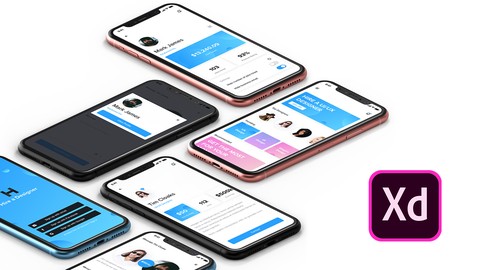
UI UX Design & Prototyping using Adobe XD (Udemy.com)
Learn Adobe XD for UI/UX Design, User Interface, User Experience Design & Adobe XD Prototyping.
Created by: Caler Edwards
Last updated February 2021
 What you will learn
- Become a UX designer
- Become a UI designer
- Learn Adobe XD
- Build & test a full app design.
- Learn to prototype your designs in Adobe XD.
- Learn common UI/UX design principles and how to use them in your own designs.
- Learn to create icon sets with Adobe XD.
- Find your creative process.
- Create UX briefs & personas.
- Build a UI/UX design project from beginning to end.
- Learn how to use color and select better colors for design.
- Learn how to use size & contrast in UI/UX design.
- Learn how to use typography
- Learn how space & negative space work in UI/UX design.
- Learn to export designs for review and development.
- You will learn the necessary skills to become a UI/UX designer.
- You will be able to apply these techniques learned in this course to your own design projects.
- Start a professional UI/UX portfolio with the course projects.
How it compares
Against the other 144 rated Udemy courses in UX Design on CourseDuck:
- Rating4.6 out of 5higher than 79% of them
- Reviews858#49 of 145 by number of reviews
- Length4.2 hourslonger than 57% of them
- Last updatedFebruary 2021earlier than 55% of them
 Quality Score
Overall Score : 92 / 100
 Course Description
This course was crafted to start your UI/UX design career with no experience. While teaching you the latest design & prototyping methods for Adobe XD.
Adobe XD is a vector based design tool developed for UI/UX design by Adobe. One of the leading programs used for User Experience (UX) design, it took the industry by storm with its seamless design to prototyping capability. In this course we will work from the ground up, going through the interface of Adobe XD and each tool to ensure you learn the program and get comfortable using it.
I personally have been using Adobe XD since beta and have made many tutorial videos over the program on my YouTube channel (Caler Edwards). I have gotten to know the program extensively over that time and I think that's what will make me a great teacher for you!
Excited for Adobe XD? Adobe XD is not all we will be learning in this course. We will also learn User Interface (UI) design and User Experience (UX) design from scratch. In this course we will go over several principles of UI/UX and how to use them in your designs. This way you can take what you learn from this course into your own projects. After all the goal of this course is to get you started in your UI/UX design career. Have a great day!! I hope to see you in class!

 Udemy Discount
The discount is applied through our link. Open the course from here and Udemy's current promotional price is applied at checkout on most courses, no code to type.
Some courses are excluded from Udemy's promotions. If the price does not drop, clear your browser cookies and use the button again.
Instructor Details

- 4.6 Rating
 858 Reviews
Caler Edwards
I’ve been designing since 2009 and I have spent the last 2+ years teaching design on YouTube in hundreds of videos.
I also work remotely as a UI/UX designer and front-end developer helping startups and companies create beautiful and engaging products.
My YouTube channel (Caler Edwards) has accumulated over 80,000+ subscribers and has truly became a great community. It’s because of this community that I have evolved as a content creator and as a designer. I want to take the great feedback I have received over the years and produce some quality courses here on Udemy.
Never stop learning! Have a great day and I hope to see you in one of my courses!
 More UX Design courses

Learn Figma: User Interface Design Essentials - UI/UX Design (2022)
4.8 (1,791 Reviews)
 Provider: Udemy
 Time: 10.2h
$199.99

iOS 12 & Swift 5 - App Design, UI/UX plus Development (2022)
4.8 (955 Reviews)
- Provider: Udemy
- Time: 80.5h
$94.99

User Experience Design Essentials - Adobe XD UI UX Design (2025)
4.7 (46,830 Reviews)
- Provider: Udemy
- Time: 9.7h
$189.99

Learn Figma - UI/UX Design Essential Training (2023)
4.7 (18,337 Reviews)
- Provider: Udemy
- Time: 3.7h
$119.99

How To Design for Accessibility: for UX Designers (WCAG 2.2) (2026)
4.7 (7,863 Reviews)
- Provider: Udemy
- Time: 8.9h
$109.99

 Reviews

By Ben Packford on 9/1/2021
Its a great course to get started in Adobe XD and understanding more about UI UX. What I enjoyed was having a project to work on which is something I have been looking for. You learn how to do a style guide, wire-framing, then designing it and give it some functionality. Many Thanks!
By Matt C on 3/25/2021
So for me the XD course is a little outdated as XD has had updates. This isn't covered in the course but I'd advise heading to Calers YT channel as he keeps that more up to date. The course covers a lot but just sort of ends after prototyping part 4 with no sort of conclusion or where to go next section. The course is great and covers the design process and such and it is easily communicated. The structure is nicely compiled but would benefit with some exercise files to work through (for the earlier videos) to have a more hands on approach. If a new course were to be implemented it would be cool to do like a running project alongside the tutor. Overall an amazing class, a little out-dated but it's still worth a watch.
By Roksana Bolek on 3/16/2021
A very good and well-structured course, lots of practical examples, I know where to look for icons and illustrations now. Learnt a lot about Adobe XD which was the main goal for me. Highly recommend this training to anyone who wants to explore UI/UX Design and get some hands-on experience with Adobe XD.
By Goutam Gopal Mitra on 11/21/2020
Very Good Course For Beginner to learn
By Zeinab Samir Aly on 11/14/2020
Good Course
By Christopher Gonzalez on 11/7/2020
He explains the process clear and to the point!
By Melissa Whitfield on 10/24/2020
Very good match for me because i am a UX profession who just needed a skills update and refresher.
By Hammad Sanih on 10/23/2020
It was really an amazing course. I learned a lot of new things.
By Jos Arce on 10/15/2020
Fue buena eleccin, hubo fallas con el audio algunas veces, siento que el instructor iba un poco rpido en algunas partes. Pero en General cumpli con el objeivo.
By Mary on 10/14/2020
The course in general was very informative and covered everything a beginner needs to know. Definitely worth the bucks! Feeling much more comfortable to start using adobe XD and creating nice things. I'll watch all your YouTube tutorials to perfection my new found skill. Thank you for this course! PS I gave you 4,5 out of 5 for the simple reason I didn't like the ending. I think you should have finished with a nice apart ending chapter instead of using prototype 4 as ending point. IMO that was a bit odd and a weird end for this great course.
By Shadil on 10/11/2020
Overall this course helped me. But there are some situations were I got troubled because of the method is defferent in new Adobe XD UI. But overall its good.
By Harif Thayyil on 10/6/2020
good materials for UX/UI design
- Video Duration:
 4.2h
4.2h - Price: See price on Udemy
- Provider: Udemy
- Updated:
 February 2021
 - Level:
 All Levels
 - Language:
 English
 - Certificate:
 Yes
Yes
30-day money-back guarantee on most paid courses
Udemy Coupon Price Tracker
