
 Web Development
 Data Science
 Python
 SQL
 JavaScript
 Artificial Intelligence
 IT & Software
 IT Certifications
 Hacking
 Microsoft Azure
 AWS
 Arduino
 3D Modeling
 Graphic Design
 Photoshop
 Drawing
 Digital Painting
 UX Design
 Business
 Data Analysis
 Communication Skills
 Project Management
 Leadership & Management
 Human Resources
 Digital Marketing
 Social Media Marketing
 Marketing
 SEO
 Google Analytics
 Branding
 Excel
 Office Productivity
 SAP
 PowerPoint
 Microsoft Copilot
 Microsoft Access
 Finance & Accounting
 Trading & Investing
 Accounting
 Bitcoin
 Personal Finance
 Video Editing & Animation
 Photography
 Adobe Premier Pro
 Adobe Lightroom
 Personal Development
 Productivity
 Career Development
 Life Coaching
 Health & Fitness
 Yoga
 Meditation & Mindfulness
 Music
 Music Production
 Guitar
 Piano
 Singing
 Teaching & Academics
 Engineering
 Language Learning
 English Language
 Math
 Lifestyle
Veeam Backup & Replication Course Zero to Mastery (Udemy.com)
Master Veeam Backup & Replication for VMware & Hyper-V | Backup, Recovery, Replication and Disaster Recovery
Created by: Ali Mansouri
Last updated June 2026
Our take
Based on the ratings of 1,715 students, a sample of their written reviews and the syllabus, as the course stood in June 2026. No course pays to be reviewed.
Ali Mansouri's course is a practical tour of Veeam Backup & Replication. It starts with components and architecture, builds an optional lab, then covers repositories, VM and physical server backups, replication, WAN acceleration, tape, SureBackup, Enterprise Manager and ransomware protection. That adds up to 8.6 hours across 92 lectures. It suits working admins who know Windows Server and the basics of VMware or Hyper-V. True beginners can follow along, but one reviewer admitted the volume was a lot without solid ESXi knowledge.
Students like the lab work best. One reviewer says it helped fix issues in their own infrastructure, another calls the practical lab sessions simple and easy to understand, and a third credits the lab setup as a definite advantage. The complaints are consistent, though. A number of reviewers struggle with Mansouri's accent and pronunciation, and one says he moves fast. Others feel he too often reads the options on screen without explaining why to pick one. The syllabus also shows its age: sections are labeled V10, and the V11 material is still marked in progress, even with a 2026 update date.
With 1,715 reviews, a 4.3 rating and close to 9,000 students, it's a solid, affordable way to get hands-on with Veeam quickly. Treat it as a lab guide, not a conceptual deep dive, and pair it with Veeam's own documentation for newer versions. Recommended for admins who learn by doing.
Pros
- Builds a full Veeam lab step by step, with installation files and setup guidance included
- Covers both VMware vSphere and Hyper-V, plus physical server backup and restore
- Includes ransomware hardening, SureBackup, tape and Enterprise Manager, not only basic jobs
- One reviewer says it helped them fix issues in their own infrastructure
Cons
- Several reviewers find the instructor's accent and pronunciation hard to follow
- Core material is built on V10, and the V11 section is still marked in progress
- Some say it lists on-screen options without explaining the reasoning behind them
Essential learning for your Veeam install. Your MSP is not going to show this to you, you have to figure it out yourself
Labeled All Levels, but it's best for people who already know Windows Server and basic VMware or Hyper-V administration.
 What you will learn
- Take backup and restore from a datacenter and physical server with Veeam
- Secure a datacenter from disaster and learn how to perform disaster recovery
- Implementing Veeam Backup & Replication
- Deploying Veeam repository servers
- Configuring and Executing Backup Jobs
- Configuring and Executing Replication Jobs
- Integrating Veeam Backup Enterprise Manager
- Integrating Monitoring Software
- Configuring and Executing Jobs for Hyper-V in Veeam
Course content
27 sections · 92 lectures · 8.6 hours of video 3 articles
- 1V10 Components 6 free previews11 lectures · 23 min
- 2V10 Backup Concepts 2 free previews6 lectures · 15 min
- 3Prerequisites and Diagram 2 free previews3 lectures · 17 min
- 4Installation Files1 lecture
- 5Building V10 Backup LAB (optional)5 lectures · 34 min
- 6Installing V10 Backup Server2 lectures · 9 min
- 7Preparing V10 Repository Space5 lectures · 42 min
- 8Perform Backup And Restore 1 free preview11 lectures · 1.1 hours
- 9Backup and Restore Physical Server5 lectures · 30 min
- 10ZIP2 lectures · 9 min
- 11VM copy and File copy2 lectures · 6 min
- 12Perform Quick Backup1 lecture · 3 min
- 13Perform V10 Replication 1 free preview5 lectures · 16 min
- 14WAN Accelaration1 lecture · 6 min
- 15Offsite data protection Using Job Copy1 lecture · 7 min
- 16install V10 Proxy Server1 lecture · 6 min
- 17General Setting3 lectures · 21 min
- 18Backing UP Hyper-v3 lectures · 13 min
- 19Tape Drive2 lectures · 13 min
- 20Monitoring Veeam Backup V102 lectures · 15 min
- 21V10 Backup Best Practices2 lectures · 4 min
- 22Protect Backup Server From Ransomware Attack2 lectures · 25 min
- 23Enterprise Manager2 lectures · 16 min
- 24Sure Backup1 lecture · 18 min
- 25What's new in Veeam V10 2 free previews8 lectures · 32 min
- 26What's new in Veeam V11 (in progress)4 lectures · 1.2 hours
- 27Bonus1 lecture
Who it is for
The instructor says it suits
- Anyone Preparing for a Career in Backup Administration
- Anyone Who Wants to Learn Enterprise Backup & Disaster Recovery
- Beginners Interested in Learning Enterprise Backup Solutions
- Virtualization Engineers
- Backup Engineers
What you need before you start
- Windows Server
- Basics of VMware and Hyper-V Virtualization
How it compares
Against the other 806 rated Udemy courses in IT Certifications on CourseDuck:
- Rating4.3 out of 5higher than 19% of them
- Reviews1,715#152 of 807 by number of reviews
- Length8.6 hourslonger than 52% of them
- Last updatedJune 2026more recently than 65% of them
 Course Description
Master Veeam Backup & Replication | VMware, Hyper-V, Backup, Restore & Disaster Recovery | Complete Hands-On LAB Training
This complete Veeam Backup & Replication training course is designed to help you deploy, configure, manage, secure, and troubleshoot enterprise backup environments using Veeam Backup & Replication.
You will learn how to protect VMware vSphere and Microsoft Hyper-V infrastructures using real-world backup, replication, disaster recovery, and ransomware protection scenarios through hands-on LAB exercises.
*** If you have any questions or need help, feel free to contact me on LinkedIn. ***
What You Will Learn
Veeam Fundamentals
Veeam Components & Architecture
Veeam Backup Concepts
Backup Infrastructure Design
Building a Complete Veeam LAB
Installation & Configuration
Installing Veeam Backup Server
Preparing Backup Repository Storage
Installing Veeam Proxy Server
General Configuration & Settings
Backup & Restore Operations
Virtual Machine Backup & Restore
Physical Server Backup & Restore
Veeam ZIP Backup
Quick Backup Operations
VM Copy & File Copy
File-Level Restore
Instant Recovery
Replication & Disaster Recovery
Configure Veeam Replication
Disaster Recovery Concepts
Offsite Backup Copy Jobs
WAN Acceleration
Secondary Site Protection
Advanced Features
SureBackup
Enterprise Manager
Backup Monitoring
Backup Best Practices
Tape Drive Backup
Ransomware Protection
Backup Security Hardening
Hypervisor Support
VMware vSphere Backup
Microsoft Hyper-V Backup
VMware & Hyper-V Recovery Workflows
Hands-On Enterprise LAB Training
This course focuses heavily on practical deployment and real-world enterprise backup scenarios. You will build your own Veeam environment step-by-step and gain operational experience working with backup and disaster recovery solutions used in modern datacenters.
Learn Modern Backup & Disaster Recovery
Backup and disaster recovery are among the most critical responsibilities in enterprise IT environments. In this course, you will learn:
How to design reliable backup infrastructures
How to recover from failures quickly
How to protect against ransomware attacks
How to replicate workloads to disaster recovery sites
How to secure backup repositories
How to restore data efficiently
Real Enterprise Skills
This course gives you practical experience performing:
Full VM Backups
Incremental Backups
Replication Jobs
Backup Copy Jobs
Recovery Operations
Offsite Data Protection
Disaster Recovery Testing
The interface remains very similar between versions, making the skills transferable across environments.
Course Includes
8.5+ Hours of Practical Video Training
Downloadable LAB Files & Installation Media
VMware & Hyper-V LAB Scenarios
Backup & Disaster Recovery Workflows
Q&A Support
Valuable Resources & Links
Who This Course Is For
VMware Administrators
Hyper-V Administrators
System Administrators
Virtualization Engineers
Backup Engineers
Infrastructure Engineers
IT Support Engineers
University Students
Requirements
Basic Ethernet TCP/IP Knowledge
Basic Virtualization Knowledge
Familiarity with VMware vSphere Helpful
VMware Workstation Recommended for LAB Practice
Beginner-Friendly & Practical
The course is designed in a practical and easy-to-follow format so beginners and experienced administrators alike can confidently learn backup, replication, and disaster recovery operations step-by-step.
Protect Modern Virtual Infrastructures
By the end of this course, you will have the skills required to deploy and manage backup solutions for modern virtual infrastructures while understanding enterprise-level backup strategies and recovery workflows.
PS: Check the Free Preview videos to learn more about the course and become familiar with my teaching style and accent.

 Udemy Discount
The discount is applied through our link. Open the course from here and Udemy's current promotional price is applied at checkout on most courses, no code to type.
Some courses are excluded from Udemy's promotions. If the price does not drop, clear your browser cookies and use the button again.
Instructor Details

- 4.3 Rating
 1,715 Reviews
Ali Mansouri
I’m Ali Mansoori, founder of Dynamips dot io and a certified instructor in Cisco, VMware vSphere, and Veeam VMCE technologies.
I’ve delivered thousands of hours of official live training to network engineers, system administrators, and IT professionals around the world.
My training goes beyond commands and certification theory. I focus on how technologies are actually deployed, operated, and troubleshot in real enterprise environment helping you bridge the gap between the lab and production.
Whether you're preparing for a certification, starting your IT career, or building deeper enterprise skills, my goal is simple: help you become a more confident, practical engineer.
Want to know more about my experience and background? Connect with me on LinkedIn: in/alimansoori
 More courses by Ali Mansouri
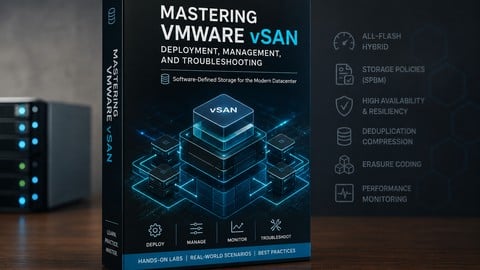
VMware vSAN: Deployment, Configuration, and Administration (2026)
4.4 (901 Reviews)
 Provider: Udemy
 Time: 2.9h
$9.99
Original price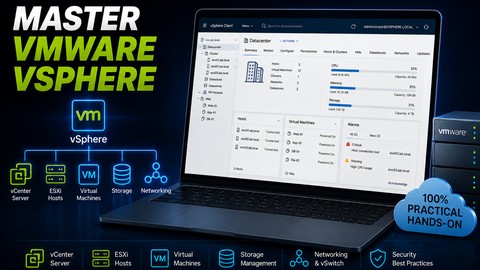
VMware vSphere 7: Build, Configure and Manage Like a Pro (2026)
4.6 (813 Reviews)
- Provider: Udemy
- Time: 8.5h
$11.99
Original price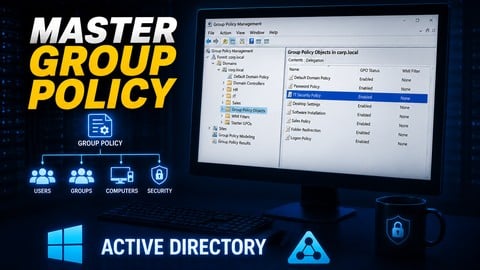
Build an Active Directory & Group Policy Production Lab (2026)
4.7 (706 Reviews)
- Provider: Udemy
- Time: 5.8h
$11.99
Original price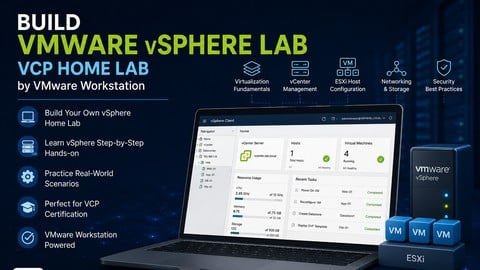
Build Complete VMware vSphere Home Lab by VMware Workstation (2026)
4.4 (337 Reviews)
- Provider: Udemy
- Time: 1.8h
$10.99
Original price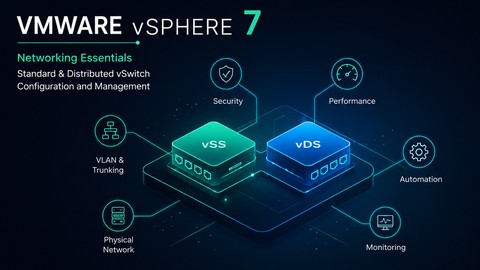
VMware vSphere Networking: Standard and Distributed vSwitch (2026)
4.2 (240 Reviews)
- Provider: Udemy
- Time: 4.6h
$11.99
Original price More IT Certifications courses

Master Splunk Enterprise Administration: Certification Prep (2024)
5.0 (154 Reviews)
- Provider: Udemy
- Time: 1.8h
$11.99
Original price
Comprehensive AWS Certified AI Practitioner AIF-C01 Bootcamp (2026)
4.9 (945 Reviews)
- Provider: Udemy
- Time: 17h
$11.99
Original price
Cisco Troubleshooting Labs For CCNA, CCNP, and CCIE Students (2026)
4.9 (819 Reviews)
- Provider: Udemy
- Time: 6.8h
$10.99
Original price
CCNA Cyber Ops Tools: Sec Onion, Wireshark, and Kali Linux (2025)
4.9 (292 Reviews)
- Provider: Udemy
- Time: 4.5h
$10.99
Original price
ISTQB Certified Tester - Foundation Level latest Version (2025)
4.9 (224 Reviews)
- Provider: Udemy
- Time: 9.5h
$11.99
Original price
CompTIA Tech+ FC0-U71 Prep Hands-on training, Practice Exam (2026)
4.9 (132 Reviews)
- Provider: Udemy
- Time: 7.6h
$11.99
Original price  Reviews

By Amal Raj on 3/15/2026
This course provided a clear understanding of Veeam Backup fundamentals, including backup configuration, replication, recovery options, and best practices for data protection. The hands-on explanations made it easier to understand how backup and disaster recovery work in real-world IT environments. Overall, it was a very informative course and a great learning experience for anyone interested in backup, recovery, and data protection technologies. Looking forward to applying these concepts in my professional journey.
By Trevor Camm on 2/9/2026
The problem was in the accent and the misspelling of words making it hard to understand what was said and if I heard correctly. Some of these terms are new to me so if it is pronounced incorrectly, you don't even know until you see that the words itself aren't what was said making you have to recheck everything that was said to make sure it was pronounced correctly.
By Anonymized User on 5/29/2023
This course has some very good detail on the little intricacies and seems to be kept up to date quite regularly. Keep up the good work and keep bringing that great content to Udemy!
By Marcos Darío Rivarola Lebrón on 3/7/2023
El curso me pareció muy interesante!, he aprendido muchísimo y realmente me encanta la herramienta del Veeam Backup and Recovery. Me he comprado una PC para poder hacer el laboratorio y lo hice!, he probado casi todo lo mencionado en la clase, seguiré practicando con este laboratorio que me fue sumamente últil para lo que es mi carrera en TI networking & Infrastructure. Gracias!
By José Guilherme Silveira on 8/24/2022
The subtitle and automatic transition doesn't identify some words, so studying the text is difficult, but the content is good, my suggestion is to have the subtitle option for other languages than English
By Gershow IT Department on 7/21/2022
This is a very well written course! The steps are clear nd easy to follow along if you have access to the veeam software. I have already utilized lessons learned while taking the course.
By Malhar Patel on 5/28/2022
Thank you for making this course, if someone is really dedicated in learning Veeam than there is no other course on Udemy better than this Veeam Backup server. Don't forget to take notes! In real world only notes can save your time...
By Raphael Cesar Fernandes on 3/19/2022
the automatic subtitle does not identify some words and it is wrong and the support text follows the subtitle so studying through the text is difficult, but the content is good and it is meeting my expectation, I recommend it.
By Amilkar Duarte Vazquez on 1/18/2022
Thanks Udemy and Tal; I really needed to get up to speed with Veeam. I was able to set up my home lab and following the class was very easy and it really opened my eyes on this product. Thanks again.
By Rustem Medinov on 12/12/2021
Just wow! Amazing course. Even though it is about Veeam, you will undoubtedly improve your VMware knowledge. Tanks! RECOMMENDED! P.S. The lecture has amazing pronunciation clear and soft!
 Quality Score
No CourseDuck member has rated this course yet. Taken it? Give each part a thumbs up or down.
Overall Score : 86 / 100
- Video Duration:
 8.6h
- Price: $9.99
- Provider: Udemy
- Updated:
 June 2026
- Level:
 All Levels
- Language:
 English
- Certificate:
 Yes
- Lectures:92 in 27 sections
- Students:8,937
- Subtitles:5 languages
30-day money-back guarantee on most paid courses
Udemy Coupon Price Tracker
