
 Web Development
 Data Science
 Python
 SQL
 JavaScript
 Artificial Intelligence
 IT & Software
 IT Certifications
 Hacking
 Microsoft Azure
 AWS
 Arduino
 3D Modeling
 Graphic Design
 Photoshop
 Drawing
 Digital Painting
 UX Design
 Business
 Data Analysis
 Communication Skills
 Project Management
 Leadership & Management
 Human Resources
 Digital Marketing
 Social Media Marketing
 Marketing
 SEO
 Google Analytics
 Branding
 Excel
 Office Productivity
 SAP
 PowerPoint
 Microsoft Copilot
 Microsoft Access
 Finance & Accounting
 Trading & Investing
 Accounting
 Bitcoin
 Personal Finance
 Video Editing & Animation
 Photography
 Adobe Premier Pro
 Adobe Lightroom
 Personal Development
 Productivity
 Career Development
 Life Coaching
 Health & Fitness
 Yoga
 Meditation & Mindfulness
 Music
 Music Production
 Guitar
 Piano
 Singing
 Teaching & Academics
 Engineering
 Language Learning
 English Language
 Math
 Lifestyle
VMware vSAN: Deployment, Configuration, and Administration (Udemy.com)
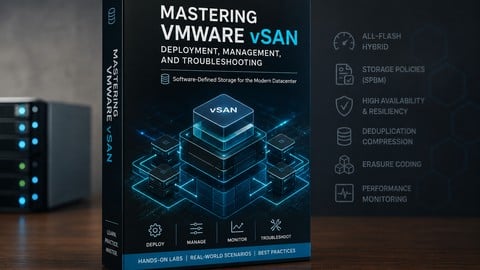
Mastering VMware vSAN: Deployment, Node Management, Operations, and Troubleshooting
Created by: Ali Mansouri
Last updated September 2026
Our take
Based on the ratings of 901 students, a sample of their written reviews and the syllabus, as the course stood in September 2026. No course pays to be reviewed.
This is a compact intro to VMware vSAN, about 2.9 hours over 46 lectures. It starts with enterprise storage basics, moves on to vSAN concepts and design, and then builds a lab on VMware Workstation. The later sections cover implementation, advanced features like deduplication and erasure coding, and monitoring. It's best for vSphere admins who know their way around vCenter but haven't worked with software-defined storage. It first came out in 2021 and was refreshed in September 2026.
Reviewers like that instructor Ali Mansouri keeps things simple. One says they had no idea how vSAN worked and learned enough to start implementing it, and another thanks him for the practical lab. The criticism follows a pattern. Some reviewers call it too basic, and one says SPBM gets less than four minutes. Others say the pace speeds up in later sections, the narration sometimes sounds read off slides, and some screens are fuzzy. One student found errors and inconsistencies in the videos, and another says there was no real instruction on setting up the lab. One student compared it unfavorably with Rick Crisci's vSAN course. A May 2026 review asked for an update to the current vSAN version, which came before the latest refresh.
Most of the 901 ratings are four or five stars, with only 40 at one or two. That fits a course that does a basic job well and doesn't pretend to go further. Take it if you want a quick lab walkthrough before a first deployment. Exam candidates and admins who already run vSAN will need something deeper, reviewers say.
Pros
- A lab on VMware Workstation, with direct links to the installation files
- Short enough to finish in an evening, at about 2.9 hours over 46 lectures
- Beginners say the concepts are explained simply enough to get started with vSAN
- Refreshed in September 2026 and points students to VMware KB articles
Cons
- Several reviewers call it too basic, with key topics like SPBM covered only briefly
- Pace speeds up in later demos, and some screens are fuzzy and hard to read
- Not enough depth for VMware certification exam prep, per reviewers
Basic course explained simply enough for starting with vSAN.
Labeled All Levels but best for vSAN beginners who already know basic vSphere. Experienced admins will find little new.
 What you will learn
- VMware vSAN concepts Design
- Deploy VMware vSAN LAB on VMware Workstation
- Deploy & Manage VMware vSAN
- Configure, Monitor, Optimize, and Design VMware vSAN deployments
- Create shared storage for vSphere Clusters using the local capacity of ESXi hosts
Course content
9 sections · 46 lectures · 2.9 hours of video 3 articles
- 1Getting to Know Enterprise Storage 6 free previews8 lectures · 15 min
- 2Diving into VMware vSAN Concepts 1 free preview5 lectures · 19 min
- 3VMware vSAN Design Considerations8 lectures · 23 min
- 4Installation Files (direct link)1 lecture
- 5vSAN LAB4 lectures · 11 min
- 6Implementing VMware vSAN9 lectures · 42 min
- 7Configuring VMware vSAN Advanced Features7 lectures · 39 min
- 8Monitoring VMware vSAN3 lectures · 22 min
- 9What's Next1 lecture
Who it is for
The instructor says it suits
- Storage Admin
- Virtualization Admin
- Network Admin
- Security Engineer
What you need before you start
- Basic of Virtualization & VMware vSphere
How it compares
Against the other 65 rated Udemy courses in VMware on CourseDuck:
- Rating4.4 out of 5higher than 18% of them
- Reviews901#23 of 66 by number of reviews
- Length2.9 hoursshorter than 86% of them
- Last updatedSeptember 2026more recently than 93% of them
 Course Description
VMware vSAN is VMware’s Software-Defined Storage (SDS) platform that transforms local ESXi host storage into a scalable, high-performance shared datastore for your vSphere environment.
In this course, you will learn how to deploy, configure, manage, optimize, and troubleshoot VMware vSAN in enterprise environments. Through hands-on labs and real-world scenarios, you will build vSAN clusters, implement storage policies, improve performance, and ensure high availability for virtual workloads.
What You Will Learn
VMware vSAN Architecture
Hybrid and All-Flash Deployments
vSAN Cluster Deployment and Management
Storage Policy-Based Management (SPBM)
Fault Tolerance and Data Resiliency
Deduplication, Compression, and Erasure Coding
Performance and Health Monitoring
vSAN Networking Requirements
High Availability and Failure Recovery
Real-World Troubleshooting and Best Practices
By the end of this course, you will have the practical skills required to deploy and operate VMware vSAN in modern enterprise and lab environments.
In this course, you will learn how to deploy, configure, manage, and troubleshoot VMware vSAN in real-world enterprise scenarios. You will explore both Hybrid and All-Flash architectures, understand Storage Policies, build vSAN clusters from scratch, and learn how vSAN handles failures, redundancy, and performance optimization.
Whether you are preparing for production environments, improving your VMware skills, or building your own virtual datacenter labs, this course gives you practical hands-on experience with one of the most important technologies in modern virtualization infrastructure.

 Udemy Discount
The discount is applied through our link. Open the course from here and Udemy's current promotional price is applied at checkout on most courses, no code to type.
Some courses are excluded from Udemy's promotions. If the price does not drop, clear your browser cookies and use the button again.
Instructor Details

- 4.4 Rating
 901 Reviews
Ali Mansouri
I’m Ali Mansoori, founder of Dynamips dot io and a certified instructor in Cisco, VMware vSphere, and Veeam VMCE technologies.
I’ve delivered thousands of hours of official live training to network engineers, system administrators, and IT professionals around the world.
My training goes beyond commands and certification theory. I focus on how technologies are actually deployed, operated, and troubleshot in real enterprise environment helping you bridge the gap between the lab and production.
Whether you're preparing for a certification, starting your IT career, or building deeper enterprise skills, my goal is simple: help you become a more confident, practical engineer.
Want to know more about my experience and background? Connect with me on LinkedIn: in/alimansoori
 More courses by Ali Mansouri
Veeam Backup & Replication Course Zero to Mastery (2026)
4.3 (1,715 Reviews)
 Provider: Udemy
 Time: 8.6h
$9.99
Original price
VMware vSphere 7: Build, Configure and Manage Like a Pro (2026)
4.6 (813 Reviews)
- Provider: Udemy
- Time: 8.5h
$11.99
Original price
Build an Active Directory & Group Policy Production Lab (2026)
4.7 (706 Reviews)
- Provider: Udemy
- Time: 5.8h
$11.99
Original price
Build Complete VMware vSphere Home Lab by VMware Workstation (2026)
4.4 (337 Reviews)
- Provider: Udemy
- Time: 1.8h
$10.99
Original price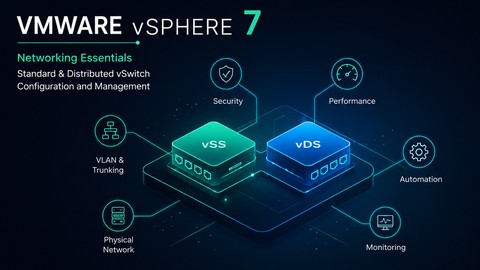
VMware vSphere Networking: Standard and Distributed vSwitch (2026)
4.2 (240 Reviews)
- Provider: Udemy
- Time: 4.6h
$11.99
Original price More VMware courses
Complete VMWare vSphere ESXi and vCenter Administration (2026)
4.7 (14,620 Reviews)
- Provider: Udemy
- Time: 11.3h
$13.99
Original price
The Complete VMware vSphere: Beginner to Advanced (2026)
4.7 (4,526 Reviews)
- Provider: Udemy
- Time: 12.6h
$13.99
Original price
VMware vSphere 6.0 Part 1 - Virtualization, ESXi and VMs (2018)
4.7 (4,409 Reviews)
- Provider: Udemy
- Time: 8.9h
$11.99
Original price
Clear and Simple VMware vSphere 6.7 Professional VCP-DCV (2024)
4.7 (2,338 Reviews)
- Provider: Udemy
- Time: 12.9h
$10.99
Original price
Clear and Simple VMware vSAN 6.7 (Virtual SAN) (2023)
4.7 (2,283 Reviews)
- Provider: Udemy
- Time: 3.1h
$11.99
Original price
Clear and Simple VMware Certified Associate (RetiredVCA-DBT) (2024)
4.7 (2,240 Reviews)
- Provider: Udemy
- Time: 6.5h
$13.99
Original price  Reviews

By Anonymized User on 4/11/2025
Aprendí lo necesario para empezar a implementar Vsan, ya que no tenia idea alguna de como funcionaba.
By Kiran Shinde on 4/2/2025
Enjoyed the vSAN course with practical lab which you created. Thanks for clearing doubts in this course. I would like to request you to add scenario base basic issue and resolution which vSAN administrator face day to day activities.
By Newton Grayson on 10/19/2024
This training course was truly refreshing. I highly recommend it if you haven't had the chance to take it yet.
By Remko Lodder on 7/18/2024
When you play a bit with vSAN you can have this same information. For me it was not adding much additional value, but if you are new, this could help you understand the concepts. I look forward to potential more in depth / advanced items for this vSAN topic.
By Anonymized User on 9/21/2023
It was good for beginners, but more of a recap of concepts I understand with some introduction to new concepts for vSAN that inspire me to explore more specific elements to fit in with our company's requirements.
By 西本 和平 on 7/15/2023
It was difficult in English, but I was able to understand vSAN. I will be building vSAN soon, so I will try to build it with reference to the contents of this course.
By Quentin Trumpore on 11/11/2022
Outstanding presentation. side note: some of the screens were a little fuzzy and hard to read.
By Alan Tan on 9/5/2022
Highly recommended to all beginners. Thumbs Up!
By Anonymized User on 3/9/2022
Good for a headstart in Vsan, I think can separate it into section where you can get it working followed by maintenance plans.
By Avinash Rajkumar on 11/21/2021
Explained very well, sometimes forgets to change settings back when explaining, but corrects later on. :D
 Quality Score
No CourseDuck member has rated this course yet. Taken it? Give each part a thumbs up or down.
Overall Score : 88 / 100
- Video Duration:
 2.9h
- Price: $9.99
- Provider: Udemy
- Updated:
 September 2026
- Level:
 All Levels
- Language:
 English
- Certificate:
 Yes
- Lectures:46 in 9 sections
- Students:3,922
- Subtitles:3 languages
30-day money-back guarantee on most paid courses
Udemy Coupon Price Tracker
