
 Web Development
 Data Science
 Python
 SQL
SQL JavaScript
 Artificial Intelligence
 IT & Software
 IT Certifications
 Hacking
 AWS
AWS Arduino
 DevOps
 3D Modeling
 Graphic Design
 Photoshop
 Drawing
 Digital Painting
 UX Design
 Business
 Data Analysis
 Communication Skills
 Project Management
 Leadership & Management
 Human Resources
 Digital Marketing
 Social Media Marketing
 Marketing
 SEO
SEO Google Analytics
 Branding
 Excel
Excel Office Productivity
 SAP
SAP PowerPoint
 Microsoft Access
 SharePoint
 Finance & Accounting
 Trading & Investing
 Accounting
 Bitcoin
 Personal Finance
 Video Editing & Animation
 Photography
 Adobe Premier Pro
 Adobe Lightroom
 Personal Development
 Productivity
 Career Development
 Life Coaching
 Health & Fitness
 Meditation & Mindfulness
 Yoga
Yoga Music
Music Music Production
 Guitar
 Piano
Piano Singing
 Language Learning
 Teaching & Academics
 Engineering
 Math
Math Lifestyle
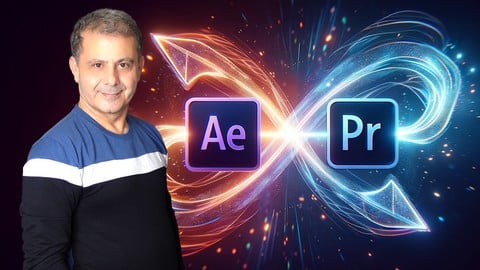
Video Editing: Premiere Pro & After Effects Dynamic Linking (Udemy.com)
Learn the Dynamic Link Video Editing techniques within the Adobe CC Suite for Premiere Pro CC and After Effects CC
Created by: Louay Zambarakji
Last updated January 2019
 What you will learn
- How to organize your files to get the best of Dynamic Links and keep everything in check
- How does Dynamic Link works in Premiere Pro and After Effects
- How to create Dynamically Linked After Effects Composition from within Premiere Pro
- How to Dynamically Import After Effects Composition from within Premiere Pro
- How to Replace Sequence Clips with an After Effects Composition
- How to Import Dynamically Linked Sequences in After Effects
- How to Create Dynamically Linked Sequences in After Effects
- How to use the Render and Replace in Premiere Pro and create Encoding Presets
- How to create After Effects Video with a link to the original Project and Composition
How it compares
Against the other 118 rated Udemy courses in Adobe After Effects on CourseDuck:
- Rating4.6 out of 5higher than 67% of them
- Reviews540#24 of 119 by number of reviews
- Length1 hourshorter than 87% of them
- Last updatedJanuary 2019earlier than 78% of them
 Quality Score
Overall Score : 92 / 100
 Course Description
My Name is Louay, I am the author of the bestselling, highest Rated After Effects Complete Course and recently, I have published the "Fast Track to Video Editing in Premiere Pro" course.
You might be familiar with Premiere Pro and After Effects (Beginner, Novice or Intermediate) and you want to gain expert knowledge in the workflow of Dynamic Linking between these two applications. This is what this course is all about.
What is Dynamic linking:
It is a way for Premiere Pro and After Effects to communicate with each other in such a way that the two applications can share the same media and can help avoid intermediate renders. By using Dynamic Link, you can have live previews of any changes you do in one or the other apps. You will never do this the intermediate render and import.
You can use Dynamic Link from Premiere Pro to After Effects and from After Effects to Premiere Pro. It is not the same and each has its own use.
Dynamic Linking is a must if you are really into becoming a top Video Editor using the CC suit. Provided you learn the right way to establish the right links and the purpose the links, Dynamic Linking is easy to use for beginners and Intermediate users.
In this course, you will dive in for an in-depth Dynamical Link learning experience. You will focus on the extremely powerful relationship between Premiere Pro and After Effects.
Divided in three main topics to give the best approach to Dynamic Linking:
How to create Dynamic Links from within Premiere into After Effects.
Where you will learn:
- How to organize your files to get the best of Dynamic Links and keep everything in check
- How does Dynamic Link works in Premiere Pro and After Effects
- How to create Dynamically Linked After Effects Composition from within Premiere Pro
- How to Dynamically Import After Effects Compositions from within Premiere Pro
- How to Replace Sequence Clips with an After Effects Composition
Where you will learn:
- How to Create Premiere Pro Dynamically Linked Sequences in After Effects
- How to Import and Dynamically Link Premiere Pro Sequences in After Effects
- How to use the Render and Replace in Premiere Pro and create Encoding Presets
- How to create After Effects Video with a link to the original Project and Composition
By the end of this course you would have learned all the techniques to dynamically link After Effects composition and Premiere Pro Sequences and create awesome videos just like a Pro Editor.
So, if you're into expanding your video editing skills and using your after effects creativity while professionally editing your footage in premiere then jump in.
Join Now and I'll see in the first lecture.
Louay
CheersWho this course is for:
- You truly know that Dynamic Linking is very Important for Video Editors using the CC suite and you want an in-depth learning experience.
- You are a Novice In Premiere Pro and After Effects and want to learn how to use Dynamic Linking between Premiere Pro CC and After Effects
- You are starting your Video Editing Career and you want to master Dynamic Linking between Premiere Pro CC and After Effects
- You are and avid user of Premiere and After Effects and you want to master Dynamic Linking between Premiere Pro CC and After Effects
- You Just want to learn about Dynamic Linking within Premiere Pro & After Effetcs
- You want to Edit your Videos in Premiere Pro and use After Effects to add Visual Effects and Motion Graphics

 Udemy Discount
The discount is applied through our link. Open the course from here and Udemy's current promotional price is applied at checkout on most courses, no code to type.
Some courses are excluded from Udemy's promotions. If the price does not drop, clear your browser cookies and use the button again.
Instructor Details

- 4.6 Rating
 540 Reviews
Louay Zambarakji
The Highest Rated and Bestsellers After Effects and Video Editing Courses on Udemy.
Video Editing, Animation, Motion Graphics and Visual Effects is what I lovecreating and teaching, Offline and Online.
After Effects is what I love working with, every day, (except Sundays, my wife and kids won't let me.)
I learned these the very hard way, very long time ago (since 1985) and I am still on it. It's amazing when you discover that I used to use assembly language to animate sprites (think of PacMan), Green and B/W screens. Today I am animating Videos in 3D in just a click.
The Path to Mastery starts now. Being in the advertising industry has taught me that precision and a significant attention to details are very important, and makes the difference between a fake and life like animation or visual effect.
What You Will Learn from me:
After Effects: The whole lot. In my course After Effects Complete Course packed with all Techniques and Methods (No Tricks and gimmicks).
Motion Graphics: From simple Lower 3rd to Advanced & Complex Animation up to how to get your 2D character to walk around.
Visual Effects & Compositing: Essentials topics covered in my After Effects and Video Editing courses.
Video Editing: If it's Adobe Premiere Pro or DaVinci Resolve you have excellent top rated courses.
Color Correction & Grading: Covered in my video editing courses.
F
 More courses by Louay Zambarakji
Adobe After Effects CC Bootcamp: Beginner to Advanced (2026)
4.6 (39,865 Reviews)
 Provider: Udemy
 Time: 34h
$174.99
DaVinci Resolve Mastery: The Complete Video Editing Bootcamp (2026)
4.6 (15,300 Reviews)
- Provider: Udemy
- Time: 16.8h
$139.99

The Complete Adobe Premiere Pro Video Editing Bootcamp (2025)
4.9 (7,316 Reviews)
- Provider: Udemy
- Time: 9.7h
$139.99

After Effects CC: The Ultimate Motion Graphics Masterclass (2025)
4.5 (4,974 Reviews)
- Provider: Udemy
- Time: 23.8h
$149.99

Motion Design & Animation Principles in Adobe After Effects (2025)
4.8 (1,594 Reviews)
- Provider: Udemy
- Time: 5.8h
$99.99
Adobe Illustrator CC: Essential Illustrator CC Training (2025)
4.6 (1,200 Reviews)
- Provider: Udemy
- Time: 10.2h
$99.99
More Adobe After Effects courses
Motion Design & Animation Principles in Adobe After Effects (2025)
4.8 (1,594 Reviews)
- Provider: Udemy
- Time: 5.8h
$99.99


Futuristic HUD Motion Graphics in After Effects (2018)
4.7 (664 Reviews)
- Provider: Udemy
- Time: 1.5h
$69.99

Course Design - How to Create Impressive Text Animations (2017)
4.7 (207 Reviews)
- Provider: Udemy
- Time: 2.7h
$74.99

After Effects Masterclass: The Ultimate Guide for Beginners (2020)
4.7 (198 Reviews)
- Provider: Udemy
- Time: 9h
$74.99

 Reviews

By Carter Lee Churchfield on 11/7/2020
I can understand what is going on.
By Anudeep on 10/22/2020
really great course
By Constantin Bucur on 8/27/2020
OK!
By Amritpal Singh on 8/15/2020
very well explanation....................
By Kawashima Mitsuyoshi on 8/2/2020
It's easy to understand for me!
By Thota Bala BhaskarSai on 8/1/2020
the curse was very good... I have learned a lot of new things which I don't know..i will definitely recommend the course if you are already an editor and VFX artist. if u r looking for the basics then this course is not for you...
and finally, thank u for the course
By Zohir Loukili on 7/14/2020
yes its very good thnks
By Olugbemiga idowu on 7/6/2020
Great match for me! He's definitely one of my favorite instructors!
By Daniel Billett on 6/25/2020
This course has revolutionized the work flow between Premeire Pro and After Effects for me. I save so much time and this course has given me all the tools I need to properly manage the dynamic links I employ.
By Brad Boggs on 6/22/2020
Great course very simple and easy to understand.
By Dimitri on 6/21/2020
OK
By Jos Vctor Hugo Hernndez Mendoza on 6/10/2020
Si
- Video Duration:
 1h
1h - Price: $59.99
- Provider: Udemy
- Updated:
 January 2019
 - Level:
 All Levels
 - Language:
 English
 - Certificate:
 Yes
Yes
30-day money-back guarantee on most paid courses
Udemy Coupon Price Tracker
