
 Web Development
 Data Science
 Python
 SQL
SQL JavaScript
 Artificial Intelligence
 IT & Software
 IT Certifications
 Hacking
 AWS
AWS Arduino
 DevOps
 3D Modeling
 Graphic Design
 Photoshop
 Drawing
 Digital Painting
 UX Design
 Business
 Data Analysis
 Communication Skills
 Project Management
 Leadership & Management
 Human Resources
 Digital Marketing
 Social Media Marketing
 Marketing
 SEO
SEO Google Analytics
 Branding
 Excel
Excel Office Productivity
 SAP
SAP PowerPoint
 Microsoft Access
 SharePoint
 Finance & Accounting
 Trading & Investing
 Accounting
 Bitcoin
 Personal Finance
 Video Editing & Animation
 Photography
 Adobe Premier Pro
 Adobe Lightroom
 Personal Development
 Productivity
 Career Development
 Life Coaching
 Health & Fitness
 Meditation & Mindfulness
 Yoga
Yoga Music
Music Music Production
 Guitar
 Piano
Piano Singing
 Language Learning
 Teaching & Academics
 Engineering
 Math
Math Lifestyle
Videoscribe Whiteboard Animations: The Complete Guide (Udemy.com)
High quality professional Sparkol Videoscribe whiteboard video animations. Videoscribe training videos for beginners
Created by: Life Progression Project
Last updated November 2020
 What you will learn
- Students will be able to create an engaging whiteboard animation
- Students will understand how to use Videoscribe
- Students will understand the workflow of Videoscribe
- Students will be able to tell captivating stories using Videoscribe
- Students will be able to tell stories visually using whiteboard animations
- Students will get a glimpse into using Illustrator, Photoshop and Premiere Pro too!
- Students will learn the royalty free websites that can be used for music and images to use when creating whiteboard animations
How it compares
Against the other 173 rated Udemy courses in Marketing on CourseDuck:
- Rating4.3 out of 5higher than 27% of them
- Reviews1,499#27 of 174 by number of reviews
- Length2.5 hoursshorter than 64% of them
- Last updatedNovember 2020earlier than 83% of them
 Course Description
Welcome to our Videoscribe Whiteboard Animations: Videoscribe for Beginners course!
Videoscribe is the most used program for creating whiteboard animations because of it's intuitiveness, image library and low cost.
Whether you are an artist or have no drawing skills, this course will teach you how to create captivating whiteboard animations! Videoscribe includes thousands of already created image files to use in your whiteboard animations videos!
If you Are a:
Youtuber
Freelancer
Video Editor
Artist
Online Course Creator
Online Marketer
Than this is the course for you!
In this course you will learn how to:
- Use Sparkol Videoscribe software
- Create whiteboard animations from scratch
- Import your own images into Videoscribe
- Use thousands of already created images that come with Videoscribe
- Develop your creative story telling abilities
- How to incorporate music into your animations
- Step by step instructions on how to create your own video animation
Your instructor for this course is Alli Saunders. Co-owner of an established video production company in Toronto, Alli has produced hundreds of video projects and is a Videoscribe Expert.
Videoscribe offers a 7 day free trial, so download it today and enrol in this course to learn how to take your video creation skills to the next level!

 Udemy Discount
The discount is applied through our link. Open the course from here and Udemy's current promotional price is applied at checkout on most courses, no code to type.
Some courses are excluded from Udemy's promotions. If the price does not drop, clear your browser cookies and use the button again.
Instructor Details

- 4.3 Rating
 1,499 Reviews
Life Progression Project
Life Progression Project provides a high-quality learning experience through multi-hour online video courses that teach various skills, techniques, and practices to deliver content in marketing, media production, business, personal development, photography, healthy living, web development, investing, branding, and more.
We are proud to have over 700,000 students enrolled across our 40+ courses!
 More courses by Life Progression Project

Communication Fundamentals: How To Communicate Better (2026)
4.5 (150,968 Reviews)
 Provider: Udemy
 Time: 1.4h
$18.99

Cross-Cultural Communication: How To Flex Your Style (2026)
4.5 (66,325 Reviews)
- Provider: Udemy
- Time: 1.2h
$18.99

Leadership: How to Influence, Inspire and Impact as a Leader (2026)
4.6 (46,563 Reviews)
- Provider: Udemy
- Time: 1.5h
$16.99

How to be Successful: Create A Growth Mindset For Success (2026)
4.5 (24,188 Reviews)
- Provider: Udemy
- Time: 1.2h
$69.99

Difficult Conversations: Master Difficult Conversations (2026)
4.5 (16,566 Reviews)
- Provider: Udemy
- Time: 1.1h
$69.99

Negotiation Fundamentals: How To Negotiate Effectively (2026)
4.5 (11,912 Reviews)
- Provider: Udemy
- Time: 1.4h
$13.99
More Marketing courses

Go To Market Strategy; Practical Guide to Launch New Product (2026)
4.8 (585 Reviews)
- Provider: Udemy
- Time: 1.8h
$19.99

PRO Ads Academy: Ultimate Guide to Sell Anything with Ads (2025)
4.8 (183 Reviews)
- Provider: Udemy
- Time: 18.6h
$79.99
Learning to see how ideas spread: Five graphs (2024)
4.8 (179 Reviews)
- Provider: Udemy
- Time: 48 mins
$29.99

AI-Powered Affiliate Marketing: Build & Scale Your Program (2026)
4.8 (146 Reviews)
- Provider: Udemy
- Time: 4.3h
$19.99
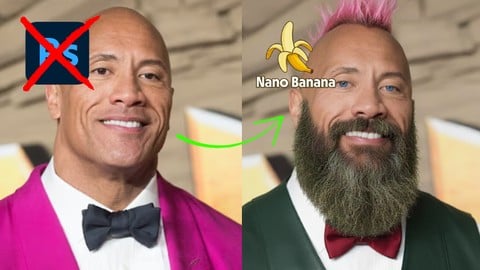
Google Nano Banana Viral Image FX: The Photoshop Killer (2026)
4.8 (107 Reviews)
- Provider: Udemy
- Time: 3.3h
$19.99

How Retargeting Works–The Complete Guide To Retargeting Ads! (2016)
4.7 (4,387 Reviews)
- Provider: Udemy
- Time: 8.4h
$12.99
 Reviews

By Rebecca Raines on 4/18/2023
The program has potential, but it hasn't been updated to reflect the latest version of Videoscribe. I had to continuously stop the training to find the latest settings to adjust the images. There were a couple items (like the text gap) that I couldn't find at all. It took twice as long to complete Section 2 than the expected completion time. There were a few times I was ready to quit completely. When dealing with the Charts, every time I opened the Edit Menu, the Chart would default back to a Bar Chart and the Alegreya Sans Font. I feel the instructor needs to know more about the Adobe products (i.e. Illustrator). She claimed that she couldn't save an image as a PNG. Technically true, you can't do a Save As, but you can use Export/Export As to create a PNG. There is no reason to use multiple programs to create a PNG.
By Priyesh Singh Raghuvanshi on 1/7/2020
The initial of each video is a blur. don't know why but it's very much irritating. Also, the audio gets automatically enhanced in starting.
By Omar Hesham El-Hefnawy on 2/1/2019
I enjoyed this course a lot. As I am new to white board animation, it fits my needs to learn the basics and be a pro making white board videos. For this reason, I am happy that I chose this particular course. The Instructor was pleasant and Professional. I would recommend this course for learning VideoScribe.
By Jerry Carmack on 12/26/2018
BEGINNING OF COURSE: So far, it's VERY informative and the instructor knows what she's talking about! (Even including some "secret" ways of doing a scribe that she didn't know about until much, much later!). UPON COMPLETION: This course got me very exited as it helps to know how to setup and flow an entire scribe project. I now feel more comfortable and confident in using Video Scribe. Thanks!
By Nisar Rana on 9/22/2018
The course unfolds in a very easy to understand process. As I am new to whiteboard animation, it fits my needs to learn the basics. For this reason, I am happy that I chose this particular course. The tutor/narrator does a great job in explaining how the whiteboard animation is achieved in the most convenient and easy way. She also gives tips on using other software programmes that can help elevate your animation videos. In conclusion, this is a great course for someone who wants to start off with animation using videoscribe. It includes most of the basics and details one would need in order to start producing animation videos. Thank you udemy.com & the tutor for making this course a reality.
By Lora Woods on 8/13/2018
I am so happy to finally be learning how to create animated whiteboard videos. I had checked out a few other softwares but like the options that videoscribe gave me for the price so decided to go with it. I had trouble figuring out how to get the objects to animated in different ways, how to add voice over and how to bring in my own images so this course was great for me as it covers all of that and much more. It is taught in a step by step manor which i like too
By Vanessa Schweinshaupt on 6/27/2018
I can't describe what I've liked best, I guess, I just liked the whole course... the way it was done. I was working on an own scribe during using the course. And so I tried the things the girl in the video described on my own project at the same time. Worked out well! For me this is the proof that she doesn't just tells you stuff, so that she tells you stuff :D But it works out and can be easily understood and done by oneself. Thank you!
By Kevin Kinser on 5/12/2018
It was a good course & I learned what Videoscribe can do, I'm curious if it's the tool I should use still,. her instruction was great though. I'm leaning towards explandio 3.0. so, this gave me a great overview. I love the idea of whiteboarding, but would love to just be able to draw on a screen like a live physical whiteboard that could be shared to others working remotely. (I don't see that quick capability here).
By Angela McCallum on 3/14/2018
I learned everything the course promised to teach. The pace was steady. I particularly liked that there were times when she was carrying out a task and it didn't go exactly as planned and she walked us through why and how to fix it. And I appreciated that she used the Videoscribe features and also told us why and when she uses a different application. Plus, she showed how she carries out those tasks in the other application, so if we feel we would want to invest in that application, we have a better idea of what it would be worth to us. Definitely recommend the course!
By Tushar Deb Chaudhary on 11/8/2017
Simple and comprehensive. I have tried using VideoScribe without any prior knowledge or guide and I can say the author did a really great job at teaching it from the very basics! I really loved this course and highly recommend this for any VideoScribe beginner. P.S. There are some audio & video sync issues in near the end videos but its excusable.
 Quality Score
No CourseDuck member has rated this course yet. Taken it? Give each part a thumbs up or down.
Overall Score : 86 / 100
- Video Duration:
 2.5h
2.5h - Price: $89.99
- Provider: Udemy
- Updated:
 November 2020
 - Level:
 All Levels
 - Language:
 English
 - Certificate:
 Yes
Yes
30-day money-back guarantee on most paid courses
Udemy Coupon Price Tracker
