
 Web Development
 Data Science
 Python
 SQL
SQL JavaScript
 Artificial Intelligence
 IT & Software
 IT Certifications
 Hacking
 AWS
AWS Arduino
 DevOps
 3D Modeling
 Graphic Design
 Photoshop
 Drawing
 Digital Painting
 UX Design
 Business
 Data Analysis
 Communication Skills
 Project Management
 Leadership & Management
 Human Resources
 Digital Marketing
 Social Media Marketing
 Marketing
 SEO
SEO Google Analytics
 Branding
 Excel
Excel Office Productivity
 SAP
SAP PowerPoint
 Microsoft Access
 SharePoint
 Finance & Accounting
 Trading & Investing
 Accounting
 Bitcoin
 Personal Finance
 Video Editing & Animation
 Photography
 Adobe Premier Pro
 Adobe Lightroom
 Personal Development
 Productivity
 Career Development
 Life Coaching
 Health & Fitness
 Meditation & Mindfulness
 Yoga
Yoga Music
Music Music Production
 Guitar
 Piano
Piano Singing
 Language Learning
 Teaching & Academics
 Engineering
 Math
Math Lifestyle
Web Designing Course: Beginner to Advanced Level (Udemy.com)
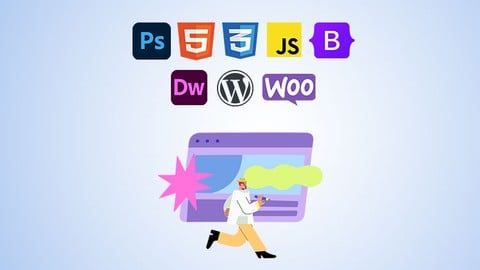
Learn to Build Websites with Photoshop, HTML5, CSS3, JavaScript, Bootstrap 5, Dreamweaver, WordPress & WooCommerce
Created by: Fatah Gabrial
Last updated February 2026
 What you will learn
- Build fully responsive websites from scratch using HTML5 and CSS3.
- Design dynamic websites without writing code using intuitive tools and CMS platforms.
- Create e-commerce websites (online stores) without coding.
- Create and edit graphics for web pages using Adobe Photoshop.
- Hand-code websites from scratch with HTML5 & CSS3, mastering the building blocks of the web.
- Add interactive features to your sites with modern JavaScript.
- Develop responsive layouts quickly using the Bootstrap 5 framework (through 3 hands-on projects).
- Create websites visually without coding using Adobe Dreamweaver CC.
- Build dynamic websites and blogs with WordPress (no coding needed).
- Set up a fully functional online store using WooCommerce on WordPress.
How it compares
Against the other 815 rated Udemy courses in Web Development on CourseDuck:
- Rating4.3 out of 5higher than 21% of them
- Reviews427#315 of 816 by number of reviews
- Length45.2 hourslonger than 93% of them
- Last updatedFebruary 2026more recently than 77% of them
 Course Description
(February 2026 - Update) Added: AI as Your Coding Assistant.
Learn how to use AI to enhance your web design workflow — improve layouts, refine styling, and troubleshoot issues — while progressing from beginner to advanced level.
--
Welcome to Web Designing Course: Beginner to Advanced Level, an all-in-one web design course designed for complete beginners who want to learn web design from the ground up.
If you’ve ever wanted to build websites from scratch but didn’t know where to start, you’re in the right place! This friendly, comprehensive course takes you from the basics to advanced techniques, empowering you to create modern, responsive websites and even launch your own online store by the end.
Start with the fundamentals:
We begin with the very basics of design and graphics. You’ll learn how to use Adobe Photoshop for web design – from simple image editing and manipulation to creating custom graphics. No prior experience is needed; we’ll walk you through editing images, optimizing graphics, and designing visual elements to make your websites look professional and engaging.
Build a strong foundation in HTML5 & CSS3:
Next, we dive into the core of web development – HTML5 and CSS3. You will learn how to hand-code web pages from scratch, structuring content with HTML and styling it with CSS. We cover everything an HTML/CSS beginner needs, from basic tags and layout fundamentals to advanced styling techniques like Flexbox and CSS Grid.
Along the way, you’ll master responsive web design principles and techniques, ensuring that your websites look great and function perfectly on all devices, from large desktop monitors to tablets and smartphones.
Modern JavaScript techniques (2025 Updated):
Once you have the foundation, we introduce JavaScript to bring your websites to life. You’ll learn modern JavaScript fundamentals and how to manipulate the DOM (Document Object Model) to create interactive features. Don’t worry if that sounds complex – we start with the absolute basics (like printing “Hello World”) and gradually work up to dynamic effects and practical JavaScript projects. By understanding JavaScript, you’ll be able to add slideshows, form validations, interactive menus and more, making your sites engaging and user-friendly.
Hands-on projects with Bootstrap 5:
With the basics in place, you’ll accelerate your design workflow by learning Bootstrap 5, the latest version of the popular CSS framework. Bootstrap will help you quickly create beautiful, mobile-first pages with pre-built responsive components. In this course, you’ll build three real-world projects using Bootstrap 5:
a professional multi-page website for a business
an Employee Management System dashboard (admin interface)
a sleek blog user interface
These projects will solidify your understanding of responsive layouts and modern UI design, and you’ll be proud to add them to your portfolio. (We’ve updated the Bootstrap section to the newest v5.3, so you’ll be learning with the latest tools!)
Adobe Dreamweaver & WordPress - Web design without coding:
This course doesn’t stop at coding. You’ll also explore ways to build websites without writing code. First, we introduce Adobe Dreamweaver CC, a powerful web design tool that lets you create and publish websites through a visual interface. You’ll learn how to use Dreamweaver’s features (and even its built-in frameworks) to layout pages and build a complete site, all without hand-coding.
Then, we move on to WordPress, the world’s most popular content management system. In the WordPress module, you’ll learn to set up and customize a WordPress blog from scratch.
We cover core WordPress features like posts, pages, categories, tags, and menus. You’ll work with the modern WordPress block editor and pre-designed patterns to easily arrange content and create beautiful page layouts.
You’ll also discover how to choose and customize themes to define your site’s look, and even add an essential contact form to collect visitor messages.
By the end of this section, you’ll be comfortable building dynamic websites and blogs using WordPress – all without needing to write any code.
WooCommerce (E-commerce made easy with WooCommerce):
Finally, we’ll guide you through creating a complete online store using WooCommerce, the powerful e-commerce plugin for WordPress. You’ll learn step by step how to transform a basic website into a fully functional WooCommerce shop.
This includes adding products with images and descriptions, organizing products into categories, setting up a shopping cart and checkout process, and managing orders and customer accounts.
We’ll also show you how to configure a payment gateway so you can securely accept payments on your site. By the end of this capstone project, you’ll know how to build an e-commerce website from scratch – a hugely valuable skill in today’s digital marketplace.
Why take this course?
This course is designed to be beginner-friendly, yet it grows with you as your skills develop. Each section of the course builds on the previous one, so by the time you finish, you’ll have a well-rounded skill set in modern web design. You will have created multiple projects (from simple web pages to a complete store), giving you a portfolio to showcase your new abilities.
Whether you want to start a career in web design, create a website for yourself or your business, or just learn web design as a hobby, this course provides the tools and support to succeed. We focus on practical, hands-on learning – you’ll not only watch and follow along, but actually build websites step by step with guidance at each stage.
Join us on this exciting journey to become a confident web designer. By enrolling in this course, you’re taking the first step toward creating beautiful, responsive websites and dynamic online experiences. Get ready to code, design, and launch your own websites – we can’t wait to see what you will build!

 Udemy Discount
The discount is applied through our link. Open the course from here and Udemy's current promotional price is applied at checkout on most courses, no code to type.
Some courses are excluded from Udemy's promotions. If the price does not drop, clear your browser cookies and use the button again.
Instructor Details

- 4.3 Rating
 427 Reviews
Fatah Gabrial
Hello! I'm Fatah Gabrial, an enthusiastic web development instructor passionate about teaching practical skills in HTML, CSS, JavaScript, Python, PHP and MySQL. With decades of experience in web design and development, I've built thousands of projects, including custom PHP scripts and WordPress themes used by various companies.
My journey into teaching began during the Covid-19 pandemic when traditional training institutes closed their doors. I transitioned to online platforms like many others, but I sought a more efficient way to share my knowledge. That's when I discovered Udemy, and I was inspired to create courses that could empower learners by teaching once and reaching many.
As a self-taught web designer and developer, I believe in a hands-on approach to learning. My teaching philosophy follows the 80/20 rule, where 80% of my courses focus on practical applications, while only 20% covers theory. This method ensures that my students gain the essential skills needed to excel in the ever-evolving world of web development.
 More courses by Fatah Gabrial
Learn Complete Modern Front-End Web Development Step-by-Step (2026)
4.5 (4,853 Reviews)
 Provider: Udemy
 Time: 41.7h
$15.99

The Ultimate Bootstrap Guide - Bootstrap 5 from Scratch (2025)
4.6 (3,414 Reviews)
- Provider: Udemy
- Time: 21.3h
$84.99
Complete Web Developer Bootcamp: Beginner to Advanced (2026)
4.5 (1,042 Reviews)
- Provider: Udemy
- Time: 41.2h
$54.99
Photoshop Masterclass - Edit Photos & Design Like a Pro (2025)
4.2 (765 Reviews)
- Provider: Udemy
- Time: 1.2h
$49.99
JavaScript Mastery 2026: Build with AI & Logic Engines
4.5 (742 Reviews)
- Provider: Udemy
- Time: 5.6h
$34.99

HTML5, CSS3 & JavaScript for Beginners - Build Real Websites (2026)
4.4 (717 Reviews)
- Provider: Udemy
- Time: 14h
$54.99
More Web Development courses

Python Fullstack Mastery: Build Modern Web Apps with Django (2025)
5.0 (165 Reviews)
- Provider: Udemy
- Time: 35h
$19.99

NgRx Signal store for Angular - The missing guide (2026)
4.9 (436 Reviews)
- Provider: Udemy
- Time: 11.3h
$89.99


Vue 3: Create a Mobile & Desktop App (with Quasar 2 & Pinia) (2024)
4.9 (177 Reviews)
- Provider: Udemy
- Time: 7.6h
$79.99

Build a URL Shortener App with ASP.NET: Step by Step (2026)
4.9 (100 Reviews)
- Provider: Udemy
- Time: 9.6h
$10.99

The Complete Elixir and Phoenix Bootcamp (2021)
4.8 (7,773 Reviews)
- Provider: Udemy
- Time: 17.4h
$84.99
 Reviews

By Diane Egan on 2/26/2025
I'm sorry. I expected more from this course. The version of Photoshop is older than the one I'm using. and I couldn't make it to the other apps listed in the course.
By Sayana Anilkumar on 2/15/2024
The learning was good because each topic was explained in a short time with simple activities. The only problem I faced was the difficulty in understanding some words while explaining them.
By Loveleen Kaur on 12/14/2023
Its amazing course, as i m the beginner to learn web designing and this course helping me a lot to understand. thank you
By Ismat Daniels on 8/23/2023
Very in-depth and great explanations. I am very happy with my experience with this course. It taught me alot.
By Marten Dimitrov Vasilev on 6/14/2023
I work as a graphic designer for 10 years now and had finished a course for certificate 3 years ago, still I managed to learn new things with the videos here and the method of explanation is short and right to the point which I like.
By Eric Denomme on 6/5/2023
Wonderful course. I took this one to brush up on some skills, and it certainly did that. Great narrator, and very concise.
By Joshua Taylor on 2/8/2023
Watched first 10 minutes and so far everything is perfectly explained for someone like myself who is a complete beginner.
By Joao Carlos Izidro da Silva on 5/12/2022
I have done a course on how to create a website by preparing firstly a prototype on Adobe XD, however through this course we can learn how to turn a prototype into reality. Thank you teacher for your teachings
By M Neto on 2/18/2022
Excellent method of teaching, great contents, the course goes into great details. The course covers almost everything needed to create a website. But it's a bit too long about 19 hours, which can be difficult to remember all in.
By Lalitha sridhara on 12/13/2020
It is very helpful but am not able to catch up the speed , so while making a video please do consider non-IT people and try to explain more
 Quality Score
No CourseDuck member has rated this course yet. Taken it? Give each part a thumbs up or down.
Overall Score : 86 / 100
- Video Duration:
 45.2h
45.2h - Price: $64.99
- Provider: Udemy
- Updated:
 February 2026
 - Level:
 Beginner
 - Language:
 English
 - Certificate:
 Yes
Yes
30-day money-back guarantee on most paid courses
Udemy Coupon Price Tracker
