
 Web Development
 Python
 SQL
SQL JavaScript
 Data Science
 Artificial Intelligence
 IT & Software
 IT Certifications
 Hacking
 Arduino
 AWS
AWS 3D Modeling
 Graphic Design
 Photoshop
 Drawing
 Digital Painting
 UX Design
 Business
 Data Analysis
 Communication Skills
 Project Management
 Leadership & Management
 E-Commerce
 Digital Marketing
 Social Media Marketing
 Marketing
 SEO
SEO Google Analytics
 Branding
 Office Productivity
 Excel
Excel Finance & Accounting
 Bitcoin
 Video Editing & Animation
 Photography
 Adobe Premier Pro
 Adobe Lightroom
 Personal Development
 Health & Fitness
 Music
Music Guitar
 Teaching & Academics
 Language Learning
 Engineering
 Lifestyle
3D character rigging for animation in Cinema 4D Masterclass (Udemy.com)
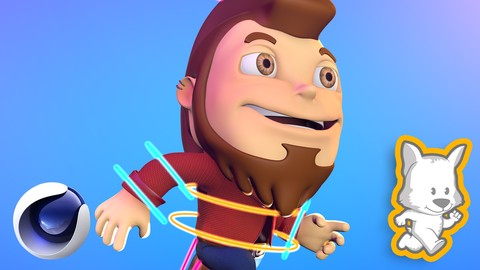
Create professional full body character rigs in Cinema 4D - Get your 3D characters to another level. Rigging Masterclass
Created by: Moy Lobito
Last updated May 2020
 What you will learn
- Learn how to create a versatile character rig with switchable IK and FK controllers in Cinema 4D.
- Learn about the importance of symmetry in the character creation pipeline.
- Learn how to properly optimize your 3D characters for rigging.
- Learn how to use the Character Object in Cinema 4D to create the rig skeleton.
- Learn how to create a rig base.
- Learn how to adjust the character object, so the skeleton fits the character mesh.
- Learn how to bind the character object with the character mesh.
- Learn how to use the Cloth Surface Object when rigging your characters.
- Learn how to adjust the size and position of the character controllers in order to animate the character more easily.
- Learn how to properly weight the character elements, so they deform properly when animating the character.
- Learn how to use the Weight Tool.
- Learn how to use the different weighting commands.
 Course Description
In this course you will learn everything you need to know to rig a 3D character in Cinema 4D using the Character Object. I'm going to cover everything, from the very basics, all the way to the more advanced stuff.
We will start by learning about the great importance of character symmetry and character optimization. And you will learn how to properly optimize your characters before rigging them.
Then, we will create the base rig using the Character Object. We will create the full skeleton including the spline, legs, arms, fingers, head and eyes. And to make the rig more useful, it will have both IK and FK controllers which we will be able to switch with just one button.
After that, you will learn how to adjust the Character Object, so the skeleton fits the character mesh. Then, we will bind the Character Rig and the character mesh together. Later, you will learn different techniques to properly weight your character. And, as a bonus, we will pose the character in a very dynamic running pose.
Those are the main topics we will cover, but you will also learn how to work with the Cloth Surface Object when rigging a character. How to properly use the Weight Tool. You will also learn the basics of normalization and auto-normalization in Cinema 4D. And of course, you will also learn about Inverse Kinematics (IK) and Forward Kinematics (FK).
This course is packed with lots of valuable information that you'll be able to apply in any character rigging project you work in the future.
By the end of this course you will have a clear understanding of how the 3D character rigging process works in Cinema 4D, and you will also be able to create your own rigs for your own characters.
So, get ready to learn a lot, and I'll see you inside.

 Udemy Discount
The discount is applied through our link. Open the course from here and Udemy's current promotional price is applied at checkout on most courses, no code to type.
Some courses are excluded from Udemy's promotions. If the price does not drop, clear your browser cookies and use the button again.
Instructor Details

- 4.4 Rating
 103 Reviews
Moy Lobito
I am a 2D and 3D artist with over 20 years of professional experience. I've worked with international clients from all around the world.
I have experience making video courses and love helping aspiring artists become confident as they improve their skills. I specialize in 3D modeling, lighting, texturing and rendering.
I believe that anyone can be a great artist, and the amount of time that takes someone to get there usually depends on the quality of the guidance they have. That is why I always do my best on my courses and tutorials.
 More courses by Moy Lobito

Cinema 4D Masterclass: Project Based Cinema 4D Course (2022)
4.5 (150 Reviews)
 Provider: Udemy
 Time: 9.9h
$64.99

Ilustración Digital para Principiantes en Adobe Illustrator (2018)
4.7 (115 Reviews)
- Provider: Udemy
- Time: 3h
$19.99

Hard Surface 3D Modeling in Cinema 4D: Hyper Realistic Watch (2020)
4.1 (115 Reviews)
- Provider: Udemy
- Time: 8.9h
$64.99
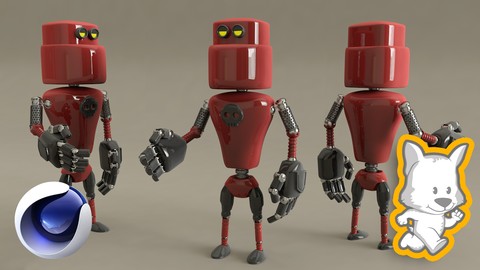
3D Character Creation in Cinema 4D: Modeling a 3D Robot (2017)
4.6 (82 Reviews)
- Provider: Udemy
- Time: 3.8h
$54.99

Adobe Illustrator for Children's Books: Watercolor Style (2017)
4.5 (76 Reviews)
- Provider: Udemy
- Time: 1.4h
$44.99
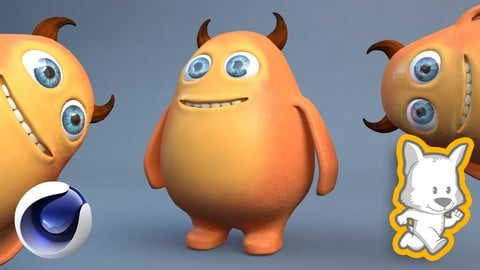
3D Character Creation in Cinema 4D: Modeling a Happy Monster (2017)
4.5 (66 Reviews)
- Provider: Udemy
- Time: 2.2h
$44.99
More 3D Modeling courses

3D Printing with " Ultimaker CURA Slicer- Start to finish" (2025)
4.9 (192 Reviews)
- Provider: Udemy
- Time: 1h
$34.99

Girl and the Dog Creation in Zbrush for Intermediate Level (2020)
4.9 (173 Reviews)
- Provider: Udemy
- Time: 48.8h
$59.99



Blender Character Creator for Video Games (2026)
4.8 (9,160 Reviews)
- Provider: Udemy
- Time: 34.3h
$159.99

Master SOLIDWORKS 3D CAD using real-world examples (2022)
4.8 (2,451 Reviews)
- Provider: Udemy
- Time: 18.9h
$69.99
 Reviews

By Raoul Rodriguez on 1/7/2025
Excellent teacher. He explains details very well and makes the course easy to follow. Highly recommend this course and teacher.
By Carlos Eduardo Lopes Ferreira on 4/13/2022
Até agora muito explicativo e com ótima dicção, pausada e muito compreensiva.
By Lisa Mia Kather on 2/10/2022
Overall this course is an ok introduction to the topic for people without experience wanting to see quick results. However much of the course is working with templates or auto-weighting and controller adjustment. Also the general information about controllers would be useful right from the beginning. The course is at very slow pace.. good to follow along but unfortunately very repetetive. A lot of things could be explained in way more efficent ways. Also.. half of the course is about locking/unlocking the different joints manually, which takes a lot of time. I skipped quite some minutes and didn't feel I missed much information.
By Gergo Virag on 10/24/2021
Very detailed, for me it's a bit too detailed and slow. This is not a masterclass, but it will give you a strong knowledge about the basics for rigging and animating a character. (You don't need to talk about how to navigate and how to use the UI and so much basic stuffs in C4D if this is a masterclass.) Generally it was good!
By Edward Arthur Donovan on 8/16/2021
I have only watched a few u-tube tutorials on rigging and not done a full course. This course is very detailed and explains process of rigging very clearly. I am practising after class and so far everything is working well. So this course will be good for me.
By Kugemo UG (haftungsbeschränkt) Münzstr. on 12/27/2020
The course is good fore somebody looking for some really quick rigging methods in C4D. The author uses automatic rigging methods and nearly the whole course is about adjusting of the rig to his character mesh. The most of the course is about painting weights. 3 lessons about moving the controls, so that they are better visible. With explanation of some concepts on the way. But, what I was really missing, were some profound skills to rig the character from scratch in C4D, this means manually create the joints, controllers and constraints. Not a single word about it. I still do not now how to set parameters to a single joint, fo example maximum and minimum rotation. Now I need to look for this somewhere else.
By Yeo CK on 10/14/2020
the instructor is very clear with his explanation, I can follow along without any difficulties.
By Great Abraham Mundi on 9/23/2020
Wooow! My teacher is the best guru in the field of rigging i really enjoyed his teachings staying all-night with him as he teaches rigging and animation i will love to see him one day
By Nestor Alvarez on 8/1/2020
It was an AMAZING! curse, it was what I was looking for. I learned a lot and all I wanted to know was well explained. Instructor was clear and cosise.
By Vince on 6/21/2020
If you really want to learn how to rig your models in C4D, this is the perfect course. It is very detailed and in-depth (it is 8-hour course for a single topic after all).
 Quality Score
No CourseDuck member has rated this course yet. Taken it? Give each part a thumbs up or down.
Overall Score : 88 / 100
- Video Duration:
 8.1h
8.1h - Price: $54.99
- Provider: Udemy
- Updated:
 May 2020
 - Level:
 Intermediate
 - Language:
 English
 - Certificate:
 Yes
Yes
30-day money-back guarantee on most paid courses
Udemy Coupon Price Tracker
