
 Web Development
 Data Science
 Python
 SQL
SQL JavaScript
 Artificial Intelligence
 IT & Software
 IT Certifications
 Hacking
 AWS
AWS Arduino
 DevOps
 3D Modeling
 Graphic Design
 Photoshop
 Drawing
 Digital Painting
 UX Design
 Business
 Data Analysis
 Communication Skills
 Project Management
 Leadership & Management
 Human Resources
 Digital Marketing
 Social Media Marketing
 Marketing
 SEO
SEO Google Analytics
 Branding
 Excel
Excel Office Productivity
 SAP
SAP PowerPoint
 Microsoft Access
 SharePoint
 Finance & Accounting
 Trading & Investing
 Accounting
 Bitcoin
 Personal Finance
 Video Editing & Animation
 Photography
 Adobe Premier Pro
 Adobe Lightroom
 Personal Development
 Productivity
 Career Development
 Life Coaching
 Health & Fitness
 Meditation & Mindfulness
 Yoga
Yoga Music
Music Music Production
 Guitar
 Piano
Piano Singing
 Language Learning
 Teaching & Academics
 Engineering
 Math
Math Lifestyle
Adobe Photoshop CC For Beginners (Udemy.com)
Learn all the essential functions and how to get started with image editing in this practical, easy to follow course
Created by: Sandy Dee
Last updated October 2018
 What you will learn
- Understand the Interface, Menu Bar, Tool Bar and Adjustments
- Know How to Use the Power of Layers
- Put the Lessons to Practical Use With Example Workflows
How it compares
Against the other 188 rated Udemy courses in Photoshop on CourseDuck:
- Rating4.3 out of 5higher than 23% of them
- Reviews30#174 of 189 by number of reviews
- Length9.8 hourslonger than 78% of them
- Last updatedOctober 2018earlier than 70% of them
 Course Description
Featured Review:
"This course is a very thorough and informative lecture on Adobe Photoshop CC. There's a detailed section on Layers, which I think is a very important concept in Photoshop editing and a must for anyone interested in using this tool. Sandy describes the various selections in the menu bar and the different functions available in the toolbar. This is a great resource indeed. Sandy did another fantastic job with this lesson. :)"
- Pocholo Pasicolan
Are you a photographer who is looking to learn Photoshop, but doesn't know where to start (or there is too much confusing info out on the internet)?
Looking for a practical approach that doesn't confuse you with technical terms and jargon?
This beginners course is for photographers who want to understand all the important functions in Adobe Photoshop in a very practical approach. It will be like I'm taking you by the hand, explaining everything in a very visual and conversational way, so you don’t have to worry that it’s too technical or difficult to understand.
But I don't just skim the surface! This course takes you in detail through the most useful Photoshop tools and menus, all while applying them to an image so you can see their effects. This way you will be able to implement them on your own images immediately.
You will learn:
The Photoshop interface
The Tool Bar
The Menu Bar
The different layer options and their blending modes
you will get to know all important filters and adjustments so you can bring your images to their fullest potential without any problems.
I will also go through two workflows where all these tools get put into action: a wildlife photograph, and a portrait image.
I had once the same questions that you have now and we will explore all those tricky looking photoshop buttons and functions so that you don't have to worry about them, and can start getting the best potential from your images.
At the end of the tutorial you will not only understand all those photoshop techniques that are relevant for photographers but you will also love photoshop! You will be mesmerized how it can bring your images to a whole new level, how it will spark your creativity and how much fun it is!

 Udemy Discount
The discount is applied through our link. Open the course from here and Udemy's current promotional price is applied at checkout on most courses, no code to type.
Some courses are excluded from Udemy's promotions. If the price does not drop, clear your browser cookies and use the button again.
Instructor Details

- 4.3 Rating
 30 Reviews
Sandy Dee
Sandy is originally from Germany and studied Photography in London, where she earned a Diploma in Professional Photography. Following her passion for creative conceptual portrait photography, she moved to San Jose, California where she runs stylized portrait workshops, and wrote the book 'Posing Like A Pro' which covers all aspects of posing for the contemporary photographer.
Sandy loves teaching and helping other artists to reach new levels in their technique and creativity! New In 2021: Sandy now also teaches paper crafting. No matter if you want to learn photography, portraiture, photoshop, creating backdrops on a budget, paper crafting, card making, mixed media....Sandy has a class for you. Happy Shooting and Happy Crafting!
 More courses by Sandy Dee

Posing Like A Pro: Create Your Best Portraits Ever! Part 1 (2020)
4.7 (960 Reviews)
 Provider: Udemy
 Time: 5.1h
$14.99
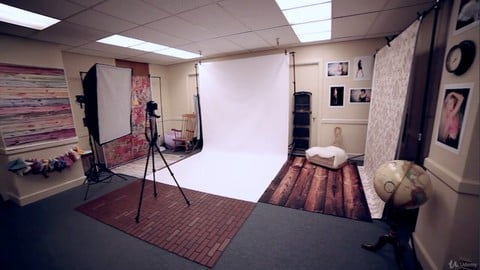
Set Up A Photography Studio With Equipment - On A Budget (2018)
4.4 (371 Reviews)
- Provider: Udemy
- Time: 4h
$69.99

Posing Like A Pro: The Ultimate Posing Flow! Part 2 (2018)
4.7 (258 Reviews)
- Provider: Udemy
- Time: 5.9h
$54.99

Adobe Photoshop CC Portrait Retouching Masterclass (2018)
4.3 (153 Reviews)
- Provider: Udemy
- Time: 14.8h
$11.99

The Ultimate Recipe For Taking Amazing Portraits Every Time! (2019)
4.4 (103 Reviews)
- Provider: Udemy
- Time: 4.3h
$64.99

Creative Portrait Photography Series: Magic Of Color & Gels (2018)
4.4 (91 Reviews)
- Provider: Udemy
- Time: 3.2h
$44.99
More Photoshop courses


Adobe Photoshop CC: For Complete Beginner (Sinhala Medium) (2026)
4.9 (110 Reviews)
- Provider: Udemy
- Time: 8.4h
$59.99

Adobe Photoshop CC – Essentials Training Course (2025)
4.8 (36,753 Reviews)
- Provider: Udemy
- Time: 11.6h
$189.99


47 Graphic Design Projects for Photoshop Beginners (2025)
4.8 (466 Reviews)
- Provider: Udemy
- Time: 7.9h
$99.99

Photoshop Efficiency - Techniques For Consistent Marketing (2025)
4.8 (144 Reviews)
- Provider: Udemy
- Time: 1.4h
$49.99
 Reviews

By Ella James on 12/17/2019
I thought it was beginners. It has started seemingly in the middle of the knowledge? I am a true beginner, I need to know how to import an image to start work and go from there. I will continue to use this as she keeps saying 'don't worry I will go over this in more detail' Also, she uses terms that I am not familiar with like 'dodge' and 'burn'.
By Lyn Duffy on 1/31/2019
Finding it a bit confusing so far
By Marlene Cohen on 11/1/2018
The course is a great match, and I like how she explains and presents the material.
By Juliya Ness on 9/23/2018
Sandy talks very clearly and concisely and I've been looking for a photoshop beginner course like this. Excellent and informative.
By Will Perez on 6/20/2018
Well balanced and detailed, following on the on-screen is good to help me remember all the steps. Photoshop has always been a bit of a mystery to me, so I am happy to get some in depth instructions
By Ivan Sunden on 6/4/2018
Clear explanations and photoshop experience really shines through! The instructor is very knowledgeable and it's nice to hear how she enjoys sharing all the information to make things easier for you.
By Randall Hewell on 2/27/2018
Enlightening and interesting, Sandy covers the basics in a very clear manner, and goes steadily deeper without going too fast to lose you, or too slow to bore you.
By Eva Nemet on 12/1/2017
I love how clear and straightforward the Photoshop explanations are, especially for a relative beginner like me. Sandy dives into the details without making things too complex - it's easy to follow along. I will use this a reference for my editing for sure.
By Brian Paterson on 10/20/2017
Excellent commentary very insightful course.
By Peter Wood on 8/21/2017
Perfect for an overview but also a good deep dive - Sandy does not skimp on details.
 Quality Score
No CourseDuck member has rated this course yet. Taken it? Give each part a thumbs up or down.
Overall Score : 86 / 100

- Video Duration:
 9.8h
9.8h - Price: $39.99
- Provider: Udemy
- Updated:
 October 2018
 - Level:
 Beginner
 - Language:
 English
 - Certificate:
 Yes
Yes
30-day money-back guarantee on most paid courses
Udemy Coupon Price Tracker
