
 Web Development
 Python
 SQL
SQL JavaScript
 Data Science
 Artificial Intelligence
 IT & Software
 IT Certifications
 Hacking
 Arduino
 AWS
AWS 3D Modeling
 Graphic Design
 Photoshop
 Drawing
 Digital Painting
 UX Design
 Business
 Data Analysis
 Communication Skills
 Project Management
 Leadership & Management
 E-Commerce
 Digital Marketing
 Social Media Marketing
 Marketing
 SEO
SEO Google Analytics
 Branding
 Office Productivity
 Excel
Excel Finance & Accounting
 Bitcoin
 Video Editing & Animation
 Photography
 Adobe Premier Pro
 Adobe Lightroom
 Personal Development
 Health & Fitness
 Music
Music Guitar
 Teaching & Academics
 Language Learning
 Engineering
 Lifestyle
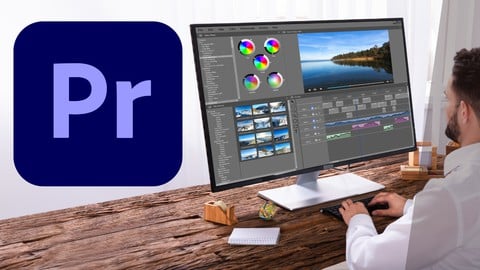
Adobe Premiere Pro CC Video Editing Course For Beginners (Udemy.com)
Video Editing Course For Beginners To Advanced
Created by: Ben Kemp
Last updated May 2026
 What you will learn
- Setting Your Project and Import Video Clips
- Color Adjustment, Essential Graphics
- Transitions, Remove Green Screen
- Audio Levelling, Noise Reduction
 Course Description
Are you ready to take your video editing skills to the next level? This comprehensive Adobe Premiere Pro course is designed to turn beginners into proficient video editors. Whether you're a content creator, aspiring filmmaker, or just want to edit your personal videos with professional flair, this course will equip you with the essential skills and techniques to create stunning videos.
In this hands-on course, you'll dive deep into Adobe Premiere Pro, the industry-standard video editing software. You'll start with the fundamentals, learning the interface, timeline, and basic editing tools. From there, you'll progress to more advanced techniques, such as multi-camera editing, color grading, and audio manipulation. You'll also explore key features like transitions, effects, and title creation to add that extra polish to your videos.
What sets this course apart is its project-based approach. You'll work on real-world video editing projects, allowing you to apply what you've learned and gain practical experience. The instructor will guide you through each step, sharing industry tips and tricks along the way. By the end of the course, you'll have completed several video editing projects and built a solid portfolio showcasing your skills.
Course Highlights:
Learn the ins and outs of Adobe Premiere Pro, from basic to advanced techniques.
Understand video editing concepts, workflow, and best practices.
Master essential editing tools, timeline management, and keyboard shortcuts.
Enhance your videos with visual effects, transitions, and titles.
Correct and enhance colors using professional color grading techniques.
Edit and synchronize footage from multiple cameras for a seamless result.
Optimize audio quality and add sound effects to enhance your videos.
Export and share your videos in various formats for different platforms.
Whether you're a beginner or have some experience with video editing, this course is designed to take you from zero to hero in Adobe Premiere Pro. With lifetime access to the course materials, you can learn at your own pace and revisit the lessons whenever you need a refresher.
Enroll now and start creating impressive videos with Adobe Premiere Pro!

 Udemy Discount
The discount is applied through our link. Open the course from here and Udemy's current promotional price is applied at checkout on most courses, no code to type.
Some courses are excluded from Udemy's promotions. If the price does not drop, clear your browser cookies and use the button again.
Instructor Details

- 4.2 Rating
 289 Reviews
Ben Kemp
IT Veteran supporting Graphic Design Software for many years. Started out in 1985 as Technical Engineer at Prime Computers. Involved in computer-aided design (CAD) product, Product Design Graphics System (PDGS). Worked on the Prime Medusa CAD Software System . Started teaching Prime Systemen and Prime Software Systemen. At Computervision worked on tasks include methods for acquiring, processing, analyzing and understanding digital images.
In my spare time I am still teaching Mathematics and Physics.
 More courses by Ben Kemp
Complete Graphics Design Course for Beginner to Advanced (2026)
4.4 (546 Reviews)
 Provider: Udemy
 Time: 9.9h
$49.99
Adobe Premiere Pro CC For Video Editing - Novice to Expert (2026)
4.3 (373 Reviews)
- Provider: Udemy
- Time: 2.6h
$29.99
Graphics Design and Video Editing Course for Beginner (2026)
4.4 (332 Reviews)
- Provider: Udemy
- Time: 5.8h
$49.99
Essential Photoshop Course Beginner to Intermediate (2026)
4.4 (332 Reviews)
- Provider: Udemy
- Time: 3.2h
$10.99
Essential Lightroom Course for Beginner to Advanced (2026)
4.2 (166 Reviews)
- Provider: Udemy
- Time: 1.4h
$34.99
More Adobe Premier Pro courses

The Complete Adobe Premiere Pro Video Editing Bootcamp (2025)
4.9 (7,316 Reviews)
- Provider: Udemy
- Time: 9.7h
$139.99

Video Editing complete course | Adobe Premiere Pro CC 2021
4.8 (529 Reviews)
- Provider: Udemy
- Time: 14.4h
$22.99

Adobe Premiere Pro CC – Essentials Training Course (2025)
4.7 (11,647 Reviews)
- Provider: Udemy
- Time: 15.8h
$129.99

Adobe Premiere Pro CC – Advanced Training Course (2025)
4.7 (1,922 Reviews)
- Provider: Udemy
- Time: 16.3h
$94.99

Adobe Premiere Pro Video Editing Course Beginner to Pro (2024)
4.7 (686 Reviews)
- Provider: Udemy
- Time: 9.1h
$54.99

Learn Video Editing with Premiere Pro CC for beginners (2015)
4.7 (476 Reviews)
- Provider: Udemy
- Time: 3.9h
$64.99
 Reviews

By Bhavitha sri Chalapati on 9/28/2025
good explanation...Beginners can understand very easily..Thank you for giving me this type of lecture...
By Kent Ivan Royo on 9/17/2025
The lessons are generally the basic tools you will need for editing basic videos. The volume of audio on the lessons are a bit inconsistent, some are loud and some are not so loud.
By Samuel Agoha on 5/16/2025
Really a great course if you have no knowledge about premier pro, the explanations where easy to understand and I love how the tutorials isn't too long .
By Emmanuel Oladeji on 3/26/2025
This is actually very informative and helpful, basically for beginners and the instructor did his best to explain every bit of it with so much simplicity.
By Faith Izunwanne on 2/18/2025
I highly appreciate the instructor of this course. This course is a complete package and well-detailed course for a beginner who has no prior knowledge in Adobe Premiere Pro.
By Abdoulaye Adiawiakoye on 2/6/2025
Ce cours représente ce qu'il faut pour saisir les contours de Adobe premiere pro. Cours très intéressent, merci au formateur !
By Chimezie Obinna on 12/14/2024
The instructor did well, I would have loved if they were resources included for learners to practice with and he wasn't well articulated But he did a good job
By Debpriyo on 9/1/2024
VERY UNPROFESSIONAL. How can you make a tutorial on video editing when you can't even edit your own videos properly???!!!
By Ezekiel Okon on 1/25/2024
the interface is friendly and the course is quite and self explanatory. easy to see and short to assimilate
By Jay on 4/23/2023
A very interesting and easy to understand the concept for beginner. I am really impressed with the way of learning. I highly recommended for the beginner to grab this course.
 Quality Score
No CourseDuck member has rated this course yet. Taken it? Give each part a thumbs up or down.
Overall Score : 84 / 100
- Video Duration:
 2.7h
2.7h - Price: $44.99
- Provider: Udemy
- Updated:
 May 2026
 - Level:
 Beginner
 - Language:
 English
 - Certificate:
 Yes
Yes
30-day money-back guarantee on most paid courses
Udemy Coupon Price Tracker
