
 Web Development
 Data Science
 Python
 SQL
SQL JavaScript
 Artificial Intelligence
 IT & Software
 IT Certifications
 Hacking
 AWS
AWS Arduino
 DevOps
 3D Modeling
 Graphic Design
 Photoshop
 Drawing
 Digital Painting
 UX Design
 Business
 Data Analysis
 Communication Skills
 Project Management
 Leadership & Management
 Human Resources
 Digital Marketing
 Social Media Marketing
 Marketing
 SEO
SEO Google Analytics
 Branding
 Excel
Excel Office Productivity
 SAP
SAP PowerPoint
 Microsoft Access
 SharePoint
 Finance & Accounting
 Trading & Investing
 Accounting
 Bitcoin
 Personal Finance
 Video Editing & Animation
 Photography
 Adobe Premier Pro
 Adobe Lightroom
 Personal Development
 Productivity
 Career Development
 Life Coaching
 Health & Fitness
 Meditation & Mindfulness
 Yoga
Yoga Music
Music Music Production
 Guitar
 Piano
Piano Singing
 Language Learning
 Teaching & Academics
 Engineering
 Math
Math Lifestyle
Advanced PCB Design with KiCad 9 (Udemy.com)
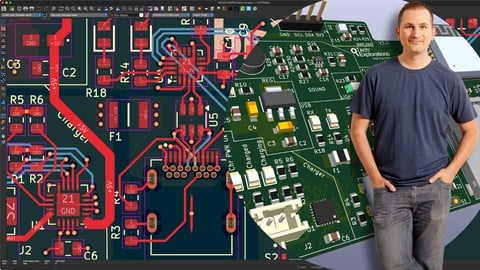
From Concept to Manufacturing: Build, Test, and Deliver a Four-Layer IoT PCB Using KiCad 9
Created by: Dr. Peter Dalmaris
Last updated April 2026
 What you will learn
- Design a complete four-layer PCB with KiCad 9.
- Create schematics, assign footprints, and route tracks for high-speed signals like SPI, I2C, and USB.
- Implement power and ground planes, copper zones, and via stitching for signal integrity.
- Troubleshoot and resolve design issues using KiCad's Electrical Rules Check (ERC) and Design Rules Check (DRC).
- Run Design for Manufacturing (DFM) checks with NextPCB to ensure production-ready designs.
- Test and validate key PCB components such as an SD card interface, flash memory, sensors, microphone, and OLED display.
- Analyze analog and digital signals using test scripts, an oscilloscope, and KiCad's simulation tools.
- Techniques for ensuring signal integrity through proper ground and power plane design.
- Methods to debug and resolve common PCB design issues using KiCad's tools.
How it compares
Against the other 295 rated Udemy courses in Arduino on CourseDuck:
- Rating4.6 out of 5higher than 77% of them
- Reviews358#91 of 296 by number of reviews
- Length7.8 hourslonger than 65% of them
- Last updatedApril 2026more recently than 91% of them
 Course Description
Updated July 2025
I’ve just published the complete, uncut layout design session for the ESP32 KiCad 9 project as a single video.
This video shows the entire layout process from start to finish — including every step, every fix, and all decisions made in real time.
I decided to publish this video after several students asked me a real-time version of the parts of the original lectures where I used fast-forward to speed up parts of the process that I originally considered boring and repetitive.
I hope that it will help you gain a deeper understanding of how the design was built, how I troubleshoot problems, and how I handle real-world layout challenges.
Updated March 2025
I recorded a series of lectures where I redesigned my ESP32 board to fix issues from the first prototype. You will find the new lectures at the end of the course.
I modified the audio and light sensor wiring to both use ADC1, integrated a variable resistor into the audio amplifier for adjustable gain, and corrected the photosensor wiring with proper capacitor placement. I also updated the PCB layout by enlarging the buttons, refining the track routing, adding a ferrite bead to reduce noise, and updating component footprints and 3D models.
About this course
Unlock the full potential of KiCad 9 and learn how to design a fully functional IoT PCB from start to finish. In this comprehensive, project-based course, you will work through the complete design, testing, and manufacturing process of a four-layer PCB using KiCad 9's latest tools and techniques. By the end of the course, you will have a fully designed and tested ESP32-based IoT board, along with the skills to tackle your own advanced PCB design projects.
What You Will Learn:
Design a complete four-layer PCB with KiCad 9.
Create schematics, assign footprints, and route tracks for high-speed signals like SPI, I2C, and USB.
Implement power and ground planes, copper zones, and via stitching for signal integrity.
Troubleshoot and resolve design issues using KiCad's Electrical Rules Check (ERC) and Design Rules Check (DRC).
Run Design for Manufacturing (DFM) checks with NextPCB to ensure production-ready designs.
Test and validate key PCB components such as an SD card interface, flash memory, sensors, microphone, and OLED display.
Analyze analog and digital signals using test scripts, an oscilloscope, and KiCad's simulation tools.
Course Deliverable:
By the end of the course, you will have a fully functional ESP32-based IoT PCB, including:
A professionally designed four-layer PCB, ready for fabrication and assembly.
Complete KiCad project files for your reference and future use.
Practical skills to design advanced PCBs for IoT applications.
Insights into troubleshooting common design issues and preparing files for manufacturing.
Who Is This Course For?
This course is ideal for electronics hobbyists, engineers, and professionals who already have some experience with KiCad and want to take their PCB design skills to the next level. If you are new to KiCad, we recommend starting with our KiCad Like a Pro, 4th Edition course, which provides a solid foundation in PCB design using KiCad.
Why Take This Course?
Real-World Project: Design a complete IoT PCB from concept to fabrication.
Hands-On Learning: Apply best practices for power distribution, signal integrity, and component layout.
Cutting-Edge Tools: Explore the new features of KiCad 9 and learn how to use advanced tools for high-speed and mixed-signal designs.
Manufacturing Insights: Gain practical knowledge about preparing your designs for production with NextPCB.
Watch the free lectures
We invite you to watch the free preview videos available on this page to get a clearer understanding of the course content and teaching style.
Join us today and master the art of advanced PCB design with KiCad 9!
Please know that a version of this course is also available on Youtube as a single video. You can find it by searching for "KiCad 9: Design & assemble an ESP32 IoT 4-layer PCB loaded with goodies". Compared to the YouTube version, this Udemy edition contains additional content, including quizzes and written lecture summaries to help you learn better. And, of course, no ads :-)

 Udemy Discount
The discount is applied through our link. Open the course from here and Udemy's current promotional price is applied at checkout on most courses, no code to type.
Some courses are excluded from Udemy's promotions. If the price does not drop, clear your browser cookies and use the button again.
Instructor Details

- 4.6 Rating
 358 Reviews
Dr. Peter Dalmaris
Peter Dalmaris is an educator, electrical engineer, electronics hobbyist, and Maker. Creator of online video courses on DIY electronics and author of three technical books, and has recently released his book Maker Education Revolution.
As a Chief Tech Explorer since 2013 at Tech Explorations, the company he founded in Sydney, Australia, Peter’s mission is to explore technology and help educate the world.
Tech Explorations offers educational courses and Bootcamps for electronics hobbyists, STEM students and STEM teachers.
A life-long learner, Peter’s core skill is in explaining difficult concepts through video and text. With over 15 years of tertiary teaching experience, Peter has developed a simple yet comprehensive style in teaching that students from all around the world appreciate.
His passion for technology and in particular for the world of DIY open source hardware has been a dominant driver that has guided his personal development and his work through Tech Explorations.
Peter’s current online courses have helped over 150,000 people from around the world to be better Makers.
For more information on Peter's work, please go to his web site, techexplorations dot com.
 More courses by Dr. Peter Dalmaris

Arduino Step by Step: Getting Started (2024)
4.7 (8,714 Reviews)
 Provider: Udemy
 Time: 21.4h
$159.99

PCB design with KiCad - updated for KiCad 9 (2026)
4.6 (3,737 Reviews)
- Provider: Udemy
- Time: 31.9h
$79.99



More Arduino courses


Learn to Build a Computer (PC) in 2026 - all types!
4.9 (245 Reviews)
- Provider: Udemy
- Time: 6.1h
$74.99

Raspberry Pi For Beginners - 2026 Complete Course
4.8 (3,105 Reviews)
- Provider: Udemy
- Time: 10.6h
$89.99

Ultimate Guide to Raspberry Pi : Tips, Tricks and Hacks (2023)
4.8 (2,363 Reviews)
- Provider: Udemy
- Time: 5.2h
$69.99

Mastering Microcontroller: STM32-LTDC, LCD-TFT, LVGL (MCU3) (2026)
4.8 (487 Reviews)
- Provider: Udemy
- Time: 8.1h
$79.99
Arduino Step by Step: Getting Started (2024)
4.7 (8,714 Reviews)
- Provider: Udemy
- Time: 21.4h
$159.99
 Reviews

By Meshal Alamri on 9/4/2026
If you have a descent basic background on designing a PCB using KiCad, then I would highly recommend this course for you. Thank you so much Dr. Peter for all the hard work you've made to educate us in this course
By Jeff Sprenger on 5/4/2026
Clear, detailed. A bit repetitive across the videos. I like that the instructor included a full length video of the entire process - to view later. The tips for setting up the 4-layer stack-up and the manufacturers constraints for trace widths and spacing are helpful. Definitely some tools that I have not used before, and I've used KiCad for 3+ years.
By Edward McCall on 2/4/2026
This is the second KiCAD course I have taken from you and both were outstanding. From them I have learned more about printed circuit board science and art. I look forward to completing your USB course. Am working my way up to RF designs for design of LNAs and the use of the newest power amp circuitry. Along the way I have to start working out my own objectives for projects. You have given me tools to implement them. Thanks
By Jose Daniel Peña on 1/11/2026
I learned a lot: I was trying to learn Kicad 9 on my own, but this course taught me a very logical workflow process for designing new circuit boards.
By Mahbubul Hoq on 8/7/2025
I was searching for a good PCB design software. I was landed on KiCad, because it is open source and nearly free. I went through different you tube channels for learning this software and I found best this one. After this much of lecture I am getting more interest. I like this course and try to learn every small things of designing PCB with KiCad. Though the lectures go bit faster but I am trying to learn every points by repeating the clips several times. I am thinking to learn KiCad this course is most perfect.
By Michael Gibbons on 8/2/2025
Thank you, the true value of this course is the walkthrough of your design process for a non-trivial board, laying out components in the order of most design constrained to least, things that would have taken me much trial and error to figure out.
By Neven Dolos on 6/10/2025
Wish there would be milestones, where there is stated:"...this is how the PCB is supposed to like like now, and this is how it is supposed to look like now, and so on...". Now, after every fast forward, you have to guess if you're correct or not. But I really like that the mistakes are smoothed out live! Show's a lot of real-life situations in design!
By Ricky Gai on 6/7/2025
I am writing this after completing the course and would like to share some brief comments for future updates. Pros: Well-structured documentation accompanying each video section, with useful quizzes to reinforce learning and understanding. Valuable technical insights on designing USB circuit traces and four-layer PCBs. Useful and practical solution of using LIPO battery charging and sourcing power to the PCB upon USB input is disconnected. Cons: The instructor's response time in the Q&A section is extremely slow. There is incomplete information regarding why the TX and RX LEDs of the CP2102N USB-to-UART bridge controller do not light up ( at Section 7 timeframe 0:13 chapter 87. 03-Testing recap so far ). The course only states that they are disabled by default but does not provide further explanation. The final section on the updated PCB layout was not manufactured due to cost constraints, and there is no physical test result—only oral confirmation that it works. You may have to understand how components work by reading datasheets and check with ChatGPT in order to understand entire schematic drawn. For example the MCP73871 LIPO battery charger. I have subscribed to many Udemy courses, and based on my experience, Peter is a good instructor. He may simply be very busy. I hope the issues mentioned above can be addressed, as resolving them would greatly enhance students' ability to learn and understand the course content.
By Paseka Litabe on 5/12/2025
This was one of the only courses that takes you through the entire process of building custom esp32 based boards. As an embedded product designer this has added a lot of value to my work.
By Kalai Kandiah on 5/1/2025
The teacher is well-prepared and explains topics professionally. I would recommend this course for a beginner because it is a good start. Kalai
 Quality Score
No CourseDuck member has rated this course yet. Taken it? Give each part a thumbs up or down.
Overall Score : 92 / 100
- Video Duration:
 7.8h
7.8h - Price: $19.99
- Provider: Udemy
- Updated:
 April 2026
 - Level:
 Intermediate
 - Language:
 English
 - Certificate:
 Yes
Yes
30-day money-back guarantee on most paid courses
Udemy Coupon Price Tracker
