
 Web Development
 Data Science
 Python
 SQL
SQL JavaScript
 Artificial Intelligence
 IT & Software
 IT Certifications
 Hacking
 AWS
AWS Arduino
 DevOps
 3D Modeling
 Graphic Design
 Photoshop
 Drawing
 Digital Painting
 UX Design
 Business
 Data Analysis
 Communication Skills
 Project Management
 Leadership & Management
 Human Resources
 Digital Marketing
 Social Media Marketing
 Marketing
 SEO
SEO Google Analytics
 Branding
 Excel
Excel Office Productivity
 SAP
SAP PowerPoint
 Microsoft Access
 SharePoint
 Finance & Accounting
 Trading & Investing
 Accounting
 Bitcoin
 Personal Finance
 Video Editing & Animation
 Photography
 Adobe Premier Pro
 Adobe Lightroom
 Personal Development
 Productivity
 Career Development
 Life Coaching
 Health & Fitness
 Meditation & Mindfulness
 Yoga
Yoga Music
Music Music Production
 Guitar
 Piano
Piano Singing
 Language Learning
 Teaching & Academics
 Engineering
 Math
Math Lifestyle
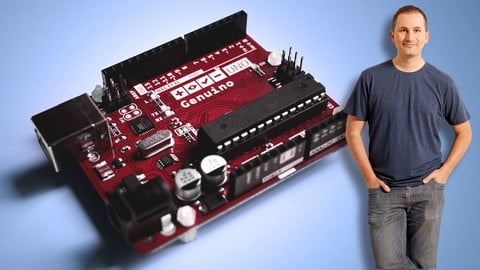
Arduino Step by Step Getting Serious (Udemy.com)
Create Arduino gadgets that can communicate, move, interact, measure and detect.
Created by: Dr. Peter Dalmaris
Last updated February 2025
 What you will learn
- Use communications technologies like Wifi, BLE, and radio
- Use servo, DC and stepper motors with various controllers
- Use LCD, OLED and TFT screens with buttons and touch interfacese
- Store data in external storage like SD Cards and EEPROM
- Optimise a sketch to minimise memory footprint, reduce power consumption and increase performance
- Control large loads like relays and lights
- Improve button reliability with hardware debouncing
- Much more, please see curriculum for a full listing
How it compares
Against the other 295 rated Udemy courses in Arduino on CourseDuck:
- Rating4.6 out of 5higher than 77% of them
- Reviews1,711#19 of 296 by number of reviews
- Length40.8 hourslonger than 98% of them
- Last updatedFebruary 2025more recently than 63% of them
 Quality Score
Overall Score : 92 / 100
 Course Description
Course last updated on February 2025
In this update I added three new sections at the end of the course to cover these topics:
How to use a infrared receiver to control actions on your Arduino. This provides a low cost method of controlling your Arduino projects wirelessly, and provides an excellent alternative to radio control.
How to use an RFID module to implement security, identification, or other automation applications.
How to use a joystick as an input device.
Updated of December 2024
This update introduces advanced lectures on using the Wokwi simulator, a powerful tool that enhances your ability to design, debug, and analyze Arduino projects in a virtual environment. With these new lessons, you’ll explore professional-grade features that make learning and prototyping more efficient.
The new Section 49: Wokwi Simulator takes your simulation skills to the next level, focusing on advanced applications and tools. Here’s a breakdown of the new lectures:
• Wi-Fi with ESP32: Learn how to simulate and experiment with Wi-Fi functionality using the ESP32 microcontroller in Wokwi.
• What Is This Section About?: A brief overview of how this section expands on simulator concepts.
• Wokwi Refresher: A recap of foundational Wokwi concepts, building on knowledge from Arduino Step by Step Getting Started.
• Shift Register with 8 LEDs: An example project demonstrating how to simulate a shift register to control multiple LEDs efficiently.
• SD Card Datalogger: Learn to simulate data storage projects, including writing to and reading from an SD card.
• Interactive Debugger: Explore Wokwi’s built-in debugging tools to pinpoint and resolve issues in your code.
• Logic Analyzer: A two-part deep dive into using the logic analyzer for signal analysis and SPI protocol decoding.
About this course
Welcome to Tech Explorations Arduino Step by Step Getting Serious, where you will extend your knowledge of Arduino components and techniques and build up new skills in the largest, and the most comprehensive course on the Web!
Arduino is the world's favorite electronics learning and prototyping platform. Millions of people from around the world use it to learn electronics, engineering, programming, and create amazing things, from greenhouse controllers to tree climbing robots remotely controlled lawnmowers.
It is a gateway to a career in engineering, a tool for Science, Technology, Engineering, and Mathematics education, a vehicle for artistic and creative expression.
The course is split into 40 sections and over 250 lectures spanning more than 30 hours of video content.
In each section, you will learn a specific topic.
Each topic contains:
multiple examples of code
wiring schematics
demonstrations of a completed circuit
alternative scenarios
Peter, the instructor, and designer of this course, helps you understand the code and the circuit wiring by walking you through them, step by step and explaining every line of code and every wire of the circuit.
Students have access to:
The course repository, which contains all of the sketch code, wiring schematics and external resource links, which Peter keep up-to-date and correct
The course discussion Forum, where you can ask questions. Peter monitors this Forum regularly and responds to your questions
The Tech Explorations Makers Club private Facebook group where students can discuss their gadget ideas. Use this group to ask questions that don't fit within the context of the course, discuss your projects or help others
This course contains:
39 hours of brand new video content
12 hours of retouched video content (which I will be replacing in regular intervals with brand new content)
49 sections with totally reorganised content
More than 300 lectures (and counting)
Over 100 new and updated sketches (and counting)
Over 50 new circuit schematics (and counting)
New course repository, reorganised so that sketches, schematics and lecture external resources are easy to find (access everything at one place)
Here are some of the topics that you will learn about in this course (for a full list, please look at the course curriculum):
Advanced environment, motion, position and GPS sensors.
Using the Wokwi online simulator to develop Arduino projects in your browser, without real hardware.
New ways to receive input from the user with keypads, potentiometers, and encoders.
New ways to provide feedback to the user, with color screens, complete with a touch-sensitive surface!
Awesome ways to configure LEDs, monochrome or color.
Use matrix or LED strips, display text, graphics, and animation.
Create motion with various kinds of motors and controllers.
Networking with Ethernet and Wifi. Communications with Bluetooth, Bluetooth Low Energy,
Communications with highly-reliable packet-based radio, and simple, ultra low-cost radio for less critical applications
Multiplying your Arduino's ability to control external devices with shift registers and port expanders.
Much, much more (for a full list, please look at the course curriculum)
This course is not appropriate for people new to the Arduino. It will not teach you about the basics of the Arduino, like how to use the Arduino IDE, blink an LED or create a simple sketch and circuit. If you are a new Arduino maker, you should consider taking the Tech Explorations Arduino Step by Step Getting Started course first.
Apart from a basic understanding of the Arduino, a student of this course must be willing to work hard. You can't learn serious skills without serious work. There are a lot of courses out there that promise you a fun and easy learning experience. This is not one of them. I promise you a lot of hard work ahead.
What about tools and parts?

 Udemy Discount
The discount is applied through our link. Open the course from here and Udemy's current promotional price is applied at checkout on most courses, no code to type.
Some courses are excluded from Udemy's promotions. If the price does not drop, clear your browser cookies and use the button again.
Instructor Details

- 4.6 Rating
 1,711 Reviews
Dr. Peter Dalmaris
Peter Dalmaris is an educator, electrical engineer, electronics hobbyist, and Maker. Creator of online video courses on DIY electronics and author of three technical books, and has recently released his book Maker Education Revolution.
As a Chief Tech Explorer since 2013 at Tech Explorations, the company he founded in Sydney, Australia, Peter’s mission is to explore technology and help educate the world.
Tech Explorations offers educational courses and Bootcamps for electronics hobbyists, STEM students and STEM teachers.
A life-long learner, Peter’s core skill is in explaining difficult concepts through video and text. With over 15 years of tertiary teaching experience, Peter has developed a simple yet comprehensive style in teaching that students from all around the world appreciate.
His passion for technology and in particular for the world of DIY open source hardware has been a dominant driver that has guided his personal development and his work through Tech Explorations.
Peter’s current online courses have helped over 150,000 people from around the world to be better Makers.
For more information on Peter's work, please go to his web site, techexplorations dot com.
 More courses by Dr. Peter Dalmaris

Arduino Step by Step: Getting Started (2024)
4.7 (8,714 Reviews)
 Provider: Udemy
 Time: 21.4h
$159.99

PCB design with KiCad - updated for KiCad 9 (2026)
4.6 (3,737 Reviews)
- Provider: Udemy
- Time: 31.9h
$79.99




More Arduino courses


Learn to Build a Computer (PC) in 2026 - all types!
4.9 (245 Reviews)
- Provider: Udemy
- Time: 6.1h
$74.99

Raspberry Pi For Beginners - 2026 Complete Course
4.8 (3,105 Reviews)
- Provider: Udemy
- Time: 10.6h
$89.99

Ultimate Guide to Raspberry Pi : Tips, Tricks and Hacks (2023)
4.8 (2,363 Reviews)
- Provider: Udemy
- Time: 5.2h
$69.99

Mastering Microcontroller: STM32-LTDC, LCD-TFT, LVGL (MCU3) (2026)
4.8 (487 Reviews)
- Provider: Udemy
- Time: 8.1h
$79.99
Arduino Step by Step: Getting Started (2024)
4.7 (8,714 Reviews)
- Provider: Udemy
- Time: 21.4h
$159.99
 Reviews

By Ashutosh Daschaudhury on 4/11/2025
Yes, this course has definitely dealt with various capabilities of the Arduino in a comprehensive manner. For more complicated subjects, they have simplified so that students do not get overwhelmed. This course has opened doors to amazing possibilities for what I can do with Arduino and its peripherals.
By Morten O'Donnell on 6/17/2021
Initially the training is good but quickly turns into a component review, less education. Also the level remains low and does not increase, so you lose interest.
By Clive Wilby on 10/1/2020
An amazing course that spans the entire electronic development lifecycle at a high level. The content is practical and usable, plus a great reference as Peter has laid out all the material very methodically. The coverage of IOT and Helium was unexpected, but very useful and really puts the capabilities of the Arduino into perspective. Many thanks, Peter for a truly outstanding course and for sharing your knowledge with us.
By George Mansour on 7/15/2020
I love this course. I'm an engineer by profession and a tinkerer by passion, I've had this course for over 4 years and I keep returning to it. It helped me build a lithium battery spot welder that has an Arduino to run multiple programs, I built a remote control with analog sticks with it and I'm returning now to build a special data logger that I need. The course is well paced and has a lot of examples which can be used as building blocks in large projects, it with the first part (Getting started) are a must have if you like tinkering with arduinos like I do.
By Al Mac on 6/11/2020
I really enjoyed this course. It touched on a lot of different aspects of using a Arduino. The examples supported the lessons very well. I have one comment. The last couple of lessons have a different format. Some have background music. Sometimes the music is too loud and distracting
By Joydip Dutta on 5/5/2020
Thank you to provide us such a great practical based learning experience. I am an undergrad in electronics and communication engineering. This course helps me a lot to enhance my knowledge about the relation between Arduino and other sensors. The explanations and as well the source codes that you have provided in this course are really amazing. I wonder if there some other stuff regarding embedded programing is available on Udemy by Tech Exploration.
By Jerry Hubbard on 12/21/2019
This course is very detailed. If you study the sketch for a project, you will have a better understanding of the project. The detailed explanations given by Dr. Dalmaris are what set this course apart from others. These are equal to are better than those of Limor "Ladyada" Fried.
By Gloria Gardner on 1/11/2019
Another Excellent couse from Dr. Peter Dalmaris. I started with his "Arduino Step by Step" course and I'm using this one for reference on specific topics. His explainations of the various topics are much more in depth and more clearly stated than other instructors of other Arduino courses I have tried.
By Johnoy Albert on 11/29/2018
This course is full of great material for reference and walkthroughs for projects. You need to be well versed in the fundamentals of electronics to get the most out of this course, because it is very long and dense. If I could add two sections too this course, it would be a section on induction, and one on circuit analysis. To sum-up, if you are new to electronics this course can be a great tool, but solidify your knowledge by practicing circuit analysis, and c++ before you take this course.
By DingBoy on 11/11/2018
This is my second course by Peter and I took it right after finishing Arduino Step by Step Getting Started and loved every minute of it! Great follow up course and lots of information. Because I took these courses by Peter I am starting to get into other coding/visual arts platforms like Processing and Blender. Thank you so much Peter for kick starting my learning and creativity.
- Video Duration:
 40.8h
40.8h - Price: $99.99
- Provider: Udemy
- Updated:
 February 2025
 - Level:
 Intermediate
 - Language:
 English
 - Certificate:
 Yes
Yes
30-day money-back guarantee on most paid courses
Udemy Coupon Price Tracker
