
 Web Development
 Data Science
 Python
 SQL
SQL JavaScript
 Artificial Intelligence
 IT & Software
 IT Certifications
 Hacking
 AWS
AWS Arduino
 DevOps
 3D Modeling
 Graphic Design
 Photoshop
 Drawing
 Digital Painting
 UX Design
 Business
 Data Analysis
 Communication Skills
 Project Management
 Leadership & Management
 Human Resources
 Digital Marketing
 Social Media Marketing
 Marketing
 SEO
SEO Google Analytics
 Branding
 Excel
Excel Office Productivity
 SAP
SAP PowerPoint
 Microsoft Access
 SharePoint
 Finance & Accounting
 Trading & Investing
 Accounting
 Bitcoin
 Personal Finance
 Video Editing & Animation
 Photography
 Adobe Premier Pro
 Adobe Lightroom
 Personal Development
 Productivity
 Career Development
 Life Coaching
 Health & Fitness
 Meditation & Mindfulness
 Yoga
Yoga Music
Music Music Production
 Guitar
 Piano
Piano Singing
 Language Learning
 Teaching & Academics
 Engineering
 Math
Math Lifestyle
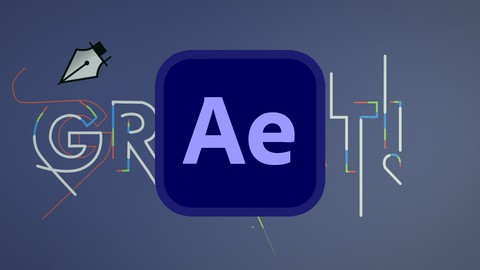
After Effects Beginner - Typography Reveal in After Effects (Udemy.com)
After Effects Basics 4 beginners - Design Your First Complete After Effects motion project in CS6 CC
Created by: Andrew Pach
Last updated November 2025
 What you will learn
- Create a nice typographic animation
- Get familar with motion graphic design
- Learn a proper workflow in After Effects
- Learn useful After Effects Shortcuts
How it compares
Against the other 118 rated Udemy courses in Adobe After Effects on CourseDuck:
- Rating4.3 out of 5higher than 18% of them
- Reviews58#90 of 119 by number of reviews
- Length1.5 hoursshorter than 75% of them
- Last updatedNovember 2025more recently than 84% of them
 Course Description
In this course I want to guide you through a nice technique for making a modern & trendy typography project in After Effects which you can easily learn for Yourself and replicate. You will learn how to form, build and reveal a word or logo using custom created lines and giving them a seamless motion. The course is perfect for any beginner to gain essential motion design skills, and more advanced users to learn a new animation technique which will sure come in handy. After Effects is the #1 program when it comes to complete animations and no matter wether you use After Effects CS6 or After Effects CC the animation will work perfectly on both versions. This animation could be used to reveal some text to make an animated kinetic typography video, to reveal an object / shape or anything you imagine.
Newbie friendly! Learn After Effects basics in no time. This course doesn't require any prior knowledge and will let you dive straight into motion graphic design and teach you valuable skills and keyboard shortcuts along the way! It's always useful to learn Adobe suite programs, and harnessing after effects may be the best thing you can do in the ever chaning video animation world.
Biggest benefits of the class:
- Keybord shortcut usage displayed
- No experience or knowledge required
- You will understand kinetic typography a bit
- You will complete a project and render it out
- Learn a quick and fun workflow in After Effects
- Get familiar with AE CS6 and AE CC overall
- Valuable tricks and techniques you can use in future designs
- Allows you to get familar with motion graphic design and hopefully start loving it!
We will be using and covering topics like:
- Precomposing objects
- Keyframing animations
- Working with the Pen Tool
- Usage of the graph editor to ease our animation
- Adding various properties to layers to enhance their visual appearance
I'm ready if you are - let's dive intro after effects and start the work... Enroll now!

 Udemy Discount
The discount is applied through our link. Open the course from here and Udemy's current promotional price is applied at checkout on most courses, no code to type.
Some courses are excluded from Udemy's promotions. If the price does not drop, clear your browser cookies and use the button again.
Instructor Details

- 4.3 Rating
 58 Reviews
Andrew Pach
Hi! My name is Andrzej Pach (but Andrew is easier to say ^^) and I spend my daily time with graphic design, presentations, motion & animation, typography, video editing, and online teaching. Most of my work is done in Adobe After Effects & Microsoft PowerPoint 2019 / 2021 / 365 and Camtasia so naturally, this is the software I want to teach about and share my experience with. I have completed more than 5000 graphic projects for clients, mostly including video animations like intros, outros, and transitions for various YouTube channels & marketers. On Fiverr alone (a freelancing website), I have more than 3500 reviews and 4k+ finished jobs. I would like to share with you the knowledge that I was able to "stack up" during the process. I am always willing to help people out by enhancing their brands and projects.
Who am I?
I'm born in 1989, live in a small village in Poland, and graduated from my University in July 2014. A few years back, when I tried to find my "place" after getting hired to prepare a website, flyer, and business card for a local business in my area, I finally "felt it". Since then (2011) I have expanded my skills in this area by completing various graphic, website, and design-related projects. Places like the Warrior Forum, freelancing websites, and graphic contests across the web caught my interest and never let me go. I run my own company since April 2015.
 More courses by Andrew Pach

Powerpoint 2019 2021 365 - Master powerpoint presentation
4.6 (24,935 Reviews)
 Provider: Udemy
 Time: 10.3h
$15.99

PowerPoint for Beginners - Program & Animation Basics FREE (2025)
4.5 (10,988 Reviews)
- Provider: Udemy
- Time: 1.3h
Free

PowerPoint Masterclass - Presentation Design & Animation (2026)
4.7 (7,539 Reviews)
- Provider: Udemy
- Time: 10.3h
$14.99

PowerPoint Slide Design - Casual Slides Presentation (2025)
4.7 (6,207 Reviews)
- Provider: Udemy
- Time: 42 mins
Free

Powerpoint Presentation - design powerpoint slides (2025)
4.4 (5,349 Reviews)
- Provider: Udemy
- Time: 48 mins
Free

Microsoft PowerPoint for 2026 - 3 Hour Crash Course!
4.7 (4,018 Reviews)
- Provider: Udemy
- Time: 2.9h
$11.99
More Adobe After Effects courses

Motion Design & Animation Principles in Adobe After Effects (2025)
4.8 (1,594 Reviews)
- Provider: Udemy
- Time: 5.8h
$99.99


Futuristic HUD Motion Graphics in After Effects (2018)
4.7 (664 Reviews)
- Provider: Udemy
- Time: 1.5h
$69.99

Course Design - How to Create Impressive Text Animations (2017)
4.7 (207 Reviews)
- Provider: Udemy
- Time: 2.7h
$74.99

After Effects Masterclass: The Ultimate Guide for Beginners (2020)
4.7 (198 Reviews)
- Provider: Udemy
- Time: 9h
$74.99

 Reviews

By Andile Khumalo on 3/12/2024
Great guide for anyone entering the software as the interface and functionality was explained prior to jumping into the bulk of the work
By Alfredo Hernandez on 4/3/2023
Awesome Course! I enjoyed the extra tips it was very random, simple and helpful. Will be checking out your other work in the future. Thanks!
By Wilandre Diedericks on 2/3/2023
Learning After Effects tips and tricks and really helpful.
By Christine Gaudreault on 1/8/2023
This is the second class I have taken with Andrew and I really like the way he explains in detail, very easy to follow and he is very open to suggestions. I highly recommend this course because this technique can be applied to a lot of design! Thank you Andrew! :)
By Kimberly Rife on 6/25/2017
He is very nice, but talks very, very fast. I had to rewind the 9 minute tutorial several times. 9 minutes ended up taking me about 25 minutes. Overall it is an informative tutorial, just slow down a little bit.
By Hari Bahadur Malla on 9/6/2016
great course. i will say who would like to learn more skill and tips about after effects can purchase this course . really good fro every one.. thanks again..
By Carl Van Fossen on 5/28/2016
Enjoyed the course. Instructor was easy to follow, I learned a few new tricks, and the results of what we ended up with were great.
By Joseph Vlachos on 3/21/2016
This is a good overview of After Effects. I understand that the six concepts are covered in section 1, but my hobbled "Hello" animation is not like the instructor's. Hopefully, section 2 will give more information.
By Cat Palana on 9/7/2015
I've taken several courses from Andrzej, about Powerpoint and now After Effects and he just makes his lessons interesting and about techniques that can be REALLY used, not just taught. I have already posted a finished project inside the class thanks :)
By Sushmitha Ravikumar on 1/28/2024
 Quality Score
No CourseDuck member has rated this course yet. Taken it? Give each part a thumbs up or down.
Overall Score : 86 / 100
- Video Duration:
 1.5h
1.5h - Price: $19.99
- Provider: Udemy
- Updated:
 November 2025
 - Level:
 Beginner
 - Language:
 English
 - Certificate:
 Yes
Yes
30-day money-back guarantee on most paid courses
Udemy Coupon Price Tracker
