
 Web Development
 Data Science
 Python
 SQL
SQL JavaScript
 Artificial Intelligence
 IT & Software
 IT Certifications
 Hacking
 AWS
AWS Arduino
 DevOps
 3D Modeling
 Graphic Design
 Photoshop
 Drawing
 Digital Painting
 UX Design
 Business
 Data Analysis
 Communication Skills
 Project Management
 Leadership & Management
 Human Resources
 Digital Marketing
 Social Media Marketing
 Marketing
 SEO
SEO Google Analytics
 Branding
 Excel
Excel Office Productivity
 SAP
SAP PowerPoint
 Microsoft Access
 SharePoint
 Finance & Accounting
 Trading & Investing
 Accounting
 Bitcoin
 Personal Finance
 Video Editing & Animation
 Photography
 Adobe Premier Pro
 Adobe Lightroom
 Personal Development
 Productivity
 Career Development
 Life Coaching
 Health & Fitness
 Meditation & Mindfulness
 Yoga
Yoga Music
Music Music Production
 Guitar
 Piano
Piano Singing
 Language Learning
 Teaching & Academics
 Engineering
 Math
Math Lifestyle
After Effects Expressions | Expression Magic (Udemy.com)
Unlock the Power of Automation and Creativity in Adobe After Effects with Expressions
Created by: Motion Guru
Last updated September 2024
 What you will learn
- Master expressions of After Effects and how to use them properly
- Learn how to make motion graphics two times faster than before
- Understand each type of looping animations and their efficiency
- Manage to use less keyframes and say goodbye to copying too much of them
- Do rigging easily with expressions and without using any plug-in or script
- Create fully automatic animations with simple codes
- Use some Mathematic operations to make your movements clean and accurately
- You will fix some issues in After Effects, you couldn’t do with just keyframes
- Use conditionals to have more than one result in your animations at once
- Save expressions with simple methods and use them again in other projects to save plenty of time
- Make as many controllers as you want with expressions for your project customization
How it compares
Against the other 545 rated Udemy courses in 3D Modeling on CourseDuck:
- Rating4.7 out of 5higher than 75% of them
- Reviews20#541 of 546 by number of reviews
- Length7.1 hourslonger than 54% of them
- Last updatedSeptember 2024more recently than 70% of them
 Course Description
Expression Magic: Mastering After Effects Expressions
Welcome to “Expression Magic,” the ultimate course designed to elevate your motion graphics and visual effects skills by harnessing the power of expressions in Adobe After Effects. Whether you’re a beginner looking to understand the basics or an experienced user aiming to refine your skills, this course offers comprehensive insights and practical techniques to transform your projects.
Why Learn After Effects Expressions?
Expressions in After Effects are a game-changer, allowing you to automate repetitive tasks, create complex animations with ease, and add a new level of dynamism to your projects. By learning expressions, you can save time, enhance your creativity, and produce professional-quality animations that stand out.
What You’ll Learn
In this course, you’ll embark on a journey from the fundamentals to advanced techniques, ensuring a thorough understanding of After Effects expressions. Here’s a glimpse of what you’ll cover:
• Introduction to Expressions: Understand the basics of expressions, how they work, and their importance in After Effects.
• Essential Expression Syntax: Learn the core syntax and functions used in expressions, including variables, operators, and key methods.
• Automating Animations: Discover how to automate animations, making your workflow more efficient and your animations more dynamic.
• Control Projects: Learn how to create different controllers to customize your project easier and use the controls as a template for future needs
• Creating Complex Motion: Dive into advanced techniques to create intricate motion paths and effects that would be time-consuming to achieve manually.
• Practical Projects: Apply your knowledge through hands-on projects that reinforce learning and provide real-world experience.
• Troubleshooting and Optimization: Learn how to troubleshoot common issues and optimize your expressions for better performance.
Why Choose This Course?
• Expert Instruction: Learn from an experienced instructor with a deep understanding of After Effects and expressions.
• Comprehensive Content: Covering everything from the basics to advanced techniques, ensuring you gain a complete understanding.
• Hands-On Learning: Engage with practical projects that help you apply what you’ve learned in real-world scenarios.
• Community Support: Join a community of like-minded learners, share your progress, and get feedback.
Enroll Today!
Unlock the full potential of Adobe After Effects and take your animations to the next level. Enroll in “Expression Magic” today and start creating stunning, professional-quality animations with ease.

 Udemy Discount
The discount is applied through our link. Open the course from here and Udemy's current promotional price is applied at checkout on most courses, no code to type.
Some courses are excluded from Udemy's promotions. If the price does not drop, clear your browser cookies and use the button again.
Instructor Details
- 4.7 Rating
 20 Reviews
Motion Guru
Motion Guru graphics team with 10 years of experience in the production of motion graphics and visual effects in 2D and 3D
A collection that specializes in motion graphics education
No bull** tutorials on animation and motion design (to save your valuable time)
We hope you enjoy our comprehensive and professional tutorials.
Enjoy the best Motion Graphics tutorials online.
 More courses by Motion Guru

After Effects Motion Graphics | Motion Hero (2025)
4.5 (1,114 Reviews)
 Provider: Udemy
 Time: 13.4h
$10.99
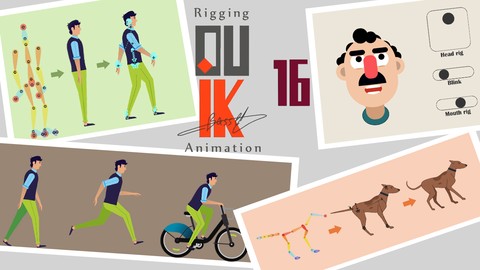
Rigging a Character with Duik Bassel in After Effects (2024)
4.0 (263 Reviews)
- Provider: Udemy
- Time: 4.7h
$49.99

Full Character Rigging in After Effects | Knowing Everything (2023)
4.5 (258 Reviews)
- Provider: Udemy
- Time: 5.1h
$10.99

Rigging with Joysticks 'n Sliders in After Effects (2024)
4.6 (184 Reviews)
- Provider: Udemy
- Time: 4.2h
$11.99
Complete Course of After Effects: Learn From an Expert (2020)
4.2 (166 Reviews)
- Provider: Udemy
- Time: 10.8h
$59.99
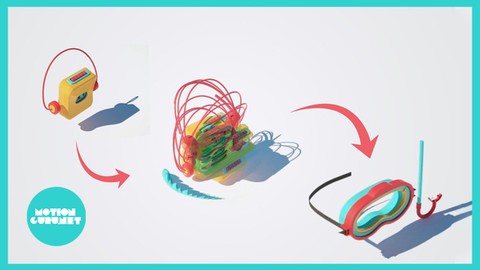
Complete course of making 3D motion graphics in Cinema4D (2022)
3.7 (129 Reviews)
- Provider: Udemy
- Time: 15.8h
$44.99
More 3D Modeling courses

3D Printing with " Ultimaker CURA Slicer- Start to finish" (2025)
4.9 (192 Reviews)
- Provider: Udemy
- Time: 1h
$34.99

Girl and the Dog Creation in Zbrush for Intermediate Level (2020)
4.9 (173 Reviews)
- Provider: Udemy
- Time: 48.8h
$59.99



Blender Character Creator for Video Games (2026)
4.8 (9,160 Reviews)
- Provider: Udemy
- Time: 34.3h
$159.99

Master SOLIDWORKS 3D CAD using real-world examples (2022)
4.8 (2,451 Reviews)
- Provider: Udemy
- Time: 18.9h
$69.99
 Reviews

By Jatinder Kumar on 2/16/2026
I learned technical knowledge
By Daniel Pena on 10/10/2025
This course has turned into an excellent purchase. I´ve just taken few lessons and already learned a lot. The course´s creator is way clear all time. Thanks for making this course and share your knowledge!!
By Kenneth A. Hill on 7/16/2025
Exactly what I was looking for!
By Yanjie Zhu on 7/15/2025
explained clearly, and tricks are practical
By Michele Politi on 5/7/2025
Very interesting course. I learned a lot even though I have been using After Effects for a long time.
By Jabari on 3/16/2025
Very clear tutorial, goes over the concepts in both abstract and practical examples. I'm not new to Motion Design, and even I am learning a lot! Realy wish there was easier access/more exercises would be game changing
By Imeh Joseph on 1/13/2025
Expressions made easy so far.
 Quality Score
No CourseDuck member has rated this course yet. Taken it? Give each part a thumbs up or down.
Overall Score : 94 / 100
- Video Duration:
 7.1h
7.1h - Price: $74.99
- Provider: Udemy
- Updated:
 September 2024
 - Level:
 All Levels
 - Language:
 English
 - Certificate:
 Yes
Yes
30-day money-back guarantee on most paid courses
Udemy Coupon Price Tracker
