
 Web Development
 Data Science
 Python
 SQL
SQL JavaScript
 Artificial Intelligence
 IT & Software
 IT Certifications
 Hacking
 AWS
AWS Arduino
 DevOps
 3D Modeling
 Graphic Design
 Photoshop
 Drawing
 Digital Painting
 UX Design
 Business
 Data Analysis
 Communication Skills
 Project Management
 Leadership & Management
 Human Resources
 Digital Marketing
 Social Media Marketing
 Marketing
 SEO
SEO Google Analytics
 Branding
 Excel
Excel Office Productivity
 SAP
SAP PowerPoint
 Microsoft Access
 SharePoint
 Finance & Accounting
 Trading & Investing
 Accounting
 Bitcoin
 Personal Finance
 Video Editing & Animation
 Photography
 Adobe Premier Pro
 Adobe Lightroom
 Personal Development
 Productivity
 Career Development
 Life Coaching
 Health & Fitness
 Meditation & Mindfulness
 Yoga
Yoga Music
Music Music Production
 Guitar
 Piano
Piano Singing
 Language Learning
 Teaching & Academics
 Engineering
 Math
Math Lifestyle
Complete course of making 3D motion graphics in Cinema4D (Udemy.com)
Level up your Cinema 4D skills and create your 3d animations and motion graphics AND Enter the professionals arena!
Created by: Motion Guru
Last updated June 2022
 What you will learn
- Making a Complete 3D Motion Graphics Project
- How to make a fantasy model in Cinema4D
- How to work with C4D professional tools
- How to animate objects in C4D
How it compares
Against the other 545 rated Udemy courses in 3D Modeling on CourseDuck:
- Rating3.7 out of 5among the lower-rated ones
- Reviews129#393 of 546 by number of reviews
- Length15.8 hourslonger than 81% of them
- Last updatedJune 2022earlier than 53% of them
 Course Description
Making 3D Motion Graphics in Cinema 4D is an exciting and comprehensive course designed to equip participants with the skills and knowledge needed to create stunning motion graphics using the powerful 3D software, Cinema 4D.
This course is hard and suitable for Professionals and will take them on a creative journey through the world of 3D motion graphics.
Course Overview:
Modeling in Cinema 4D:
Explore different modeling techniques to create 3D objects.
Master the art of creating complex shapes and structures.
Texturing and Materials:
Understand the texturing process and apply materials to your 3D models.
Discover the use of textures, shaders, and materials to enhance visual appeal.
Create smooth and dynamic motion for your 3D elements.
Camera and Lighting Techniques:
Discover camera settings to frame your shots effectively.
Master lighting techniques to add realism and atmosphere to your scenes.
Motion Graphics Techniques:
Dive into motion graphics-specific tools and techniques in Cinema 4D.
Create dynamic animations, titles, and lower thirds for various media projects.
Rendering and Output:
Understand the rendering process using Octane Render Engine in Cinema 4D.
Project-Based Learning:
Apply the concepts learned throughout the course to create a complete 3D motion graphics project.
Receive guidance and feedback from the instructor to improve your work.
By the end of this course, you will have developed a solid foundation in creating captivating 3D motion graphics using Cinema 4D.
With the skills acquired, you will be well-prepared to embark on a successful journey in the world of motion graphics, whether it's for advertising, social media content, video intros, or other creative projects.
Let your imagination come to life with "Making 3D Motion Graphics in Cinema 4D"!

 Udemy Discount
The discount is applied through our link. Open the course from here and Udemy's current promotional price is applied at checkout on most courses, no code to type.
Some courses are excluded from Udemy's promotions. If the price does not drop, clear your browser cookies and use the button again.
Instructor Details
- 3.7 Rating
 129 Reviews
Motion Guru
Motion Guru graphics team with 10 years of experience in the production of motion graphics and visual effects in 2D and 3D
A collection that specializes in motion graphics education
No bull** tutorials on animation and motion design (to save your valuable time)
We hope you enjoy our comprehensive and professional tutorials.
Enjoy the best Motion Graphics tutorials online.
 More courses by Motion Guru
After Effects Motion Graphics | Motion Hero (2025)
4.5 (1,114 Reviews)
 Provider: Udemy
 Time: 13.4h
$10.99
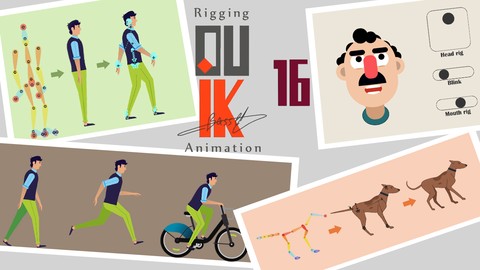
Rigging a Character with Duik Bassel in After Effects (2024)
4.0 (263 Reviews)
- Provider: Udemy
- Time: 4.7h
$49.99
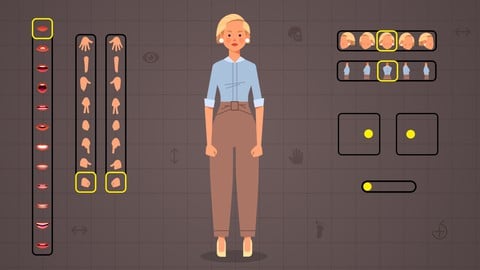
Full Character Rigging in After Effects | Knowing Everything (2023)
4.5 (258 Reviews)
- Provider: Udemy
- Time: 5.1h
$10.99

Rigging with Joysticks 'n Sliders in After Effects (2024)
4.6 (184 Reviews)
- Provider: Udemy
- Time: 4.2h
$11.99
Complete Course of After Effects: Learn From an Expert (2020)
4.2 (166 Reviews)
- Provider: Udemy
- Time: 10.8h
$59.99

After Effects Expressions | Expression Magic (2024)
4.7 (20 Reviews)
- Provider: Udemy
- Time: 7.1h
$74.99
More 3D Modeling courses

3D Printing with " Ultimaker CURA Slicer- Start to finish" (2025)
4.9 (192 Reviews)
- Provider: Udemy
- Time: 1h
$34.99

Girl and the Dog Creation in Zbrush for Intermediate Level (2020)
4.9 (173 Reviews)
- Provider: Udemy
- Time: 48.8h
$59.99



Blender Character Creator for Video Games (2026)
4.8 (9,160 Reviews)
- Provider: Udemy
- Time: 34.3h
$159.99

Master SOLIDWORKS 3D CAD using real-world examples (2022)
4.8 (2,451 Reviews)
- Provider: Udemy
- Time: 18.9h
$69.99
 Reviews

By Paul Storm on 11/23/2023
This is a fantastic course and you will learn a lot (kind of) whilst working through it. I am only at the modelling stage with the Luggage, so will update once completed. This is not for complete beginners, as the instructor does not inform you of which hotkeys to press to perform each action, and he's often bringing up sub-menus without saying how to do so - which is extremely frustrating (hence a star knocked off, as his teaching needs more detail; even having keystrokes appear onscreen would help tbh). So, if you're completely new to Cinema 4D, be prepared to stop often to google how to perform certain tasks, as you will not be told here, which slows down the learning a lot. (It does state that a basic knowledge of Cinema 4D is necessary for the course, but I'd say an intermediate level is necessary at minimum). Saying that, I have managed to follow along eventually, and it has not been stopping me from getting each stage finished, just takes a lot longer than necessary. Otherwise, the techniques you pick up are pretty cool and impressive, just be prepared to pause the video a lot, especially if you're newer to C4D.
By Olowu Durodoluwa on 1/22/2023
this has by far the poorest audio quality on an Udemy course. That's why they are trying to drown us with music. The concepts are great but the instructor is not. might ask for a refund
By Özgür Alican on 4/24/2022
İleri seviye diye tanıtılan kursta sadece bir tane yeni bilgi öğrenebildim.
By Fersen Morales Suarez on 5/25/2021
the modelling section shows you the quick and dirty ways to make 3d models when you are in a tight deadline, wich is usefull, in real life you can't always make models with 100% quads and good topology. The animation section was the reason I initially bought this course, and it was what I expected it showed me how to use the tools and how to manipulate the F-curves. I have 5+ years working as motion graphic artist, but i am migrating from blender to cinema 4D and this course answered a lot of questions. Is missing the use of layers, wich is very important to improve performance in cinema 4D but that's not exactly animation so I am ok with that, I recommend this course if you want to know how to use the dope sheet and f-curve editor
By Ihor Yakymenko on 1/22/2021
I was not too fond of the course and wouldn't recommend it to anyone for now due to the following reasons: 1. The background music. This is very distracting and makes the whole thing look like a quick YouTube tutorial. Also, the course is 16 hours long, and you have this 2-min sample play on repeat... I don't think I'll be able to listen to the music I love this long. It doesn't make any sense. 2. The accent. I understand that this is rather a subjective thing, and I knew that the teachers were not from the UK or US, but it appeared to be harder than I thought (in addition to the music). Hearing the word "spline" pronounced as "spEline" and other similar stuff makes it hard to listen. I feel you're doing your best, but I cannot keep up with it. 3. Resources vs Teaching. For example, there is a lesson under the Modelling tab called "Dolphin" which implies dolphin modeling. The video is 18 min long and on the 16th min, I was told to download the model of the dolphin because modeling it from scratch would be a difficult thing to do that takes time. Hmmm, I thought I was brought to the course to learn new modeling technics. Especially the hard ones. That was very odd. 4. The lessons were recorded using different software and people. Hence, the quality of the sound is different here and there. In addition, sometimes on later lessons (16, 17) you can hear something like "Welcome to the 6th lesson...". This gives the feeling that the course was literally "sewed" by different instructors and maybe even courses. Sorry, but that doesn't look professional as one single product that you would buy. 5. Trying to guess the results. Finally, when watching the lessons, I get this feeling that they were recorded and then the voice added over the pre-recorded stuff. There is no consistency or strict understanding of how to make this or that thing look like you want. For example, when you want to show something using "bend" it always feels like you don't fully understand how to rotate the tool to make it work as you want. It seems like you want to test it out yourself and see how it goes. Pardon me but teachers are supposed to foresee the results before they hit the action button. Not to play in a guessing game. I think this is the very first time when I'm writing negative feedback. I sincerely hope you'll find some of this useful and will improve the course, because it does have great potential but just need to be polished to reach the top level. Thank you for your time reading this. Best, Igor
By Steven Richardson on 1/8/2021
As someone who uses Cinema4D regularly (but was self taught), it was good to go back to the beginning and check out the tips and shortcuts that I wasn't aware of. I found the course clear, consise and well put together. Cinema4D is a complicated program, and though this just touches the basics of the various areas, it's an ideal springboard for new users!
By Deborah Phillips on 1/8/2021
Exceptional overview of Cinema 4D. Very professional presentation. Instructor has deep knowledge of the subject and delivers practical information concisely and clearly at a quick but comfortable pace. I've been using C4D for years and have taken numerous courses but have never been able to fill in the gaps in my overall understanding of the application. This course provided the foundation I've been trying to complete for years in a single weekend.
By Brandon Henderson on 1/6/2021
This is such a great, thorough course for those wanting to learn a new 3d software. I have a pretty strong grasp on Rhino so coming in with that knowledge, it was relatively feasible to translate some of the lessons and information from my prior understanding of 3d. This class was great because the instruction was well paced and easy to follow along. Highly recommend for those wanting to dive into C4D.
By Frank Johnson on 1/6/2021
As I already had a little bit of experience, there were certain more in-depth questions I had which were not totally addressed. But the amount that I did learn (even basic stuff I'd missed) more than made up for it. Those specific questions can easily be addressed by trial and error or a quick YouTube tutorial. I would recommend getting this course if you want to learn about Cinema 4D, I can't imagine any other courses on Udemy would do this good of a job or better!
By Steven Alpert on 10/19/2020
Show me another course that shows how to develop such a clever, polished set of animations as this one. I haven't see one even close to this. They even went the extra mile to demonstrate some very useful techniques on modeling all the props. I know it's a hard course, but most other courses just want to teach the old bouncing ball animation, or maybe a looped walk cycle. This is extraordinary.
 Quality Score
No CourseDuck member has rated this course yet. Taken it? Give each part a thumbs up or down.
Overall Score : 74 / 100
- Video Duration:
 15.8h
15.8h - Price: $44.99
- Provider: Udemy
- Updated:
 June 2022
 - Level:
 Expert
 - Language:
 English
 - Certificate:
 Yes
Yes
30-day money-back guarantee on most paid courses
Udemy Coupon Price Tracker
