
 Web Development
 Data Science
 Python
 SQL
SQL JavaScript
 Artificial Intelligence
 IT & Software
 IT Certifications
 Hacking
 AWS
AWS Arduino
 DevOps
 3D Modeling
 Graphic Design
 Photoshop
 Drawing
 Digital Painting
 UX Design
 Business
 Data Analysis
 Communication Skills
 Project Management
 Leadership & Management
 Human Resources
 Digital Marketing
 Social Media Marketing
 Marketing
 SEO
SEO Google Analytics
 Branding
 Excel
Excel Office Productivity
 SAP
SAP PowerPoint
 Microsoft Access
 SharePoint
 Finance & Accounting
 Trading & Investing
 Accounting
 Bitcoin
 Personal Finance
 Video Editing & Animation
 Photography
 Adobe Premier Pro
 Adobe Lightroom
 Personal Development
 Productivity
 Career Development
 Life Coaching
 Health & Fitness
 Meditation & Mindfulness
 Yoga
Yoga Music
Music Music Production
 Guitar
 Piano
Piano Singing
 Language Learning
 Teaching & Academics
 Engineering
 Math
Math Lifestyle
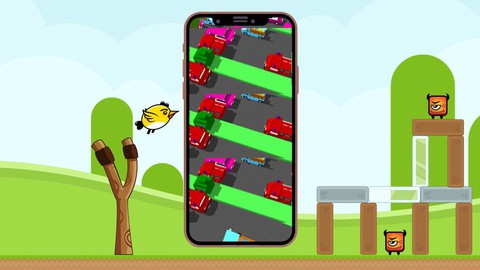
Angry Birds, Crossy Road & more: Game Development in Swift 4 (Udemy.com)
Learn how to develop mobile games like Angry Birds, Crossy Road, Color Switch and more for iOS11 in Swift 4
Created by: Timothy Meixner
Last updated November 2018
 What you will learn
- How to develop an Angry Birds App
- How to develop a Crossy Road App
- How to develop a Color Switch App
- How to develop a Simon Says App
- How to develop 2D Games for iOS11 with SpriteKit
- How to develop 3D Games for iOS11 with SceneKit
- How to do App Store Optimization
- How to create 3D Models for Mobile Games in MagicaVoxel
How it compares
Against the other 160 rated Udemy courses in iOS Swift on CourseDuck:
- Rating4.5 out of 5higher than 45% of them
- Reviews815#35 of 161 by number of reviews
- Length15.4 hourslonger than 60% of them
- Last updatedNovember 2018earlier than 69% of them
 Course Description
Become a mobile game developer by building some of the most famous iOS Games like Angry Birds, Crossy Road, Color Switch and more.
Mobile game development is an incredibly extensive and exciting topic, which is why we have created this complete course that will allow you to become part of the amazing world of mobile game development.
In each chapter of this course we’ll learn all there is to know about a certain framework. We’ll take an in depth look at its functionality and the theory behind it. Then we’re going to use what we’ve learned and apply it by creating multiple games from scratch.
We’ll start with simple games while getting to know the UIKit Framework, once we’ve gotten more comfortable we’ll advance to developing multiple 2D games with the SpriteKitFramework, which is the basis for most 2 dimensional iOS Games. We’ll start this chapter by developing our own version of the popular Color Switch app that will teach us already a lot about this framework.
Then we’ll develop an incredible Angry Birds game from scratch, where we will learn how to design levels, work with physics and so much more.
We’ll then move on to the SceneKit Framework which is the basis for most of the 3 dimensional iOS games. To really understand the concepts we’re going to be working with them while developing our own version of the famous Crossy Road app.
While developing this amazing app we will also teach you how to create your own 3D Models in MagicaVoxel that you can use in your own games or even sell.
We don’t just want to teach you how to develop games in this course. We want to really help you develop your game and publish it on the app store. That’s why we have an entire chapter dedicated to App Store Optimization, teaching you how to optimize your app store entry, so that you can get the most amount of downloads for your game. We’ll look at how you can use keywords, videos, screenshots, ratings and reviews to your advantage and increase your number of downloads.
This course is designed to provide the perfect balance between theory, working on real life projects and exercises to really enable anybody to create their own iOS Games.
It doesn’t matter if you already have some experience in the subject or not. This complete course will teach you all you need to know to make your game ideas become a reality - no matter what framework you would like to use. You get all of the resources like project files, graphics and much more and you’re free to do with them whatever you like.
We’ll also give you valuable tips that go far beyond the development of games and if you run into any problems or have any questions while taking this course, you can always count on us to help you. So if you want to learn how to make your own games for iOS and become a real game developer you should really join this course. I look forward to seeing you in the course.
This course was produced using Swift 4.0 and Xcode 9. The course is currently undergoing maintenance to update all projects to Xcode 10 and the downloads will be available shortly.

 Udemy Discount
The discount is applied through our link. Open the course from here and Udemy's current promotional price is applied at checkout on most courses, no code to type.
Some courses are excluded from Udemy's promotions. If the price does not drop, clear your browser cookies and use the button again.
Instructor Details

- 4.5 Rating
 815 Reviews
Timothy Meixner
English version below
Hi, mein Name ist Timothy.
Zusammen mit Johannes Ruof bin ich seit 2015 auf Udemy als Dozent vertreten und gehöre zu den erfolgreichsten deutschen Dozenten der Plattform.
Als offizieller Partner von Udemy konnten wir in dieser Zeit einige Erfolge verbuchen.
Unter anderem:
Den erfolgreichsten deutschsprachigen Digital Marketing Kurs aller Zeiten
Den erfolgreichsten deutschsprachigen Social Media Marketing Kurs aller Zeiten
Den erfolgreichsten deutschsprachigen Instagram Marketing Kurs aller Zeiten
Den erfolgreichsten deutschsprachigen SEO Kurs aller Zeiten
Den erfolgreichsten deutschsprachigen iOS Development Kurs aller Zeiten
Zusammen mit Johannes den offiziellen Udemy Instructor Award für das beste Dozententeam auf der gesamten Plattform erhalten.
Seit 2019 sind wir außerdem Partner der Google Zukunftswerkstatt. Auf dieser kostenfreien Plattform unterrichten wir drei Kurse und möchten so Menschen dabei helfen, die Herausforderungen des digitalen Wandels zu bewältigen.
Wir konnten bereits mehr als 78.000 Menschen dabei helfen, ihre Ziele zu erreichen und ich würde mich freuen dich in einem unserer Kurse begrüßen zu dürfen.
Hi, I'm Timothy.
 More courses by Timothy Meixner

User Experience Design & User Interface Design Fundamentals (2022)
4.5 (2,864 Reviews)
 Provider: Udemy
 Time: 3.2h
$64.99

Computer Science 101 - Computers & Programming for Beginners (2021)
4.5 (2,707 Reviews)
- Provider: Udemy
- Time: 1h
$69.99

Digital Marketing Fundamentals: Social Media Strategy (2022)
4.5 (1,866 Reviews)
- Provider: Udemy
- Time: 2.2h
$49.99

Introduction to iOS Game Development with SpriteKit & Swift (2017)
4.5 (472 Reviews)
- Provider: Udemy
- Time: 10.4h
$109.99
More iOS Swift courses

iOS 12 Swift 4.2 - The Complete iOS App Development Bootcamp (2021)
4.9 (562 Reviews)
- Provider: Udemy
- Time: 55.4h
$109.99

Noob to App Store - iPhone Apps with Swift, SwiftUI & iOS 15 (2021)
4.9 (342 Reviews)
- Provider: Udemy
- Time: 7.8h
$69.99

Deep Dive iOS 27 & SwiftUI 6: 90-Hour Project-Based Course (2026)
4.8 (983 Reviews)
- Provider: Udemy
- Time: 88.7h
$79.99

The Swift Arcade Data Structures and Algorithms Bootcamp (2022)
4.8 (839 Reviews)
- Provider: Udemy
- Time: 7.2h
$84.99

How To Make An App For Beginners (iOS/Swift - 2019)
4.8 (658 Reviews)
- Provider: Udemy
- Time: 4.3h
Free

SwiftUI iOS13 Coffee Shop Application, Order Products Online (2020)
4.8 (158 Reviews)
- Provider: Udemy
- Time: 8.2h
$109.99
 Reviews

By Jd Beecham on 7/31/2020
Was a very good and easy to follow course. I am on Swift 5, and the source code kept hanging when I would try to just open the files, but to be honest, I pretty much just followed along and typed up what was going on, and everything worked fine. There are a few things that changed between swift versions, but it is easily fixed. I learned allot, thank you! Only wish there was an example on how to import a model that has animations, and maybe SCNSkinner functions. However, I am sure that is more advance info.
By James Morris on 12/20/2019
I was skeptical about the course since it has not been updated to Swift 5 Xcode 11 but I have been surprised. The first 15% of the course is easy but then it gets into advanced concepts quickly. I highly recommend that as you hit new concepts that you do a lot of research to fully understand them. It took a while to wrap my mind around bitmasks, how the values are set and what the values mean. However now I have a good understanding it all makes sense. This course moves quickly but you do learn a warp speed.
By Linas Jočys on 8/11/2019
I have to say this is the best course of IOS Game development in Udemy. After developing two huge games I feel confident in making my own games in near future. It wasn't an easy course and requires basic knowledge of Swift - I don't think that it's for beginners or for those who didn't do anything with Swift already. For me - this course exceeded expectations and I'm very happy with new knowledge Timothy and Johannes provided. Thank You very much!
By Dexter Zaeraj on 7/31/2019
While this does show you a basic game it really speeds over everything and assumes you already know how to do this and how everything works. When there is extra information provided it's extremely brief. A lot of the teaching leads to questions which go unanswered. This appears to be abandoned by the instructor so keep that in mind when you decide if this course is right for you. TLDR: It's like a crash course in brain surgery. Had I known it's one of those courses that leaves you on your own I would have avoided it.
By So myung hoon on 3/8/2019
For myself who is a completely beginner (fyr it's been 4months to learn code in my life) sometimes i have to find some terms or docs related to newly new grammars myself, which is also good, the tutor is giving a clear explanation and examples to build up essential game development which I wanted exactly. So far so happy with Timothy!
By Mario Aparicio on 1/7/2019
Hello, it is a great course that I have loved. It would improve an introduction in each chapter to make sense of what is being done. I have been doing the course at the same time, and I had to rewind several times because Johannes was a bit quick. I miss some more advanced chapter, to move animate objects in 3D, for example to walk (not onlymove boxes in the screen). In general fully recommended. May be another course more deeper ? Hola, es un gran curso que me ha encantado. Mejoraría una introducción en cada capítulo para dar sentido a lo que se está haciendo. He estado haciendo el curso al mismo tiempo, y tuve que retroceder varias veces porque Johannes fue un poco rápido. Extraño un capítulo más avanzado, para mover objetos animados en 3D, por ejemplo para caminar (no solo mover cajas en la pantalla). En general totalmente recomendado. ¿Puede ser otro curso más profundo?
By Dsa on 11/29/2018
Its good that it introduced the SpriteKit framework in a very nice and easy way; however I was rooting for the ColorSwitch game to be little bit more dynamic I guess? This is for a university course: we are assigned to do a project using any language we want, and we wanted to experiment swift's spritekit and display the game we made... Not sure if this will be enough to present, but all in all I like the course and I dont want to be unfair.
By Frank E on 6/5/2018
This is the best course I've taken for someone who is already familiar with Swift syntax and Xcode. The course doesn't just teach you how to develop the games they advertised. They also get into design principles and the logic of why they create their game in a particular structure. This was a huge deal for me. My only hope is that they create a sequel to this course for even more advance game development.
By Tucker Welch on 3/28/2018
I learned a ton about building games for iOS. Before this class I had no prior knowledge and now feel as if I can build a basic game. Did not know Swift before taking the course. Just C++ and Python but I quickly caught on. I really enjoyed all the apps I was able to build while following along in this course. I would recommend to anyone wanting to start creating iOS games.
By Carol M Noble on 1/1/2018
I'm loving this course. A few snafoos, but so far so good. This is awsome! I'v been waiting for a tutorial like this for a long time! I'm still not getting the concepts, slowly but surely, maybe one day it will all sync in my brain. I took a course code with Chris which was great, but I wanted to make video games on a apple app.
 Quality Score
No CourseDuck member has rated this course yet. Taken it? Give each part a thumbs up or down.
Overall Score : 90 / 100
- Video Duration:
 15.4h
15.4h - Price: See price on Udemy
- Provider: Udemy
- Updated:
 November 2018
 - Level:
 All Levels
 - Language:
 English
 - Certificate:
 Yes
Yes
30-day money-back guarantee on most paid courses
Udemy Coupon Price Tracker
