
 Web Development
 Data Science
 Python
 SQL
SQL JavaScript
 Artificial Intelligence
 IT & Software
 IT Certifications
 Hacking
 AWS
AWS Arduino
 DevOps
 3D Modeling
 Graphic Design
 Photoshop
 Drawing
 Digital Painting
 UX Design
 Business
 Data Analysis
 Communication Skills
 Project Management
 Leadership & Management
 Human Resources
 Digital Marketing
 Social Media Marketing
 Marketing
 SEO
SEO Google Analytics
 Branding
 Excel
Excel Office Productivity
 SAP
SAP PowerPoint
 Microsoft Access
 SharePoint
 Finance & Accounting
 Trading & Investing
 Accounting
 Bitcoin
 Personal Finance
 Video Editing & Animation
 Photography
 Adobe Premier Pro
 Adobe Lightroom
 Personal Development
 Productivity
 Career Development
 Life Coaching
 Health & Fitness
 Meditation & Mindfulness
 Yoga
Yoga Music
Music Music Production
 Guitar
 Piano
Piano Singing
 Language Learning
 Teaching & Academics
 Engineering
 Math
Math Lifestyle
Beauty of Dodge & Burn in Photoshop (Udemy.com)
Master Dodge & Burn and Learn Non Destructive Advanced Portrait Retouching Techniques in Photoshop
Created by: Marcin Mikus
Last updated November 2017
 What you will learn
- Do non destructive retouching.
- Work with images.
- Have better visual perspective of human face and body.
How it compares
Against the other 188 rated Udemy courses in Photoshop on CourseDuck:
- Rating4.3 out of 5higher than 23% of them
- Reviews357#74 of 189 by number of reviews
- Length4 hoursshorter than 53% of them
- Last updatedNovember 2017earlier than 79% of them
 Course Description
In this 4 Hours Course, we will be having deep view into the most important retouching technique, Dodge and Burn.
Dodging and Burning is the term that exist from the traditional Photography. Now, the basic idea behind Dodging and Burning is manipulating the level of the exposure to ''clean'' the skin as well as contour the object to give it more 3D perspective.
Possible You have heard about the Dodge and Burn. The idea behind dodging and burning isn't complicated, and it's widely used in these days photography. However in retouching we are bringing dodging and burning into another level. That was the main reason why this course was made.
Dodging and Burning is only one Non destructive technique used in Retouching. Learning this technique brings your skills to the new level of retouching, and allows you to achieve non destructive results You can see in Beauty Posters or Magazines.
In this course, we are going to work on the real examples step by step, just to make sure, students will not miss practical information about dodging and burning.
To make sure even beginners could follow, in the first part of the course You can find basic information about Dodging and Burning. As well as we are going to take care about some useful information like Brush settings, or differences between mouse and tablet.
After all of the Basics You need to know we will start working on the real examples. You are going to learn both main Dodge and Burn techniques - Grey Layer as well as Curve Adjustment Layer Dodging and Burning.
Marcin

 Udemy Discount
The discount is applied through our link. Open the course from here and Udemy's current promotional price is applied at checkout on most courses, no code to type.
Some courses are excluded from Udemy's promotions. If the price does not drop, clear your browser cookies and use the button again.
Instructor Details

- 4.3 Rating
 357 Reviews
Marcin Mikus
I'm open minded and creative photoshop retoucher and photoshop educator with over 7 years of experience in the field. I specialize mainly in fashion, beauty, commercial and portrait retouching. Choosing me as your teacher guarantee that you will get prefessional knowledge and practice from the real photoshop expert, who works every day with images that can be found in magazines, lookbooks and fashion campaigns and peoples social media.
I've been teaching Photoshop for the last seven years. I spend almost every day with photoshop and in time I was able to gain more and more knowledge about right ways of teaching Photoshop. After few Years I felt it's the right time to come out with Premium Courses on udemy. Where I can share some amazing ideas and make Photoshop fun!
During my retouching career I have been internationaly published in various Fashion and Beauty magazines like Nasty, Numero, Ellegant, L'oficiel and many more!
 More courses by Marcin Mikus
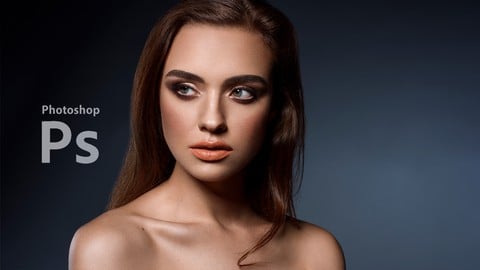
Professional Retouching Course in Photoshop (2021)
4.5 (1,884 Reviews)
 Provider: Udemy
 Time: 9.2h
$13.99

Master Advanced High End Beauty Retouching in Photoshop (2020)
4.4 (798 Reviews)
- Provider: Udemy
- Time: 7.5h
$13.99
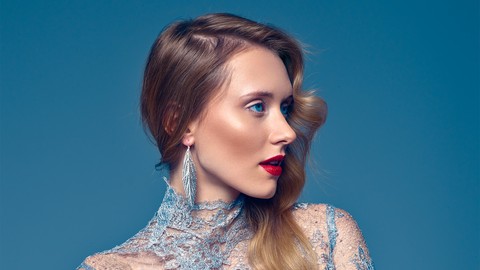
Mastering Advanced Color Grading in Photoshop (2017)
4.2 (641 Reviews)
- Provider: Udemy
- Time: 3.9h
$94.99

Photoshop for Photographers - Beginner to Professional (2019)
4.0 (574 Reviews)
- Provider: Udemy
- Time: 7.8h
$59.99
Adobe Lightroom Classic CC - Od Zera do Profesjonalisty (2020)
4.4 (388 Reviews)
- Provider: Udemy
- Time: 5h
$19.99

Photoshop Dla Fotografów - Od Zera do Profesjonalisty! (2019)
4.4 (387 Reviews)
- Provider: Udemy
- Time: 7.4h
$19.99
More Photoshop courses


Adobe Photoshop CC: For Complete Beginner (Sinhala Medium) (2026)
4.9 (110 Reviews)
- Provider: Udemy
- Time: 8.4h
$59.99

Adobe Photoshop CC – Essentials Training Course (2025)
4.8 (36,753 Reviews)
- Provider: Udemy
- Time: 11.6h
$189.99


47 Graphic Design Projects for Photoshop Beginners (2025)
4.8 (466 Reviews)
- Provider: Udemy
- Time: 7.9h
$99.99

Photoshop Efficiency - Techniques For Consistent Marketing (2025)
4.8 (144 Reviews)
- Provider: Udemy
- Time: 1.4h
$49.99
 Reviews

By Jose Carlos Siqueira Cobucci on 6/21/2021
Um pouco rápido. Não falo bem inglês, embora eu tenha começado a aprender com 16 anos. Minha audição é muito ruim e estou tentando acompanhar com a ajuda das legendas que são apresentadas pelo próprio aplicativo de video. Isso faz com que as legendas não sejam exatamente como ele está falando. Muita tradução errada. Assim, não sei se vejo e escuto o que diz o instrutor, ou se fico de olho nas legendas e perco de vista os movimentos que o instrutor está fazendo nas camadas do Photoshop. Tenho que voltar o video algumas vezes. Vamos ver como será o desenrolar do curso, pois somente vi as três primeiras aulas da técnica de Dodge and Burn.
By Andrey Tovchigrechko on 8/3/2020
The author loves his work. It is felt and very pleasant. However, I must also point out negative things. The author talks a lot. The techniques he uses are quite simple and not optimal in speed (he edits one photo for hours). And, in my opinion, the final result is not that amazing. However, this is a matter of taste.
By Vincent Girardot on 8/1/2019
Really good course as usual. If you did Master High End Beauty Retouching though, you will not learn anything new in terms of dodge&burn. Also, just in case you've been wondering, you can do that course and use Affinity Photo as I do. Same thing.
By Andreas Hofmann on 4/4/2019
This course is amazing. At the beginning all needed tools are explained in detail, which is often not done in beginner courses and also left out in advanced courses as they assume that you already have that knowledge. The instructor shows different techniques and explain the pros and cons without being to biased by his own favorites. The course is detailed, without loosing the focus on the subject. It gives enough information to work on your own, rather then just providing a workflow for exact one problem/image.
By Nitish Sihmar on 9/28/2018
I already knew the process of Dodging and Burning from Youtube. This course gave me a very in-depth view about how things work and I got to know about all the intricacies and learned it as a concept. The accent was a little barrier and the pace a bit slow. But for a beginner it's just perfect. I had no problem watching the videos on 1.25x speed.
By Tony Yordanov on 11/28/2017
The course was very interesting, very useful, very professional. I really liked some of the in-depth explainations of the techniques. We`ve got some high end retouching over here. Excellent work!
By Derek Bell-Jack on 10/20/2017
loved this course,quite a lot to take in,but seeing the technique broken down into smaller ,and easier to follow,segments,make learning this sometimes difficult to understand technique,all the more enjoyable and easier to apply in my own workflow. I have purchased a few of marcin's courses,here on udemy,and I follow him on facebook and youtube.I would like to thank him personally for his easy to follow tutorials,relaxed approach to teaching them and his overall professional and friendly manner. thank you. looking forward to putting these lessons,and honing the technique,to my own images.
By Nikolai Kuranov on 7/20/2017
Thank you, the course is wonderful. I've felt a slight disappointment, since 90% of what you've mentioned here you already mention in your Photoshop Beauty retouch course. But I guess you can't avoid that in such overlapping topics.
By John Bratten on 3/25/2017
Excellent teacher! I really like his energy; I feel like he is concerned about my learning, my getting this information and really understanding it. I like the level of detail he goes into, and I really like his style, the results of his work.
By Juan Pinera on 7/4/2016
I really enjoyed the training. I must say I will have to replay most of it to make sure I understood the lesson correctly. I do suggest as a beginner I would like to hear a little more on the short keys used to perform some of the actions done such as switching from black to white etc.. I know you did use some but would like to hear a bit more. Thank you once again!
 Quality Score
No CourseDuck member has rated this course yet. Taken it? Give each part a thumbs up or down.
Overall Score : 86 / 100
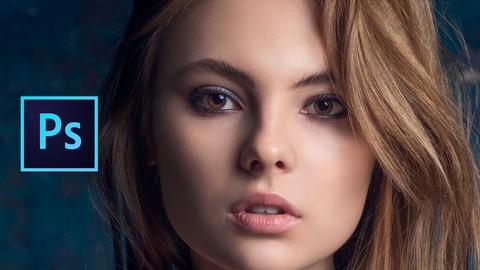
- Video Duration:
 4h
4h - Price: $49.99
- Provider: Udemy
- Updated:
 November 2017
 - Level:
 All Levels
 - Language:
 English
 - Certificate:
 Yes
Yes
30-day money-back guarantee on most paid courses
Udemy Coupon Price Tracker
