
 Web Development
 Data Science
 Python
 SQL
SQL JavaScript
 Artificial Intelligence
 IT & Software
 IT Certifications
 Hacking
 AWS
AWS Arduino
 DevOps
 3D Modeling
 Graphic Design
 Photoshop
 Drawing
 Digital Painting
 UX Design
 Business
 Data Analysis
 Communication Skills
 Project Management
 Leadership & Management
 Human Resources
 Digital Marketing
 Social Media Marketing
 Marketing
 SEO
SEO Google Analytics
 Branding
 Excel
Excel Office Productivity
 SAP
SAP PowerPoint
 Microsoft Access
 SharePoint
 Finance & Accounting
 Trading & Investing
 Accounting
 Bitcoin
 Personal Finance
 Video Editing & Animation
 Photography
 Adobe Premier Pro
 Adobe Lightroom
 Personal Development
 Productivity
 Career Development
 Life Coaching
 Health & Fitness
 Meditation & Mindfulness
 Yoga
Yoga Music
Music Music Production
 Guitar
 Piano
Piano Singing
 Language Learning
 Teaching & Academics
 Engineering
 Math
Math Lifestyle
Professional Retouching Course in Photoshop (Udemy.com)
Photoshop Non-destructive Retouching Techniques. Learn Portrait, Beauty and Outdoor Retouching in Photoshop.
Created by: Marcin Mikus
Last updated August 2021
 What you will learn
- Use Retouching Tools In Photoshop
- Works With Masks in Photoshop
- Retouch Portrait Images in Photoshop
- Retouch Beauty Images in Photoshop
- Retouch Outdoor Images in Photoshop
- Work with Shadows and Highlights
- Do Color Grading on Images
- Set up Contrasts for Images
- Work Selectively with Colors
- Process Images in Camera Raw
- Process Images in Capture One
How it compares
Against the other 188 rated Udemy courses in Photoshop on CourseDuck:
- Rating4.5 out of 5higher than 52% of them
- Reviews1,884#25 of 189 by number of reviews
- Length9.2 hourslonger than 76% of them
- Last updatedAugust 2021more recently than 63% of them
 Course Description
Do You want to Learn, Portrait, Beauty, and Outdoor Retouching?
You are in the right place. I am Marcin Mikus, Photo Retoucher and Photoshop instructor. For Years I have been exploring photoshop to finally settle in retouching area. I know how difficult is to find the right course where You can learn retouching for different kind of Photography - that’s why i came with this course where i cover different retouching with different images.
In this course You will get over 80 lessons and 6 hours of content. What’s best - You will also get high quality raw images - so you can follow me and my retouching process, as well as practice retouching on Your own. And of course - great actions and other resources which allow You to speed up Your workflow!
Don’t worry if you are beginner because we are going to cover whole process from very beginning till the final touch ups. I will show You how to do raw processing using camera raw as well as capture one. And also, if You are a little bit more advanced user, I believe You can find a lot of new informations on processing and retouching Your Images and color grading techniques.
The course is separated from different sections, leading You from basic Portrait Retouching to Beauty and Outdoor Image retouching.
1. We will discover great software as capture one, I will show You pros and cons of this software of my choice for Raw Processing. Don't worry if You don't want to use capture one - I am also showing how to do Raw processing using Adobe Camera Raw.
2. We will be analysing each image before we start our retouching, so You will know what need to be done on specyfic image whether it's portrait, beauty or outdoor image. After that we will start retouching process - where I will show You the best tools for skin and hair retouching without any confusing techniques that might lead You in the worng directions.
3. One of most important retouching technique is dodge & burn. In this course we will truly master this technique! You will see how You should dodge & burn different images. How much need to be done on specyfic image - to not overdo or underdo Your retouch! I am not presenting You many different ways, I am choosing one - most effective to make Your retouch easy and comfortable.
4. Through the lessons I will teach You different methods working with lights and shadows so You can know what works best for any image! We will compare and see real examples of applying contrasts to the Images.
5. Every single retouch will be finished up with final color corrections. I will show You most effective adjustment layers for color grading. How to work with specific color as well how to select specyfic area for Your color corrections - which is going to give You most satisfying results!
And of course, You will get High Quality Raw Images, Actions, and other resources, so Your retouch will be fast and easy as never!
If You want to become retoucher, or just retouch images as a hobby. This is Your chance,
And I will see You - in the first lesson.
Marcin

 Udemy Discount
The discount is applied through our link. Open the course from here and Udemy's current promotional price is applied at checkout on most courses, no code to type.
Some courses are excluded from Udemy's promotions. If the price does not drop, clear your browser cookies and use the button again.
Instructor Details

- 4.5 Rating
 1,884 Reviews
Marcin Mikus
I'm open minded and creative photoshop retoucher and photoshop educator with over 7 years of experience in the field. I specialize mainly in fashion, beauty, commercial and portrait retouching. Choosing me as your teacher guarantee that you will get prefessional knowledge and practice from the real photoshop expert, who works every day with images that can be found in magazines, lookbooks and fashion campaigns and peoples social media.
I've been teaching Photoshop for the last seven years. I spend almost every day with photoshop and in time I was able to gain more and more knowledge about right ways of teaching Photoshop. After few Years I felt it's the right time to come out with Premium Courses on udemy. Where I can share some amazing ideas and make Photoshop fun!
During my retouching career I have been internationaly published in various Fashion and Beauty magazines like Nasty, Numero, Ellegant, L'oficiel and many more!
 More courses by Marcin Mikus

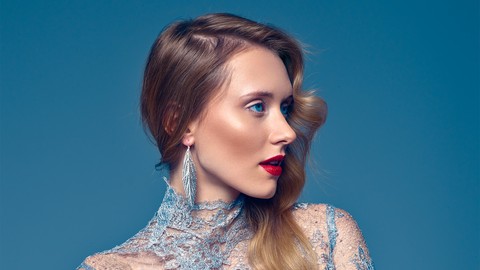
Master Advanced High End Beauty Retouching in Photoshop (2020)
4.4 (798 Reviews)
 Provider: Udemy
 Time: 7.5h
$13.99
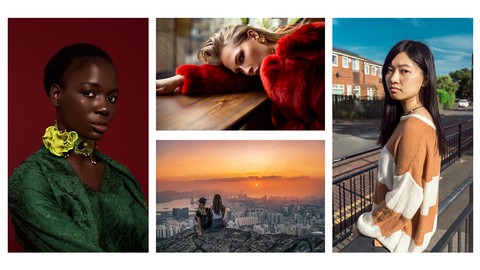
Mastering Advanced Color Grading in Photoshop (2017)
4.2 (641 Reviews)
- Provider: Udemy
- Time: 3.9h
$94.99
Photoshop for Photographers - Beginner to Professional (2019)
4.0 (574 Reviews)
- Provider: Udemy
- Time: 7.8h
$59.99
Adobe Lightroom Classic CC - Od Zera do Profesjonalisty (2020)
4.4 (388 Reviews)
- Provider: Udemy
- Time: 5h
$19.99
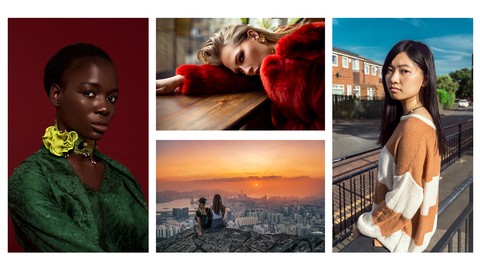
Photoshop Dla Fotografów - Od Zera do Profesjonalisty! (2019)
4.4 (387 Reviews)
- Provider: Udemy
- Time: 7.4h
$19.99
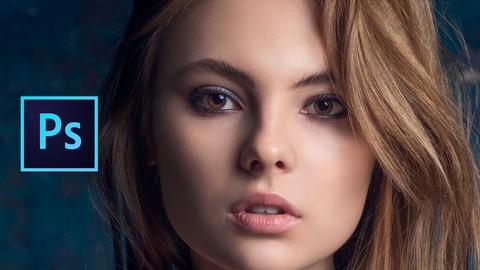
More Photoshop courses


Adobe Photoshop CC: For Complete Beginner (Sinhala Medium) (2026)
4.9 (110 Reviews)
- Provider: Udemy
- Time: 8.4h
$59.99

Adobe Photoshop CC – Essentials Training Course (2025)
4.8 (36,753 Reviews)
- Provider: Udemy
- Time: 11.6h
$189.99


47 Graphic Design Projects for Photoshop Beginners (2025)
4.8 (466 Reviews)
- Provider: Udemy
- Time: 7.9h
$99.99

Photoshop Efficiency - Techniques For Consistent Marketing (2025)
4.8 (144 Reviews)
- Provider: Udemy
- Time: 1.4h
$49.99
 Reviews

By Jones Firminus John on 9/14/2022
The course material is really good and very useful. but its very hard to follow the instructor as he doesn't show what are the values he chooses when it comes to selecting healing brushes, softness, clone stamp, different shortcuts etc. As a new person to the PS, its very hard to find out how he achieves what he is doing. May be it could have been helpful if the instructor explained most essential tools and techniques before each session. or it should have been mentioned that the course is not for new PS users. eg. i need to goto youtube to understand how to make the brush sizes bigger etc.
By Enrique Camina on 12/28/2020
Buen curso con una gran descripción de los procesos más importantes a la hora del tratamiento/procesado de un retoque. Por supuesto no engloba todo lo que considero importante a la hora de retocar un retrato, pero por lo general considero que es un buen curso, buen contenido y Marcin explicada detalladamente cada paso que hace argumentando. Tal vez los subtítulos podrían mejorarse aunque se llega a entender bien.
By Jessenia M Diaz on 11/7/2020
I have been struggling with syncing settings for similar images and creating the correct white balance. I have a much more clear understanding.
By Taylor Jones on 9/21/2020
loved your course !
By David Barker on 9/16/2020
So far the information is clear and easy to understand
By Niki Hagedoorn on 8/16/2020
I wanted to skip a few lessons, thinking I already mastered it, but decided to watch it anyway, and I am so excited, because I learned something new and cant wait to try this myself !
By Shah Baten on 8/1/2020
This was a very good learning experience. It is a great course if you are interested in photofinishing and retouching. | recommend this course.
By Gabriel Dias on 7/26/2020
As legendas so pessimas, traduz tudo errado. mas o contedo muito bom.
By Manoob CM on 6/26/2020
there is no sound in ur videos
By Thais dos Santos on 5/13/2020
This course was very well explained and opened my view on photo editing, took away the fear of using photoshop (and see that is not that complicated). Thank you
By Iredia Eugene on 5/9/2020
Its been am
By Jeremy L Hickey on 5/8/2020
This instructor goes too fast and doesnt show you how to get where hes at. He also wants you to download other software other than Photoshop. I paid for Photoshop Retouching course not all these other software.
 Quality Score
No CourseDuck member has rated this course yet. Taken it? Give each part a thumbs up or down.
Overall Score : 90 / 100
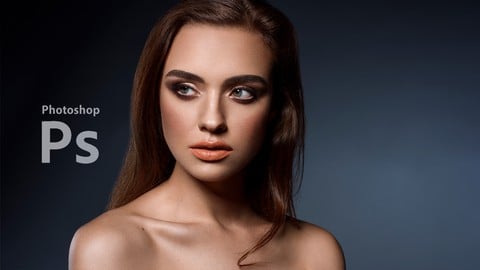
- Video Duration:
 9.2h
9.2h - Price: $13.99
- Provider: Udemy
- Updated:
 August 2021
 - Level:
 All Levels
 - Language:
 English
 - Certificate:
 Yes
Yes
30-day money-back guarantee on most paid courses
Udemy Coupon Price Tracker
