
 Web Development
 Data Science
 Python
 SQL
SQL JavaScript
 Artificial Intelligence
 IT & Software
 IT Certifications
 Hacking
 AWS
AWS Arduino
 DevOps
 3D Modeling
 Graphic Design
 Photoshop
 Drawing
 Digital Painting
 UX Design
 Business
 Data Analysis
 Communication Skills
 Project Management
 Leadership & Management
 Human Resources
 Digital Marketing
 Social Media Marketing
 Marketing
 SEO
SEO Google Analytics
 Branding
 Excel
Excel Office Productivity
 SAP
SAP PowerPoint
 Microsoft Access
 SharePoint
 Finance & Accounting
 Trading & Investing
 Accounting
 Bitcoin
 Personal Finance
 Video Editing & Animation
 Photography
 Adobe Premier Pro
 Adobe Lightroom
 Personal Development
 Productivity
 Career Development
 Life Coaching
 Health & Fitness
 Meditation & Mindfulness
 Yoga
Yoga Music
Music Music Production
 Guitar
 Piano
Piano Singing
 Language Learning
 Teaching & Academics
 Engineering
 Math
Math Lifestyle
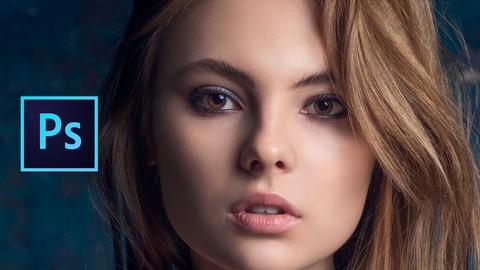
Mastering Advanced Color Grading in Photoshop (Udemy.com)
Learn Professional Color Grading Techniques in Photoshop and make your Images Stand Out - with Ressources
Created by: Marcin Mikus
Last updated December 2017
 What you will learn
- Use Photoshop comfortably
- Make images stand out
- Understand how color harmonies works
- Know how to use professional retouching techniques
- They will be able to improve their images straight away after this course
- They will be able to be better retoucher and build much better portfolio - which allows them to charge more for services
How it compares
Against the other 188 rated Udemy courses in Photoshop on CourseDuck:
- Rating4.2 out of 5higher than 15% of them
- Reviews641#52 of 189 by number of reviews
- Length3.9 hoursshorter than 54% of them
- Last updatedDecember 2017earlier than 79% of them
 Course Description
What is color? If someone would've ask You that question what would You say? How You describe to person how red looks like, or how blue feels. We cannot really explain colors without describing them by the name, but we are able to express them through the stories.
In this course I am going to have deeper look on how color affects the images, and how we can build all atmosphere of the image by working with color. The process of enhancing and and processing the color is called Color Grading.
I have to agree that every part of retouching is important for the image, although color is the one which has biggest impact on the final outcome and on how Your images will be percieved.
Why color are so important in photography?
Remember that images are not only the frame from peoples life. Images tell tell the stories, And colors are it’s content. You want people feel when they look at the images, You want to show them what You feel through the image, no matter if You are photographer or retoucher as I am.
To me, as a retoucher colors are most important part of the image and information behind them. It is also my favourtitte part of my work. Working with reds to show strong emotions, going with pink to Make it soft, or Working with blue colors to make it comfotable for our eyes.
This is what I am teaching You. Why this course is so special? Because I am not going to talk only about theory, but mostly we are going to work on real examples, on work that was published, so You know it is not some ametour experiment.
I cover few different subjects in Photography, outdoor photography, Studio fashion and Beauty as well as Street fashion Photography. So You know this course is for You.
What You will find in this course:
1. In the first part of the course we will be working on natural light photography - one of the most popular photography in recent years.
- I will make sure you will know how to process your raw images, no matter if you will use adobe camera raw, or capture one software.
- I will show You how to clean up portrait images including dodge & burn process.
- I will teach you how to do color grading using most effective adjustement layers, as well as other techniques to let you choose your own way of retouching.
- I will teach you how to choose color theme for your image that most suit certein kind of photography.
2. In the next part we will jump into studio fashion and beauty images.
- I will teach you more techniques on general retouching including cleaning up process as well as working with contrasts on advanced level.
- You will learn how to grade images selectively on shadows and highlights, as well as how to work with images with complementary color harmony.
- You will learn how to correct colors of the image, how to take down certain color off your image as well how to fix color and stauration shifts.
- I will show You how to do final touch ups for your image in camera raw, to make them look perfect.
3. In the last part of the course we will do something much more creative. We are going to work on street fashion images with different color palettes.
- I will show you the way to process such an raw images.
- You will learn how to work selectivaly with each color no matter which part of the image you want to work with, sky, clothes, hair. You will know how to improve each color.
- You will learn how to work with the images from the same set. How to make their colors have one main theme.
- Including with final touch ups I will teach you simple trick that allows you to break off strong color transitions.
Marcin

 Udemy Discount
The discount is applied through our link. Open the course from here and Udemy's current promotional price is applied at checkout on most courses, no code to type.
Some courses are excluded from Udemy's promotions. If the price does not drop, clear your browser cookies and use the button again.
Instructor Details

- 4.2 Rating
 641 Reviews
Marcin Mikus
I'm open minded and creative photoshop retoucher and photoshop educator with over 7 years of experience in the field. I specialize mainly in fashion, beauty, commercial and portrait retouching. Choosing me as your teacher guarantee that you will get prefessional knowledge and practice from the real photoshop expert, who works every day with images that can be found in magazines, lookbooks and fashion campaigns and peoples social media.
I've been teaching Photoshop for the last seven years. I spend almost every day with photoshop and in time I was able to gain more and more knowledge about right ways of teaching Photoshop. After few Years I felt it's the right time to come out with Premium Courses on udemy. Where I can share some amazing ideas and make Photoshop fun!
During my retouching career I have been internationaly published in various Fashion and Beauty magazines like Nasty, Numero, Ellegant, L'oficiel and many more!
 More courses by Marcin Mikus
Professional Retouching Course in Photoshop (2021)
4.5 (1,884 Reviews)
 Provider: Udemy
 Time: 9.2h
$13.99

Master Advanced High End Beauty Retouching in Photoshop (2020)
4.4 (798 Reviews)
- Provider: Udemy
- Time: 7.5h
$13.99
Photoshop for Photographers - Beginner to Professional (2019)
4.0 (574 Reviews)
- Provider: Udemy
- Time: 7.8h
$59.99
Adobe Lightroom Classic CC - Od Zera do Profesjonalisty (2020)
4.4 (388 Reviews)
- Provider: Udemy
- Time: 5h
$19.99
Photoshop Dla Fotografów - Od Zera do Profesjonalisty! (2019)
4.4 (387 Reviews)
- Provider: Udemy
- Time: 7.4h
$19.99
More Photoshop courses


Adobe Photoshop CC: For Complete Beginner (Sinhala Medium) (2026)
4.9 (110 Reviews)
- Provider: Udemy
- Time: 8.4h
$59.99

Adobe Photoshop CC – Essentials Training Course (2025)
4.8 (36,753 Reviews)
- Provider: Udemy
- Time: 11.6h
$189.99


47 Graphic Design Projects for Photoshop Beginners (2025)
4.8 (466 Reviews)
- Provider: Udemy
- Time: 7.9h
$99.99

Photoshop Efficiency - Techniques For Consistent Marketing (2025)
4.8 (144 Reviews)
- Provider: Udemy
- Time: 1.4h
$49.99
 Reviews

By Ulkar Najafova on 3/17/2022
I would like to thank Marcine for this course. I learned new techniques and some basic understanding of color grading. I loved how he explained the way for creating masks for contrast and luminosity in depth. He opened up a whole new perspective of editing process for me. This course is teaching about the techniques of applying color grading to your images, but not how the color harmonies work which he actually mentiones in the introduction. I didn't expect to have Capture one editing included, but on the other hand it was good to see the workflow in another software. Overall, this course is good if you know about color and want to learn techniques of applying it to your images, but it doesn't give you the understanding of color harmonies and how to apply color balance and harmonies to your images.
By Timothy Smith on 8/31/2021
This was more about general retouching than about colour grading. There are some useful tips concerning masks and selections and it was interesting to watch a professional's workflow. However the photographs used are not available so you cannot even follow along and try things for yourself. There was very little colour theory and quite a lot about things like contrast, cleaning up spots and smoothing skin. There was also a lot of work shown in Capture One which seems odd since the course is called "...in Photoshop". The tutor showed you how he creates the tones he likes for a small selection of image types and if you want to get the same results as he gets you can copy his process. If you are considering this course because you want to understand colour grading so you can achieve your own results with confidence best look elsewhere.
By Rafael Araujo on 8/26/2020
I have liked the references and the resources. I really enjoyed learning the processes for dodge & burn, toning and color correction. I've never seen them that way. I am crazy to finish this course, to experiment and create new ideas with what I have learned. I am very happy with the course. The final part is the best, very good those techniques!
By Kvnh Nguyen on 11/12/2019
Color grading is a new domain that I really want to get into. The more I watched Marcin's tutorial, the more I have learned from Marcin, not only on color grading but also on basic retouching techniques. Marcin taught us techniques for color correction and color grading. While most other professionals who have taught on the same subject concentrate on using curve adjustment layers to color correction and color grading, Marcin showed us more practical techniques for color correction and grading using other photoshop adjustment layers such as color balance, solid color, photo filter in addition to curve adjustment layers. His technique is more intuitive than just changing the S curve for RGB channel. What I have learned from his tutorial helps me understanding how to use other third party software like Topaz Lab Studio 2 (it has similar filters like Duo Tone and Quad Tone). I gave it a 4 star rating previously because he is not an English speaking and it takes time to get used to his speaking. After few sections and once I have understood his process, I started getting more "ah hah" big surprise moments. Marcin is really a subject matter on this subject.
By Michael Scott on 8/14/2018
Was really helpful in showing me the process of color grading through the eyes of someone more experienced. Showed me methods that I would of never though of. I would like to see the course more Color Grade Specific! for instance doing each image using a different method So we can decide for ourselves which we prefer. And less of the basic retouching like cleaning images, I know its important. But this is a color Grading Course after all. Still totally worth it though. Thanks Marcin
By Thomas Kunze on 6/14/2018
Interesting course. It covers the possibilities of RAW development, Dodge and Burn, contrast and color correction. In addition, Marcin Mikus shows how to get more control over the respective retouching tools through masks. For users of Photoshop who want to get on with their retouching work an interesting extension of possibilities. However, there is no way to practice with more than one specific example from the course. But that's not so tragic as the information on professional retouching is well communicated.
By Mokwang Lima-Lindsay on 1/6/2018
I really enjoy Marcin's style of teaching. It is helpful when he has examples included that you can follow along with. That's the best way for me to learn and retain. While I enjoyed the first couple of clips, I did not like the Fashion examples because he worked on files that he could not give us access to. It would have been better if he chose files he could share with us so that we could follow along step by step.
By J. Aurelio Farias R. on 12/25/2017
ha sido un buen curso, los substitutos si son algo malos, pero para los que sabemos ingles básico no causa problemas, el instructor fue bueno, rápido y conciso, pero debería de explicar el porque cuando llega a aun punto que a el le gusta, debería explicar un poco mas a fondo el porque le gusta, y por que lo deja así, o decir un aproximado de cuando es suficiente desde su perspectiva.
By Irmgard karoline becker on 12/4/2017
He entendido de forma organizada como trabajar con el color y con el orden de los Layers en photoshop. Lo que mas me ha gustado es la ligera invasión a la imagen en la edición, hace que todo se vea natural pero llamativo y con distinción. Pasos directos y fáciles de entender que dan un gran cambio a la imagen.
By Raymond Saldana on 5/10/2017
Thank you Marcin!. I hope to be as good as you after watching your video but i will go through with the videos again and again until i l edit the way you do. I will definitely get more of your videos. I hope we could interact personally by sharing you my finished work to you and you can comment on them and advice me more for improvements. Thank you again Marcin
 Quality Score
No CourseDuck member has rated this course yet. Taken it? Give each part a thumbs up or down.
Overall Score : 84 / 100
- Video Duration:
 3.9h
3.9h - Price: $94.99
- Provider: Udemy
- Updated:
 December 2017
 - Level:
 All Levels
 - Language:
 English
 - Certificate:
 Yes
Yes
30-day money-back guarantee on most paid courses
Udemy Coupon Price Tracker
