
 Web Development
 Data Science
 Python
 SQL
SQL JavaScript
 Artificial Intelligence
 IT & Software
 IT Certifications
 Hacking
 AWS
AWS Arduino
 DevOps
 3D Modeling
 Graphic Design
 Photoshop
 Drawing
 Digital Painting
 UX Design
 Business
 Data Analysis
 Communication Skills
 Project Management
 Leadership & Management
 Human Resources
 Digital Marketing
 Social Media Marketing
 Marketing
 SEO
SEO Google Analytics
 Branding
 Excel
Excel Office Productivity
 SAP
SAP PowerPoint
 Microsoft Access
 SharePoint
 Finance & Accounting
 Trading & Investing
 Accounting
 Bitcoin
 Personal Finance
 Video Editing & Animation
 Photography
 Adobe Premier Pro
 Adobe Lightroom
 Personal Development
 Productivity
 Career Development
 Life Coaching
 Health & Fitness
 Meditation & Mindfulness
 Yoga
Yoga Music
Music Music Production
 Guitar
 Piano
Piano Singing
 Language Learning
 Teaching & Academics
 Engineering
 Math
Math Lifestyle
Blender - Jewelry creation (Udemy.com)
Unlock your jewelry creation potential with Blender. Produce production-ready custom designs.
Created by: Julien Deville
Last updated February 2024
 What you will learn
- Learn jewelry-specific modeling techniques in Blender
- Use the Jewelcraft addon to optimize workflow
- Know how to use an object library provided in the course
- Produce a photorealistic image or video rendering for a client
- Produce an exportable 3D object for production in a foundry or 3D printing
How it compares
Against the other 1,182 rated Udemy courses in IT & Software on CourseDuck:
- Rating4.7 out of 5higher than 86% of them
- Reviews288#730 of 1,183 by number of reviews
- Length13.1 hourslonger than 80% of them
- Last updatedFebruary 2024earlier than 67% of them
 Course Description
In this training we will discover the process of creating Jewelry with Blender. We will take as examples the creation of several designs of rings and pendants. Each of the examples will be exportable and usable by professionals in the sector.
This training will allow you to discover a complete workflow with the functionalities of Blender associated with the Jewelcraft addon for Jewelry. All the tools used in this training are open source and therefore free.
This training is divided into 6 chapters which will help you discover the tools necessary to achieve all forms of jewelry creations.
In the first chapter we will discover the jewelcraft addon and all its tools for jewelry creation. Once these notions have been acquired, we can move on to the to Blender’s specific tools in chapter two. In chapter 3 we will discover the use of an object library to optimize the creation process. Chapter 4 will be devoted to image and video production, then we will export our models for production or 3D printing in Chapter 5. In chapter 6 we will be able to use all the concepts acquired to model 3 rings and a pendant until export and image production.
As a extra in this training you will also find a complete library of objects ready to be used in the asset browser to facilitate your creation process. These objects can be used without restrictions for your projects as long as you do not share them.
Source files are included in the training to facilitate learning.
With this training you will be able to push your workflows limits and liberate your creativity for jewelry creation.
Thank you for appreciate my work and happy training!

 Udemy Discount
The discount is applied through our link. Open the course from here and Udemy's current promotional price is applied at checkout on most courses, no code to type.
Some courses are excluded from Udemy's promotions. If the price does not drop, clear your browser cookies and use the button again.
Instructor Details

- 4.7 Rating
 288 Reviews
Julien Deville
Hello I'm Julien Devile. I work as a freelance 3d designer and Blender foundation certified trainer since 7 years. I started to learn Blender by myself 8 years ago with books and videotutorials online. Now i'm glad to use Blender for 80 percents of my works projects. I work as a trainer for 50 percent of my time. I teach to local companies that want to use Blender and do personal sessions for artists or professionnals that wants to evolves in their practice of this incredible software. Teaching for me is just the natural evolution of my career path and i'm happy to give back what the Blender community gave to me.
Bonjour, je suis Julien Deville. Je travaille comme designer et formateur 3d freelance depuis 7 ans. J'ai commencé à apprendre Blender par moi-même il y a 8 ans avec des livres et des didacticiels en ligne. Maintenant, je suis heureux d'utiliser Blender pour 80 pour cent de mes projets de travaux. Je travaille en tant que formateur pour 50 p. 100 de mon temps. J'enseigne aux entreprises locales qui veulent utiliser Blender et je forme également sur des sessions personnalisées pour des artistes ou des professionnels qui veulent évoluer dans la pratique de ce logiciel incroyable. Enseigner pour moi est juste l'évolution naturelle de ma carrière et je suis heureux de rendre ce que la communauté de Blender m'a donné.
 More courses by Julien Deville
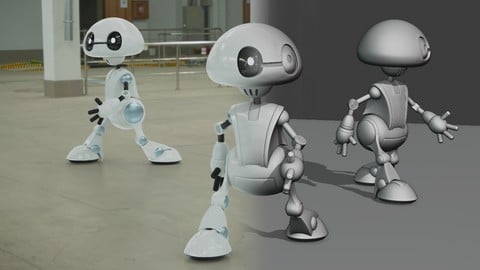
Blender 2.8 The complete guide from beginner to pro (2020)
4.4 (2,798 Reviews)
 Provider: Udemy
 Time: 33.9h
$74.99
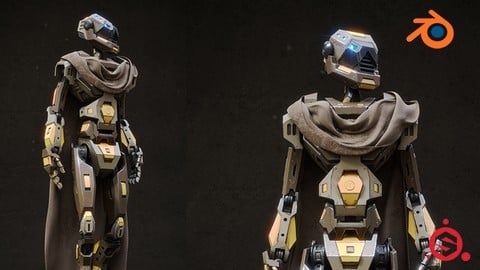
Blender 2.81 - Substance painter - Sci fi asset creation (2019)
4.7 (543 Reviews)
- Provider: Udemy
- Time: 10h
$13.99

Blender 2.79 Nature environment creation (2018)
4.6 (477 Reviews)
- Provider: Udemy
- Time: 20.1h
$44.99

Blender 2.79 Dinosaur creation from scratch (2018)
4.6 (458 Reviews)
- Provider: Udemy
- Time: 13.6h
$59.99
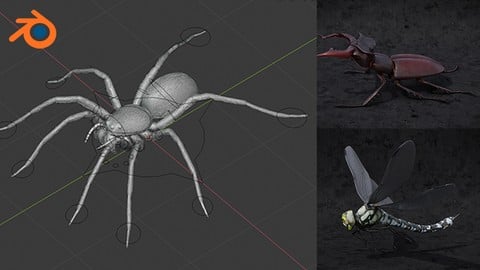
Blender 2.81 - Spiders and insects creation from scratch (2019)
4.7 (349 Reviews)
- Provider: Udemy
- Time: 8.1h
$74.99
More IT & Software courses

D3.js Data Visualization Fundamentals - Hands On (2026)
4.9 (3,917 Reviews)
- Provider: Udemy
- Time: 4.6h
$49.99

Hands-On Training: Streaming Data with Apache Kafka on Azure (2025)
4.9 (103 Reviews)
- Provider: Udemy
- Time: 3.7h
$10.99


Oracle Grid Infrastructure and RAC using Oracle Database 19c (2026)
4.8 (2,499 Reviews)
- Provider: Udemy
- Time: 8.7h
$19.99

PowerShell Scripting & Automation: The Complete Hands-On (2026)
4.8 (1,750 Reviews)
- Provider: Udemy
- Time: 9.6h
$11.99

AWS EC2 Crash Course + Load Balancing with Demos and PDFs (2025)
4.8 (866 Reviews)
- Provider: Udemy
- Time: 3.7h
$19.99
 Reviews

By Samina Yasmin on 7/30/2026
I have found this course very useful, I have been using it regularly to learn skills to apply for my own designs. My confidence has grown and have become very comfortable with the concepts of blender, still a lot to learn but this course has definitely supported my learning. I do feel the course is better suited for those with knowledge of blender as not everything is explained and the reason for doing it. Having said that, it has forced me to find things out for myself and hence increased my understanding. I would definitely recommend this course.
By Eduardo Suarez Gomez on 1/25/2026
Simply it’s actually everything I was looking for having on mind the distance where I live and the lack of resources to learn near by me. The impressive is the clarity and detail the teacher use to guide true the class.
By Lionel Coquet on 11/17/2025
Good information. I've using Blender for a short while and the perspective view is probably the best i heard so far. Edit: I recommend this course because it gives you a good start for creating jewelry with Blender. He explains the tools, (or add-on) very well and shows how it functions and makes the steps to using it very clear. Great job
By G'Hihness Monroe on 10/20/2025
This was very good, the only problem is that he's using different devices than what I am using, which makes it sort of difficult to keep up with because I can tell he's not using a MAC and I am. So I had to use chatGPT to figure somethings out. But I got it.
By Lilia Ellis on 3/6/2025
I liked the course! Julien is a great teacher! This course is helpful to learn Blender, Jewelcraft addon, rendering techniques. The library is a plus. BUT! It doesn't take into consideration JEWELLERY PRODUCTION STANDARDS at all. I suspect none of the designs were casted, because simply many elements are too small (just imagine diamond with 0.5 mm diameter) of not thick enough. So after this course you have technical ability to model and render jewelry, but lack of understanding the limitations of designs.
By Arnoldas Karalius on 1/9/2025
Perfect tutorial for those who understand jewelry techniques practically. Otherwise, there might be some misleading information about prong sizes, stones, distances and etc. If none of it concerns you, and all you want is to get to know Blender better and learn some techniques that will be useful in jewelry making, then this course is the perfect choice.
By Schirley Amaral on 4/11/2024
It is an amazing course. I was looking for a course as good as this one for a long time I really liked it and learned a lot. Thank you very much! All the best!
By Joanna Soroczak on 1/10/2024
Great training. All very well explained. I had no previous experience with 3d design or Blender and can follow the classes without difficulties. Highly recommend this course.
By A. Moore on 1/4/2024
I originally bought this course just to learn how to use the Jewelcraft Addon. However, I found that I learned something new in every chapter. This course was a great find!
By Rachel Ndoole Akilimali on 1/1/2024
Amazing course for beginners, in jewelry design as well as blender. The teacher explains every tool clearly which makes it easy to understand. Far better than youtube tutorials, which are not created by real teachers. Thanks a lot for the course!
 Quality Score
No CourseDuck member has rated this course yet. Taken it? Give each part a thumbs up or down.
Overall Score : 94 / 100

- Video Duration:
 13.1h
13.1h - Price: $84.99
- Provider: Udemy
- Updated:
 February 2024
 - Level:
 Intermediate
 - Language:
 English
 - Certificate:
 Yes
Yes
30-day money-back guarantee on most paid courses
Udemy Coupon Price Tracker
