
 Web Development
 Data Science
 Python
 SQL
SQL JavaScript
 Artificial Intelligence
 IT & Software
 IT Certifications
 Hacking
 AWS
AWS Arduino
 DevOps
 3D Modeling
 Graphic Design
 Photoshop
 Drawing
 Digital Painting
 UX Design
 Business
 Data Analysis
 Communication Skills
 Project Management
 Leadership & Management
 Human Resources
 Digital Marketing
 Social Media Marketing
 Marketing
 SEO
SEO Google Analytics
 Branding
 Excel
Excel Office Productivity
 SAP
SAP PowerPoint
 Microsoft Access
 SharePoint
 Finance & Accounting
 Trading & Investing
 Accounting
 Bitcoin
 Personal Finance
 Video Editing & Animation
 Photography
 Adobe Premier Pro
 Adobe Lightroom
 Personal Development
 Productivity
 Career Development
 Life Coaching
 Health & Fitness
 Meditation & Mindfulness
 Yoga
Yoga Music
Music Music Production
 Guitar
 Piano
Piano Singing
 Language Learning
 Teaching & Academics
 Engineering
 Math
Math Lifestyle
Blender 2.8 The complete guide from beginner to pro (Udemy.com)
over the new version of Blender in this complete training from beginner to advanced
Created by: Julien Deville
Last updated June 2020
 What you will learn
- Discover the software to integrate it into your workflow
- Apprehend the interface and keyboard shortcuts for better efficiency
- Modeling, rendering , lighting simple scenes
- Animation , rigging, simulation, sculpting , texturing
How it compares
Against the other 100 rated Udemy courses in Blender on CourseDuck:
- Rating4.4 out of 5higher than 23% of them
- Reviews2,798#10 of 101 by number of reviews
- Length33.9 hourslonger than 88% of them
- Last updatedJune 2020earlier than 74% of them
 Course Description
This is a complete training dedicated to learning the Blender 2.8 software. Blender 2.8 and a free 3D software and opensource.
This complete training will allow beginners to discover the software entierely. Blender 2.7 users will find an opportunity to make the transition to the new version.
This training is divided into 15 chapters that will allow you to progressively and consistently learn. Most of the chapters are punctuated with exercises to review the features covered and implement them. The source files are included in the training and allow you to understand the progress of a project.
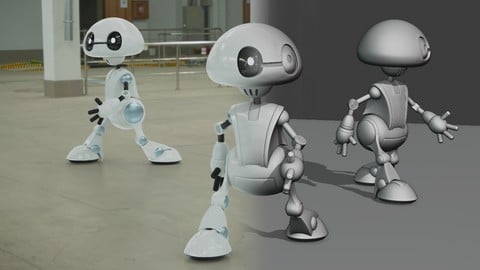
During the training we will produce in parallel a complete project to create a robot from modeling to animation, this project will allow you to apply the Blender functions learned in the course.
From discover ring the software, to polygonal modeling, object mode, edit mode, different rendering engines, scene lighting, realistic material creation, texturing, digital sculpture, animation, simulations, compositing, all these notions will be addressed in this training and will allow you to progress in the software.

 Udemy Discount
The discount is applied through our link. Open the course from here and Udemy's current promotional price is applied at checkout on most courses, no code to type.
Some courses are excluded from Udemy's promotions. If the price does not drop, clear your browser cookies and use the button again.
Instructor Details

- 4.4 Rating
 2,798 Reviews
Julien Deville
Hello I'm Julien Devile. I work as a freelance 3d designer and Blender foundation certified trainer since 7 years. I started to learn Blender by myself 8 years ago with books and videotutorials online. Now i'm glad to use Blender for 80 percents of my works projects. I work as a trainer for 50 percent of my time. I teach to local companies that want to use Blender and do personal sessions for artists or professionnals that wants to evolves in their practice of this incredible software. Teaching for me is just the natural evolution of my career path and i'm happy to give back what the Blender community gave to me.
Bonjour, je suis Julien Deville. Je travaille comme designer et formateur 3d freelance depuis 7 ans. J'ai commencé à apprendre Blender par moi-même il y a 8 ans avec des livres et des didacticiels en ligne. Maintenant, je suis heureux d'utiliser Blender pour 80 pour cent de mes projets de travaux. Je travaille en tant que formateur pour 50 p. 100 de mon temps. J'enseigne aux entreprises locales qui veulent utiliser Blender et je forme également sur des sessions personnalisées pour des artistes ou des professionnels qui veulent évoluer dans la pratique de ce logiciel incroyable. Enseigner pour moi est juste l'évolution naturelle de ma carrière et je suis heureux de rendre ce que la communauté de Blender m'a donné.
 More courses by Julien Deville
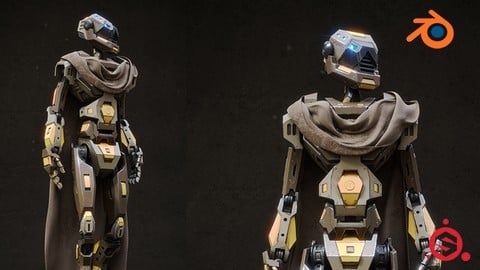
Blender 2.81 - Substance painter - Sci fi asset creation (2019)
4.7 (543 Reviews)
 Provider: Udemy
 Time: 10h
$13.99

Blender 2.79 Nature environment creation (2018)
4.6 (477 Reviews)
- Provider: Udemy
- Time: 20.1h
$44.99

Blender 2.79 Dinosaur creation from scratch (2018)
4.6 (458 Reviews)
- Provider: Udemy
- Time: 13.6h
$59.99
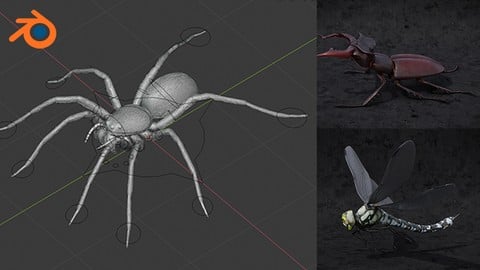
Blender 2.81 - Spiders and insects creation from scratch (2019)
4.7 (349 Reviews)
- Provider: Udemy
- Time: 8.1h
$74.99

More Blender courses

Low Poly Landscapes: Blender Bite Sized Course (2025)
4.9 (1,704 Reviews)
- Provider: Udemy
- Time: 6.2h
$99.99

Absolute Beginners 3D character in Blender course (2022)
4.9 (1,133 Reviews)
- Provider: Udemy
- Time: 14.5h
$94.99


Complete Blender Creator: 3D Modelling (Compatible with 4.3) (2026)
4.8 (69,132 Reviews)
- Provider: Udemy
- Time: 13.8h
$199.99

The Ultimate Blender 3D Sculpting Course (2026)
4.8 (3,904 Reviews)
- Provider: Udemy
- Time: 37.2h
$119.99

Blender Total! From Basic to Advanced 3D! (2025)
4.8 (2,407 Reviews)
- Provider: Udemy
- Time: 21.3h
$109.99
 Reviews

By Sandro De Sarro on 1/4/2021
Have to rewrite the review as I come back here to refresh some parts every now and then despite now having done advance courses, when a course is structured so well you can easily come back and just look at something you have not used in a while or aren't so sure about it deserve a higher rating. I still keep half a star off as the part about simulations hasn't been updated yet so fire and water are not really useful and is a shame as they are short videos. The course really is well layout and makes a lot of sense the way it progresses which is one of the strongest point in not using YouTube as that would just confuses you, the only beginner tutorial I suggest there is the popular one from Blender Guru then you need to come down this path. Julien is very responsive in the Q&A so you never get stuck, of course first try as Blender is about trying and figuring out else you would never do anything by yourself but again it is great to have quick answers when everything else did not work. Projects are great and well thought, perhaps I would have used something less "roundy" and more of a "mech" style as robot as it is way more beginner friendly, but it was fun to make and you can still create your twist on it, the other projects are packed with good tips. Overall this is one of the two courses I consider a must for beginners.
By Cris Moar on 12/2/2020
A structured overview of most of the features in blender. Has exercises in each section and the instructor is still answering questions. Doesn't go in depth but that's expected since blender has so many features that I don't think you can fit them all into a 30 hour course.
By Gareth Watson on 11/22/2020
I need to finish the last few lessons but this course has taught me so much. I've built the robot in the lessons and a few of my own models. I've also been able to help my son with his portfolio for his University course by making his designs into printable models for him to show-off his ideas. This course is brilliant, well paced and I often refer back to the lessons. They give much clearer guidance than you'll find in YouTube videos. Thanks Julien, really appreciate the effort you've put in here.
By Diana babei on 10/2/2020
A great introduction to the possibilities of blender, with useful exercises. A little dense and hard to follow on a Mac, as the shortcuts are quite different and there is no num pad. But overall it was a positive experience and I can't wait to experiment more with what I've learnt. Thanks :)
By Rui Rodrigues on 4/18/2020
I'm all the way to chapter 8 and I've followed through every class with tranquility and focus. Julien is a very dedicated person towards his work and it shows! Take the time to tryout what is shown during the classes and eventually it feels pretty natural opening blender and starting to edit with what you know. Thanks Julien Deville for such dedication! *UPDATE* I've just completed this whole course. I must say it has given me many tools which I haven't found anywhere, or that took a long time searching around for solutions on the internet. I completely recommend you to follow this course as it has a ton of useful lessons for ANYONE interested in beginning their journey on the 3D world. To you, Julien, I know it ain't all rainbows and butterflies out there (maybe on Himalayas?) however you're quite good at teaching and clearly you know a lot about Blender. Keep it up, keep pushing forward. I'll see you around!
By Sam Davis on 4/5/2020
This course is good for obtaining a basic overview of Blender 2.8 capabilities. To say that this course is a "complete guide from beginner to pro" is an 'over-promise' which in the end 'under-delivers.' The title of this course should have been something like, "A Comprehensive Overview of Blender 2.8."
By Laine Faye on 1/6/2020
This is one of the best Blender courses I come across that'll give you an overall picture of Blender. It's a long course and just watching it is not going to help you to the fullest. You'll likely forget quite a bit by the end of the course. So, please do yourself a favor and apply the stuff you learn from this course, don't wait till you finish the training to start applying. There is no substitute for actually applying the stuff you learn to master a skill or tool. Best of luck!
By Sebastian Schroth on 11/29/2019
A good starting point for your journey in Blender. The Tutorial highlights all of Blender's essential features in an adequate way. Some features would have deserved a more in-depth explanation, but since this tutorial is aiming towards beginners, the focus on the essentials is just fine.
By Anton Cornelis Jeroen de Bonte on 10/15/2019
A very good training! The trainer is very skilled, has a good training pace and makes everything clear and concise! I had 0 Blender experience before, and now half way the video I've learned already so much, that I am proficient in making models, applying shaders, and understand what all the settings in Blender mean. Great tutorials!! Edit: Having finished the training, I can say for sure this is one I will recommend to all that are into 3D development using Blender. I learned so much that now I will have tons of fun with. Thank you Julien!
By Tony V on 8/14/2019
Good detailed explanations, also well paced and focused without overloading the newbie too much. The sound quality is clear and consistent through all sections and easy to listen too, Julien's English is very good with a pleasant French accent. Only a little issue with the letter "I" which sounds like "Y" ....to be mindful of this when using shortcut keys. The videos also display which of the instructors shortcut keys are activated in the bottom left of screen for reference. Update, May 2020: Now 30% through course and very much enjoying the learning experience. There are lots of professional tips and tricks explained as you progress to help you create good quality 3D models.
 Quality Score
No CourseDuck member has rated this course yet. Taken it? Give each part a thumbs up or down.
Overall Score : 88 / 100
- Video Duration:
 33.9h
33.9h - Price: $74.99
- Provider: Udemy
- Updated:
 June 2020
 - Level:
 Beginner
 - Language:
 English
 - Certificate:
 Yes
Yes
30-day money-back guarantee on most paid courses
Udemy Coupon Price Tracker
