
 Web Development
 Data Science
 Python
 SQL
SQL JavaScript
 Artificial Intelligence
 IT & Software
 IT Certifications
 Hacking
 AWS
AWS Arduino
 DevOps
 3D Modeling
 Graphic Design
 Photoshop
 Drawing
 Digital Painting
 UX Design
 Business
 Data Analysis
 Communication Skills
 Project Management
 Leadership & Management
 Human Resources
 Digital Marketing
 Social Media Marketing
 Marketing
 SEO
SEO Google Analytics
 Branding
 Excel
Excel Office Productivity
 SAP
SAP PowerPoint
 Microsoft Access
 SharePoint
 Finance & Accounting
 Trading & Investing
 Accounting
 Bitcoin
 Personal Finance
 Video Editing & Animation
 Photography
 Adobe Premier Pro
 Adobe Lightroom
 Personal Development
 Productivity
 Career Development
 Life Coaching
 Health & Fitness
 Meditation & Mindfulness
 Yoga
Yoga Music
Music Music Production
 Guitar
 Piano
Piano Singing
 Language Learning
 Teaching & Academics
 Engineering
 Math
Math Lifestyle
Blender : Ultimate Game Art Creation Guide (Udemy.com)
Create PBR Game Ready Assets for your portfolio and game engines with only Blender
Created by: Victor Deno
Last updated October 2022
 What you will learn
- Modeling Game Ready Meshes for Game Art
- UV Mapping and Baking Texture Maps for Game Engines ( Unity, Unreal Godot )
- Game Ready PBR Texturing in Blender
- Lighting and Presentation in Blender for your portfolio
- Presenting your work in Sketchfab
How it compares
Against the other 545 rated Udemy courses in 3D Modeling on CourseDuck:
- Rating4.5 out of 5higher than 37% of them
- Reviews79#480 of 546 by number of reviews
- Length7.5 hourslonger than 55% of them
- Last updatedOctober 2022more recently than 50% of them
 Course Description
Introduction
Want to create game ready art for your portfolio and game engine with only blender? This course goes over the process of creating PBR game ready assets to showcase in blender or to export to your favorite game engine of choice such as Unreal, Unity, Godot & Sketchfab. I made this course as an answer for aspiring creators to start strong in their creative careers without having to pay for huge software subscription and just focusing on using the free and open source 3D software Blender!
Sections
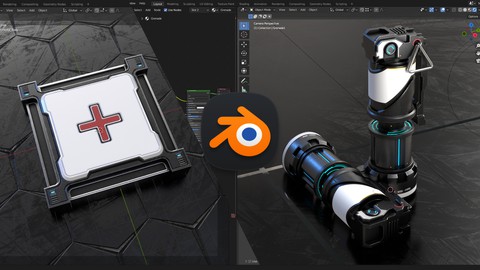
Beginners - Create our Game Ready First Aid Kit
Advanced - Creating our game ready Sci-fi Grenade
An Overview of important tools and workflows in making these Assets
Project Files of Section 1 & 2 included in the first video of each section
What you will learn :
Modeling tools and techniques for game models
Game asset optimizations and UV Unwrapping
PBR Materials and Texturing
Baking Important PBR Maps for Game Engines
Lighting and Presentation in Blender
Exporting your assets to Unity, Unreal and Godot
Presenting models in Sketchfab
Finishing 2 projects from scratch!
Who is Course for?
Beginner users who want to create unique game props from scratch!
More intermediate users who are struggling with the game art workflow in Blender

 Udemy Discount
The discount is applied through our link. Open the course from here and Udemy's current promotional price is applied at checkout on most courses, no code to type.
Some courses are excluded from Udemy's promotions. If the price does not drop, clear your browser cookies and use the button again.
Instructor Details

- 4.5 Rating
 79 Reviews
Victor Deno
My name is Victor and I am 23 years old, Currently I am an independent game creator as I was 3 years ago when I first laid hands on blender and fell in love with it. Over the years I have made my living and developed my skills taking on freelance projects ranging from product designs to game assets as well as a few experiences with emerging game companies. My hobbies are playing games ( or as I would like to call it, professional research ), reading manga or comics as well as listening to music. I
 More courses by Victor Deno
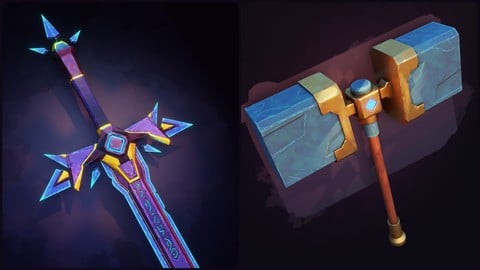
Learn Stylized Game Art Creation : Blender and Painter (2022)
4.6 (382 Reviews)
 Provider: Udemy
 Time: 7.8h
$94.99
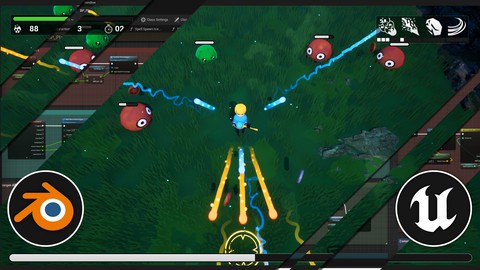
Unreal Engine 5 Blueprints & Blender: Learn Game Development (2023)
4.4 (85 Reviews)
- Provider: Udemy
- Time: 9h
$84.99
More 3D Modeling courses

3D Printing with " Ultimaker CURA Slicer- Start to finish" (2025)
4.9 (192 Reviews)
- Provider: Udemy
- Time: 1h
$34.99

Girl and the Dog Creation in Zbrush for Intermediate Level (2020)
4.9 (173 Reviews)
- Provider: Udemy
- Time: 48.8h
$59.99



Blender Character Creator for Video Games (2026)
4.8 (9,160 Reviews)
- Provider: Udemy
- Time: 34.3h
$159.99

Master SOLIDWORKS 3D CAD using real-world examples (2022)
4.8 (2,451 Reviews)
- Provider: Udemy
- Time: 18.9h
$69.99
 Reviews

By Jeffrey Miller on 5/27/2026
There are bits of goodness scattered throughout but overall, the course is lacking in vision, clarity, and quality construction. I do not doubt the talent of the instructor, but it seems as if he is inexperienced and it shows in the quality of instruction.
By Drew D on 12/27/2025
This course is not for beginners. You must have knowledge that is beyond basic in order to follow along. Additionally, it could be improved if he would explain things more, but he does not.
By The Lightning on 6/15/2025
It was a great match for my needs, but it touched on hard-surface modelling too much for my liking. Still, 80% of the information here I found super useful (as a beginner-intermediate) and it was explained well. The creator is obviously not a master of the craft, but I don't need an industry senior teaching me, he did a good job.
By Prakhar Shukla on 2/10/2025
This is best blender course for game related assets. No BS and straight to the point. Instructor tells you all shortcuts he is using so you can follow along very easily.
By Allen D Warner on 11/29/2024
This course is absolutely amazing!!! I was about to pass on this course because it is a little dated, but I am glad I decide to get it; the information is still very relevant and very useful. This course was not done on the fly he optimized this course to get out the information as quickly as possible. I like the way he gets straight to the point with minimum mistakes and minimum deciding what to do (which deserves 5 stars just for that.) I like how he starts off with a simple model to get you warmed up and then in section 2 he gives you a more complex model and give you even more tips on how to make your model look outstanding. It Ends with section 3 where he gives an overview on all the stuff you learned. Note: if you are new to blender, please learn the basics before taking this course; it is really annoying hearing newbies complain about not being explained everything. If you are like me and know the basics then you will appreciate that the instructor explains just enough to easily follow along.
By Jose de Jesus on 5/9/2023
it is an excellent course for starting on blender with PBR materials, it also explains the normal map, alpha channel, glossy, diffuse, metalness, and some techniques with the boolean modifier and color ramp node, recommended.
By Tom Eberhard on 2/9/2023
I'm only 3 lectures in, but it's a masterclass that really shows what Blender can do in the right hands. It's not for complete noobs, and as a beginner I'd recommend taking at least one or two more beginner friendly classes, like one of the 'Blender Bite Sized Course' from GameDev.tv, and/or Gustavo Rosa's 'Learn Blender the Right Way' class. But back to this one: I appreciate that the key strokes and mouse clicks are displayed, and he verbally says what he's doing pretty much all the time, and he speaks clearly if a bit fast. When he realizes that he might have gone too fast, he'll go back and redo the operations more slowly, which is great. Some basic familiarity with Blender is recommended. You could take this as a first class, but then you'll have to pause and rewind or play it at half speed. Thank you for putting this class together, can't wait to learn the rest of the content.
By Salman Arif on 12/15/2022
Prior to this course, I had taken a couple of others on Udemy to learn the basics of Blender as a complete newbie to games and 3D modelling, but couldn't understand how the various maps - normal, metallic, roughness, albedo, ambient occlusion, emission - get created. This course went through each step of a game prop creation in great detail, from modelling to map baking to importing into game engines such as Unity. Every step is clearly explained, so baking has finally been demystified for me. The one thing I would have liked to be explained better was: the instructor uses "poke faces" quite frequently, and then drags the central vertex to an edge, without quite explaining the benefit of doing so, and why in the particular direction that he chooses. He mentions repeatedly to beware of stretched triangles, but this poking of faces and dragging of the central vertex to a corner vertex seems to me to result in many stretched triangles. I will google some more about this, but I would've liked this to have been addressed better in the course.
By John Sanderson on 12/10/2022
Great course with lots of fun hard surface tips and tricks. Process is clearly explained and demonstrated. No problem following along and producing results similar to the ones showcased in the trailer.
By Philip Mehr on 10/24/2022
Great tutor - very informative and articulate, going into modeling theory, etc. Shame there is only a max of 720p on playback, but still highly recommended. EDIT: 1080p playback has now been added - scratch my last comment!
 Quality Score
No CourseDuck member has rated this course yet. Taken it? Give each part a thumbs up or down.
Overall Score : 90 / 100
- Video Duration:
 7.5h
7.5h - Price: $74.99
- Provider: Udemy
- Updated:
 October 2022
 - Level:
 Beginner
 - Language:
 English
 - Certificate:
 Yes
Yes
30-day money-back guarantee on most paid courses
Udemy Coupon Price Tracker
