
 Web Development
 Data Science
 Python
 SQL
SQL JavaScript
 Artificial Intelligence
 IT & Software
 IT Certifications
 Hacking
 AWS
AWS Arduino
 DevOps
 3D Modeling
 Graphic Design
 Photoshop
 Drawing
 Digital Painting
 UX Design
 Business
 Data Analysis
 Communication Skills
 Project Management
 Leadership & Management
 Human Resources
 Digital Marketing
 Social Media Marketing
 Marketing
 SEO
SEO Google Analytics
 Branding
 Excel
Excel Office Productivity
 SAP
SAP PowerPoint
 Microsoft Access
 SharePoint
 Finance & Accounting
 Trading & Investing
 Accounting
 Bitcoin
 Personal Finance
 Video Editing & Animation
 Photography
 Adobe Premier Pro
 Adobe Lightroom
 Personal Development
 Productivity
 Career Development
 Life Coaching
 Health & Fitness
 Meditation & Mindfulness
 Yoga
Yoga Music
Music Music Production
 Guitar
 Piano
Piano Singing
 Language Learning
 Teaching & Academics
 Engineering
 Math
Math Lifestyle
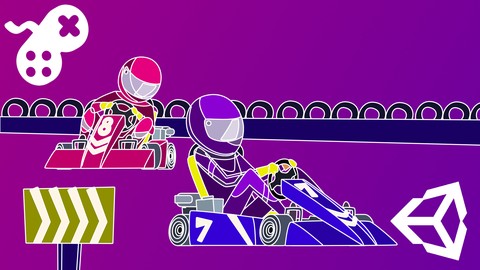
Build A Multiplayer Kart Racing Game - Unity 6 Compatible (Udemy.com)
Learn all about vehicle physics, game mechanics, AI, and networking for multiplayer kart racing experiences.
Created by: Penny de Byl
Last updated February 2025
 What you will learn
- How to use Unity's Vehicle Physics system to create a four wheeled vehicle from scratch.
- How to implement the Photon Networking Service in Unity Games.
- Artificial Intelligence techniques relevant to racing mechanics.
How it compares
Against the other 21 rated Udemy courses in 3D Game Development on CourseDuck:
- Rating4.5 out of 5higher than 42% of them
- Reviews651#6 of 22 by number of reviews
- Length14.5 hourslonger than 52% of them
- Last updatedFebruary 2025more recently than 85% of them
 Course Description
The kart racing genre goes back to the 1980s, though it was popularised by Super Mario Kart (1992) and Crash Team Racing (1999). The genre mixes racing and arcade type mechanics with well-known fictional characters and funky tracks littered with pickups and obstacles. Creating such a game combines the skills of networking, artificial intelligence, interface design, special effects and audio.
In this course, Penny reveals the most popular AI techniques used for creating NPC racing character behaviour in gamesusing her internationally acclaimed teaching style andknowledge from over 25 years working with games,graphics and having written two award-winning books on games AI.
Throughout, you will follow along with hands-on workshops designed to take you through every step of putting together your own kart racing game. You will first construct from scratch a single-player experience with intelligent NPC components and then add on networking functionality with a Photon master server to create a multiplayer game.
Learn how to program and work with:
Car physics and controllers built from the ground up with Unity's wheel colliders and rigid bodies;AI driven cars with waypoint navigation, smart acceleration & braking and avoidance behaviours;Race Track Mini-maps with Player positions, rear view cameras and leaderboards;Networking with Photon including setting up a master server, remote procedure calls and networked object instantiation;Character selection for vehicle types and player names; andGraphical User Interfaces.
Contents and OverviewThe course begins with a detailed explanation of Unity's vehicle physics system. A four-wheeled car will be constructed from scratch using wheel colliders and rigid bodies in which every setting is explored and all possible functionality tested and put through its paces to get the right balance of skid, acceleration, braking and weight. This system will then be transferred to a top quality Kart model and placed in a racing track environment in which artificial intelligence mechanics will be added to develop non-player character vehicles who can effectively drive around the track while avoiding or in some cases aggressively bumping other players.
You will work your way up to a completed kart racing single player game in which one player takes on three NPCs. Race places will be calculated and a heads-up display (HUD) containing a rear view camera, minimap and player leaderboard will be added. You'll also learn how to implement a camera-following script that you can use to switch between players for differing points of view.
Once the single player game is completed, the Photon API will be used to set up a master server and then add multiplayer functionality to the game so you can then play it with your friends. You will learn how to create your own server, send remote procedure calls to other players and instantiate networked objects, some of them AI characters.
At the completion of this course you will have covered a wide variety of game development techniques from artificial intelligence, networking and user interface creation. The knowledge and skills you acquire will be applicable across numerous game genres and stand you in good stead for adding advanced functionality to your own game projects.
What students are saying about Penny's courses:
Dr.
Penny is a wonderful person and a true expert. All of her courses I've taken have been top notch and in my opinion there is no better teacher out there. Her upbeat personality makes you feel as if you're listening to a friend than just another monotone teacher.
This is my first course I've ever bought for Unity as I've tinkered for years with Unity and not really done anything , but I'm only 27% through the course and I've already learned so many new things, it's really opened my eyes to the power of Unity. I've followed Penny for a while now on YouTube and she is a brilliant instructor, very clear on the code you're writing and explaining how it all works.
I really appreciate the clarity. I've had many dabblings with learning how to code previously and have found my knowledge comes and goes. This time around, the concepts are really sticking. There is something to the Holistic3D method!
Who this course is for:
Beginner game developers interested in seeing what goes into constructing an entire game.
Experienced Unity developers wanting to know how to make their games multiplayer using the Photon Engine.
All game developers wanting to know more about the artificial intelligence techniques used in character navigation and movement.

 Udemy Discount
The discount is applied through our link. Open the course from here and Udemy's current promotional price is applied at checkout on most courses, no code to type.
Some courses are excluded from Udemy's promotions. If the price does not drop, clear your browser cookies and use the button again.
Instructor Details

- 4.5 Rating
 651 Reviews
Penny de Byl
Hi, I'm Dr Penny de Byl. I'm a full stack developer of most things computer sciencyand academic with a true passion for teaching. I've been teaching others about games development, programming, computer graphics, animation and web design for over 25 years in universities inAustralia and Europe at the full professor level.I've also consulted for Unity, SAE, the Australian Institute of Entertainment and Wikitude. My best selling textbooks including Holistic Game Development with Unity are used in over 100 institutions world-wide. My graduates work at companies like Apple, Ubisoft, LinkedIn and Deloitte Digital.
I have an honours degree in computer graphics and a Ph.D. in artificial intelligence for games characters. Over the course of my career I'vewon numerous awards for teaching excellence at the state, national and international levels including the Australian Learning and Teaching Council's Excellence in Teaching Award and theUnity Mobile GameCurriculum Competition. My approach to teaching computer science and related fields is project-based giving you hands-on workshops youcan immediately get yourteeth into.
I want youto leave my virtual classroomfully armed with a toolkit of skills for life-long learning. I'm excited to now be focussing my efforts full-time on Udemy to bring my years of knowledge and experience to those eager to learn about technology.
 More courses by Penny de Byl

Shader Development from Scratch with Cg - Unity 6 Compatible (2025)
4.2 (3,521 Reviews)
 Provider: Udemy
 Time: 10.4h
$10.99
The Beginner's Guide to Games AI with Unity 6.2+ (2026)
4.6 (2,871 Reviews)
- Provider: Udemy
- Time: 30.9h
$14.99

A Beginner's Guide To Machine Learning with Unity (2023)
4.5 (2,166 Reviews)
- Provider: Udemy
- Time: 13.1h
$11.99

The Beginner's Guide to Animation (Unity 5 to 2020+)
4.6 (2,052 Reviews)
- Provider: Udemy
- Time: 11.3h
$13.99

Mathematics for Game Development - Unity 6 Compatible (2026)
4.5 (1,850 Reviews)
- Provider: Udemy
- Time: 15.3h
$11.99
Program Voxel Minecraft Worlds with C# - Unity 6 Compatible (2025)
4.2 (1,754 Reviews)
- Provider: Udemy
- Time: 18.5h
$10.99
More 3D Game Development courses
Create a 3D Endless Runner from Scratch - Unity 6 Compatible (2025)
4.7 (379 Reviews)
- Provider: Udemy
- Time: 9.9h
$79.99

Learn to Program & Model Procedural Cities in Unity/Blender (2024)
4.7 (148 Reviews)
- Provider: Udemy
- Time: 16.4h
$74.99
Procedural Terrain Generation with Unity (2025)
4.6 (1,109 Reviews)
- Provider: Udemy
- Time: 29.6h
$11.99
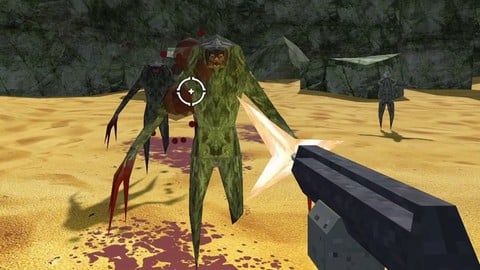
How to Make a Retro Style 3D FPS in the Godot Game Engine (2024)
4.6 (1,097 Reviews)
- Provider: Udemy
- Time: 12.1h
$11.99

 Reviews

By Josh Janikowski on 11/7/2020
Learning lots already in part 1
By Ivaylo Dimitrov on 10/24/2020
Should Consider showing the Mesh Colider. Its cooler and it will fir the Jeep more naturally
By Suparna chakraborty on 10/19/2020
Course is excellent.
By Rafael Fideles on 8/24/2020
Really enjoyed the course, I am a graphic designer, but I've dabbled in programming, so this course has really helped me get my bearings for a solo project that involves racing and networked players. I recommend it immensely, especially if you don't understand the wheel collider lol. Cheers and thanks a lot Penny!
By Andrew Cockrell on 7/26/2020
Straight forward to the point and love how videos are made to keep your interest. Made me feel like a pro using unity in no time.
By Adam Beck on 7/25/2020
This is not a beginner course. In other courses, the instructor usually takes the time to note the Resources folder. They will then go into instruction on downloading, as well as how to import the object then getting it setup along with the scene. This instruction starts in the tail end of that with the plane already set, the tire already imported, and discussion on forces. Luckily, I've had prior experience in Unity courses so I was able to derive the necessary steps for adding materials to the mess renderer as well as the plane of existence for the tire.
By Arif Marendra on 7/16/2020
straight to point course
By G P on 6/26/2020
This is a great course to start learning how to make a racing game and pick up other techniques that can be used in Unity. Having Photon for networking, which is what originally drew me to the course, is such a great addition to have as it opens up the possibilities for creating multiplayer games. Having used other networking APIs I can say with confidence that PUN makes setting up things and getting up and running so much simpler. The one downside I will say about this course is that the AI obstacle avoidance is lacking. The NPC drivers easily pile up due to lack of any avoidance measures. It would have been nice to have multiple trackers/lanes and a system in place that allows the AI racers to switch between the multiple trackers depending on if a vehicle is in front or not for a more intelligent feel. Also, giving the AI racers the ability to reverse out of sticky situations would have been a nice addition. With that said, I would recommend this course to anyone looking to expand their skills and learn about what it takes to build a racing game as this course is a great starting point that leaves you with the building blocks to expand upon. So glad I was able to learn about racing games and multiplayer all in one course.
By Don Lewis-Enright on 6/23/2020
Really enjoyed this course! It's packed full of useful tricks and info you won't easily find elsewhere.
By Steven Pascoe on 6/22/2020
superb as usual
By Felipe Zacani de Mello on 6/20/2020
The best teacher on udemy, period. Her voice is not only pleasant, its like a gift. I feel like information is being recorded in my brain regardless of my level of focus at the moment.
By Robert Pistea on 6/20/2020
Ziemlich zufrieden er hat mir genau das beigebracht was ich erwartet hab und sogar einiges mehr. Etwas mehr Networking htte mir mehr gefallen, aber das ist nur eine persnliche Preferenz.
 Quality Score
No CourseDuck member has rated this course yet. Taken it? Give each part a thumbs up or down.
Overall Score : 90 / 100
- Video Duration:
 14.5h
14.5h - Price: $69.99
- Provider: Udemy
- Updated:
 February 2025
 - Level:
 Beginner
 - Language:
 English
 - Certificate:
 Yes
Yes
30-day money-back guarantee on most paid courses
Udemy Coupon Price Tracker
