
 Web Development
 Data Science
 Python
 SQL
SQL JavaScript
 Artificial Intelligence
 IT & Software
 IT Certifications
 Hacking
 AWS
AWS Arduino
 DevOps
 3D Modeling
 Graphic Design
 Photoshop
 Drawing
 Digital Painting
 UX Design
 Business
 Data Analysis
 Communication Skills
 Project Management
 Leadership & Management
 Human Resources
 Digital Marketing
 Social Media Marketing
 Marketing
 SEO
SEO Google Analytics
 Branding
 Excel
Excel Office Productivity
 SAP
SAP PowerPoint
 Microsoft Access
 SharePoint
 Finance & Accounting
 Trading & Investing
 Accounting
 Bitcoin
 Personal Finance
 Video Editing & Animation
 Photography
 Adobe Premier Pro
 Adobe Lightroom
 Personal Development
 Productivity
 Career Development
 Life Coaching
 Health & Fitness
 Meditation & Mindfulness
 Yoga
Yoga Music
Music Music Production
 Guitar
 Piano
Piano Singing
 Language Learning
 Teaching & Academics
 Engineering
 Math
Math Lifestyle
How to Make a Retro Style 3D FPS in the Godot Game Engine (Udemy.com)
Learn how to make an old school fast-paced first person shooter in the Godot game engine
Created by: Narayana Walters
Last updated June 2024
 What you will learn
- How to implement a fast paced old school first person character controller in Godot
- How to fully implement a machine gun, shotgun, sword, and rocket launcher in Godot
- How to implement basic artificial intelligence in Godot
- How to use pathfinding in Godot
- How to implement basic GUI in Godot
- How to use particle effects in Godot
How it compares
Against the other 21 rated Udemy courses in 3D Game Development on CourseDuck:
- Rating4.6 out of 5higher than 61% of them
- Reviews1,097#3 of 22 by number of reviews
- Length12.1 hoursshorter than 52% of them
- Last updatedJune 2024more recently than 71% of them
 Course Description
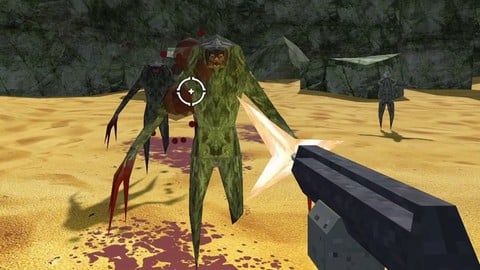
In this course you'll learn how to make an old school fast paced 3D FPS in the Godot Game Engine.
I'll cover how to set up an environment and lighting, make player movement, create four guns: a machete, shotgun, machine gun, and rocket launcher, make two enemies, one melee and one range, with pathfinding and basic ai, create particle effects for explosions and smoke trails, create animations for weapons, create ammo, health, and weapon pickups, and set up a basic hud for the player.
Udemy's requirements for course descriptions have changed since I originally posted this course and now require a minimum of 200 words, which is stupid, so here's some filler: I need 88 more words at this point so I'm just going to type random words from the alphabet in. Or I suppose I could use a chatbot, but I'd rather have that human touch. This really is a stupid requirement, I said all I needed to say in only 110 words, which is much clearer than using 200, but because of some arbitrary rule, I'm now required to add this extra section that literally no one will read. Fantastic. Seven more, I guess it could be worse.

 Udemy Discount
The discount is applied through our link. Open the course from here and Udemy's current promotional price is applied at checkout on most courses, no code to type.
Some courses are excluded from Udemy's promotions. If the price does not drop, clear your browser cookies and use the button again.
Instructor Details

- 4.6 Rating
 1,097 Reviews
Narayana Walters
I have been making games as an independent game developer for almost seven years now. I've made 2d and 3d games of all genres, from horror to puzzle. I've also been drawing, painting, and 3d modelling for games for nearly 8 years now. For the past year and a half I have been a content creator on Youtube, making learning materials for other game developers.
 More courses by Narayana Walters

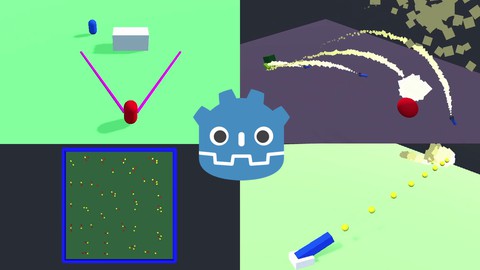
How to Create Retro 3D Graphics with Blender and Gimp (2020)
4.3 (1,138 Reviews)
 Provider: Udemy
 Time: 1.5h
$11.99

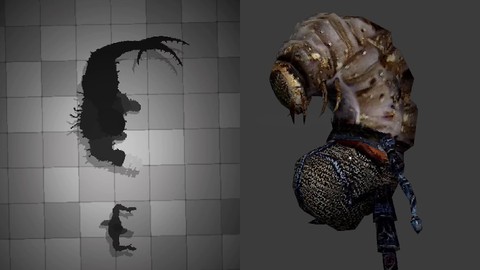
How to Make Stylized Flat Color 3D Graphics With Blender (2020)
4.6 (348 Reviews)
- Provider: Udemy
- Time: 1.4h
$54.99
More 3D Game Development courses
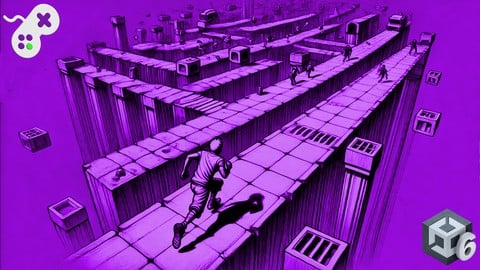
Create a 3D Endless Runner from Scratch - Unity 6 Compatible (2025)
4.7 (379 Reviews)
- Provider: Udemy
- Time: 9.9h
$79.99
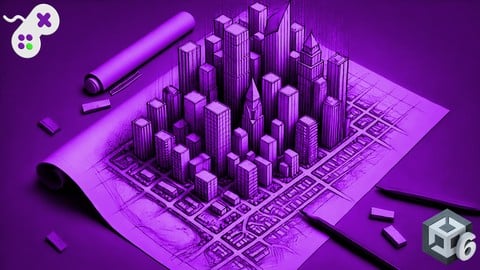
Learn to Program & Model Procedural Cities in Unity/Blender (2024)
4.7 (148 Reviews)
- Provider: Udemy
- Time: 16.4h
$74.99
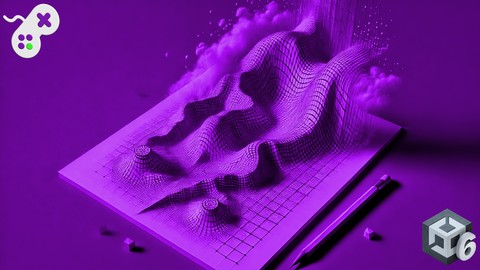
Procedural Terrain Generation with Unity (2025)
4.6 (1,109 Reviews)
- Provider: Udemy
- Time: 29.6h
$11.99

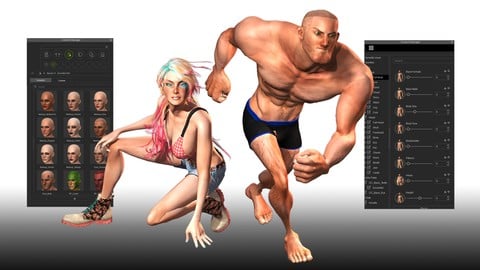
Create 3D Game Characters: No modeling or rigging required (2015)
4.5 (881 Reviews)
- Provider: Udemy
- Time: 3.1h
Free
 Reviews

By Sebastián Hidalgo on 5/10/2026
An excellent Godot FPS course with incredibly clear explanations and a very professional structure. The developer explains even complex systems in a way that feels intuitive and easy to follow. You can really tell a lot of passion and real-world experience went into this project. The pacing is great, the code is clean, and the final result feels like something genuinely production-ready. One of the best resources I’ve found for learning FPS development in Godot. Highly recommended.
By Jhosel Cortes on 12/24/2024
This is the best course I've taken related to game development in Godot (It's probably not for beginners since you have to have some knowledge of how to use Godot) It gives you all the knowledge about the basic structure of a game in the BoomShooter genre. It's super modular and you can easily modify new mechanics based on your idea. The only problem is that sometimes the font in the code editor is super small and someone like me (I wear glasses) had a hard time following it. From there on out 11/10
By Ixxie Tenten on 11/16/2024
It's a really good course, it respects your intelligence and ability to understand, it's not so good for complete beginners, but you get to observe a professional work at their own pace making a project. If you've ever learned on a job through shadowing, particularly with someone who takes their time to explain what they're doing and why they're doing it, it will be a similar experience to that. Recommend to any aspiring gamedevs who finds most Godot learning resources to be too beginner-friendly for your preexisting understanding of coding.
By Sam Francis on 6/27/2024
Covers a really great amount of content. It is quite fast paced so I don't know if I would recommend this to a beginner, however if you have already done a decent amount of gdscripting, then this is great. A small annoyance is that this is the 2nd last video in the series and is considered 'halfway' by Udemy. Not an issue caused by Miz, however if you are wanting to get the certificate from completing this course then just keep that in mind. All of that to say that this is a great course!
By Mark R on 7/5/2023
The critiques from other reviews regarding poor pacing and presentation are very fair. But there are not a lot of FPS tutorials out there and the pacing works in favor of getting you through the course quickly if you have prior programming experience. This course was fun and I am confident I have the basic skills to start my own FPS project. Be warned that the course uses Godot 3 but Godot 4 has since been released. You will have to refer to the official upgrade guide as well as the API documentation a couple of times if you insist on using Godot 4. If you are new to Godot, I would recommend following the course in Godot 3 and then following the upgrade guide afterward. The project is simple enough that it is barely affected by the API changes and your new skills will translate.
By Namie Namerson on 6/14/2022
Overall, if you want to create an FPS in Godot, this is a really good start, but there's some caveats I wish I knew going in. There's a lot of great content, but not enough actual "teaching" or explaining the "why" we're doing certain things. You get to see one way to create a retro FPS, which is what I wanted, but I didn't feel like I learned as much as I could have. The course is fine if you already know a lot of Godot's concepts, but not if you're trying to get into this your first time. You'll get lost really quickly. If you've done other online courses, many have a "try it yourself" section where you get shown a concept, get time to complete an exercise, and then a walk-through of the answer. There's none of that in this course. He starts a lesson and just goes without telling you what's going on or why. Occasionally he'll explain what's happening, but usually he doesn't. However, by the end, you do get a great base for an FPS. I started this course after having thoroughly explored Godot's documentation and its getting started guides, and I found a bit to be desired in terms of how he's structured the code. He does not follow the GDScript style guide, which, as a web developer, I found to be really frustrating. I want to learn and see best practices from an expert. Instead, I had to spend time restructuring, renaming, and reorganizing files. This was still good practice with the style guide, so I can't be too mad. Just know that he's not following best practices!
By Jefferson Charles J on 12/27/2020
its easy to follow and the indtructer provided all materials
By Alex Roberson on 12/13/2020
Very, straight to the point, his voice wasn't annoying, explained everything.
By Adam Mikulis on 11/26/2020
This is the best Godot course that I have taken on Udemy so far. The instructor takes the time to develop a scalable, component-based system for the game. Instead of just cramming everything into one player script, he shows us how to add and remove nodes for functionality like moving, character control, attacking, etc. If you have had trouble making more than just a demo with Godot and don't know game design patterns very well, take this course.
By Justin Ho on 11/24/2020
nice
By Jadin Strategier on 11/24/2020
Its a good match because i love learning game development, and working with game engines
By Daniel Joseph Villa on 11/16/2020
Instructor is great, he gets straight to the point gives you everything you need to start on a FPS in Godot. Would highly recommend if you are already familiar with Godot and looking to try 3D!
 Quality Score
No CourseDuck member has rated this course yet. Taken it? Give each part a thumbs up or down.
Overall Score : 92 / 100
- Video Duration:
 12.1h
12.1h - Price: See price on Udemy
- Provider: Udemy
- Updated:
 June 2024
 - Level:
 Intermediate
 - Language:
 English
 - Certificate:
 Yes
Yes
30-day money-back guarantee on most paid courses
Udemy Coupon Price Tracker
