
 Web Development
 Data Science
 Python
 SQL
SQL JavaScript
 Artificial Intelligence
 IT & Software
 IT Certifications
 Hacking
 AWS
AWS Arduino
 DevOps
 3D Modeling
 Graphic Design
 Photoshop
 Drawing
 Digital Painting
 UX Design
 Business
 Data Analysis
 Communication Skills
 Project Management
 Leadership & Management
 Human Resources
 Digital Marketing
 Social Media Marketing
 Marketing
 SEO
SEO Google Analytics
 Branding
 Excel
Excel Office Productivity
 SAP
SAP PowerPoint
 Microsoft Access
 SharePoint
 Finance & Accounting
 Trading & Investing
 Accounting
 Bitcoin
 Personal Finance
 Video Editing & Animation
 Photography
 Adobe Premier Pro
 Adobe Lightroom
 Personal Development
 Productivity
 Career Development
 Life Coaching
 Health & Fitness
 Meditation & Mindfulness
 Yoga
Yoga Music
Music Music Production
 Guitar
 Piano
Piano Singing
 Language Learning
 Teaching & Academics
 Engineering
 Math
Math Lifestyle
How to Make Stylized Flat Color 3D Graphics With Blender (Udemy.com)
Learn to easily create stylized 3d art for games and animation
Created by: Narayana Walters
Last updated August 2020
Our take
Based on the ratings of 348 students, a sample of their written reviews and the syllabus, as the course stood in August 2020. No course pays to be reviewed.
Narayana Walters, an indie game developer with a YouTube channel, made this as a follow-along for flat color, low-poly art in Blender 2.8. It has 12 lectures in three sections, about 86 minutes in all. He models a set of environment assets, then a character, then pulls everything together in a game scene. The listed level is beginner, but reviewers suggest it fits best if you have already poked around Blender a little.
Most of the 348 ratings are good, with 218 five-star and 98 four-star. Fans like that he skips filler and that simple assets take about five minutes each. The complaint is just as steady. Reviewers say he moves at breakneck speed and explains little, so people pause, rewind, or drop to half speed. A few say it feels like watching his process, not being taught, and that the Godot section and the unused run animation felt thin.
The last update was August 2020, and the course is built on Blender 2.8, so check that against the version you run. It is a small course at 1,429 students, and short enough to try in an evening. It suits people who like quick show-don't-tell lessons and want this exact art style. Beginners who need every tool explained will do better starting somewhere slower.
Pros
- Tight 86 minutes with no filler, so a whole low-poly scene gets finished fast
- Reviewers say simple assets take about five minutes each and still look good
- Runs from Blender models to a Godot scene, with color palettes and Krita mockups
- 316 of 348 reviewers gave four or five stars
Cons
- Very fast pace with little explanation, so pausing and half speed are common
- Last updated in 2020 and built on Blender 2.8, so some steps may have aged
- Godot and animation parts feel thin, and the run animation goes unused
I love the fast pace, and I learn so much in just 5 minutes (around one lesson).
Listed as beginner, but it suits people who have tried Blender a little and can keep up with quick demos.
 What you will learn
- How to use Blender 2.8
- How to make flat color 3d graphics for use in games and animation
- How to pick color schemes for your art
- How to create mockups for your graphics
Course content
3 sections · 12 lectures · 1.4 hours of video
- 1Creating the environment assets 4 free previews8 lectures · 31 min
- 2Creating the Character3 lectures · 45 min
- 3Putting It All Together1 lecture · 10 min
Who it is for
The instructor says it suits
- Beginners to Blender and 3d modelling
What you need before you start
- Comfortable with using a computer
How it compares
Against the other 545 rated Udemy courses in 3D Modeling on CourseDuck:
- Rating4.6 out of 5higher than 56% of them
- Reviews348#218 of 546 by number of reviews
- Length1.4 hoursshorter than 93% of them
- Last updatedAugust 2020earlier than 71% of them
 Course Description
In this course you'll learn how to make simple, stylized, flat color 3d art designed for games and animation. You'll learn to use Blender 2.8 for creating 3d art, find nice color palettes online, and use Krita to make simple mockups. This is course is designed for beginners to those software and to 3d art in general.

 Udemy Discount
The discount is applied through our link. Open the course from here and Udemy's current promotional price is applied at checkout on most courses, no code to type.
Some courses are excluded from Udemy's promotions. If the price does not drop, clear your browser cookies and use the button again.
Instructor Details

- 4.6 Rating
 348 Reviews
Narayana Walters
I have been making games as an independent game developer for almost seven years now. I've made 2d and 3d games of all genres, from horror to puzzle. I've also been drawing, painting, and 3d modelling for games for nearly 8 years now. For the past year and a half I have been a content creator on Youtube, making learning materials for other game developers.
 More courses by Narayana Walters

How to Create Retro 3D Graphics with Blender and Gimp (2020)
4.3 (1,138 Reviews)
 Provider: Udemy
 Time: 1.5h
$11.99
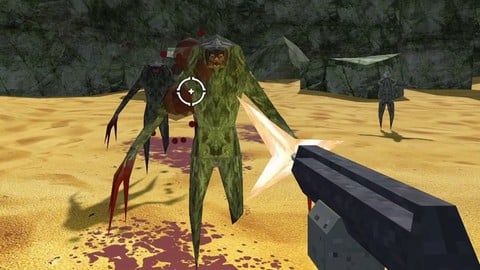
How to Make a Retro Style 3D FPS in the Godot Game Engine (2024)
4.6 (1,097 Reviews)
- Provider: Udemy
- Time: 12.1h
$11.99
More 3D Modeling courses

3D Printing with " Ultimaker CURA Slicer- Start to finish" (2025)
4.9 (192 Reviews)
- Provider: Udemy
- Time: 1h
$34.99

Girl and the Dog Creation in Zbrush for Intermediate Level (2020)
4.9 (173 Reviews)
- Provider: Udemy
- Time: 48.8h
$59.99



Blender Character Creator for Video Games (2026)
4.8 (9,160 Reviews)
- Provider: Udemy
- Time: 34.3h
$159.99

Master SOLIDWORKS 3D CAD using real-world examples (2022)
4.8 (2,451 Reviews)
- Provider: Udemy
- Time: 18.9h
$69.99
 Reviews

By Jan Allersma on 12/28/2023
After completing the course, I have the feeling I actually learned a new skill. Could have some slight improvements. For example telling that keeping the modifiers on for as long as possible would be a good tip to mention before moddeling. I made a mistake myself and I'm glad I viewed the next video to see whether I should keep the modifier on.
By Matthew Harrison on 4/7/2022
Was a good crash course from design to blender to godot implementation. Would have been nice to see implementation of the the running animation with a character controller just to flesh out the course a bit more. Over all excited to try my own implementation and will also be trying the PS1 style graphics course.
By Aleksandr S. on 3/12/2022
Blender was such a pain in the ass for me. I was learning it for like a year, and almost every minute was pain, and I couldn't get decent looking models for my games. Now I can! I highly recommend this course to everyone who wants to learn an easy and quick way to model a beautiful low-poly game. Most of the assets take, like, 5 minutes to create and look great. It's a brilliant way to create models for solo developing.
By Connor Baun on 7/31/2021
This is a great course for someone who has messed around with blender on their own time but wants to take it more seriously. This instructor is very to-the-point and doesn't waste a second of lesson time. Some students may find that frequent pausing/rewinding/etc will be necessary. However, by the end of this course, I felt confident to create, rig, and animate my own simple models in Blender. A very solid course.
By Adrian Who Knows on 1/3/2021
This instructor goes at a lightning pace - sometimes, a little *too* fast. But if you want a truly no nonsense course, and you already have some basic knowledge of 3d modelling (e.g: if you've at least watched a couple of tutorials already on how to use Blender), this course is excellent. Not a single minute is wasted. Truly. You'll find yourself pausing the videos a lot to catch up, but never will you ever find yourself skipping any content, because there is zero fluff.
By Michel Frost on 12/29/2020
Ja, insgesamt war der Kurs gut geeignet. Ob ich die Grafik wirklich ganz genau so anwenden kann, wird sich zeigen, aber die Fortbildung in dem Stil war interessant und besonders die Übersetzung in Godot war interessant. Ich nutze Blender nun seit einem Jahr und bin gut mitgekommen, aber ich denke, dass die Videos an ein paar Stellen teilweise etwas schnell waren. Mit wneiger Erfahrung in Blender wäre es vermutlich schwierig gewesen.
By Brian Shannahan on 10/4/2020
So far, so good. I like the fast style, although it is a little *too* fast. I'm trying to follow along, and I find myself forced to pause and rewind frequently. I definitely appreciate that it doesn't waste my time - much more focused and effective than other tutorials.
By David Martin on 8/27/2020
His concise, clear and is able to get straight to the point on how to do each step of the process. It's obvious that his not dragging his feet to make his video times longer as I've experienced with near every other course I've ever taken. His a fantastic teacher, having bought all his courses, I highly recommend him.
By Kyle Heard on 8/26/2020
As usual Miziziziz holds nobody in wait as he just jumps directly in. Very clear and immediate instructions that fit my personal learning style. I have really been trying to find the right art style for my first 3D project and I think after this I finally have a move forward that will not leave me working on a project for months on months. Excellent job.
By Riley Adair on 8/25/2020
I came in looking mostly for modeling tips and to dive into rigging and animation, since I have never done those before. I have a good grasp on all of those subjects now and a bunch of resources to show off. Love Miziziziz's videos (even though I am not a game designer) and enjoyed the course a ton.
 Quality Score
No CourseDuck member has rated this course yet. Taken it? Give each part a thumbs up or down.
Overall Score : 92 / 100

- Video Duration:
 1.4h
1.4h - Price: $54.99
- Provider: Udemy
- Updated:
 August 2020
 - Level:
 Beginner
 - Language:
 English
 - Certificate:
 Yes
Yes - Lectures:12 in 3 sections
- Students:1,429
- Subtitles:1 language
30-day money-back guarantee on most paid courses
Udemy Coupon Price Tracker
