
 Web Development
 Data Science
 Python
 SQL
 JavaScript
 Software Development
 IT & Software
 IT Certifications
 Hacking
 Microsoft Azure
 AWS
 Arduino
 3D Modeling
 Graphic Design
 Photoshop
 Drawing
 Digital Painting
 UX Design
 Business
 Data Analysis
 Communication Skills
 Project Management
 Leadership & Management
 Human Resources
 Digital Marketing
 Social Media Marketing
 Marketing
 SEO
 Google Analytics
 Branding
 Excel
 Office Productivity
 SAP
 PowerPoint
 Microsoft Copilot
 Microsoft Access
 Finance & Accounting
 Trading & Investing
 Accounting
 Bitcoin
 Personal Finance
 Video Editing & Animation
 Photography
 Adobe Premier Pro
 Adobe Lightroom
 Personal Development
 Productivity
 Career Development
 Life Coaching
 Health & Fitness
 Yoga
 Meditation & Mindfulness
 Music
 Music Production
 Guitar
 Piano
 Singing
 Teaching & Academics
 Engineering
 Language Learning
 English Language
 Math
 Lifestyle
How to Create Retro 3D Graphics with Blender and Gimp (Udemy.com)
Recapture the nostalgia of the Quake and Playstation era
Created by: Narayana Walters
Last updated April 2020
Our take
Based on the ratings of 1,138 students, a sample of their written reviews and the syllabus, as the course stood in April 2020. No course pays to be reviewed.
Narayana Walters' course is a short, project-based walk through the PS1 and Quake look using free tools. It runs about 91 minutes over 16 lectures. Students build a windmill, a plateau ground, a sunset backdrop and a knight, covering modelling, Gimp textures, rigging and animation in Blender. It is pitched at beginners, but reviewers suggest it suits indie game developers who already know their way around Blender a little.
Most of the 1,138 ratings are four or five stars. Fans like that it is straight to the point, that the key presses are recorded, and that it is light on theory. One says they finished it in a day and came away able to make low-poly environments, characters and rigs. The complaints are consistent too. The pace is very fast, the reasons behind actions are rarely explained, and the ending stops before camera setup or exporting an animation to Godot. One low rating calls it a YouTube tutorial you pay for and says the instructor does not answer questions.
The teaching style is the deciding factor. Walters clearly knows Blender, and happy students say pausing and replaying works fine. Others found it too rushed to learn from. It was last updated in April 2020, and one reviewer hit Blender 2.9 changes. As a short, paid course it suits people who learn by copying along and already know a little Blender. If you want the thinking behind each step, free YouTube videos may serve better.
Pros
- Key presses are recorded on screen, so each step is easy to copy
- Covers modelling, Gimp textures, rigging and animation in about 91 minutes
- Light on theory, and one reviewer finished the whole thing in a day
- Uses only free tools (Blender, Gimp, Krita) and shows where to find free textures
Cons
- Very fast pace, and several reviewers pause and rewind constantly to keep up
- Rarely explains why, and ends without camera setup, rendering or Godot export
- Last updated April 2020, and one reviewer hit Blender 2.9 differences
Great course, one of the best in Udemy about simple modelling, rigging and animation. Straight to the point and very clear.
Listed for all levels, but one reviewer advises knowing Blender basics first. The pace is hard on true beginners.
 What you will learn
- How to model, rig, texture, animate 3d models in Blender
- How to create textures for 3d models with Gimp
- How to create character reference sheets in Krita
- How to find free-to-use images and textures online
Course content
7 sections · 16 lectures · 1.5 hours of video 1 article
- 1Introduction 1 free preview1 lecture
- 2Create a Windmill 4 free previews5 lectures · 29 min
- 3Creating a Plateau Ground Model1 lecture · 5 min
- 4Creating a Sunset Backdrop1 lecture · 7 min
- 5Creating the Knight6 lectures · 41 min
- 6Putting It All Together1 lecture · 8 min
- 7Conclusion1 lecture
Who it is for
The instructor says it suits
- Indie Game Developers interested in making retro style 3d games
- Beginner to Intermediate 3D modellers looking to learn how to make retro 3d graphics
What you need before you start
- Should be familiar with using computers
How it compares
Against the other 100 rated Udemy courses in Blender on CourseDuck:
- Rating4.3 out of 5higher than 14% of them
- Reviews1,138#25 of 101 by number of reviews
- Length1.5 hoursshorter than 97% of them
- Last updatedApril 2020earlier than 75% of them
 Course Description
Learn how to use free tools like Blender, Gimp, and Krita to model, texture, and animate 3d graphics in the style of retro 3d consoles and games like the Playstation 1 and Quake. You will also learn how to find free textures online for your models. This course is designed for beginners to 3d graphics.

 Udemy Discount
The discount is applied through our link. Open the course from here and Udemy's current promotional price is applied at checkout on most courses, no code to type.
Some courses are excluded from Udemy's promotions. If the price does not drop, clear your browser cookies and use the button again.
Instructor Details

- 4.3 Rating
 1,138 Reviews
Narayana Walters
I have been making games as an independent game developer for almost seven years now. I've made 2d and 3d games of all genres, from horror to puzzle. I've also been drawing, painting, and 3d modelling for games for nearly 8 years now. For the past year and a half I have been a content creator on Youtube, making learning materials for other game developers.
 More courses by Narayana Walters
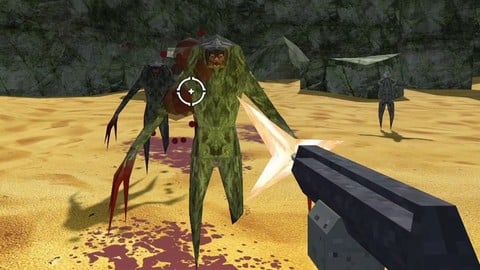
How to Make a Retro Style 3D FPS in the Godot Game Engine (2024)
4.6 (1,097 Reviews)
 Provider: Udemy
 Time: 12.1h
$11.99
Original price
How to Make Stylized Flat Color 3D Graphics With Blender (2020)
4.6 (348 Reviews)
- Provider: Udemy
- Time: 1.4h
$11.99
Original price
Game AI Fundamentals with Godot Engine (2021)
4.5 (198 Reviews)
- Provider: Udemy
- Time: 3h
$10.99
Original price
How To Rapidly Make 2D And 3D Game Art (2023)
4.9 (72 Reviews)
- Provider: Udemy
- Time: 3h
$11.99
Original price More Blender courses
Low Poly Landscapes: Blender Bite Sized Course (2025)
4.9 (1,704 Reviews)
- Provider: Udemy
- Time: 6.2h
$15.99
Original price
Absolute Beginners 3D character in Blender course (2022)
4.9 (1,133 Reviews)
- Provider: Udemy
- Time: 14.5h
$16.99
Original price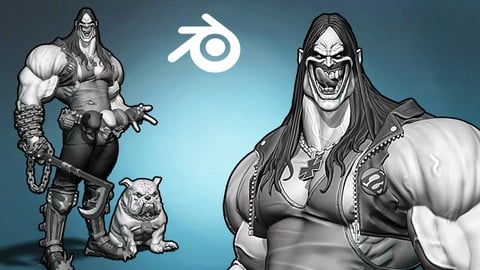
Lobo - 3D character in Blender course (2022)
4.9 (278 Reviews)
- Provider: Udemy
- Time: 23.9h
$12.99
Original price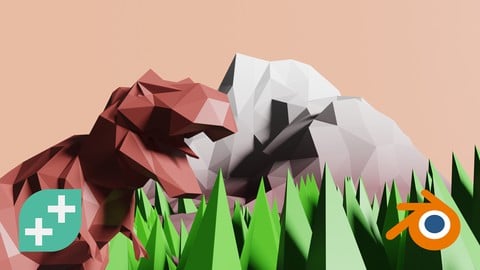
Complete Blender Creator: 3D Modelling (Compatible with 4.3) (2026)
4.8 (69,132 Reviews)
- Provider: Udemy
- Time: 13.8h
$34.99
Original price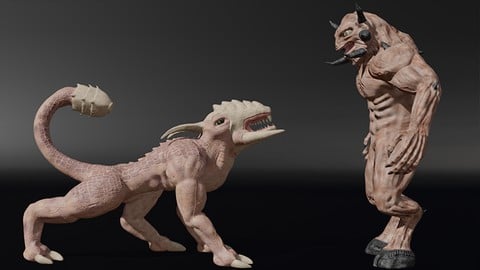
The Ultimate Blender 3D Sculpting Course (2026)
4.8 (3,904 Reviews)
- Provider: Udemy
- Time: 37.2h
$18.99
Original price
Blender Total! From Basic to Advanced 3D! (2025)
4.8 (2,407 Reviews)
- Provider: Udemy
- Time: 21.3h
$19.99
Original price  Reviews

By Sotiris Nikolos on 8/18/2025
This is a good tutorial for giving you a basic idea of how to do things and help you start rolling but speed and lack of some resources made it very difficult for me. This has been mentioned by a few people but it is a VERY big tutorial packed into 1.5 Hours. It covers so many procedures but in heart racing speed. I literally kept racing after the instructor and kept pausing to keep up with the hundreds of different things he would do in like a 10 seconds time. You learn the most by following him and then trying to repeat the procedures yourself and MOSTLY focusing on undoing mistakes you've made. That's how I started improving. Use this tutorial as a drive but mostly experience with things yourself.
By Alexander Adley on 12/7/2024
Great course! Finished it in a day, which is not a bad thing. The information was concise and clearly communicated. It basically taught me everything I needed to know about creating low poly models of environments and characters, how to crush textures down, and rigging. Overall, definitely worth the time and money, and a great complement to the retro 3d shooter course.
By H M on 3/4/2022
I return to this course after gaining a bit more confidence with Blender and I have to say, Mizizizi's method is a lot more simpler than what's widely being taught in low poly modelling tutorials. I can see myself referring back to course in the future, but a small tip: The emission shader didn't work for me so I had to use the Principled BSDF instead with the Roughness setting turned all the way up and the Specular setting turned all the way down. This fixed the issue with models not exporting with the material, but that could be because I wanted to export it in FBX format for Unity, so these settings here might work for you if you're developing in Godot engine.
By David Armendariz on 12/11/2021
really unique game dev course. It goes through the basics of how to create textures out of free textures for the models using some simple editing in GIMP. You will create a worldbox and applying a psx shader to the models to create the retro look. There is also some simple lessons in modeling and creating a character sheet. It's a really great tutorial for creating your own 3d assets for Godot usuage
By Tristan Davis on 9/15/2021
I rarely leave reviews for anything but this course is absolutley brilliant. I've learned more here than in a whole semester's worth of game design school and I'm only halfway through the course. It's perfect for the style of game I want to make. Clear and to the point, none of your time is wasted (if the pace is a little fast remember you can put the playback speed to 0.75) This course has really given me the motivation that I need to feel as though I can really accomplish the goals in my head that at times in the past seemed insurmountable. I know I will be coming back to this series for a while when I move onto making my own projects. Well worth the price and I will be looking forward to other courses in the future if they appear. Can't thank the creator enough, you're doing incredible work whether you know it or not!
By Dee O on 6/11/2021
This was an awesome course to take for both learning Blender and some great asset generation tips for the texturing. I love how free software/assets were used through the entirety of the course. One thing I would like to see more of is how to import the animations into Godot, as well as a deeper dive in Godot in general. All told, this was an excellent course that I'd recommend to anyone!
By Jhector on 1/21/2021
This "course" is a YouTube tutorial that you pay for. I had to stop and rewind constantly just to catch a shortcut that was used or hear something that was said too quickly. This tutorial also has not been updated for Blender 2.9 as of Jan 2021 so there were a few things that had changed from when the tutorial was created. I had to do a little searching here and there to find things because of that. Save your money and find something else. Not all the videos are downloadable and the "instructor" does not respond to questions.
By Jarod W on 8/24/2020
Very clear and concise lessons, packed full of useful tips with a tangible product at the end of a few hours work. Easy to refer back to because of the length of the lessons. Very much a pause and implement approach with no wasted time, highly recommend. A little bit of understanding of blender and 3D modelling goes a long way, but not at all vital for a complete understanding. You will come away with an actionable set of skills if you follow on and implement everything yourself.
By Connor Leahy on 7/5/2020
I'm a serial buyer of Udemy courses, but this was the first one I was actually able to follow all the way through. It was comparatively brief but everything was valuable information. I found myself getting sucked in, and I stayed up much later than I should have just to finish. I'd tried and given up on modeling in Blender before, but these instructions make it seem easy.
By Daniel Callard on 6/28/2020
I've used many Youtube videos on my path to animating 3D models, and though some of them gave some useful tips, I found myself unable to figure it out. But teaching me about bone groups has been the best thing to ever happen to me, it's finally making sense and seeming less stressful than I imagined. That on top of learning how to put together a model from cubes has been VERY big to me.
 Quality Score
No CourseDuck member has rated this course yet. Taken it? Give each part a thumbs up or down.
Overall Score : 86 / 100

- Video Duration:
 1.5h
- Price: $11.99
- Provider: Udemy
- Updated:
 April 2020
- Level:
 All Levels
- Language:
 English
- Certificate:
 Yes
- Lectures:16 in 7 sections
- Students:4,900
- Subtitles:1 language
30-day money-back guarantee on most paid courses
Udemy Coupon Price Tracker
