
 Web Development
 Data Science
 Python
 SQL
SQL JavaScript
 Artificial Intelligence
 IT & Software
 IT Certifications
 Hacking
 AWS
AWS Arduino
 DevOps
 3D Modeling
 Graphic Design
 Photoshop
 Drawing
 Digital Painting
 UX Design
 Business
 Data Analysis
 Communication Skills
 Project Management
 Leadership & Management
 Human Resources
 Digital Marketing
 Social Media Marketing
 Marketing
 SEO
SEO Google Analytics
 Branding
 Excel
Excel Office Productivity
 SAP
SAP PowerPoint
 Microsoft Access
 SharePoint
 Finance & Accounting
 Trading & Investing
 Accounting
 Bitcoin
 Personal Finance
 Video Editing & Animation
 Photography
 Adobe Premier Pro
 Adobe Lightroom
 Personal Development
 Productivity
 Career Development
 Life Coaching
 Health & Fitness
 Meditation & Mindfulness
 Yoga
Yoga Music
Music Music Production
 Guitar
 Piano
Piano Singing
 Language Learning
 Teaching & Academics
 Engineering
 Math
Math Lifestyle
Complete Beginner's Guide to Digital Art (Udemy.com)
Master the foundations of digital drawing and illustration and create art like a pro
Created by: Rich Graysonn
Last updated September 2024
Our take
Based on the ratings of 5,294 students, a sample of their written reviews and the syllabus, as the course stood in September 2024. No course pays to be reviewed.
Rich Graysonn's course is a beginner introduction to digital drawing, and it is really about drawing first and software second. It runs 24.4 hours across 130 lectures in 18 sections, moving from lines and curves to shapes, drawing from observation, figures and faces, inking and basic coloring. A tablet or iPad is required. Rich is a working freelance illustrator, about 38,770 students have taken the course, and it was last updated in September 2024.
Several reviewers praise the teaching and say the exercises stick. One says he took them from complete beginner to confident, and another keeps coming back every week to redo the practice. The complaints are just as consistent. Several find Rich long winded, with homework that feels made up on the spot and stretches where you just watch him draw. Reviewers also mention blurry video and quiet audio in places. One says the content could fit in about 60 percent of the runtime.
The rating is 4.2 across 5,294 reviews, with 2,623 five-star and 77 one-star. That is well liked but not flawless. The first half is described as older material, and one reviewer felt the digital side was an afterthought. We'd recommend it to patient beginners who learn by drawing along and don't mind a loose, conversational style. If you want a short, tightly edited path, the pacing will probably wear on you.
Pros
- Starts from lines, curves and basic shapes, so true beginners aren't lost
- One reviewer redoes the exercises every week, and others say the basics are explained well
- Covers figures, faces, inking and coloring, not just software tools
- Self-paced with no deadline, and updated as recently as September 2024
Cons
- Long and loose: reviewers report rambling, improvised homework and slow stretches
- Some videos have blurry screen recording or quiet, uneven audio
- Needs a drawing tablet, and the Photoshop and final sections feel thin to some
This course helped me nail some stuffs I had been struggling for months. And more importantly, I keep returning to it every week to redo exercises or practice.
Truly beginner friendly, no drawing experience needed, but it expects steady practice and a tablet.
 What you will learn
- Learn the basics of line drawing
- Learn to make simple shapes
- Understand the relationships between lines and shapes
- Learn to use lines and shapes to draw from observation
- learn the basics of any digital art software
- Learn the basics of digital coloring
Course content
18 sections · 130 lectures · 24 hours of video
- 1This course is being updated 1 free preview1 lecture · 8 min
- 2Before you get started 1 free preview5 lectures · 52 min
- 3The Big Picture on 2D digital art apps and software5 lectures · 55 min
- 4Introduction 1 free preview2 lectures · 18 min
- 5First Time Graphics Tablet Users 1 free preview4 lectures · 27 min
- 6NEW Drawing Lines and Curves13 lectures · 2 hours
- 7NEW Drawing Ovals and Shapes7 lectures · 47 min
- 8NEW DRAW Hard Edge Shapes with me5 lectures · 48 min
- 9All About Shapes 1 free preview10 lectures · 2.3 hours
- 10Organic Shapes4 lectures · 50 min
- 11Drawing from Observation4 lectures · 1.1 hours
- 12Putting it Together 1 free preview14 lectures · 2.4 hours
- 13TIME TO LEVEL UP !!1 lecture · 9 min
- 14Leveling Up your Shapes 1 free preview10 lectures · 1.6 hours
- 15Level up your Figures and Faces13 lectures · 2.4 hours
- 16The Digital Drawing Kit11 lectures · 2.2 hours
- 17Inking your work to make it Stand out15 lectures · 3.7 hours
- 18Introduction To Digital Coloring6 lectures · 1.5 hours
Who it is for
The instructor says it suits
- Beginner Artists
- Art students
- Graphic Designer
- Anyone wanting to create their own digital art
- NOT for someone who isn't serious about improving
- NOT for someone who wants short and vague lessons
- NOT for someone looking to speedpaint
- Not for someone who does not want to put n the work
What you need before you start
- I require no prior knowledge or drawing or art
- A computer or tablet
- You don't even need to know how to draw a line (I'll even teach you that)
How it compares
Against the other 175 rated Udemy courses in Digital Painting on CourseDuck:
- Rating4.2 out of 5higher than 10% of them
- Reviews5,294#6 of 176 by number of reviews
- Length24.4 hourslonger than 93% of them
- Last updatedSeptember 2024more recently than 76% of them
 Course Description
UPDATED AND EXPANDED with over 10 hours of new content for 2021!
NEW Sections and over 60 New videos
Plus New class notes and files.
This is an introduction to not only "Digital art" but art in general. In this very in-depth course, you will start from novice and or hobbyist and end with the mentality and skills of a professional. I cannot promise you to work as no one can. But the skills you acquire here will enhance not only your own work but give you a solid base in any other online course or book etc. There is no "Quick fix" or Short cuts to making great art. It requires work. It's fun work and I'm going to show you a method that will make creating your own art or a client's work "pain-free".
You will learn solid techniques to make amazing art
You will be able to think like an artist and be a problem solver
This is for those that are serious about improving art
You will need some sort of drawing tablet (Wacom etc) or computer tablet (ex..Ipad, galaxy, etc)
Keep an open mind and there is no time limit, work at your own pace.
I hope you will join me and allow me to be your professional guide on your art journey.

 Udemy Discount
The discount is applied through our link. Open the course from here and Udemy's current promotional price is applied at checkout on most courses, no code to type.
Some courses are excluded from Udemy's promotions. If the price does not drop, clear your browser cookies and use the button again.
Instructor Details

- 4.2 Rating
 5,294 Reviews
Rich Graysonn
Aside from being an artist as long as I can remember I started offering a few tutorials on Youtube. Little did I know that by teaching people the fundamentals of art and anatomy i'd begin a new dimension to my career. Being a working freelance illustrator with a youtube channel is hard work, and I wouldn't change a thing. I steadily expanded my work from clients who needed branding to doing work on indie games and apps. i enjoy helping artists and non artist achieve that next level. The road to artistic expression and freedom is paved with hard work and dedication. There are setbacks and monsters to slay , but the rewards are great.
 More courses by Rich Graysonn

How to Draw and Sketch for Absolute Beginners pt 1 (2022)
4.6 (5,425 Reviews)
 Provider: Udemy
 Time: 12.8h
$22.99

Complete Beginner's Guide to Anatomy and Figure Drawing pt1 (2022)
4.7 (4,202 Reviews)
- Provider: Udemy
- Time: 34.9h
$17.99
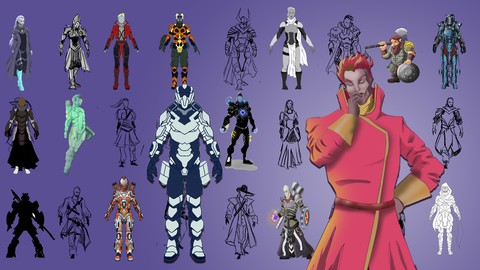

Sketchbook Pro for Beginners on PC Mac and iPad Pro (2022)
4.2 (603 Reviews)
- Provider: Udemy
- Time: 5.9h
$64.99
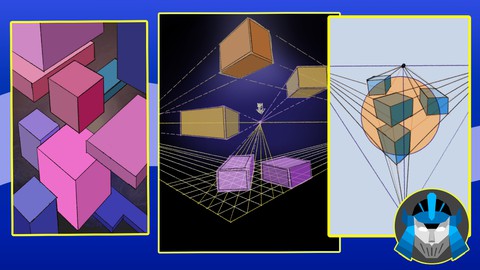
How to Draw and Sketch for Absolute Beginners 2 Perspective (2022)
4.2 (525 Reviews)
- Provider: Udemy
- Time: 25.5h
$11.99
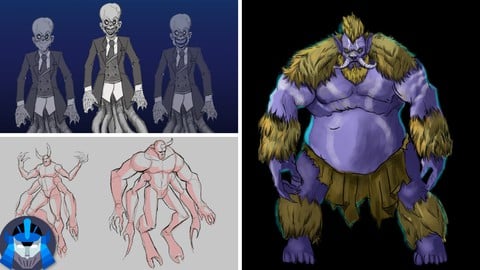
More Digital Painting courses

Character Art School: Complete Coloring & Painting (2026)
4.8 (6,042 Reviews)
- Provider: Udemy
- Time: 19.5h
$34.99



Procreate Masterclass: Digital Drawing on the iPad (2023)
4.8 (1,744 Reviews)
- Provider: Udemy
- Time: 18.2h
$94.99


Digital painting with Krita 5.0 intermediate level (2022)
4.8 (271 Reviews)
- Provider: Udemy
- Time: 6.8h
$79.99
 Reviews

By Leo Hernandez on 3/14/2023
Thanks a heap, Rich, for all the work you've put into making this course, plus all the work you're still putting in to keep it alive. I enjoyed all the neat techniques and tools that you've presented, and am very much pleased with the progress I've made. You honestly brought me from complete beginner to confident artist, and while I know this is just an introduction to digital art, I know I have the skills to move forward and expand. Again I say great job, and keep up the good work!
By Alex Purtov on 10/6/2022
This was definitely a really good course and actually my first big course about digital drawing. Many things are definitely useful for me now and I know I will use them in the future. The only thing that was not helpful to me is the parts about Photoshop, as I knew that software in a decent way, so I didn't learn anything new from parts connected to it, but it's just me, not everyone begins digital drawing being acquainted with it I know that. That's just the reason why it felt underwhelming to me in the last section of the course. I was expecting some kind of finishing, polishing lessons for drawing in general and in the end some kind of graduation project that we would post here. To sort of showcase/compare our skill from when we started to where we are now. So that's why 4.5 and not 5 stars. But nonetheless, it is definitely a course I would recommend everyone who wants to learn digital drawing. Thank you, Rich, for sharing your knowledge and I hope my feedback helps you to make this course even better!
By Ondřej Hanzl on 8/14/2022
A great introduction to digital drawing. It won't make you an artist but will help you become one. I did the course at a leisurely pace for 2.5 months. Basically, the moment I started drawing I bought this. It covers the basics of various techniques and approaches. Even more importantly, it gives you some basic knowledge and experience of how an artist should think and do things and prepares you to go on your own journey. Please do not expect military-style drills or a college education environment. Think of this course as if you have a certain friend. That friend doodles. You ask him to teach you and he does. It's informal, half-structured and half-fluid, and completely authentic. When he doesn't know himself, he tells you. When he makes a mistake, he lets you observe it instead of hiding it. He gives you guidance, not directions. He has no way or desire to enforce anything so it's up to you to stay motivated and choose your own pace. If you are fine with that, I heartily recommend giving this course a try.
By Dani Bastien on 12/26/2021
I am fairly new to digital art, so I really enjoyed this course and the material that it covers. For a beginner's course in digital art, it is definitely comprehensive in scope. I like that I can go back to the course and go over the material again, especially since there is so much that was covered. I find the lessons useful and simple enough for a beginner to understand. I highly recommend it for students and artists that are starting out in digital art and would like to learn a lot about it in a fairly simple and straightforward manner.
By Arthur E Levandoski on 11/19/2021
While the techniques you'll learn in the course will certainly help you learn to or become a better artist this course was not what I had hoped or expected. The digital aspects of drawing are just kind of thrown in as an afterthought. I felt the course sections are not very well organized or structured (the entire first half is apparently old material and the course just abruptly stops at the last lesson). The sections are also unnecessarily long so I found myself losing interest and during a few you'll just watch him draw. The course is not terrible by any means but a reorganization and shorter length would likely make it much better.
By Tricie A on 3/9/2021
I came into this course with zero knowledge on digital art, and drawing in general. And this is really the course I needed to get the basics down, to feel comfortable with drawing and to feel more confident in what I can do. Rich doesn't make any of it seem intimidating, and the way he teaches is what I needed when I was in school and wanting to learn how to draw. He makes drawing friendly and approachable. If you'll take this course, DO THE ASSIGNMENTS!! Practice is important and even if it seems boring because you're doing A BUNCH OF SHAPES, you'll realize how much it actually helps. There's this one part where Rich shows you how all those shapes come together and it really encouraged me further. If you're new, or if you want to get a refresh on the basics, I highly recommend this course.
By Patrick Easter on 11/14/2020
Course introduces a lot of beginner exercises that are very helpful. Unfortunately, it also seems to just be a dump of content that was redone overtime, leaving progression feeling weird and disjointed. For instance, section 8: putting it together is largely a rehash of the first few sections. There may be new content, but you have to fish for it.
By Miladin Petrovic on 11/7/2020
Great course! Some parts are a bit slow and repetitive, but overall an amazing learning experience that covers pretty much everything I wanted.
By Alexia coelho on 10/27/2020
yes. his exercises are really helpful .
By LB Salgado on 10/23/2020
I'm new to using graphics tablet. I have a Huion H640P and trying to acclimate to the new feel, definitely different compared to paper.
By Jamey Miracle on 10/21/2020
Easy to listen to and follow.
By Bruno Henrique on 10/10/2020
Explicaes excelentes
 Quality Score
Overall Score : 84 / 100
- Video Duration:
 24.4h
24.4h - Price: $22.99
- Provider: Udemy
- Updated:
 September 2024
 - Level:
 Beginner
 - Language:
 English
 - Certificate:
 Yes
Yes - Lectures:130 in 18 sections
- Students:38,800
- Subtitles:7 languages
30-day money-back guarantee on most paid courses
Udemy Coupon Price Tracker
