
 Web Development
 Data Science
 Python
 SQL
SQL JavaScript
 Artificial Intelligence
 IT & Software
 IT Certifications
 Hacking
 AWS
AWS Arduino
 DevOps
 3D Modeling
 Graphic Design
 Photoshop
 Drawing
 Digital Painting
 UX Design
 Business
 Data Analysis
 Communication Skills
 Project Management
 Leadership & Management
 Human Resources
 Digital Marketing
 Social Media Marketing
 Marketing
 SEO
SEO Google Analytics
 Branding
 Excel
Excel Office Productivity
 SAP
SAP PowerPoint
 Microsoft Access
 SharePoint
 Finance & Accounting
 Trading & Investing
 Accounting
 Bitcoin
 Personal Finance
 Video Editing & Animation
 Photography
 Adobe Premier Pro
 Adobe Lightroom
 Personal Development
 Productivity
 Career Development
 Life Coaching
 Health & Fitness
 Meditation & Mindfulness
 Yoga
Yoga Music
Music Music Production
 Guitar
 Piano
Piano Singing
 Language Learning
 Teaching & Academics
 Engineering
 Math
Math Lifestyle
Sketchbook Pro for Beginners on PC Mac and iPad Pro (Udemy.com)
Complete beginners guide to learning Sketchbook Pro on Mac PC and iPad .
Created by: Rich Graysonn
Last updated August 2022
 What you will learn
- Hit the ground running with Sketchbook pro
- Learn how to use most of the features in SketchbooK Pro
- Create custom Brushes
- Learn the Perspective Tool
- Learn how the brushes work
- Feel confident enough to use Sketchbook Pro
How it compares
Against the other 459 rated Udemy courses in Office Productivity on CourseDuck:
- Rating4.2 out of 5higher than 10% of them
- Reviews603#188 of 460 by number of reviews
- Length5.9 hourslonger than 62% of them
- Last updatedAugust 2022earlier than 77% of them
 Course Description
This is a beginners course to Sketchbook Pro. In this very in-depth course you will learn all of the major parts of this very robust and intuitive drawing software. My goal for you when you complete this course is to start using sketchbook pro as easily as you would traditional media. If you arebrand new to digital art the I urge you to take this course. The skills I will teach you will help you in learning other pieces of art software. In this course you will:
Learn to use the Drawing ToolsLearn to use the Perspective ToolsLearn to manage your Brushes and settingsCreate your own Brush sets and Custom BrushesAnd so much more
Who this course is for :
Any beginner who wants to learn Digital ArtSoftwareArt students (traditional and non traditional and self taught)Traditional artists who want to learn DigitalGraphic designers who want to learn to Draw moreAnyone who wants to make their own game, graphic novel or illustrationsAnyone who is curious about Sketchbook Pro
What this course is not
Not for anyone who doesn't have a Tablet(Either for desktop or mobile or ipad, galaxy tab etc)You cannot do this course with a mouse ( I guess you can start but I recommend getting a tablet first)
I hope you will join me and allow me to be your professional guide on your art journey.
Who this course is for:
This is a beginner course so it is open to everyoneTraditional artists who want to get into digitalAny curious about Sketchbook proArtists who find Photoshop difficult but want to create digital artNOT for anyone who does not have a computer

 Udemy Discount
The discount is applied through our link. Open the course from here and Udemy's current promotional price is applied at checkout on most courses, no code to type.
Some courses are excluded from Udemy's promotions. If the price does not drop, clear your browser cookies and use the button again.
Instructor Details

- 4.2 Rating
 603 Reviews
Rich Graysonn
Aside from being an artist as long as I can remember I started offering a few tutorials on Youtube. Little did I know that by teaching people the fundamentals of art and anatomy i'd begin a new dimension to my career. Being a working freelance illustrator with a youtube channel is hard work, and I wouldn't change a thing. I steadily expanded my work from clients who needed branding to doing work on indie games and apps. i enjoy helping artists and non artist achieve that next level. The road to artistic expression and freedom is paved with hard work and dedication. There are setbacks and monsters to slay , but the rewards are great.
 More courses by Rich Graysonn

How to Draw and Sketch for Absolute Beginners pt 1 (2022)
4.6 (5,425 Reviews)
 Provider: Udemy
 Time: 12.8h
$22.99
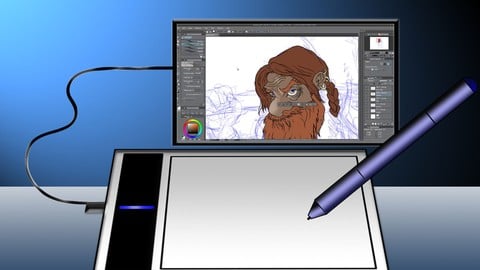
Complete Beginner's Guide to Digital Art (2024)
4.2 (5,294 Reviews)
- Provider: Udemy
- Time: 24.4h
$22.99

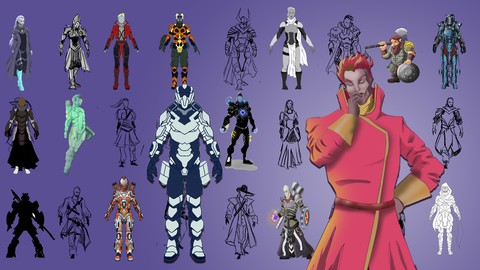
Complete Beginner's Guide to Anatomy and Figure Drawing pt1 (2022)
4.7 (4,202 Reviews)
- Provider: Udemy
- Time: 34.9h
$17.99
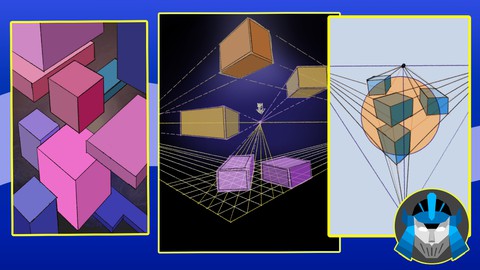
How to Draw and Sketch for Absolute Beginners 2 Perspective (2022)
4.2 (525 Reviews)
- Provider: Udemy
- Time: 25.5h
$11.99
More Office Productivity courses

AI-Powered Social Media Management: From Beginner to Pro (2025)
5.0 (211 Reviews)
- Provider: Udemy
- Time: 1.1h
$19.99

Microsoft Excel + AI: Go From Data Analysis to Visualization (2026)
4.9 (276 Reviews)
- Provider: Udemy
- Time: 3.8h
$10.99


Complete Introduction to Google Sheets Pivot Tables (2026)
4.8 (3,570 Reviews)
- Provider: Udemy
- Time: 2.9h
$64.99


Microsoft Excel - Managing Personal Finances with Excel (2024)
4.8 (810 Reviews)
- Provider: Udemy
- Time: 3h
$19.99
 Reviews

By Cheri Wales on 11/8/2020
I love this course. I've learned so much. It's given me not only a lot more enjoyment with my digital drawing at home but has taught me things that really help with some art I do for work. He is an amazing instructor.
By Daniel on 10/21/2020
I am new to Sketchbook Pro and really enjoyed this learning experience!
By Stevanna Allen on 9/21/2020
I think so!
By Amanda Eagle on 9/11/2020
Covers the program's features pretty well. I feel much better equipped to use Sketchbook as an amateur artist just beginning to learn how to use digital art tools. Thank you!
By Brad Gillis on 8/24/2020
So far it is great introduction to all the basic tools and functions of Sketchbook Pro.
By Fernando Rivero on 8/23/2020
Very good!!!
By Jens Wodrich on 8/21/2020
Nothing new when you know other programs (photoshop) already. expected some special and cool features. i also notice that the teacher ofter tries instead of knowing what this and that setting does. anyway i didn pay much an got al least 1-2 nice tricks more.
By Simon Tickle on 8/19/2020
So far the course content is good
By Phil Samandar on 7/25/2020
Its OK. Basic overview of the software.
By Taylor Johnson on 7/12/2020
Fantastic course. I now am able to use Sketchbook so comfortably that I've actually left Photoshop behind. I work professionally in the field and Sketchbook is my main digital illustration tool at this point, thanks to this course.
By Sunil Chaturvedi on 6/22/2020
This course should have been edited better. Most of the times, the instructor is just rambling or trying things out for the first time which makes it very confusing for the student. This course should have been edited to remove unnecessary portion and compressed into like a shorter duration introductory course. Very disappointed.
By Raviteja Vadlamudi on 6/21/2020
I understood the functionality of each and every tool and a few techniques. Quite useful.
 Quality Score
No CourseDuck member has rated this course yet. Taken it? Give each part a thumbs up or down.
Overall Score : 84 / 100

- Video Duration:
 5.9h
5.9h - Price: $64.99
- Provider: Udemy
- Updated:
 August 2022
 - Level:
 All Levels
 - Language:
 English
 - Certificate:
 Yes
Yes
30-day money-back guarantee on most paid courses
Udemy Coupon Price Tracker
