
 Web Development
 Data Science
 Python
 SQL
SQL JavaScript
 Artificial Intelligence
 IT & Software
 IT Certifications
 Hacking
 AWS
AWS Arduino
 DevOps
 3D Modeling
 Graphic Design
 Photoshop
 Drawing
 Digital Painting
 UX Design
 Business
 Data Analysis
 Communication Skills
 Project Management
 Leadership & Management
 Human Resources
 Digital Marketing
 Social Media Marketing
 Marketing
 SEO
SEO Google Analytics
 Branding
 Excel
Excel Office Productivity
 SAP
SAP PowerPoint
 Microsoft Access
 SharePoint
 Finance & Accounting
 Trading & Investing
 Accounting
 Bitcoin
 Personal Finance
 Video Editing & Animation
 Photography
 Adobe Premier Pro
 Adobe Lightroom
 Personal Development
 Productivity
 Career Development
 Life Coaching
 Health & Fitness
 Meditation & Mindfulness
 Yoga
Yoga Music
Music Music Production
 Guitar
 Piano
Piano Singing
 Language Learning
 Teaching & Academics
 Engineering
 Math
Math Lifestyle
Complete Electronics Hardware Design Course 2025 -EsteemPCB (Udemy.com)
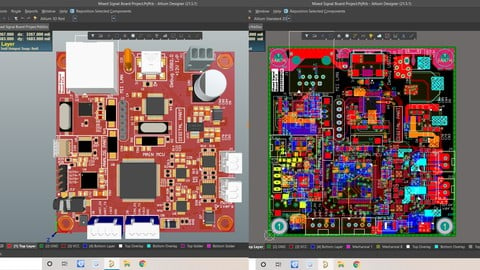
Complex Mixed Signal Board Design Course (Ethernet PHY, STM32F407, STM32F103, CH340C, DAC/MIC, 24Bit ADC, 36W Drivers)
Created by: Aviral Mishra
Last updated January 2025
 What you will learn
- How to Extract Components information from Requirement Sheet
- Selection of Component for Example: Ethernet PHY, Micro-Controller, Motor Driver, Mosfets, ADC, ADC/DAC, MIC etc.
- How to Draw a Complex Schematic Block and Its Power Budget Diagrams
- What are Differential pairs, USB2.0, I2Cs, UART/USART, CAN, MII/RMII, I2S and many more interfaces
- EMI & EMC decisions for a Complex Mixed Signal Schematic Design
- How to Create Design Rules Decision for Complex Mixed Signal Board
- Layer Stack-Up Design (4L/6L/8L/12L) and Field Solver Simulation
- How to Define Board shape and Rigid-Flex PCB Board
- Components Placement planning for a Complex Board and its Execution
- How to Layout a Complex Board with more than 10,000 interconnects, and Layout Optimization
- Power Distribution Network (PDN Analysis) and How to read its Report + Resolve Issues
How it compares
Against the other 335 rated Udemy courses in Engineering on CourseDuck:
- Rating4.0 out of 5higher than 8% of them
- Reviews1,490#57 of 336 by number of reviews
- Length21.5 hourslonger than 91% of them
- Last updatedJanuary 2025more recently than 57% of them
 Course Description
I have divided this course into four major sections:
Selection of Components: Choosing each component that will be used in the schematic.
Schematic Design: Designing schematics based on datasheet information.
Stack-up and Placement: Planning and executing 4-layer, 6-layer, 8-layer, and 12-layer stack-ups, along with component placement.
Layout Planning: Inter-block and intra-block layout planning and execution.
The major schematic blocks designed in this course include:
Ethernet PHY (10/100 Mb/s)
I2S DAC for headphones and speakers
MEMS microphone
24-bit ADC
36W bi-directional brushed DC motor drivers
UART to USB TTL converter
STM32F103 controller as debugger and programmer
STM32F407 main controller
Power supply and protection circuits
And many more subparts listed in the curriculum.
You will also learn basic blocks such as:
Pre-schematic design: Block diagrams and power budgeting
Rules for stack-up selection and defining stack-ups
Grounding techniques: Signal grounding, earth grounding, chassis grounding
Creating rigid-flex PCBs and their stack-ups
Pin-mapping using Cube-MX tool
Power distribution network (PDN) analysis for PCBs
Selection and application of ferrite beads, ESD diodes, and magnetic components
Placement and layout planning using Microsoft Paint
After completing this course, you will be able to design mixed-signal PCBs with microcontrollers available worldwide.
The major controllers used in this course are:
STM32F407XX
STM32F103XX
Ethernet PHYs, various sensors, ADCs, and DACs

 Udemy Discount
The discount is applied through our link. Open the course from here and Udemy's current promotional price is applied at checkout on most courses, no code to type.
Some courses are excluded from Udemy's promotions. If the price does not drop, clear your browser cookies and use the button again.
Instructor Details

- 4.0 Rating
 1,490 Reviews
Aviral Mishra
Aviral is an Electronics Hardware Design Engineer, who designed tons of Complex High-Speed boards like SOM/COM/DIMM, He is a Youtube Content Creator on his Youtube Channel EsteemPCB, Aviral is specializing in Low-speed Mixed-signal and Power Electronics Board for Micro-controller and Micro Processor Based Designs. Through his Youtube Channel EsteemPCB, he has published 100s of Videos on different concepts of PCB design and Hardware designing tools. EsteemPCB has a well-known Hardware Designers community on YouTube and on Facebook, You can DM in case of any opportunity.
Thanks
 More courses by Aviral Mishra
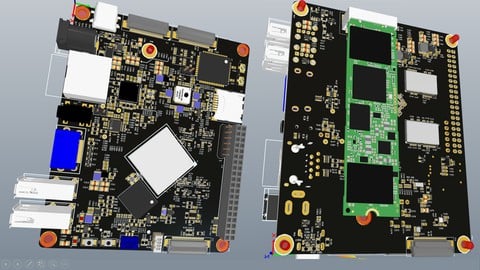
Advanced Hardware and PCB Design Masterclass 2022 -EsteemPCB
4.5 (472 Reviews)
 Provider: Udemy
 Time: 23h
$54.99
More Engineering courses


Do it Yourself - Automotive Electrical Diagnosis - Beginner (2026)
4.8 (1,897 Reviews)
- Provider: Udemy
- Time: 2.1h
$12.99

ROS 2 for Beginners Level 2 - TF | URDF | RViz | Gazebo (2025)
4.8 (1,869 Reviews)
- Provider: Udemy
- Time: 13.8h
$10.99

Advanced Kalman Filtering and Sensor Fusion (2021)
4.8 (1,033 Reviews)
- Provider: Udemy
- Time: 8.3h
$84.99

Digital Electronics: Robotics, learn by building module II (2020)
4.8 (942 Reviews)
- Provider: Udemy
- Time: 13.1h
$14.99

 Reviews

By Serhat Gazi Aslan on 7/11/2026
This course enabled me to gain knowledge on many topics I was previously unfamiliar with. It was a detailed and thoroughly enjoyable course. Upon completing it, I feel I have significantly improved myself. Thank you very much.
By Miguel Ureña on 5/2/2026
It's a very good hands-on course, but I feel that is lacking a bit on the theory side. You learn a lot, but not in the depth I originally thought. Personally, I don't like the live lecture style, a lot of time is spent watching the lecturer working with the program. It is a great course regardless, and I'll watch it to the end
By Matías Cristobal Espinoza Martínez on 10/26/2025
no está en español y mal audio
By Saviour Emmanuel on 9/20/2023
The course was very insightful and I learnt so much from it. Thanks to Aviral for using multiple tools and showing the use case of theses tools alongside the detailed documents he uses.
By Omoding Joshua on 10/13/2022
I liked the course very much. I think the thing I learnt most from the course is a well organized professional procedure on how to design a PCB from start to finish. However I think that there should be an improvement in explaining the more technical things that are harder to understand.
By Nikunj Patel on 7/8/2022
If you want to scale up your knowledge and experience designing PCB, then you should take this course. You will learn a lot and helpful tricks & tips to help you get better at hardware design.
By Kweku Addae-Mensah on 1/25/2022
Course content was very well presented. I have been out of Hardware design for 10 years but was able to pick-up almost from where I left -off. His library is well developed and he answered my questions within time frame
By Muthukumar s on 11/30/2021
i really clear course give details from scratch and get solution to all of my questions in my mind ,in the resources section the shared doc also very useful and also now i know more shortcut keys to design fast, i hope it give change in my career thank you very much Mr.Aviral
By Basavanappa Biradar on 10/1/2021
Very Good Course, Most of the things i applying in my career and getting better results of my career grouth. Specially i like last session of PDN analysis. Thank you very much Aviral for this course.
By Adrian Wong on 9/5/2021
Pros: (1) Learned about component selection, Altium shortcuts in the PCB Layout, tips for naming schematic and footprints (provides document), tips for library management. These things I never thought of before (2) Instructor usually responds to questions within 24 hours. I wish his response was more thorough. Suggestions. (1) Would have been better for you to do a second recording. Learned what you did the first time you gave this course and make a second course with all the things you learned and to make it more smoother. The course shows that the instructor has an idea what he wants to do and design. But he is figuring things out in the moment. (2) I thought the component placement and PCB layout could have been a lot better. For example, have a list of pins that a certain net ('ADC') in the excel file. During the layout, certain pins can be changed if its better. (3) A little strange to put giant capacitors on the bottom of the PCB, but the instructor did say to put the capacitors on top later on in the course.
 Quality Score
No CourseDuck member has rated this course yet. Taken it? Give each part a thumbs up or down.
Overall Score : 80 / 100
- Video Duration:
 21.5h
21.5h - Price: $10.99
- Provider: Udemy
- Updated:
 January 2025
 - Level:
 All Levels
 - Language:
 English
 - Certificate:
 Yes
Yes
30-day money-back guarantee on most paid courses
Udemy Coupon Price Tracker
